
1. ข้อมูลด้านความปลอดภัยที่สำคัญ
Before beginning any exercise program, consult with your physician. It is essential to read and understand all instructions in this manual before assembling or operating the FUNMILY Elliptical Exercise Machine. Keep this manual for future reference.
- Ensure all parts are securely fastened before each use. Regularly inspect the machine for any loose or damaged components.
- เก็บเด็กและสัตว์เลี้ยงให้ห่างจากเครื่องระหว่างการใช้งาน
- Always wear appropriate athletic footwear during exercise.
- Place the elliptical on a flat, stable surface with adequate clear space around it.
- If you experience pain, dizziness, or shortness of breath, stop exercising immediately and consult your physician.
- ห้ามเกินขีดจำกัดน้ำหนักสูงสุดที่สามารถรองรับได้คือ 390 ปอนด์ (177 กก.)
- ใช้เครื่องจักรตามวัตถุประสงค์ที่อธิบายไว้ในคู่มือนี้เท่านั้น
2. สินค้าหมดview
The FUNMILY Elliptical Exercise Machine is designed for home use, offering a full-body workout with adjustable magnetic resistance and an LCD monitor to track your progress.
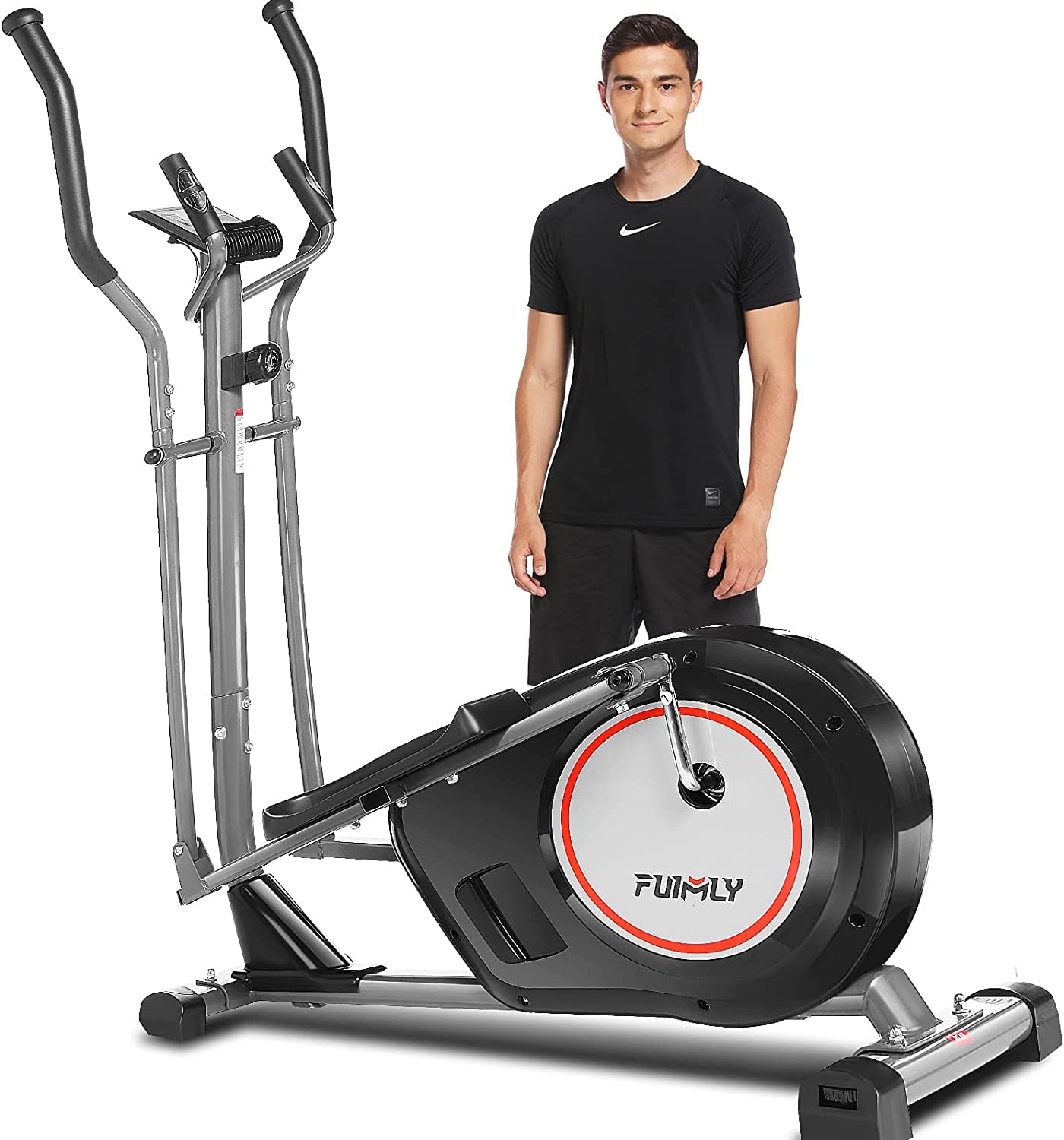
Image: The FUNMILY Elliptical Exercise Machine, showcasing its design and compact footprint suitable for home use.
3. การติดตั้งและการประกอบ
The elliptical machine requires assembly. Please refer to the separate assembly guide included in your package for detailed, step-by-step instructions. Ensure all components are present before starting assembly.
3.1 การจัดวาง
- Choose a level, stable surface for placement.
- Allow at least 2 feet (60 cm) of clear space around the machine for safe operation and movement.
- Avoid placing the machine in direct sunlight or near heat sources.
3.2 การเคลื่อนย้ายเครื่องจักร
The elliptical is equipped with transport wheels for easy relocation.
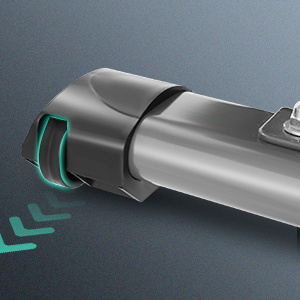
Image: Close-up of the transport wheels located at the front base of the elliptical machine, designed for easy movement.
- Grasp the rear stabilizer or main frame firmly.
- Tilt the machine forward until it rests on its transport wheels.
- Carefully roll the machine to the desired location.
- Gently lower the machine back onto its stabilizers.
4. คู่มือการใช้งาน
4.1 ฟังก์ชั่นของจอ LCD
The integrated LCD monitor displays key workout data. Use the 'MODE' button to cycle through display functions and 'RESET' to clear data.
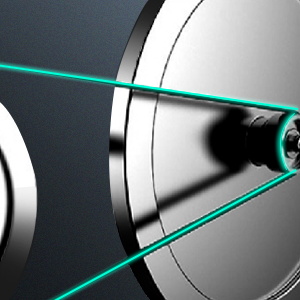
Image: Close-up of the elliptical's LCD monitor, showing digital readouts for various exercise metrics and control buttons.
- เวลา: แสดงระยะเวลาการออกกำลังกายของคุณ
- ความเร็ว: แสดงความเร็วปัจจุบันของคุณ
- ระยะทาง: บันทึกระยะทางรวมที่เดินทางระหว่างเซสชั่นของคุณ
- แคลอรี่: ประมาณการจำนวนแคลอรีที่เผาผลาญไป
- ชีพจร: Displays your heart rate when holding the pulse sensors.
- สแกน: ระบบจะสลับแสดงฟังก์ชันต่างๆ บนหน้าจอโดยอัตโนมัติทุกๆ สองสามวินาที
4.2 การปรับความต้านทาน
The machine features 10 levels of magnetic resistance. Turn the resistance knob located on the main frame to increase or decrease the workout intensity.

Image: Visual representation of different resistance levels, suggesting appropriate intensity for walking (1-2 levels), swimming (3-5 levels), and sprint (6-8 levels).
- หมุนตามเข็มนาฬิกาเพื่อเพิ่มแรงต้านสำหรับการออกกำลังกายที่ท้าทายยิ่งขึ้น
- หมุนทวนเข็มนาฬิกาเพื่อลดแรงต้านสำหรับการออกกำลังกายที่ง่ายขึ้น
เซ็นเซอร์วัดอัตราการเต้นของหัวใจ 4.3
Grip the pulse pads on the stationary handlebars to measure your heart rate. Ensure both hands are firmly on the sensors for an accurate reading.
4.4 Smart Workout App (FITSHOW APP)
Connect your elliptical to the FITSHOW APP for an enhanced workout experience, including virtual reality exercising and detailed data recording.

Image: A smartphone and tablet displaying the FITSHOW APP interface, showing workout data and virtual routes.
- Download the FITSHOW APP from your device's app store.
- เปิดใช้งานบลูทูธบนอุปกรณ์เคลื่อนที่ของคุณ
- Open the FITSHOW APP and follow the on-screen instructions to connect to your elliptical machine.
- Begin your workout and track your progress within the app.
4.5 Foot Pedals and Handles
The non-slip 15-inch pedals provide stability, while foam-covered handles allow for upper body engagement.

Image: Close-up of a textured, non-slip foot pedal designed for secure footing during exercise.
- Ensure your feet are centered and secure on the pedals before starting.
- Hold the moving handlebars for a full-body workout, or the stationary handlebars for lower body focus and heart rate monitoring.
5. การบำรุงรักษา
Regular maintenance ensures the longevity and safe operation of your elliptical machine.
5.1 การทำความสะอาด
- เช็ดเครื่องด้วยโฆษณาamp ผ้าหลังการใช้ทุกครั้งเพื่อเช็ดเหงื่อและฝุ่นละออง
- Do not use abrasive cleaners or solvents, as they may damage the finish or electronic components.
5.2 การตรวจสอบ
- Periodically check all nuts, bolts, and moving parts for tightness. Tighten as necessary.
- ตรวจสอบระบบขับเคลื่อนด้วยสายพานว่ามีร่องรอยการสึกหรอหรือความเสียหายหรือไม่
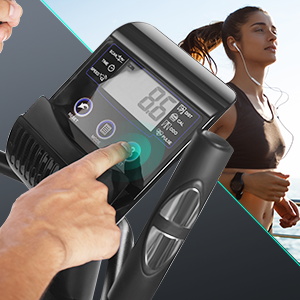
Image: Diagram showing the internal belt drive system of the elliptical, highlighting its smooth operation.
5.3 พื้นที่จัดเก็บ
- Store the machine in a cool, dry place away from moisture and extreme temperatures.
6 การแก้ไขปัญหา
If you encounter issues with your elliptical machine, refer to the following common problems and solutions.
| ปัญหา | สาเหตุที่เป็นไปได้ | สารละลาย |
|---|---|---|
| จอ LCD ไม่แสดงผล | แบตเตอรี่เหลือน้อยหรือติดตั้งไม่ถูกต้อง | Replace batteries or ensure they are installed correctly. |
| ความต้านทานไม่เปลี่ยนแปลง | สายต้านทานหลวมหรือหลุด | Check the connection of the resistance cable to the knob and flywheel. |
| เสียงรบกวนที่ผิดปกติระหว่างการทำงาน | น็อตหลวม หรือชิ้นส่วนที่เคลื่อนไหวหลวม | Inspect and tighten all bolts and connections. Lubricate moving joints if necessary. |
| Heart rate reading is inaccurate or absent | Hands not firmly on sensors; sensors are dirty. | Ensure firm contact with both sensors. Clean sensors with a dry cloth. |
7. ข้อมูลจำเพาะ
Key technical specifications for the FUNMILY Elliptical Exercise Machine.
| คุณสมบัติ | รายละเอียด |
|---|---|
| ชื่อรุ่น | elliptical trainers |
| ยี่ห้อ | ฟันมิลี่ |
| ขนาดสินค้า | ลึก 46 นิ้ว x กว้าง 13 นิ้ว x สูง 23 นิ้ว (ลึก 116.8 ซม. x กว้าง 33 ซม. x สูง 58.4 ซม.) |
| วัสดุ | อลูมิเนียม |
| กลไกต้านทาน Resistance | แม่เหล็ก |
| คำแนะนำน้ำหนักสูงสุด | 390 ปอนด์ (177 กก.) |
| ความยาวก้าวสูงสุด | 18 นิ้ว (45.7 ซม.) |
| จำนวนระดับแนวต้าน | 10 |
| ส่วนประกอบที่รวมอยู่ | Elliptical cross trainer |
8. การรับประกันและการสนับสนุน
8.1 ข้อมูลการรับประกัน
The FUNMILY Elliptical Exercise Machine comes with a รับประกัน 1 ปี from the date of purchase. This warranty covers manufacturing defects in materials and workmanship under normal use. It does not cover damage caused by misuse, accident, unauthorized modification, or improper assembly.
8.2 การสนับสนุนลูกค้า
For warranty claims, technical assistance, or replacement parts, please contact FUNMILY customer support. Refer to your purchase documentation or the FUNMILY official webเว็บไซต์สำหรับรายละเอียดการติดต่อ