
การแนะนำ
Thank you for choosing the Cellularline CORE True Wireless Bluetooth Earphones. These earphones are designed to provide a seamless audio experience with advanced features such as a charging case with an LED display, touch controls, and automatic pairing. This manual will guide you through the setup, operation, and maintenance of your new earphones.
มีอะไรอยู่ในกล่อง
- Cellularline CORE True Wireless Bluetooth Earphones (Left and Right)
- เคสชาร์จพร้อมจอแสดงผล LED
- สายชาร์จ USB-C
- คู่มือการใช้งาน
สินค้าเกินview
The Cellularline CORE earphones feature a compact design and a charging case with an integrated LED display to show the remaining battery percentage. They offer up to 16 hours of total play time with the charging case.

Image: Cellularline CORE True Wireless Bluetooth Earphones and Charging Case. The earphones are white and sit in an open white charging case.

Image: A close-up of the Cellularline CORE charging case with an LED display showing '100', indicating full battery. The earphones are inside the case.
The LED display on the charging case provides real-time battery status, ensuring you are always aware of the remaining charge.
การตั้งค่า
1. การชาร์จหูฟังและเคส
- วางหูฟังทั้งสองข้างลงในกล่องชาร์จ ตรวจสอบให้แน่ใจว่าเสียบเข้าที่ช่องของแต่ละข้างอย่างถูกต้อง
- Connect the provided USB-C cable to the charging port on the case and plug the other end into a USB power adapter (not included) or a computer's USB port.
- หน้าจอ LED บนเคสชาร์จจะแสดงเปอร์เซ็นต์แบตเตอรี่ปัจจุบันtage during charging. A full charge typically takes approximately 4 hours for the case and earphones.
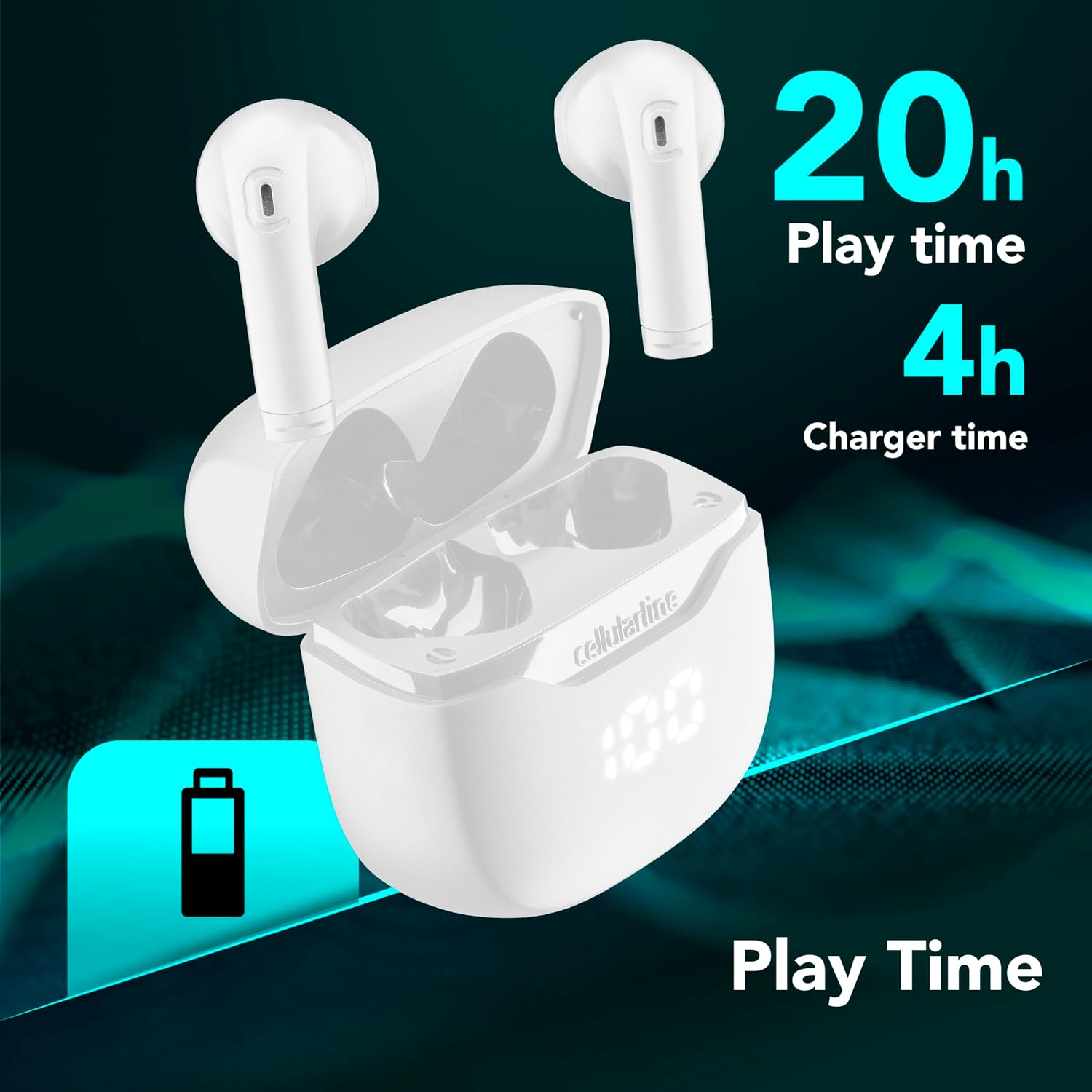
Image: The Cellularline CORE earphones and charging case, highlighting 20 hours of total play time and 4 hours of charging time for the case.
2. Initial Pairing (Autopairing)
- ตรวจสอบให้แน่ใจว่าหูฟังมีการชาร์จแล้ว
- เปิดกล่องชาร์จ หูฟังจะเปิดเครื่องโดยอัตโนมัติและเข้าสู่โหมดจับคู่
- บนสมาร์ทโฟนหรืออุปกรณ์ที่รองรับ Bluetooth ของคุณ ให้ไปที่การตั้งค่า Bluetooth
- ค้นหา available devices and select "Cellularline CORE" from the list.
- เมื่อเชื่อมต่อเสร็จแล้ว คุณจะได้ยินเสียงยืนยัน และหูฟังก็พร้อมใช้งาน

Image: Cellularline CORE earphones and charging case next to a smartphone displaying a music application, with a Bluetooth icon indicating successful pairing.
The Autopairing function ensures that once paired, the earphones will automatically connect to your last paired device when removed from the case.
คำแนะนำการใช้งาน
การควบคุมแบบสัมผัส
The Cellularline CORE earphones feature intuitive touch controls on each earbud for managing calls, music, and voice assistant functions.
| การทำงาน | การกระทำ |
|---|---|
| เล่น/หยุดเพลง | แตะครั้งเดียวที่หูฟังเอียร์บัดข้างใดข้างหนึ่ง |
| เพลงถัดไป | แตะสองครั้งที่หูฟังด้านขวา |
| เพลงก่อนหน้า | แตะสองครั้งที่หูฟังด้านซ้าย |
| รับสาย/วางสาย | แตะครั้งเดียวที่หูฟังเอียร์บัดข้างใดข้างหนึ่ง |
| ปฏิเสธการรับสาย | กดหูฟังเอียร์บัดข้างใดข้างหนึ่งค้างไว้ 2 วินาที |
| เปิดใช้งานผู้ช่วยเสียง | แตะสามครั้งที่หูฟังข้างใดข้างหนึ่ง |
| เพิ่มระดับเสียง | Press and hold the right earbud |
| ลดระดับเสียง | Press and hold the left earbud |
Double Master Function
The Double Master function allows you to use either the left or right earbud independently for calls. Simply remove one earbud from the case, and it will automatically connect. You can answer calls by tapping the active earbud.
การซ่อมบำรุง
การทำความสะอาด
- ทำความสะอาดหูฟังและกล่องชาร์จเป็นประจำด้วยผ้าแห้งนุ่มที่ไม่เป็นขุย
- ห้ามใช้สารทำความสะอาดที่มีฤทธิ์กัดกร่อน ตัวทำละลาย หรือสเปรย์แอโรซอล
- Ensure charging contacts on both the earphones and the case are clean and free of debris to maintain proper charging.
พื้นที่จัดเก็บ
- เมื่อไม่ได้ใช้งาน ให้เก็บหูฟังไว้ในกล่องชาร์จเพื่อปกป้องหูฟังและชาร์จไฟอยู่เสมอ
- เก็บอุปกรณ์ไว้ในที่แห้งและเย็น หลีกเลี่ยงอุณหภูมิที่สูงและแสงแดดโดยตรง

Image: A hand placing the compact Cellularline CORE charging case into the pocket of a pair of jeans, demonstrating its portable size.
การแก้ไขปัญหา
| ปัญหา | วิธีแก้ปัญหาที่เป็นไปได้ |
|---|---|
| หูฟังไม่เปิด | Ensure the earphones and charging case are fully charged. Place earphones in the case and close it, then open it again. |
| หูฟังไม่สามารถเชื่อมต่อกับอุปกรณ์ได้ | Make sure Bluetooth is enabled on your device. Forget the device in your Bluetooth settings and try pairing again. Ensure earphones are in pairing mode (LED indicator blinking). |
| หูฟังใช้งานได้แค่ข้างเดียว | Place both earphones back into the charging case, close the lid, wait a few seconds, then open it again. This should re-sync them. If the issue persists, try resetting the earphones (refer to manufacturer's webไซต์สำหรับคำแนะนำการรีเซ็ตเฉพาะหากไม่มีอยู่ในคู่มือ) |
| ระดับเสียงต่ำหรือคุณภาพเสียงไม่ดี | Adjust the volume on both your device and the earphones. Ensure the earphones are clean and properly seated in your ears. Check for any obstructions in the earbud speakers. |
| Charging case LED display is not working. | Ensure the charging cable is securely connected and the power source is active. If the issue persists, contact customer support. |
ข้อมูลจำเพาะ
- ชื่อรุ่น : BTCORETWSW
- ยี่ห้อ: เซลลูลาร์ไลน์
- สี: สีขาว
- ตำแหน่งหู: อินเอียร์
- ฟอร์มแฟกเตอร์: อินเอียร์
- เทคโนโลยีการเชื่อมต่อ: ไร้สาย
- เทคโนโลยีไร้สาย: บลูทูธ
- เวอร์ชันบลูทูธ: 5.0
- อิมพีแดนซ์: 16 โอห์ม
- การควบคุมเสียงรบกวน: การแยกเสียง
- การตอบสนองความถี่: 20 เฮิรตซ์ - 20,000 เฮิรตซ์
- ความไว: 100 เดซิเบล
- ประเภทการควบคุม: สัมผัส
- ประเภทไดรเวอร์: ไดร์เวอร์แบบไดนามิก
- วัสดุ: พลาสติก
- อายุการใช้งานแบตเตอรี่โดยเฉลี่ย: 16 ชั่วโมง (พร้อมเคสชาร์จ)
- ระดับการต้านทานน้ำ: Waterproof (Note: Refer to product packaging for specific IP rating if available)
- คุณสมบัติ: True Wireless Technology, Automatic Pairing, Touch Controls, LED Display
- อุปกรณ์ที่รองรับ: อุปกรณ์ที่ใช้บลูทูธ
- ประเทศต้นกำเนิด: จีน
ข้อมูลการรับประกัน
The Cellularline CORE True Wireless Bluetooth Earphones come with a การรับประกันจากผู้ผลิต 2 ปี นับจากวันที่ซื้อสินค้า การรับประกันนี้ครอบคลุมถึงข้อบกพร่องในวัสดุและฝีมือการผลิตภายใต้การใช้งานปกติ ไม่ครอบคลุมถึงความเสียหายที่เกิดจากการใช้งานผิดวิธี อุบัติเหตุ การดัดแปลงโดยไม่ได้รับอนุญาต หรือการสึกหรอตามปกติ
Please retain your proof of purchase for warranty claims. For detailed warranty terms and conditions, please visit the official Cellularline webไซต์หรือติดต่อฝ่ายสนับสนุนลูกค้า
สนับสนุน
For further assistance, technical support, or warranty inquiries, please contact Cellularline customer service through their official webเว็บไซต์:
Webเว็บไซต์: www.cellline.com
You may also find FAQs and additional support resources on their webเว็บไซต์.