
1. ข้อมูลด้านความปลอดภัย
Please read this manual thoroughly before operating your PELONIS 3-in-1 Air Cooler. Keep these instructions for future reference. Failure to follow these instructions may result in electric shock, fire, or serious injury.
- ความปลอดภัยทางไฟฟ้า: ตรวจสอบให้แน่ใจเสมอว่าแหล่งจ่ายไฟตรงกับระดับเสียงtage specified on the appliance. Do not operate with a damaged cord or plug.
- การจัดวาง: Place the air cooler on a stable, flat surface. Do not block air inlets or outlets. Maintain adequate clearance from walls and furniture.
- ถังเก็บน้ำ: Only use clean tap water in the water tank. Do not add any chemicals or additives other than the provided ice packs. Ensure the water tank is securely locked before operation.
- เด็กและสัตว์เลี้ยง: Keep the appliance out of reach of children and pets. Supervise children to ensure they do not play with the appliance.
- การซ่อมบำรุง: Unplug the appliance before cleaning or performing any maintenance. Refer to the maintenance section for proper cleaning procedures.
- No Refrigerants: This evaporative air cooler does not use refrigerants like a traditional air conditioner. It cools by evaporating water.
2. สินค้าหมดview
The PELONIS 3-in-1 Air Cooler is a versatile appliance designed to provide cooling, humidification, and fan functions for enhanced indoor comfort. It is an energy-efficient solution for various environments.

Figure 2.1: The PELONIS 3-in-1 Air Cooler and its remote control.
คุณสมบัติหลัก:
- ฟังก์ชั่น 3-in-1: Operates as an air cooler, humidifier, and fan.
- ประหยัดพลังงาน: Provides a cost-effective cooling solution with lower energy consumption compared to traditional air conditioners.
- 60° Wide Oscillation: Automatically oscillates to distribute airflow evenly across the room.
- โหมดนอนหลับเงียบ: Designed for low-noise operation, ideal for use during sleep.
- 5-Liter Water Tank: Large capacity for extended operation, up to 10 hours.
- ตัวจับเวลา 7 ชั่วโมง: Customizable timer settings for convenience.
- รวมถุงประคบเย็น: มีถุงน้ำแข็งสองถุงเพื่อช่วยเพิ่มประสิทธิภาพในการทำความเย็น
- รีโมทคอนโทรล: Full control of functions from a distance.
ส่วนประกอบ:
- เครื่องปรับอากาศแบบพัดลม
- รีโมทคอนโทรล (ไม่รวมแบตเตอรี่)
- คู่มือผู้ใช้ (เอกสารนี้)
- แพ็คน้ำแข็ง 2 ชิ้น

รูปที่ 2.2: เกินview of key features and components including remote control, 5L water tank, removable filter, dimensions, and timer.
วิดีโอ 2.1: จบแล้วview of the PELONIS 3-in-1 Air Cooler's main features, including its fan, humidifier, and air cooling capabilities, along with its oscillation and quiet operation.
3. การตั้งค่า
Follow these steps to set up your PELONIS Air Cooler for first-time use.
- แกะกล่อง: นำเครื่องทำความเย็นและอุปกรณ์เสริมทั้งหมดออกจากบรรจุภัณฑ์อย่างระมัดระวัง เก็บบรรจุภัณฑ์ไว้เพื่อการจัดเก็บหรือขนส่งในอนาคต
- การจัดวาง: Place the unit on a firm, level surface in the desired location. Ensure there is adequate space around the unit for proper airflow.
- เติมถังน้ำ:
- Unlock the water tank latch and pull out the water tank from the bottom rear of the unit.
- Fill the tank with clean tap water up to the 'MAX' indicator line (5 liters capacity).
- For enhanced cooling, place the provided ice packs in a freezer for at least 3 hours, then add them to the water tank.
- Securely reinsert the water tank and lock the latch.
- การเชื่อมต่อไฟฟ้า: เสียบสายไฟเข้ากับเต้ารับไฟฟ้าที่เหมาะสม

Figure 3.1: The 5-liter water tank, showing the water level indicator and space for ice packs. The tank is designed for easy filling and maintenance.
Video 3.1: A detailed demonstration of unboxing, setting up, filling the water tank, inserting ice packs, and operating the PELONIS Air Cooler using both the control panel and remote control.
4. คู่มือการใช้งาน
Your PELONIS Air Cooler can be operated using the control panel on top of the unit or the included remote control.
แผงควบคุมและรีโมทคอนโทรล:
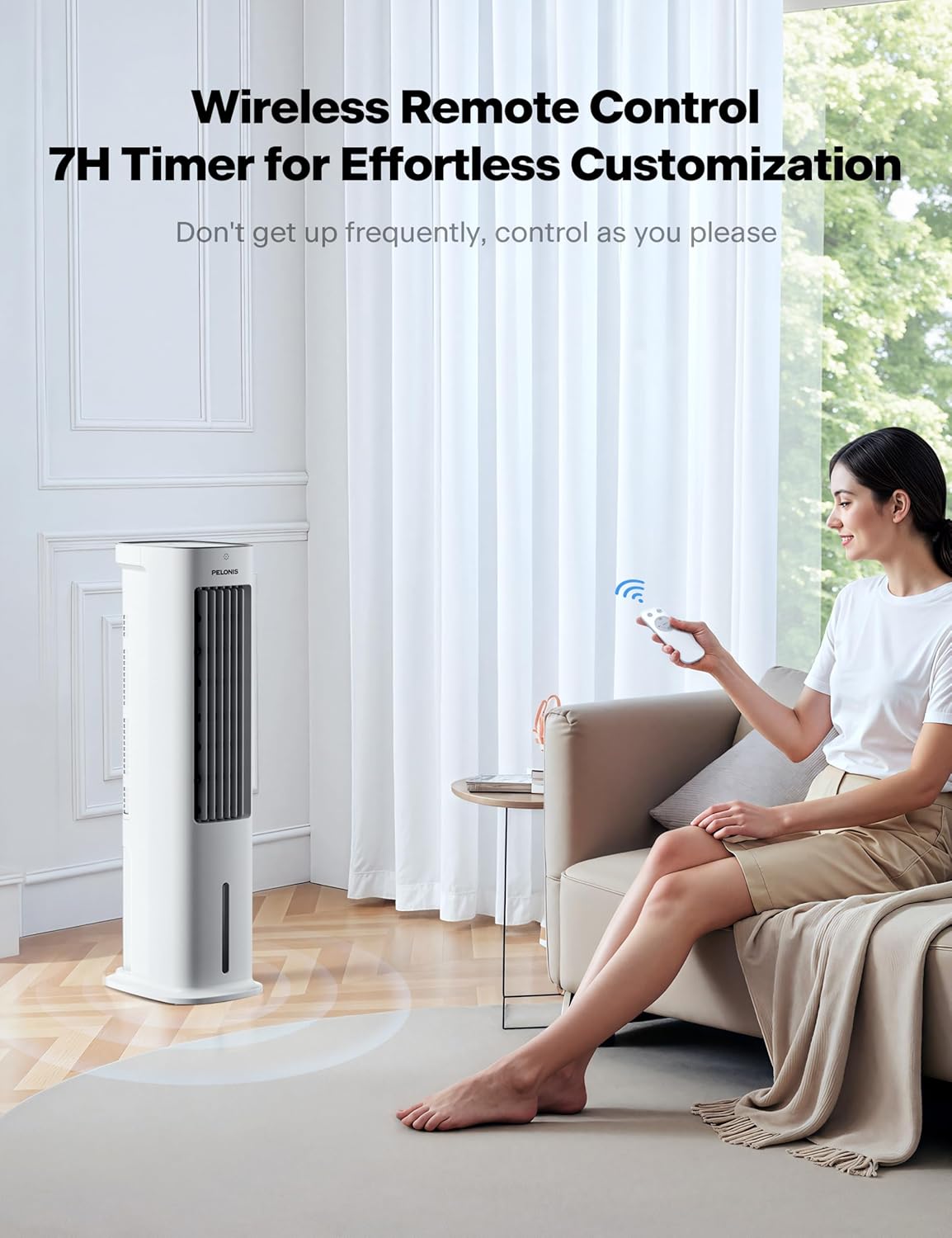
Figure 4.1: The intuitive control panel located on the top of the air cooler, alongside the remote control for convenient operation from a distance.
- ปุ่มเพาเวอร์ (⏻): กดเพื่อเปิดหรือปิดเครื่อง
- ปุ่มสั่น (⟳): Activates or deactivates the 60° automatic oscillation feature for wide area cooling.
- ปุ่มความเร็ว (⚹): Cycles through three fan speeds: Low, Medium, and High.
- ปุ่มโหมด (🌊): Selects between different wind modes: Normal, Natural, and Sleep.
- ปุ่มตั้งเวลา (🕒): ตั้งเวลาปิดอัตโนมัติได้ 1, 2, 4 หรือ 7 ชั่วโมง
- Humidifier Button (💧): Turns the humidification function ON or OFF.
การปรับทิศทางการไหลของลม:
In addition to automatic oscillation, you can manually adjust the vertical airflow direction.
- Manually adjust the up and down fins on the front grille to direct airflow as desired.

Figure 4.2: The air cooler provides 3D surround cooling with automatic 60-degree left/right oscillation and manual up/down adjustment for comprehensive air distribution.

Figure 4.3: The air cooler offers three customizable wind modes (Normal, Natural, Sleep) to suit various preferences and scenarios, from powerful cooling to gentle airflow for rest.
5. การบำรุงรักษา
การบำรุงรักษาตามปกติจะช่วยให้เครื่องทำความเย็นอากาศของคุณมีประสิทธิภาพสูงสุดและมีอายุการใช้งานยาวนาน
- การทำความสะอาดตัวกรองอากาศ:
- The air filter is located at the back of the unit.
- To remove, gently pull the filter cover outwards.
- Clean the filter regularly with a soft brush or vacuum cleaner to remove dust and debris. For deeper cleaning, rinse with water and allow to air dry completely before reinserting.
- การทำความสะอาดถังเก็บน้ำ:
- Periodically drain and clean the water tank to prevent mold or mildew buildup.
- Use a mild detergent and water, then rinse thoroughly.
- การทำความสะอาดภายนอก:
- เช็ดด้านนอกของตัวเครื่องด้วยผ้านุ่มdamp ผ้า.
- ห้ามใช้น้ำยาทำความสะอาดที่มีฤทธิ์กัดกร่อนหรือตัวทำละลาย
6 การแก้ไขปัญหา
If you encounter any issues with your PELONIS Air Cooler, refer to the following common problems and solutions:
| ปัญหา | สาเหตุที่เป็นไปได้ | สารละลาย |
|---|---|---|
| เครื่องไม่เปิด | ไม่มีแหล่งจ่ายไฟ; ไม่ได้กดปุ่มเปิด/ปิด | Check power cord connection; Press the power button |
| No mist/humidification | Water tank empty; Humidifier function not activated; Water pump issue | Fill water tank; Activate humidifier function; Check water pump for obstructions |
| การไหลเวียนของอากาศที่อ่อนแอ | Air filter clogged; Low fan speed setting | Clean air filter; Increase fan speed |
| เสียงผิดปกติ | Unit not on a level surface; Obstruction in fan; Water pump noise (normal during humidification) | Place on level surface; Check for obstructions; Normal operation sound |
If the problem persists after trying these solutions, please contact PELONIS customer support.
7. ข้อมูลจำเพาะ
| คุณสมบัติ | รายละเอียด |
|---|---|
| ผู้ผลิต | เปโลนิส |
| หมายเลขชิ้นส่วน | 20AR-UKG |
| ขนาดสินค้า | 23.01 x 29.49 x 84.99 ซม. |
| หมายเลขรุ่นสินค้า | 20AR-UKG |
| ขนาด | PELONIS Air Cooler |
| สี | สีขาว |
| สไตล์ | 33 Inch with Remote |
| แหล่งพลังงาน | สายไฟ |
| เล่มที่tage | 230 โวลต์ |
| วิธีการติดตั้ง | แบบติดพื้น |
| รายการ จำนวนแพ็คเกจ | 1 |
| จำนวนชิ้น | 1 |
| ความจุการไหลของอากาศ | 330 ไมล์ต่อชั่วโมง |
| ระดับเสียง | 52 เดซิเบล |
| ปลั๊กโปรfile | ชั้นเมา |
| เปลี่ยนสไตล์ | ระยะไกล |
| คุณสมบัติพิเศษ | 3 in 1 Air Cooler/Fan/ Humidifier, 3 Wind Speed Settings & 3 Modes, 5-liter Water Tank, 60-Degree Wide-angle Oscillation, Operated by Soft Button Control or Remote |
| ส่วนประกอบที่รวมอยู่ | 1* Remote Control (Batteries not included), 1 * User manual, 1 * Air Cooler |
| รวมแบตเตอรี่ด้วยมั้ย? | เลขที่ |
| จำเป็นต้องใช้แบตเตอรี่หรือไม่? | เลขที่ |
| น้ำหนักสินค้า | 5.7 กก. |
| วันที่พร้อมใช้งานครั้งแรก | 28 พฤษภาคม 2021 |
8. การรับประกันและการสนับสนุน
PELONIS offers a 2-YEAR warranty for this product, demonstrating confidence in its quality and durability.
For any product inquiries, technical support, or warranty claims, please refer to the contact information provided in your original purchase documentation or visit the official PELONIS webเว็บไซต์.
แหล่งข้อมูลออนไลน์:
- เยี่ยมชม Pelonis Store on Amazon สำหรับผลิตภัณฑ์และข้อมูลเพิ่มเติม