
การแนะนำ
This manual provides essential information for the proper use and maintenance of your Blitzwolf BW-AT2C Smartwatch. Please read these instructions carefully before using the device to ensure optimal performance and longevity. This smartwatch features Bluetooth calling, comprehensive health monitoring, various sports modes, and smart notifications.
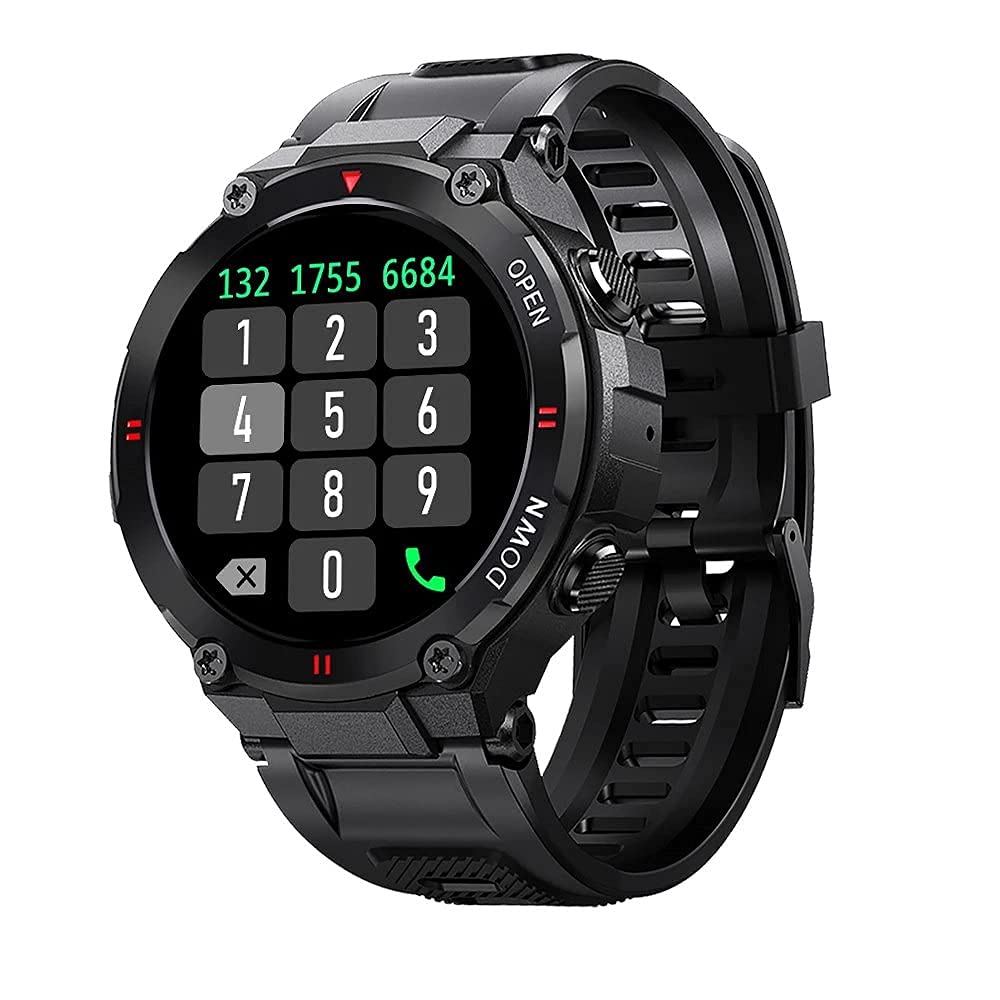
ภาพ: ด้านหน้า view of the Blitzwolf BW-AT2C Smartwatch, displaying a digital watch face with time, date, battery, and step count.
สินค้าเกินview
The Blitzwolf BW-AT2C Smartwatch is designed for daily use, fitness tracking, and communication. It features a durable build and a clear display.
- แสดง: 1.3-inch IPS full touch screen.
- ควบคุม: Full touch screen and two side buttons.
- เซ็นเซอร์: Heart rate, blood pressure, blood oxygen, pedometer, sleep monitor.
- การเชื่อมต่อ: Bluetooth 5.0 for calls and data synchronization.
- ความทนทาน: กันน้ำ IP54.

Image: The smartwatch displaying weather information, highlighting its robust design and metal buttons.

ภาพ: ด้านหลัง view of the smartwatch, showing the optical heart rate sensor and magnetic charging contacts, along with the model number BW-AT2C.
การตั้งค่า
1. การชาร์จอุปกรณ์
Before initial use, fully charge your smartwatch. Connect the magnetic charging cable to the charging contacts on the back of the watch and plug the USB end into a power adapter (not included) or a computer's USB port. The watch screen will indicate charging status. A full charge takes approximately 2 hours.
2. การติดตั้งและการจับคู่แอป
- ดาวน์โหลดแอป: ค้นหา "Da Fit" in your smartphone's app store (Google Play Store for Android or Apple App Store for iOS) and install it.
- เปิดใช้งานบลูทูธ: ตรวจสอบให้แน่ใจว่าได้เปิดใช้งาน Bluetooth บนสมาร์ทโฟนของคุณแล้ว
- เปิดแอป Da Fit: Launch the "Da Fit" application on your smartphone.
- เพิ่มอุปกรณ์: In the app, navigate to the "Device" section and select "Add Device". The app will search for available devices.
- เลือกนาฬิกาของคุณ: Choose "BW-AT2C" from the list of found devices to initiate pairing.
- ยืนยันการจับคู่: ทำตามคำแนะนำบนหน้าจอทั้งบนโทรศัพท์และนาฬิกาของคุณเพื่อยืนยันการจับคู่
- เปิดใช้งานฟังก์ชันการโทร: For the Bluetooth call feature, you may need to pair the watch a second time through your phone's Bluetooth settings. Look for "BW-AT2C_CALL" or similar in your phone's Bluetooth device list and connect to it.
บันทึก: For full functionality, ensure the "Da Fit" app has all necessary permissions (e.g., location, notifications, contacts) enabled on your smartphone.
คำแนะนำการใช้งาน
การนำทางพื้นฐาน
- หน้าจอสัมผัส: ปัดไปทางซ้าย/ขวา และขึ้น/ลง เพื่อเลื่อนดูเมนูและฟีเจอร์ต่างๆ แตะเพื่อเลือก
- ปุ่มด้านข้าง: The top button typically acts as a power/wake button and a back button. The bottom button may be a shortcut to sports modes or other functions, depending on customization.
- ปลุกหน้าจอ: ยกข้อมือขึ้นหรือกดปุ่มด้านข้างเพื่อปลุกหน้าจอ
- การปรับความสว่าง: Adjust screen brightness through the watch settings or the Da Fit app for better visibility in various lighting conditions.
- หน้าปัดนาฬิกาแบบกำหนดเอง: Change watch faces directly on the watch or via the Da Fit app. You can also customize watch faces with your own photos.
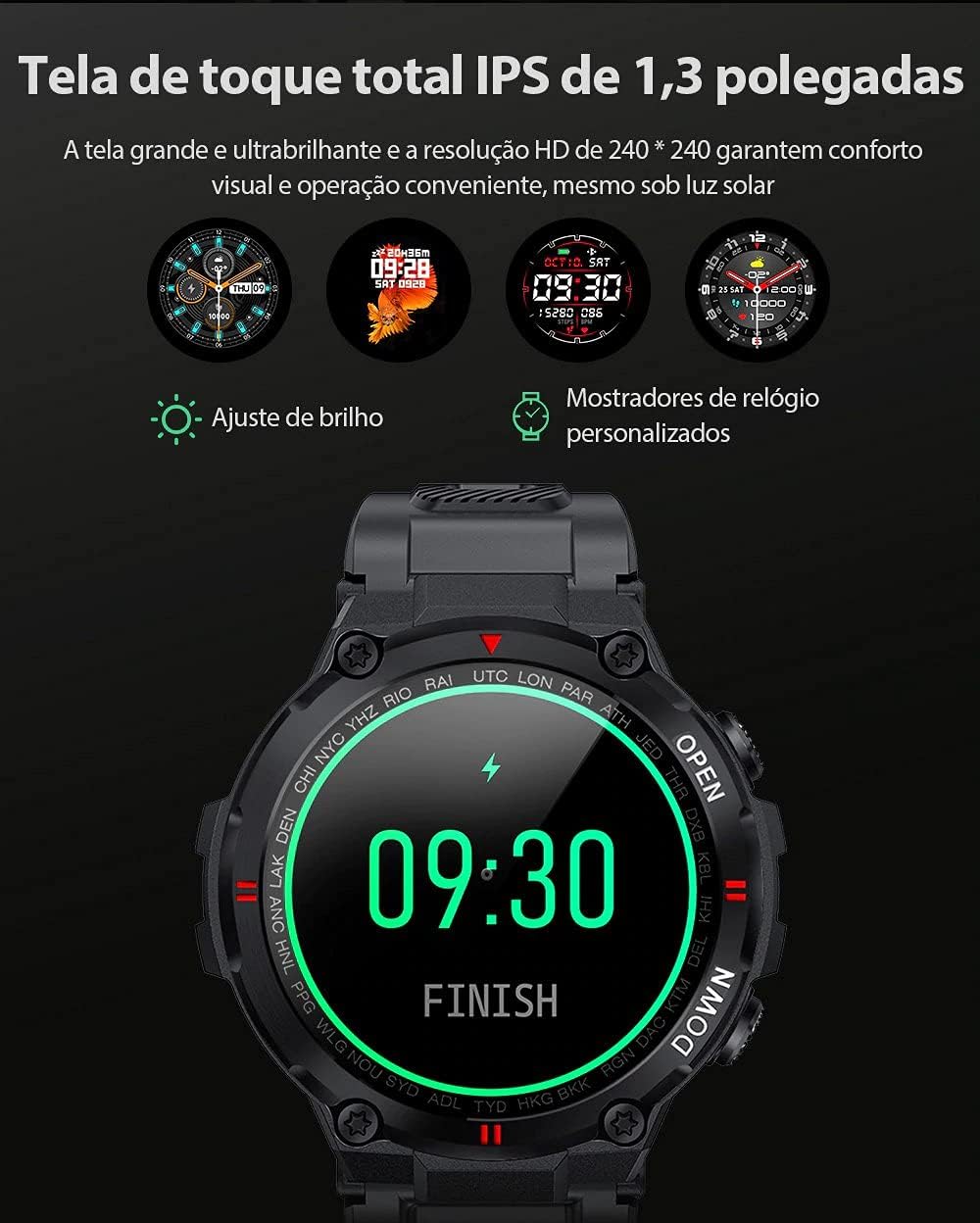
Image: The smartwatch displaying multiple customizable watch faces and options for brightness adjustment.
การโทรออกและรับสาย
The BW-AT2C allows you to make and receive calls directly from your wrist after successful Bluetooth pairing (including the call function pairing).
- การรับสาย: When a call comes in, the watch will display the caller ID. You can answer or reject the call directly from the watch screen.
- โทรออก: เข้าถึงแป้นกดหมายเลขหรือรายชื่อผู้ติดต่อบนนาฬิกาเพื่อโทรออก

Image: A comparison showing the BW-AT2C model with its Bluetooth call function (dial pad visible) next to the BW-AT2 model without this feature.
การควบคุมเพลง
Control music playback on your smartphone directly from your watch. Functions include play, pause, skip forward, and skip backward.
การติดตามสุขภาพ
สมาร์ทวอทช์จะตรวจสอบตัวชี้วัดสุขภาพต่างๆ อย่างต่อเนื่อง
- อัตราการเต้นของหัวใจ: การตรวจวัดอัตราการเต้นของหัวใจแบบเรียลไทม์ View อัตราการเต้นของหัวใจปัจจุบันและข้อมูลในอดีตของคุณจะแสดงในแอป
- ความดันโลหิต: Measure your blood pressure on demand.
- ออกซิเจนในเลือด (SpO2): ตรวจสอบระดับความอิ่มตัวของออกซิเจนในเลือดของคุณ
- การติดตามการนอนหลับ: ติดตามรูปแบบการนอนหลับของคุณ รวมถึงการนอนหลับลึก การนอนหลับตื้น และเวลาตื่นนอน
- pedometer: Counts your daily steps, distance, and calories burned.

Image: The smartwatch screen showing a graph of heart rate data, indicating current BPM and historical trends.
โหมดกีฬา
The watch supports multiple sports modes to track your workouts accurately. Available modes include Walking, Running, Cycling, Skipping Rope, Badminton, Basketball, and Football. Select your desired mode before starting an activity to record relevant data.
การแจ้งเตือน
Receive notifications from your smartphone directly on your watch. This includes call reminders, message alerts, and app notifications from platforms like WhatsApp, Instagram, Facebook, and Twitter. Ensure notification permissions are granted in the Da Fit app and your phone's settings.

Image: The smartwatch on a user's wrist, showing an incoming call alert and SMS reminder, indicating its notification capabilities.
คุณสมบัติอื่น ๆ
- นาฬิกาปลุก: Set up to three alarms via the app.
- นาฬิกาจับเวลา ใช้ฟังก์ชันนาฬิกาจับเวลาในตัวเพื่อจับเวลาในการทำกิจกรรมต่างๆ
- เตือนการนั่งเฉยๆ: The watch will alert you if you remain inactive for too long.
- การควบคุมกล้องระยะไกล: ใช้นาฬิกาของคุณเป็นชัตเตอร์ระยะไกลสำหรับกล้องโทรศัพท์ของคุณ
- Find Watch/Find Phone: Locate your watch or phone using the respective functions in the app or on the watch.
- ปฏิทิน: Access calendar information.
การซ่อมบำรุง
- การทำความสะอาด: เช็ดนาฬิกาและสายนาฬิกาเป็นประจำด้วยผ้าแห้งนุ่มๆ สำหรับคราบสกปรกที่ติดแน่น ให้ใช้ผ้าที่ชื้นเล็กน้อยเช็ดamp เช็ดด้วยผ้าและเช็ดให้แห้งสนิท หลีกเลี่ยงสารเคมีรุนแรง
- ความต้านทานต่อน้ำ (IP54): The BW-AT2C is IP54 water-resistant, meaning it is protected against dust ingress and splashing water from any direction. It is suitable for daily use like hand washing or light rain. Do not submerge the watch in water, wear it while swimming, showering, or in saunas. Prolonged exposure to water or high-pressure water jets may cause damage.
- หน้าสัมผัสการชาร์จ: รักษาหน้าสัมผัสการชาร์จแบบแม่เหล็กให้สะอาดและแห้งเพื่อให้แน่ใจว่าชาร์จได้อย่างถูกต้อง
- พื้นที่จัดเก็บ: ควรเก็บนาฬิกาไว้ในที่แห้งและเย็นเมื่อไม่ได้ใช้งาน
การแก้ไขปัญหา
| ปัญหา | สารละลาย |
|---|---|
| นาฬิกาไม่เปิด | ตรวจสอบให้แน่ใจว่านาฬิกาชาร์จเต็มแล้ว เสียบนาฬิกาเข้ากับเครื่องชาร์จอย่างน้อย 30 นาที |
| ไม่สามารถจับคู่กับสมาร์ทโฟนได้ |
|
| ไม่ได้รับการแจ้งเตือน. |
|
| Call function not working. | Ensure you have paired the "BW-AT2C_CALL" device in your phone's Bluetooth settings in addition to the main watch pairing. |
| ข้อมูลสุขภาพที่ไม่ถูกต้อง | Ensure the watch is worn snugly on your wrist, not too tight or too loose. Keep the sensor clean. Note that this device is not a medical device and data is for reference only. |
ข้อมูลจำเพาะ

Image: Diagram illustrating the dimensions of the Blitzwolf BW-AT2C Smartwatch, including watch face diameter, strap width, and total length.
| คุณสมบัติ | รายละเอียด |
|---|---|
| ยี่ห้อ | บลิทซ์วูล์ฟ |
| แบบอย่าง | BW-AT2C |
| สี | สีดำ |
| เวอร์ชันบลูทูธ | 5.0 |
| ระบบปฏิบัติการที่รองรับ | แอนดรอยด์ 4.4+ / iOS 8.0+ |
| โหมดการทำงาน | Full Touch Screen + 2 Side Buttons |
| แอปคู่หู | ดาฟิต |
| ความต้านทานต่อน้ำ | IP54 |
| การติดตามสุขภาพ | Heart Rate, Blood Pressure, Blood Oxygen, Sleep, Pedometer |
| โหมดกีฬา | Walking, Running, Cycling, Skipping Rope, Badminton, Basketball, Football |
| ขนาดหน้าจอ | 1.3 นิ้ว IPS |
| ปณิธาน | 240 x 240 พิกเซล |
| ความจุของแบตเตอรี่ | 400mAh |
| เวลาสแตนด์บาย | ประมาณ 30 วัน |
| ระยะเวลาการใช้งาน | Approx. 4-7 days (varies by usage) |
| เวลาในการชาร์จ | ประมาณ 2 ชั่วโมง |
| ประเภทการชาร์จ | การชาร์จด้วยแม่เหล็ก |
| วัสดุสายรัด | ซิลิโคน |
| ความกว้างสายคล้อง | 22mm (Removable) |
| ขนาดสินค้า | 52 x 12 mm (Watch Face) |
| น้ำหนักผลิตภัณฑ์ | 55 กรัม |
การรับประกันและการสนับสนุน
For warranty information and technical support, please refer to the documentation provided with your purchase or visit the official Blitzwolf webไซต์นี้ โปรดเก็บหลักฐานการซื้อไว้เพื่อใช้ยืนยันการรับประกัน
If you encounter issues not covered in the troubleshooting section, please contact customer support for assistance.