
การแนะนำ
This manual provides comprehensive instructions for the PROSCAN PBTW278 Bluetooth Smart Watch/Fitness Bracelet. It covers essential information regarding setup, operation, maintenance, and troubleshooting to ensure optimal use of your device. The PBTW278 is designed to help you monitor your health and fitness activities with its multi-function and multi-sport modes.
1. การตั้งค่า
1.1 การชาร์จอุปกรณ์
Before initial use, fully charge your PROSCAN PBTW278. Connect the charging cable to the designated charging port on the back of the watch and plug the USB end into a standard USB power adapter (not included) or a computer's USB port. The charging indicator on the screen will show the charging status. A full charge typically takes approximately 2 hours.
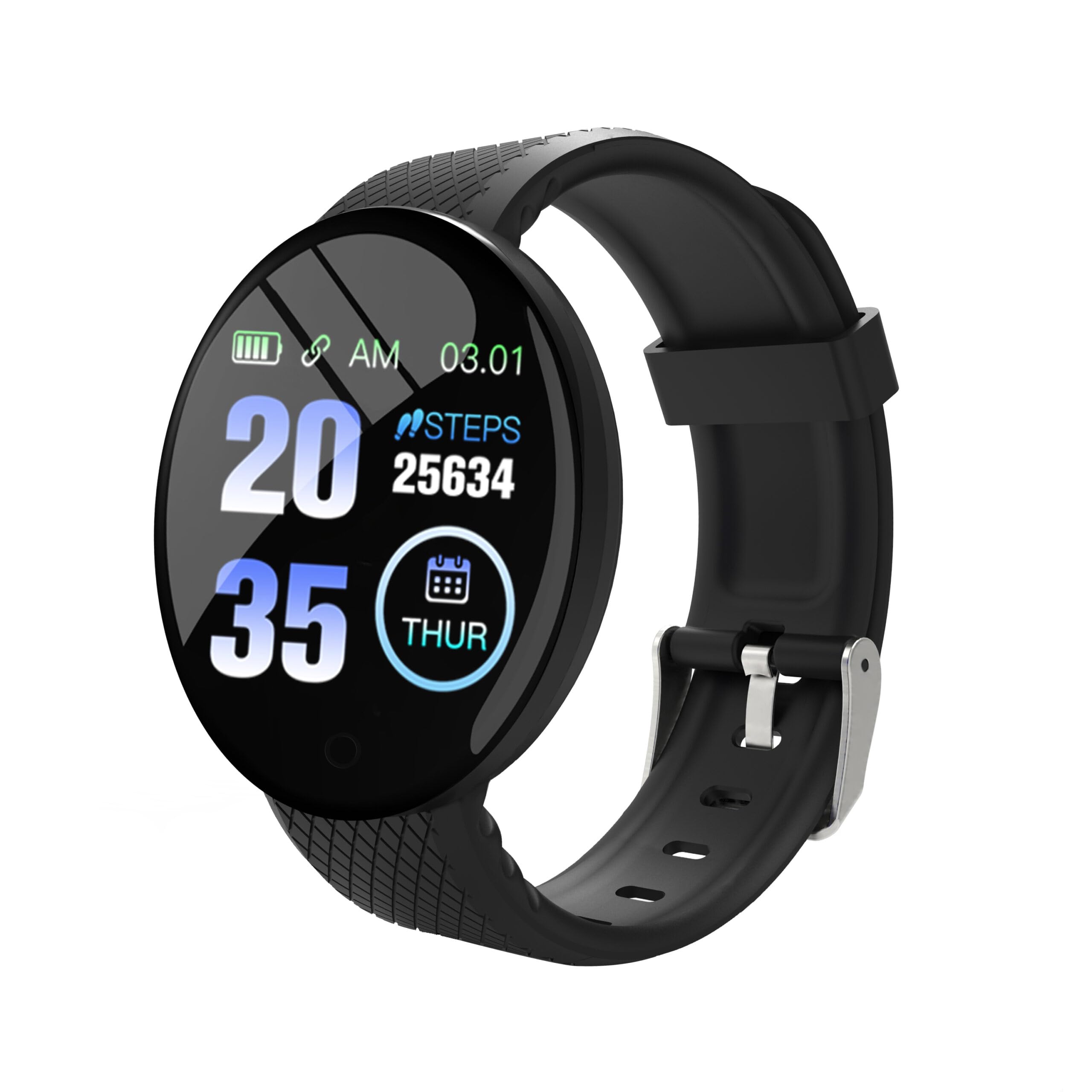
Figure 1: PROSCAN PBTW278 Smart Watch. Ensure the charging pins align correctly with the charger.
1.2 การติดตั้งและการจับคู่แอป
To unlock the full functionality of your smart watch, download the companion application on your smartphone. ค้นหา the official PROSCAN fitness app in your device's app store (Google Play Store for Android or Apple App Store for iOS). Once installed:
- เปิดใช้งานบลูทูธบนสมาร์ทโฟนของคุณ
- Open the PROSCAN fitness app and follow the on-screen instructions to create an account or log in.
- Select "Add Device" or "Pair Device" within the app.
- The app will search for available devices. Select "PBTW278" from the list.
- หากระบบแจ้งให้ยืนยันการจับคู่ โปรดยืนยันคำขอจับคู่ทั้งบนสมาร์ทโฟนและสมาร์ทวอทช์ของคุณ
Ensure your smart watch is sufficiently charged during the pairing process.
1.3 การสวมใส่อุปกรณ์
Wear the smart watch snugly on your wrist, about one finger's width above your wrist bone. Ensure the sensor on the back of the watch is in contact with your skin for accurate heart rate and other health measurements. Avoid wearing it too tightly, which can restrict blood flow, or too loosely, which can affect sensor accuracy.
2. คู่มือการใช้งาน
2.1 การนำทางพื้นฐาน
The PBTW278 features a 1.3-inch TFT touchscreen display for interaction. Swipe left, right, up, or down to navigate through different menus and functions. Tap the screen to select an option or confirm an action. A short press of the side button typically returns to the previous screen or the main watch face, while a long press may power the device on/off.
2.2 คุณสมบัติหลักและโหมดการทำงาน
- การแสดงเวลา: The main screen displays the current time, date, and battery level.
- การติดตามกิจกรรม: Monitors steps taken, distance traveled, and calories burned. Access this mode by swiping to the activity screen.
- เครื่องวัดอัตราการเต้นของหัวใจ: Swipe to the heart rate screen to initiate a measurement. Ensure the watch is snug on your wrist for accurate readings.
- เครื่องวัดความดันโลหิต: Similar to heart rate, access this feature via the dedicated screen.
- เครื่องวัดออกซิเจนในเลือด: Measure your SpO2 levels through its specific menu.
- การติดตามการนอนหลับ: Automatically tracks your sleep patterns when worn during sleep. Data can be viewระบุไว้ในแอปพลิเคชันคู่หู
- โหมดมัลติสปอร์ต: Select from various sport modes (e.g., running, walking) to track specific workout data.
- การแจ้งเตือนสายเรียกเข้า: The watch will vibrate to notify you of incoming calls when connected to your smartphone via Bluetooth.
- การแจ้งเตือนข้อความ: Receive notifications from selected apps on your smartphone directly on your watch. Configure this in the companion app settings.
2.3 การปรับแต่งการตั้งค่า
Access settings on the watch by swiping to the settings menu. Here you can adjust brightness, set alarms, and find device information. Further customization, such as watch faces, notification preferences, and personal goals, can be managed through the PROSCAN fitness app on your smartphone.
3. การบำรุงรักษา
3.1 การทำความสะอาดสมาร์ทวอทช์ของคุณ
Regularly clean your smart watch and wristband to prevent skin irritation and maintain device functionality. Use a soft, lint-free cloth slightly dampened with water. Avoid using harsh chemicals, abrasive cleaners, or aerosol sprays, as these can damage the device's finish and seals. Ensure the watch is completely dry before charging or wearing.
3.2 ความต้านทานต่อน้ำ
The PROSCAN PBTW278 is waterproof, with a water resistance depth of 0.98 meters. This means it is suitable for daily use and can withstand splashes, rain, and brief immersion in shallow water. However, it is not recommended for swimming, showering with hot water, or diving, as steam and high-pressure water jets can compromise the seals. Always dry the watch thoroughly after exposure to water.
3.3 การดูแลแบตเตอรี่
To prolong battery life, avoid fully discharging the battery frequently. Charge the device when the battery level is low. Store the device in a cool, dry place when not in use for extended periods. Do not expose the device to extreme temperatures.
4 การแก้ไขปัญหา
- Device will not power on or charge:
Ensure the charging cable is securely connected to both the watch and the power source. Verify that the charging pins on the cable align correctly with the contacts on the watch. Try a different USB port or power adapter. If the device has been completely discharged, it may take a few minutes for the charging indicator to appear.
- ไม่สามารถจับคู่กับสมาร์ทโฟนได้:
Make sure Bluetooth is enabled on your smartphone and the watch is within range. Restart both your smartphone and the smart watch. Ensure the PROSCAN fitness app is updated to the latest version. If previous pairing attempts failed, try unpairing the device from your phone's Bluetooth settings and then re-attempt the pairing process through the app.
- Inaccurate health data (heart rate, steps):
Ensure the watch is worn snugly on your wrist, with the sensor in direct contact with your skin. Avoid excessive movement during measurements. Environmental factors and individual physiology can affect accuracy. For medical concerns, consult a healthcare professional.
- Notifications are not received:
Check that the watch is connected to your smartphone via Bluetooth. Verify that notification permissions are enabled for the PROSCAN fitness app in your phone's settings. Also, ensure that specific app notifications are enabled within the PROSCAN fitness app itself.
- หน้าจอไม่ตอบสนอง:
Try restarting the device. If the issue persists, ensure the screen is clean and dry. If the problem continues, contact customer support.
5. ข้อมูลจำเพาะ
| คุณสมบัติ | รายละเอียด |
|---|---|
| ชื่อรุ่น | PBTW278 |
| ยี่ห้อ | โปรสแกน |
| เวอร์ชันบลูทูธ | 4.0 |
| หน่วยความจำ | 16KB RAM + 512KB ROM |
| หน้าจอ | 1.3 inch TFT, 240 x 240 pixels |
| ระดับความต้านทานต่อน้ำ | Waterproof (0.98 meters depth) |
| ส่วนประกอบของเซลล์แบตเตอรี่ | ลิเธียมไอออน |
| เมตริกที่วัด | Heart Rate Monitor, Blood Pressure Monitor, Blood Oxygen Monitor |
| คุณสมบัติพิเศษ | Sleep Monitor, Incoming Call Reminder, Multi-Sport Modes |
| อินพุตอินเทอร์เฟซมนุษย์ | หน้าจอสัมผัส |
| ประเภทวัสดุของสาย | ซิลิโคน |
| ขนาดรายการ | 0.2 x 1.5 x 10 นิ้ว |
| ยูพีซี | 058465819774 |
6. การรับประกันและการสนับสนุน
6.1 การรับประกันแบบจำกัด
The PROSCAN PBTW278 Bluetooth Smart Watch/Fitness Bracelet comes with a รับประกันจำกัด 90 วัน from the date of purchase. This warranty covers manufacturing defects and workmanship under normal use. It does not cover damage caused by misuse, accidents, unauthorized modifications, or failure to follow the instructions in this manual. Please retain your proof of purchase for warranty claims.
6.2 การสนับสนุนลูกค้า
For technical assistance, warranty inquiries, or further information, please contact PROSCAN customer support. Refer to the PROSCAN official website or your product packaging for the most current contact details. When contacting support, please have your model number (PBTW278) and proof of purchase readily available.
Manufacturer: proscan