
เวสต์คลอกซ์ 71051
Westclox 71051 Sunrise Alarm Clock User Manual
รุ่น : 71051
1. บทนำ
The Westclox 71051 Sunrise Alarm Clock is designed to enhance your sleep and wake-up experience. This clock features a simulated natural sunrise to gently wake you, a restful sunset simulator to help you fall asleep, and a dimmable nightlight. It is easy to set and operate, providing a refreshing start to your day.

Figure 1: Westclox 71051 Sunrise Alarm Clock
2. คุณสมบัติหลัก
- การจำลองพระอาทิตย์ขึ้น: Gradually brightens to simulate a natural sunrise, promoting a gentle wake-up.
- การจำลองพระอาทิตย์ตก: Gradually dims to simulate a natural sunset, aiding in relaxation and sleep.
- Dimmable Nightlight: Provides a soft glow for nighttime use, adjustable for comfort.
- Ascending Audible Alarm: Gently increases in volume after the light alarm, ensuring you wake up.
- Large 0.6" Red Digital LED Display: Clear and easy to read time display, day or night.
- Electric Operated with Battery Backup: Ensures time and alarm settings are maintained during power outag(ต้องใช้แบตเตอรี่ AAA 2 ก้อน ไม่รวมอยู่ในชุด)
- การควบคุมที่ใช้งานง่าย: Simple buttons for setting time, alarm, and other functions.
- ฟังก์ชั่นเลื่อน: Allows for extra minutes of sleep.
3. การตั้งค่า
3.1 การเชื่อมต่อสายไฟ
Connect the alarm clock to a standard electrical outlet using the provided power cord. The clock is primarily electric operated.
3.2 การติดตั้งระบบสำรองไฟด้วยแบตเตอรี่
เพื่อให้การทำงานไม่หยุดชะงักแม้ในขณะไฟฟ้าดับtages, install 2 AAA batteries (not included) into the battery compartment located on the underside of the unit. This will preserve your time and alarm settings.

Figure 2: Battery Backup Feature
4. คู่มือการใช้งาน

Figure 3: Rear Controls Overview
4.1 การตั้งเวลา
- กดปุ่มค้างไว้ เวลา button located on the back of the clock.
- ขณะถืออยู่ เวลา, กดปุ่ม ชั่วโมง ปุ่มเพื่อปรับชั่วโมง
- ขณะถืออยู่ เวลา, กดปุ่ม นาที ปุ่มเพื่อปรับนาที
- ปล่อยตัว เวลา button once the desired time is set.
4.2 การตั้งปลุก
- กดปุ่มค้างไว้ เตือน button located on the back of the clock.
- ขณะถืออยู่ เตือน, กดปุ่ม ชั่วโมง ปุ่มเพื่อปรับชั่วโมงปลุก
- ขณะถืออยู่ เตือน, กดปุ่ม นาที ปุ่มเพื่อปรับนาทีการปลุก
- ปล่อยตัว เตือน button once the desired alarm time is set.
4.3 การเปิด/ปิดระบบเตือนภัย
กดปุ่ม เปิด / ปิดนาฬิกาปลุก button to toggle the alarm function. An indicator light on the display will show if the alarm is active.
4.4 Sunrise Simulation
The sunrise simulation feature will gradually brighten the light before your set alarm time, mimicking a natural sunrise. This helps to gently prepare your body for waking.

Figure 4: Sunrise Light Feature
4.5 Sunset Simulation / Nightlight
To activate the sunset simulation or use the dimmable nightlight:
- กดปุ่มค้างไว้ พระอาทิตย์ตก ปุ่ม.
- ขณะถืออยู่ พระอาทิตย์ตก, กดปุ่ม นาที or ชั่วโมง buttons to set the duration of the sunset simulation.
- The light will gradually dim over the set period, helping you relax and fall asleep.
- To use as a static nightlight, simply press the พระอาทิตย์ตก button briefly to turn the light on/off. The brightness can be adjusted by holding the button.
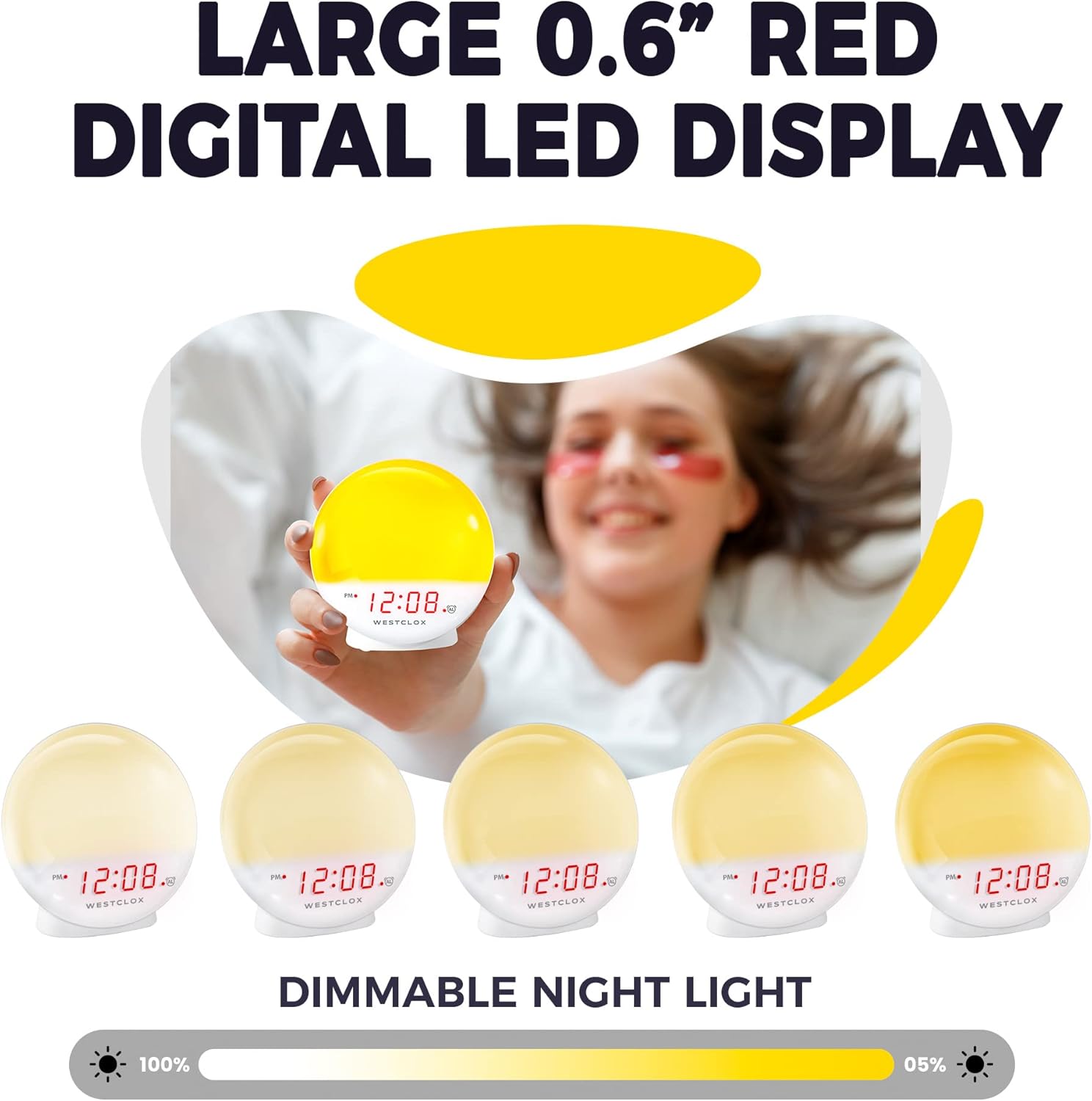
Figure 5: Dimmable Night Light
4.6 ฟังก์ชั่นเลื่อนซ้ำ
เมื่อเสียงสัญญาณเตือนดังขึ้น ให้กดปุ่มขนาดใหญ่ เลื่อน button (typically located on top) to temporarily silence the alarm and get a few extra minutes of sleep. The alarm will sound again after the snooze period.

Figure 6: Snooze Button
4.7 ตัวหรี่แสงหน้าจอ
The digital LED time display can be adjusted to be dim or bright according to your preference. Refer to the product's specific controls for dimmer adjustment, usually a dedicated button or a combination of buttons.
5. การบำรุงรักษา
- การทำความสะอาด: เช็ดนาฬิกาด้วยผ้าแห้งเนื้อนุ่ม ห้ามใช้สารทำความสะอาดที่มีฤทธิ์กัดกร่อนหรือตัวทำละลาย
- การเปลี่ยนแบตเตอรี่: Replace AAA batteries in the backup compartment annually or when the display shows signs of dimming during power outagใช่
- พื้นที่จัดเก็บ: หากเก็บนาฬิกาไว้เป็นเวลานาน ควรถอดแบตเตอรี่สำรองออกเพื่อป้องกันการรั่วไหล
6 การแก้ไขปัญหา
- Clock Not Working/Display Blinking: Ensure the power cord is securely plugged into a working electrical outlet. If using battery backup, check if batteries are correctly installed and not depleted.
- สัญญาณเตือนไม่ส่งเสียง: Verify that the alarm is activated using the ALARM ON/OFF button. Check the alarm time setting.
- แสงสว่างไม่เพียงพอ: The sunrise simulation gradually increases brightness. If the nightlight is too dim, adjust the dimmer setting. Note that the light intensity is designed for a gentle wake-up, not as a primary room light source.
- เสียงรบกวน: If you experience an unusual humming sound, try plugging the clock into a different outlet. If the issue persists, contact customer support.
7. ข้อมูลจำเพาะ
| คุณสมบัติ | รายละเอียด |
|---|---|
| ยี่ห้อ | เวสท์คล็อกซ์ |
| หมายเลขรุ่น | 71051 |
| สี | สีแดง |
| ประเภทจอภาพ | ดิจิตอล |
| คุณสมบัติพิเศษ | Small, Sound Machine |
| ขนาดสินค้า | กว้าง 5 นิ้ว x สูง 5.1 นิ้ว |
| แหล่งพลังงาน | Battery Powered, Electrical |
| ประเภทห้อง | ห้องนอน |
| รูปร่าง | กลม |
| การใช้งานภายใน/ภายนอกอาคาร | ในร่ม |
| วัสดุกรอบ | พลาสติก |
| มีแบตเตอรี่รวมอยู่ด้วยหรือไม่ | เลขที่ |
| ประเภทการติดตั้ง | โต๊ะวางของ |
| นาฬิกาปลุก | ใช่ |
| ประเภทการรับประกัน | จำกัด |
| โหมดการทำงาน | ไฟฟ้า |
| แบบฟอร์มนาฬิกา | พระอาทิตย์ขึ้น |
| เทคโนโลยีการเชื่อมต่อ | ยูเอสบี |
| น้ำหนักสินค้า | 10.2 ออนซ์ |
| ผู้ผลิต | นีล โฮลดิ้งส์ จำกัด |
| วันที่พร้อมใช้งานครั้งแรก | 21 พฤษภาคม 2021 |
8. การสาธิตวิดีโอ
วิดีโอ 1: จบอย่างเป็นทางการแล้วview of the Westclox 71051 Sunrise Alarm Clock, demonstrating its features and functionality.
9. การรับประกันและการสนับสนุน
This Westclox 71051 Sunrise Alarm Clock comes with a Limited Warranty. For specific details regarding warranty coverage, terms, and conditions, please refer to the documentation included with your product or contact Westclox customer support directly.
For technical assistance, troubleshooting not covered in this manual, or warranty claims, please reach out to the manufacturer, Nyl Holdings llc, or visit the official Westclox webเว็บไซต์สำหรับข้อมูลการติดต่อฝ่ายสนับสนุน
Ask a question about this manual
Ask about setup, troubleshooting, compatibility, parts, safety, or missing instructions. Manuals+ will review the question and use this page’s manual context to help answer it.