
1. บทนำ
Thank you for choosing the Ledwood Capella Wireless Bluetooth 5.2 Stereo Earphones. This manual provides essential information for the proper setup, operation, and maintenance of your new earphones. Please read it carefully before use and retain it for future reference.
เนื้อหาแพ็คเกจ:
- 1 x CAPELLA In-Ear Headphones
- 1 x เคสชาร์จ
- สาย USB-C 1 เส้น
- 2 x Pairs of Silicone Earbuds

Image: Ledwood Capella earphones and charging case. The white earphones are shown next to their matching white charging case, which has a USB-C port visible.
2. การตั้งค่า
2.1 การชาร์จหูฟังและเคส
ก่อนใช้งานครั้งแรก โปรดตรวจสอบให้แน่ใจว่าทั้งเคสชาร์จและหูฟังชาร์จเต็มแล้ว
- Place the earphones into the charging case. Ensure they are correctly seated to make contact with the charging pins.
- เชื่อมต่อสาย USB-C ที่ให้มาเข้ากับพอร์ตชาร์จบนเคสและปลายอีกด้านหนึ่งเข้ากับแหล่งพลังงาน USB (เช่น อะแดปเตอร์ติดผนัง พอร์ต USB ของคอมพิวเตอร์)
- The LED indicator on the case will show the charging status. Once fully charged, the indicator will change or turn off.
- A full charge typically takes approximately 1 hour. The case provides up to 9 hours of total battery life (3 charges of 3 hours each for the earphones).
2.2 การจับคู่กับอุปกรณ์บลูทูธ
To connect your Ledwood Capella earphones to your smartphone or other Bluetooth-enabled device:
- ตรวจสอบให้แน่ใจว่าหูฟังมีการชาร์จแล้ว
- Open the charging case. The earphones will automatically enter pairing mode, indicated by a flashing LED on the earphones.
- บนอุปกรณ์ของคุณ ไปที่การตั้งค่า Bluetooth และเปิดใช้งาน Bluetooth
- ค้นหา available devices. You should see "Ledwood Capella" or a similar name appear in the list.
- Select "Ledwood Capella" to connect. Once connected, the LED indicator on the earphones will stop flashing.
- เมื่อนำหูฟังออกจากเคส หูฟังจะเชื่อมต่อกับอุปกรณ์ที่จับคู่ไว้ครั้งล่าสุดโดยอัตโนมัติ หากเปิดใช้งาน Bluetooth บนอุปกรณ์
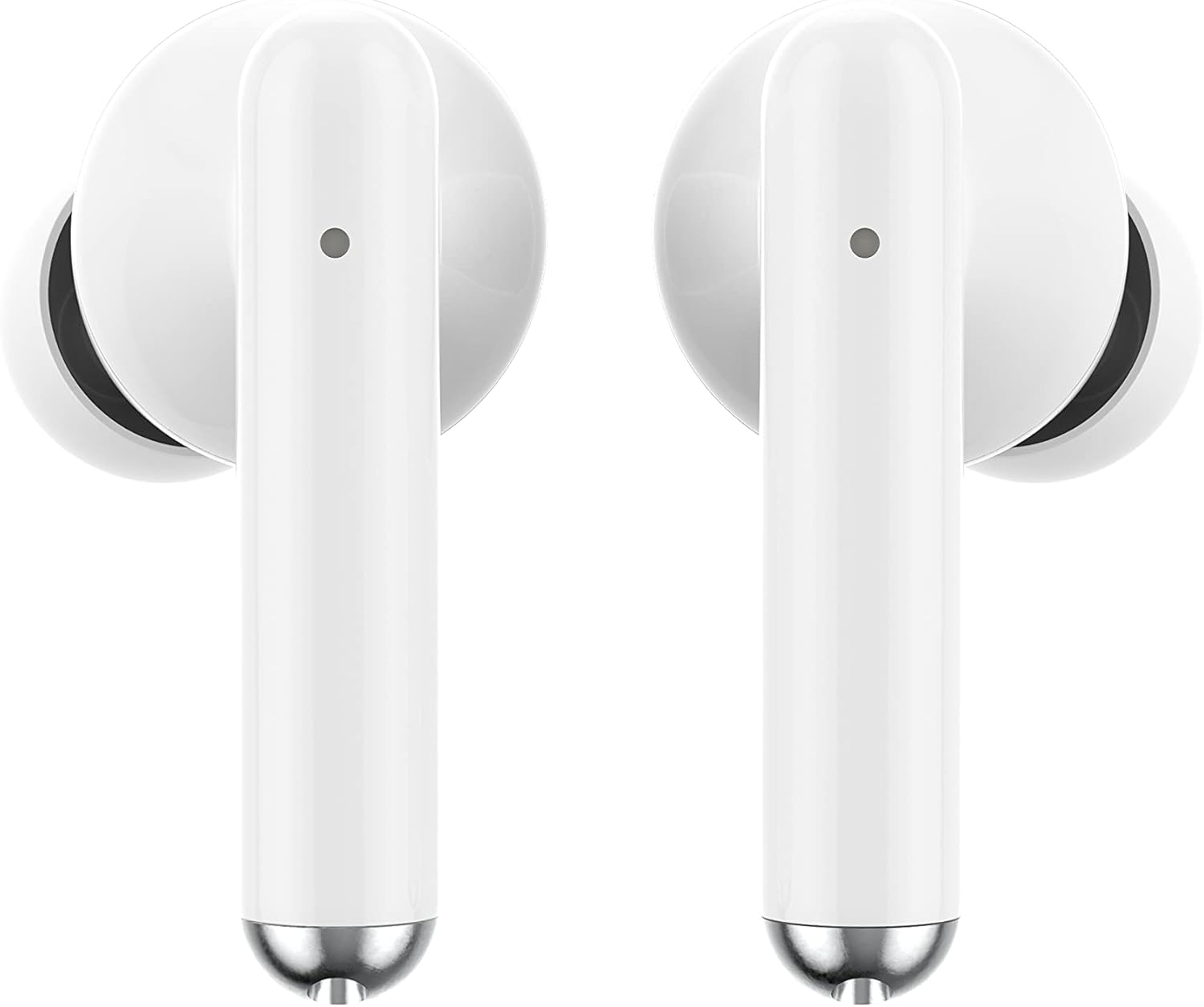
ภาพ: ระยะใกล้ view of the Ledwood Capella earphones. The white earbuds feature a sleek design with a small microphone hole visible on the stem.
3. การใช้งานหูฟัง
The Ledwood Capella earphones feature sensitive touch controls for easy management of your audio and calls.
3.1 ระบบควบคุมแบบสัมผัส
The touch-sensitive area is located on the outer surface of each earphone stem. Refer to the diagram below for typical touch control functions:
- แตะครั้งเดียว: เล่น/หยุดเพลง, รับสาย/วางสาย
- Double Tap (Left Earphone): เพลงก่อนหน้า.
- Double Tap (Right Earphone): เพลงถัดไป
- Triple Tap (Left Earphone): ลดระดับเสียง.
- Triple Tap (Right Earphone): เพิ่มปริมาณ
- กดแบบยาว (2 วินาที): Activate Voice Assistant, Reject call.
3.2 ผู้ช่วยเสียง
The Capella earphones are compatible with major voice assistants (e.g., Siri, Google Assistant). To activate your device's voice assistant, perform a long press (2 seconds) on either earphone's touch control area. You can then issue commands through the earphone's microphone.
3.3 Super Bass Technology
The earphones are equipped with Super Bass technology, utilizing highly flexible polymer membranes to reproduce deep and rich bass sounds for an enhanced audio experience.
4. การบำรุงรักษา
4.1 การทำความสะอาด
เพื่อรักษาประสิทธิภาพและสุขอนามัยที่เหมาะสมที่สุด:
- ทำความสะอาดหูฟังและกล่องชาร์จเป็นประจำด้วยผ้าแห้งนุ่มที่ไม่เป็นขุย
- ห้ามใช้สารทำความสะอาดที่มีฤทธิ์กัดกร่อน แอลกอฮอล์ หรือตัวทำละลายเคมี
- ค่อยๆ กำจัดขี้หูหรือเศษสิ่งสกปรกออกจากปลายหูและตาข่ายลำโพงโดยใช้แปรงขนนุ่มขนาดเล็กหรือสำลี
- Ensure the charging contacts on both the earphones and case are clean and dry.
4.2 พื้นที่จัดเก็บ
เมื่อไม่ได้ใช้งาน ให้เก็บหูฟังไว้ในกล่องชาร์จเพื่อป้องกันฝุ่น ความเสียหาย และเพื่อให้หูฟังชาร์จไฟได้
5 การแก้ไขปัญหา
If you encounter issues with your Ledwood Capella earphones, try the following solutions:
- หูฟังไม่จับคู่:
- ตรวจสอบให้แน่ใจว่าหูฟังทั้งสองข้างได้รับการชาร์จแล้ว
- ปิดและเปิดบลูทูธของอุปกรณ์ของคุณ
- Forget "Ledwood Capella" from your device's Bluetooth list and attempt to pair again.
- Place earphones back in the case, close it, wait a few seconds, then open it again to re-enter pairing mode.
- ไม่มีเสียงหรือระดับเสียงต่ำ:
- ตรวจสอบระดับเสียงบนอุปกรณ์และหูฟังของคุณ
- ตรวจสอบให้แน่ใจว่าหูฟังอยู่ในหูของคุณอย่างถูกต้อง
- ทำความสะอาดเศษฝุ่นหรือสิ่งสกปรกที่ติดอยู่บนตะแกรงลำโพงหูฟังออกให้หมด
- ปัญหาการชาร์จ:
- ตรวจสอบให้แน่ใจว่าสาย USB-C เชื่อมต่อกับเคสและแหล่งจ่ายไฟอย่างแน่นหนาแล้ว
- ลองใช้สาย USB-C หรืออะแดปเตอร์ไฟอื่น
- Ensure charging contacts on earphones and case are clean.
- Earphones disconnecting frequently:
- ตรวจสอบให้แน่ใจว่าคุณอยู่ในระยะบลูทูธ 10 เมตรของอุปกรณ์ของคุณ
- หลีกเลี่ยงสิ่งกีดขวางระหว่างหูฟังและอุปกรณ์ของคุณที่อาจรบกวนสัญญาณ
- ตรวจสอบให้แน่ใจว่าไม่มีสัญญาณไร้สายที่แรงอื่นๆ อยู่ในบริเวณใกล้เคียงซึ่งอาจก่อให้เกิดการรบกวน
6. ข้อมูลจำเพาะ
| คุณสมบัติ | ข้อมูลจำเพาะ |
|---|---|
| ชื่อรุ่น | คาเปลลา |
| หมายเลขรุ่น | LD-T06 |
| การสื่อสารแบบไร้สาย | บลูทูธ 5.2 |
| พิสัย | สูงสุด 10 เมตร |
| อายุการใช้งานแบตเตอรี่ (หูฟัง) | ประมาณ 3 ชั่วโมงต่อการชาร์จหนึ่งครั้ง |
| อายุการใช้งานแบตเตอรี่ (พร้อมเคสชาร์จ) | Up to 9 hours (3 x 3 hours) |
| เวลาในการชาร์จ | ประมาณ 1 ชั่วโมง |
| ประเภทการชาร์จ | ยูเอสบี-ซี |
| การควบคุมด้วยเสียง | ใช่ |
| สัมผัสอันละเอียดอ่อน | ใช่ |
| วัสดุ | ซิลิโคน (จุกหูฟัง) |
7. การรับประกันและการสนับสนุน
7.1 ข้อมูลการรับประกัน
Your Ledwood Capella earphones are covered by a manufacturer's warranty against defects in materials and workmanship. Please refer to the warranty card included in your package or contact your retailer for specific warranty terms and conditions.
7.2 การสนับสนุนลูกค้า
For further assistance, technical support, or inquiries regarding your Ledwood Capella earphones, please contact the retailer where you purchased the product or visit the official Ledwood webเว็บไซต์สำหรับข้อมูลการติดต่อฝ่ายสนับสนุน