
1. บทนำ
Thank you for choosing the ThruNite TW10 Weaponlight. This compact and powerful tactical flashlight is designed for reliable performance, featuring USB-C recharging, dual-switch operation, and robust construction. Please read this manual carefully before use to ensure proper operation and maintenance.
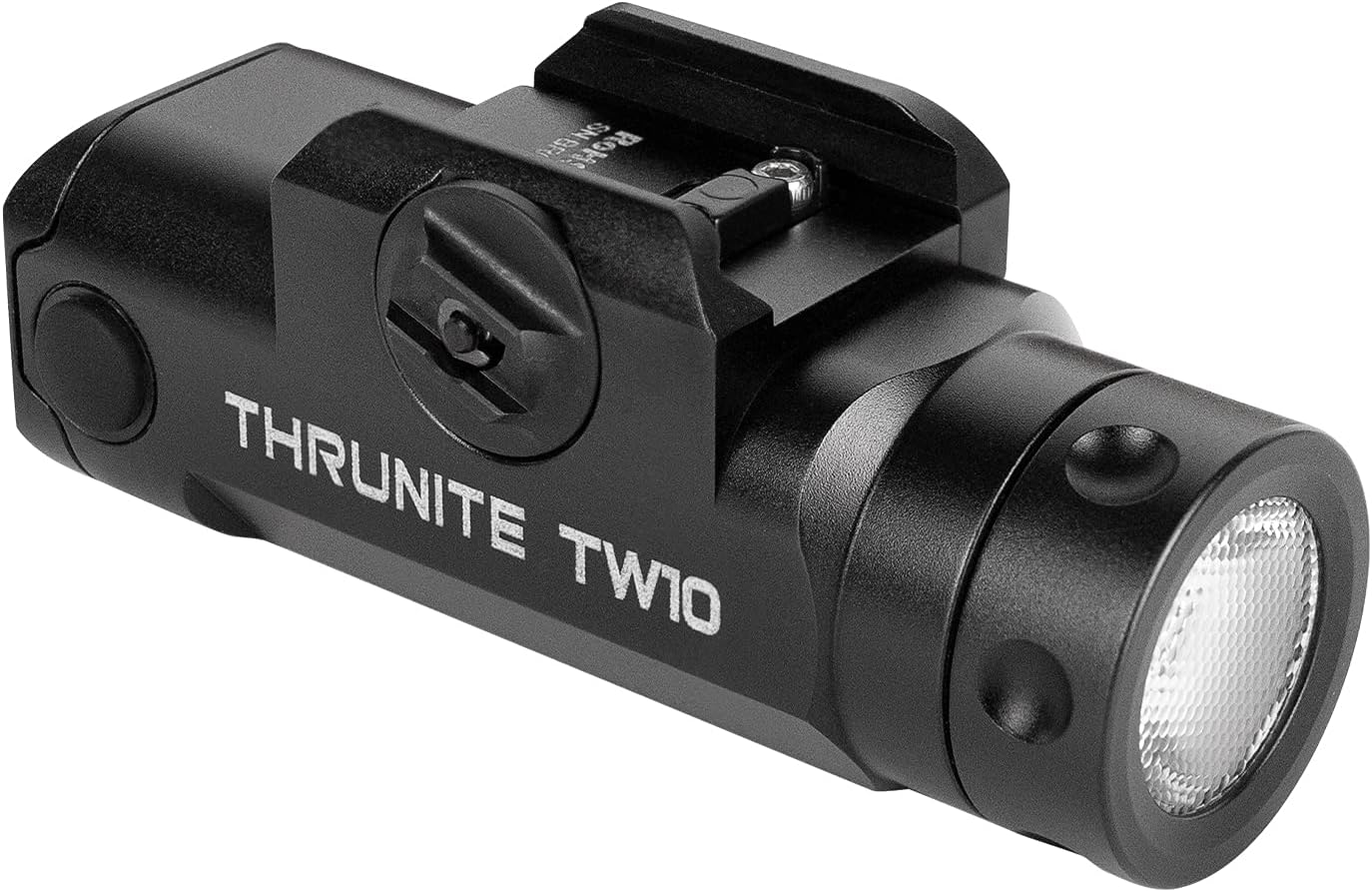
Figure 1: ThruNite TW10 Weaponlight
2. ข้อมูลด้านความปลอดภัย
- ความปลอดภัยของดวงตา: อย่าส่องไฟเข้าตาโดยตรง ลำแสงที่แรงจัดอาจทำให้การมองเห็นบกพร่องชั่วคราวหรือทำให้ดวงตาเสียหายถาวรได้
- คำเตือนเรื่องความร้อน: The flashlight may become hot during prolonged use at high output levels. Handle with care to avoid burns.
- ความปลอดภัยของแบตเตอรี่: Use only the specified rechargeable battery. Do not attempt to disassemble, short-circuit, or dispose of batteries in fire. Keep batteries away from children.
- การติดตั้ง: Ensure the weaponlight is securely mounted to prevent accidental detachment during use. Verify compatibility with your rail system before installation.
- เด็ก: เก็บไฟฉายและอุปกรณ์เสริมให้พ้นมือเด็ก
3. เนื้อหาบรรจุภัณฑ์
ตรวจสอบว่ามีรายการทั้งหมดอยู่ในแพ็คเกจของคุณ:
- ThruNite TW10 Weaponlight
- สายชาร์จ USB-C
- GL Rail Adapter
- 1913 Rail Adapter
- โอริงสำรอง
- ฝาปิดพอร์ต USB สำรอง
- Hex Key & Screws
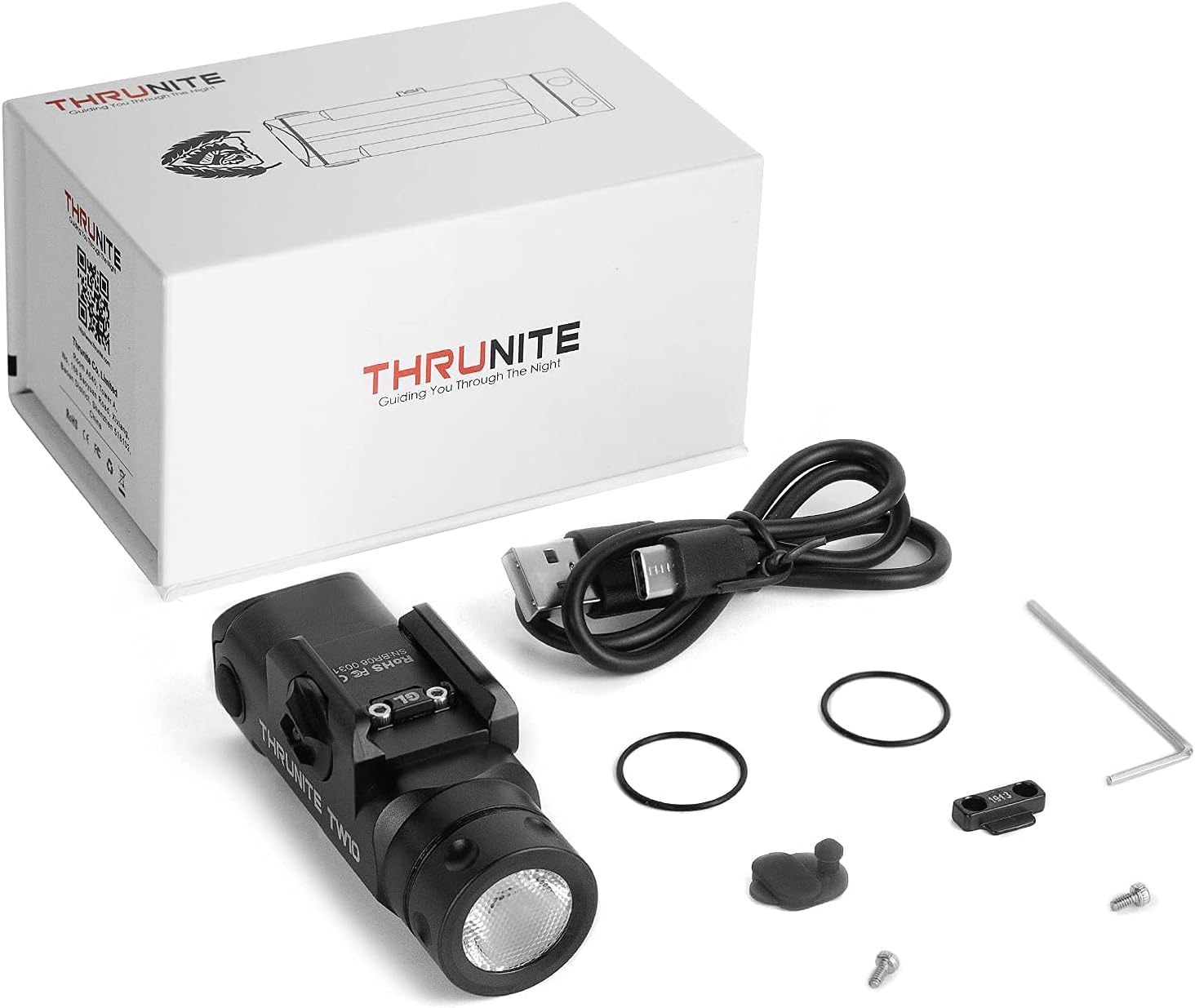
Figure 2: Included accessories with the TW10 Weaponlight
4. ข้อมูลจำเพาะ
| คุณสมบัติ | รายละเอียด |
|---|---|
| เอาท์พุตสูงสุด | 900 ลูเมน |
| รันไทม์สูงสุด | 130 นาที |
| ระยะลำแสงสูงสุด | 125 เมตร |
| แหล่งพลังงาน | แบตเตอรี่แบบชาร์จไฟได้ USB-C |
| ประเภทแบตเตอรี่ | แบตเตอรี่ลิเธียมไอออน 18350 ขนาด 1100mAh จำนวน 1 ก้อน (รวมอยู่ในชุด) |
| วัสดุ | Anodized Aviation Aluminum Alloy, Rubber |
| ความต้านทานต่อน้ำ | IPX8 (กันน้ำ) |
| ความต้านทานต่อแรงกระแทก | 1.5 เมตร |
| ประเภทการติดตั้ง | Gun Mount (GL & 1913 Rail Adapters included) |
| น้ำหนักสินค้า | 78 กรัม / 2.75 ออนซ์ |

Figure 3: Key performance specifications
5. การตั้งค่า
5.1 Mounting the Weaponlight
- Loosen the screw: Use the provided hex key to loosen the mounting screw on the weaponlight.
- เปิด clamp: Push the screw to open the clamp กลไก.
- Insert adapter: Select the appropriate GL or 1913 rail adapter and slide it into the guide rail slot on your firearm.
- Tighten the screw: Once positioned correctly, tighten the screw firmly to secure the weaponlight. Ensure it is stable and does not wobble.
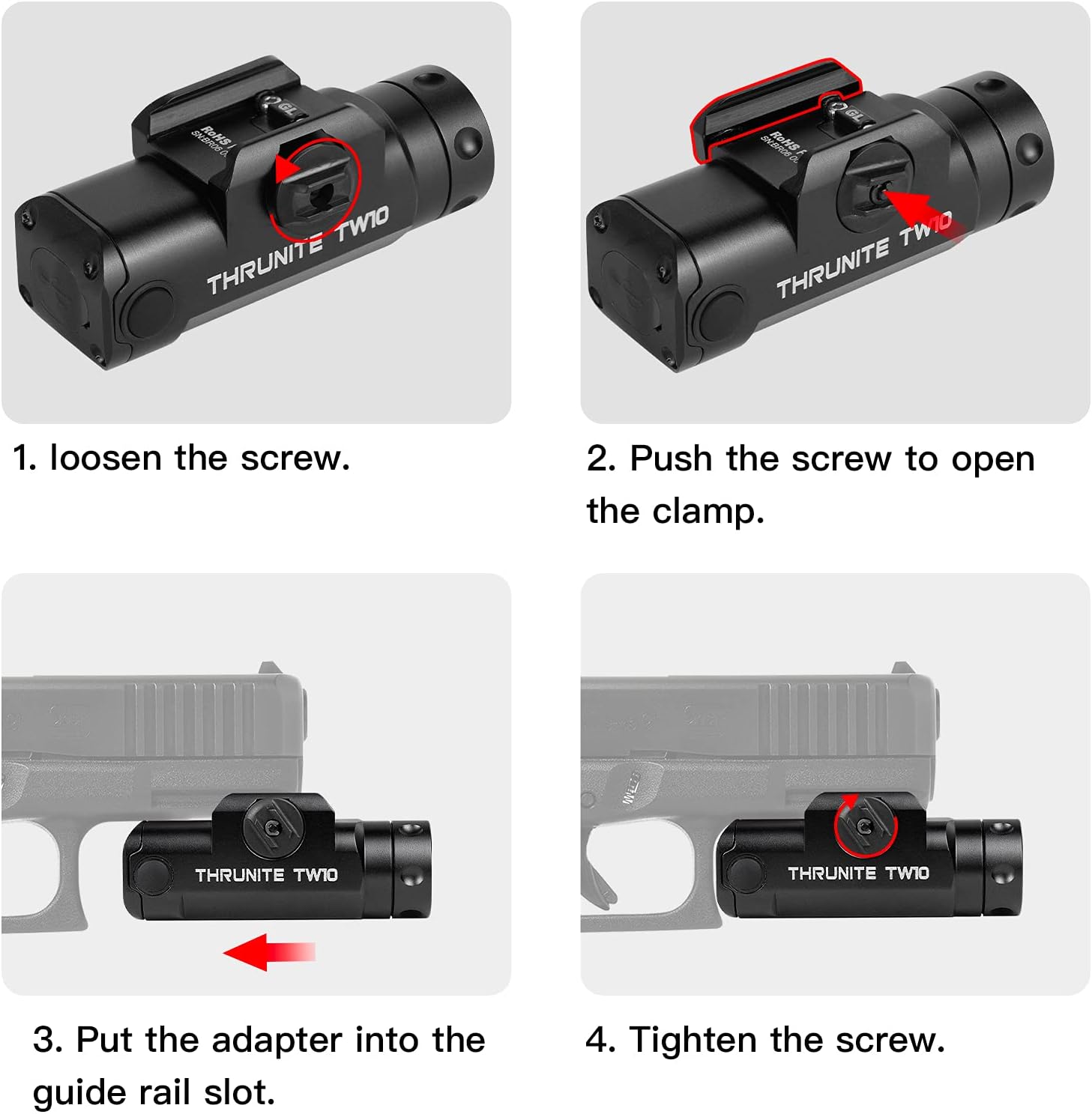
Figure 4: Weaponlight mounting instructions
5.2 การชาร์จแบตเตอรี่
The TW10 Weaponlight features a built-in rechargeable battery with a USB-C charging port.
- Locate the USB-C port: The USB-C charging port is located at the rear of the weaponlight, protected by a rubber cover.
- เปิดฝา: ค่อยๆ ยกฝาครอบยางขึ้นเพื่อเปิดเผยพอร์ต USB-C
- เชื่อมต่อสายเคเบิล: Plug the provided USB-C charging cable into the port and connect the other end to a USB power source (e.g., wall adapter, computer).
- ไฟแสดงสถานะการชาร์จ: The indicator light (if present) will typically show red during charging and turn green when fully charged.
- ปิดฝา: After charging, ensure the rubber cover is securely closed to maintain water resistance.

รูปที่ 5: การชาร์จ USB-C
6. คู่มือการใช้งาน
The TW10 Weaponlight is equipped with dual side switches for easy operation.
6.1 โหมดแสง
- Stay-on Mode: Single press either side switch for constant illumination. Press the switch again to turn the light off.
- ชั่วขณะเมื่อ: Press and hold down either side switch for momentary illumination. The light will turn off when the switch is released.
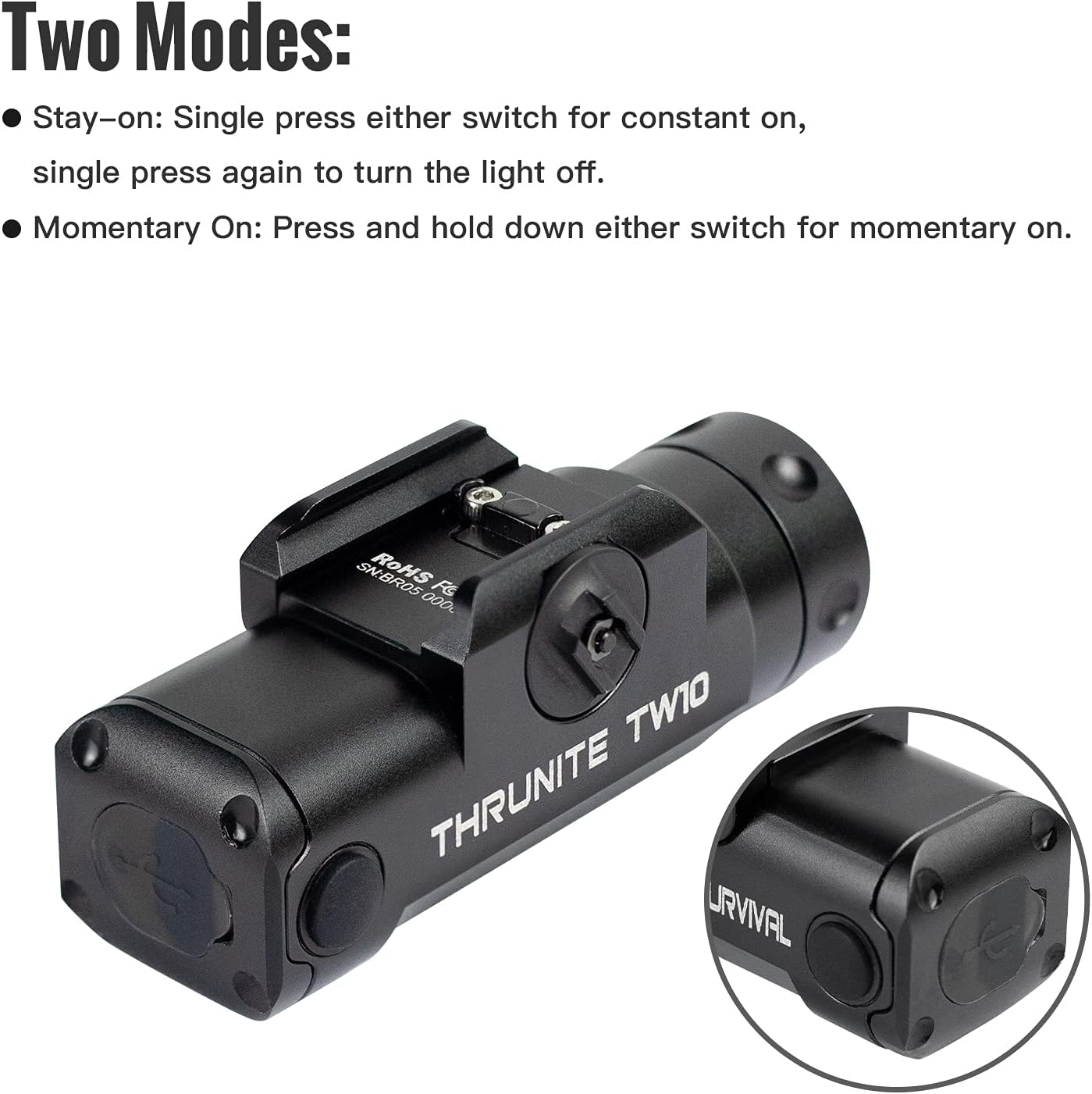
Figure 6: Operating modes
6.2 วิดีโอผลิตภัณฑ์อย่างเป็นทางการ
THRUNITE TW10 Tactical Flashlight
วิดีโอ 1: สรุปสั้นๆview of the ThruNite TW10 Tactical Flashlight, showcasing its design and basic features.
THRUNITE TW10 Light
Video 2: Another short demonstration of the ThruNite TW10 Light, highlighting its compact size and illumination.
THRUNITE TW10 tactical light
Video 3: A detailed look at the ThruNite TW10 tactical light, including its features and functionality.
BSS V6 Tactical Flashlight Nightshot Testing
Video 4: Nightshot testing of a ThruNite BSS V6 Tactical Flashlight, demonstrating beam performance in low-light conditions. While not the exact TW10 model, it provides a general idea of ThruNite's tactical flashlight capabilities.
7. การบำรุงรักษา
- การทำความสะอาด: Clean the lens and body of the flashlight with a soft, clean cloth. Avoid using abrasive materials or harsh chemicals.
- โอริง: Periodically inspect the O-rings for wear and tear. Replace them with the provided spares if necessary to maintain water resistance. Apply silicone grease to O-rings to keep them supple.
- พอร์ตชาร์จ: Keep the USB-C charging port clean and free of debris. Ensure the rubber cover is always sealed when not charging.
- พื้นที่จัดเก็บ: Store the flashlight in a cool, dry place when not in use. For long-term storage, it is recommended to charge the battery periodically to maintain its health.
8 การแก้ไขปัญหา
- ไฟไม่ติด:
- ตรวจสอบให้แน่ใจว่าแบตเตอรี่ชาร์จแล้ว
- Check if the switches are functioning correctly.
- แสงไฟกะพริบหรือสลัว:
- แบตเตอรี่อาจจะเหลือน้อย ควรชาร์จแบตเตอรี่
- Ensure the battery is properly seated.
- น้ำเข้า:
- Check the O-rings for damage or improper seating.
- Ensure the USB-C port cover is fully closed.
9. การรับประกันและการสนับสนุน
ThruNite products are typically covered by a manufacturer's warranty. For specific warranty details, including duration and coverage, please refer to the warranty card included in your product packaging or visit the official ThruNite webเว็บไซต์.
For technical support, troubleshooting assistance, or any other inquiries, please contact ThruNite customer service through their official channels. Contact information can usually be found on their webไซต์หรือบนบรรจุภัณฑ์ผลิตภัณฑ์
ThruNite Official Webเว็บไซต์: www.thrunite.com