
1. สินค้าหมดview
The ELRO DV477W-M is an additional indoor monitor designed to expand your existing ELRO DV477W or DV477IP series video intercom system. This 7-inch color monitor allows for clear two-way communication with visitors at your door and provides convenient door opening functionality.
คุณสมบัติหลัก:
- 7-inch (18 cm) color display for clear video.
- High-quality microphone and speaker for two-way audio communication.
- Door opening function for convenient access control.
- Modern design with brushed aluminum finish.
- Compatible with ELRO DV477W and DV477IP series video intercoms.
เนื้อหาแพ็คเกจ:
- ELRO DV477W-M 7-inch Indoor Monitor
- ตัวยึด
- 15m 4-wire Electrical Cable
- อะแดปเตอร์แปลงไฟ
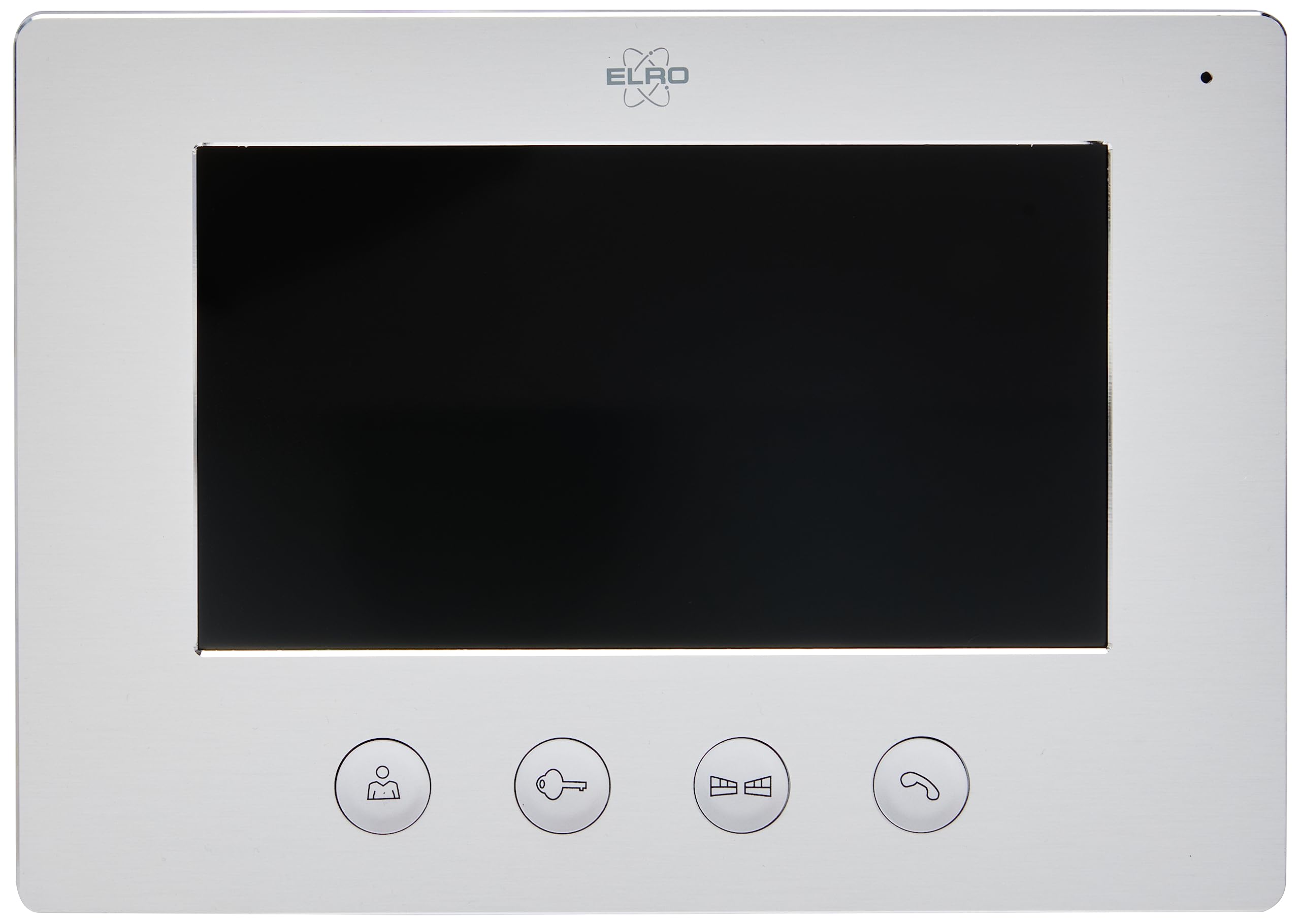
Image 1.1: The ELRO DV477W-M 7-inch indoor monitor, featuring a sleek design and control buttons.
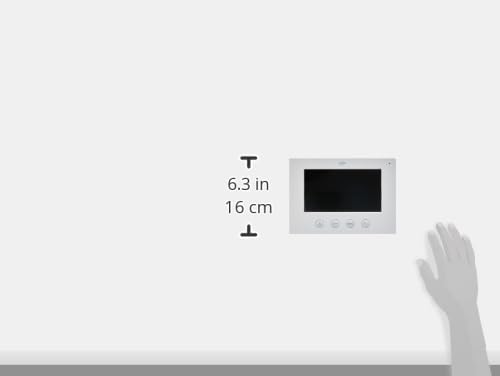
Image 1.2: Diagram showing the dimensions of the ELRO DV477W-M monitor, approximately 6.3 inches (16 cm) in height.
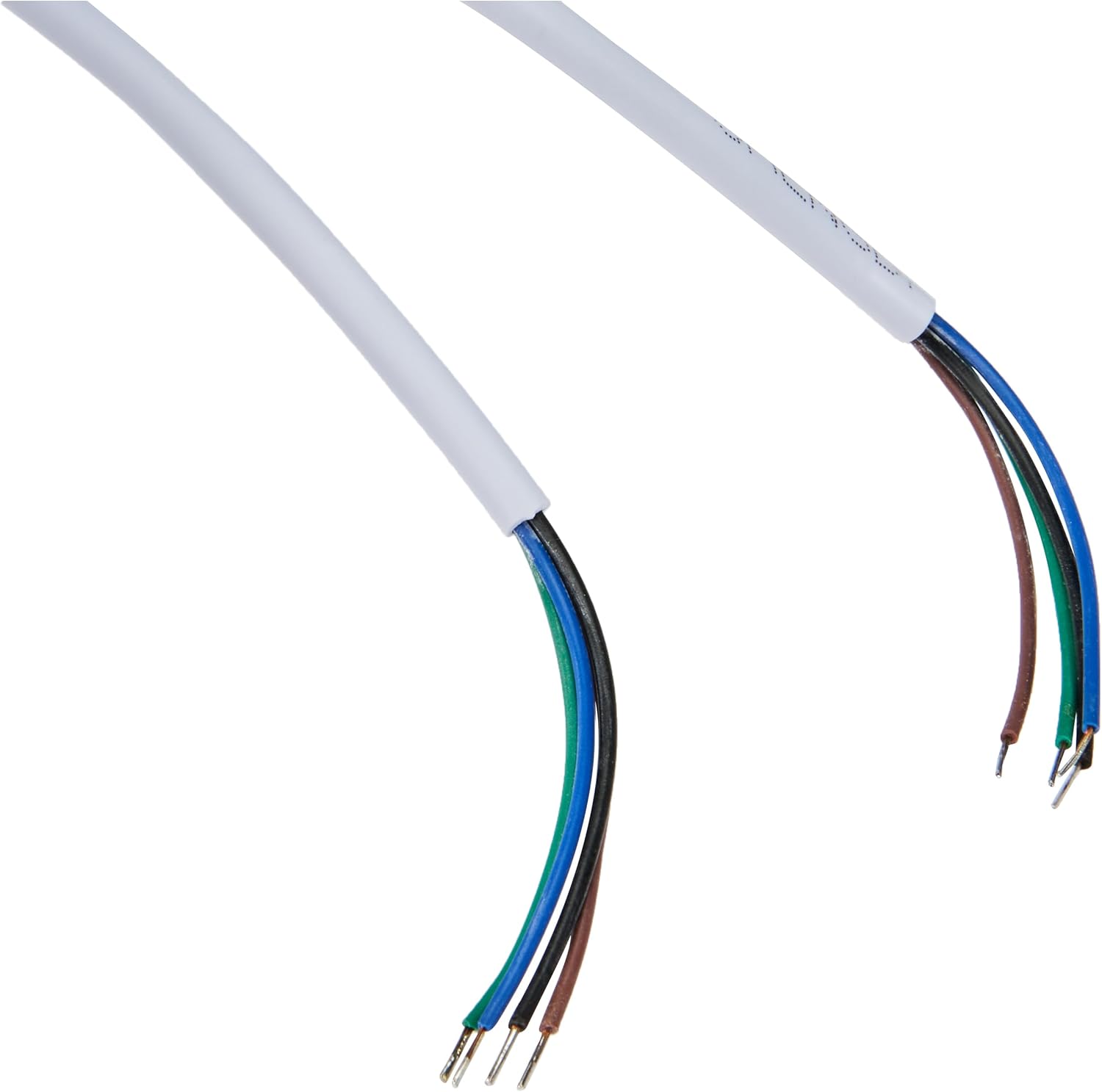
Image 1.3: The included 15-meter 4-wire electrical cable for connecting the monitor to the intercom system.
2. การตั้งค่าและการติดตั้ง
This section provides instructions for installing your ELRO DV477W-M additional indoor monitor. Ensure all power is disconnected from your existing intercom system before beginning installation.
2.1 ข้อควรระวังเพื่อความปลอดภัย:
- ถอดปลั๊กไฟก่อนการติดตั้งหรือบำรุงรักษาทุกครั้ง
- หากไม่แน่ใจเกี่ยวกับขั้นตอนการเดินสายไฟใดๆ ควรปรึกษาช่างไฟฟ้าที่มีคุณสมบัติเหมาะสม
- Do not expose the monitor to moisture or extreme temperatures.
2.2 Mounting the Monitor:
- Choose a suitable indoor location for the monitor, ensuring it is within reach of the 15m cable and a power outlet.
- Use the provided mounting bracket as a template to mark drilling points on the wall.
- เจาะรูและใส่พุกยึดผนังหากจำเป็น
- ยึดขายึดเข้ากับผนังโดยใช้สกรูที่เหมาะสม
2.3 การเชื่อมต่อสายไฟ:
- Connect the 4-wire electrical cable from your existing ELRO DV477W or DV477IP outdoor unit/main monitor to the corresponding terminals on the back of the DV477W-M additional monitor. Ensure correct polarity for each wire (e.g., power, ground, audio, video). Refer to your main intercom system's manual for specific wiring diagrams.
- Connect the power adapter to the monitor's power input and then plug it into a wall outlet.
- ติดตั้งจอภาพเข้ากับขาตั้งอย่างระมัดระวัง
บันทึก: The 4-wire cable typically carries power, ground, audio, and video signals. Incorrect wiring can damage the device or prevent proper operation.
3. คู่มือการใช้งาน
Once installed and powered on, the ELRO DV477W-M monitor is ready for use. It functions as an extension of your main intercom system.
3.1 Receiving a Call:
- When a visitor presses the doorbell button on the outdoor unit, the monitor will ring and display the visitor's image.
- กดปุ่ม คำตอบ button (usually indicated by a telephone icon) to initiate two-way audio communication.
- หากต้องการสิ้นสุดการสนทนา ให้กดปุ่ม วางสาย ปุ่ม.
3.2 Opening the Door:
- ระหว่างการโทร หรือเมื่อ viewing the visitor, press the ปลดล็อคประตู button (often depicted as a key or unlock icon) to activate the electronic door lock connected to your main intercom system.
- The door will unlock for a short period, allowing the visitor to enter.
3.3 การติดตาม:
- Some systems allow you to manually activate the camera on the outdoor unit to view the entrance area without a visitor pressing the doorbell. Refer to your main intercom system's manual for this feature.
4. การบำรุงรักษา
Proper maintenance ensures the longevity and optimal performance of your ELRO DV477W-M monitor.
4.1 การทำความสะอาด:
- Wipe the monitor screen and casing with a soft, dry, lint-free cloth.
- สำหรับรอยฝังแน่น ให้ลบออกเล็กน้อยampชุบผ้าให้เปียกหมาดๆ หลีกเลี่ยงการใช้สารเคมีรุนแรง น้ำยาทำความสะอาดที่มีฤทธิ์กัดกร่อน หรือตัวทำละลาย เพราะอาจทำให้พื้นผิวเสียหายได้
- Do not spray cleaning liquids directly onto the monitor.
4.2 การดูแลทั่วไป:
- Keep the monitor away from direct sunlight, heat sources, and areas with high humidity.
- Ensure ventilation openings (if any) are not blocked.
- ควรหลีกเลี่ยงการทำจอภาพตกหรือกระแทกอย่างแรง
5 การแก้ไขปัญหา
If you encounter issues with your ELRO DV477W-M monitor, refer to the following common problems and solutions.
| ปัญหา | สาเหตุที่เป็นไปได้ | สารละลาย |
|---|---|---|
| No image or sound on the monitor. |
|
|
| Image is distorted or unclear. |
|
|
| ไม่มีเสียงระหว่างการสื่อสาร |
|
|
| Door unlock function does not work. |
|
|
If these solutions do not resolve the issue, please contact ELRO customer support.
6. ข้อมูลจำเพาะ
| คุณสมบัติ | รายละเอียด |
|---|---|
| หมายเลขรุ่น | DV477W-M |
| ผู้ผลิต | ELRO |
| ขนาดจอแสดงผล | 7 นิ้ว (18 ซม.) |
| ขนาดสินค้า (กว้าง x ยาว x สูง) | 21.5 x 2.5 x 15 ซม. |
| น้ำหนัก | 386 กรัม |
| วัสดุ | อลูมิเนียม |
| ส่วนประกอบที่รวมอยู่ | Monitor, Mounting Bracket, 15m 4-wire Electrical Cable, Power Adapter |
| แบตเตอรี่ที่จำเป็น | เลขที่ |
| ความเข้ากันได้ | ELRO DV477W and DV477IP series video intercom systems |
7. การรับประกันและการสนับสนุน
ELRO products are designed for reliability and performance. For specific warranty information, please refer to the documentation included with your original ELRO video intercom system or visit the official ELRO webเว็บไซต์.
If you require technical assistance, have questions about installation, or need to report a fault, please contact ELRO customer support. Contact details can typically be found on the ELRO webไซต์หรือในบรรจุภัณฑ์ผลิตภัณฑ์ของคุณ
บันทึก: ขณะนี้ยังไม่มีข้อมูลเกี่ยวกับความพร้อมของอะไหล่