
การแนะนำ
Thank you for choosing the MEDION MD 10319 Tower Fan. This manual provides essential information for the safe and efficient operation of your new fan. Please read these instructions carefully before use and keep them for future reference.
คำแนะนำด้านความปลอดภัยที่สำคัญ
ปฏิบัติตามข้อควรระวังด้านความปลอดภัยขั้นพื้นฐานเสมอเมื่อใช้เครื่องใช้ไฟฟ้า เพื่อลดความเสี่ยงต่อการเกิดไฟไหม้ ไฟฟ้าช็อต และการบาดเจ็บต่อบุคคล
- ตรวจสอบแหล่งจ่ายไฟ voltage ตรงกับฉลากระบุระดับความร้อนบนพัดลม
- ห้ามใช้งานพัดลมหากสายไฟหรือปลั๊กชำรุด หากสายไฟชำรุด จำเป็นต้องเปลี่ยนโดยผู้ผลิต ตัวแทนบริการ หรือผู้เชี่ยวชาญ เพื่อหลีกเลี่ยงอันตราย
- เก็บพัดลมให้ห่างจากน้ำหรือของเหลวอื่นๆ ห้ามจุ่มพัดลมลงในน้ำ
- ห้ามสอดนิ้วหรือวัตถุแปลกปลอมเข้าไปในตะแกรงขณะที่พัดลมกำลังทำงาน
- ถอดปลั๊กพัดลมออกจากเต้ารับไฟฟ้าเมื่อไม่ใช้งาน เมื่อเคลื่อนย้ายจากที่หนึ่งไปยังอีกที่หนึ่ง และก่อนทำความสะอาด
- เครื่องใช้ไฟฟ้าตัวนี้ไม่ได้มีวัตถุประสงค์เพื่อให้บุคคล (รวมทั้งเด็ก) ที่มีความบกพร่องทางร่างกาย ทางประสาทสัมผัส หรือทางจิตใจ หรือขาดประสบการณ์และความรู้ ใช้งาน เว้นแต่จะมีการดูแลหรือคำแนะนำเกี่ยวกับการใช้เครื่องใช้ไฟฟ้าโดยบุคคลที่รับผิดชอบด้านความปลอดภัยของบุคคลดังกล่าว
- ควรมีผู้ดูแลเด็กเพื่อให้แน่ใจว่าไม่ได้เล่นกับเครื่องใช้ไฟฟ้าดังกล่าว
- วางพัดลมบนพื้นผิวที่มั่นคงและเรียบเพื่อป้องกันไม่ให้พัดลมล้มคว่ำ
เนื้อหาแพ็คเกจ
Please check the package for the following components:
- MEDION MD 10319 Tower Fan
- ฐาน (สองส่วน)
- น็อตยึด
- 4 Mounting Screws for Base
- Remote Control (with 2 x AAA batteries)
- คู่มือการใช้งาน
การประกอบและการติดตั้ง
Follow these steps to assemble your tower fan:
- นำส่วนประกอบทั้งหมดออกจากบรรจุภัณฑ์อย่างระมัดระวัง
- Assemble the two halves of the base by interlocking them.
- Align the assembled base with the bottom of the fan unit. Ensure the power cord passes through the designated slot in the base.
- Secure the base to the fan unit using the 4 mounting screws provided.
- Tighten the securing nut from underneath the base to firmly attach it to the fan body.
- ใส่แบตเตอรี่ AAA 2 ก้อนลงในรีโมทคอนโทรล โดยสังเกตขั้วให้ถูกต้อง
- วางพัดลมบนพื้นผิวที่มั่นคงและระดับเดียวกัน
- เสียบสายไฟเข้ากับเต้ารับไฟฟ้าที่เหมาะสม (220V)
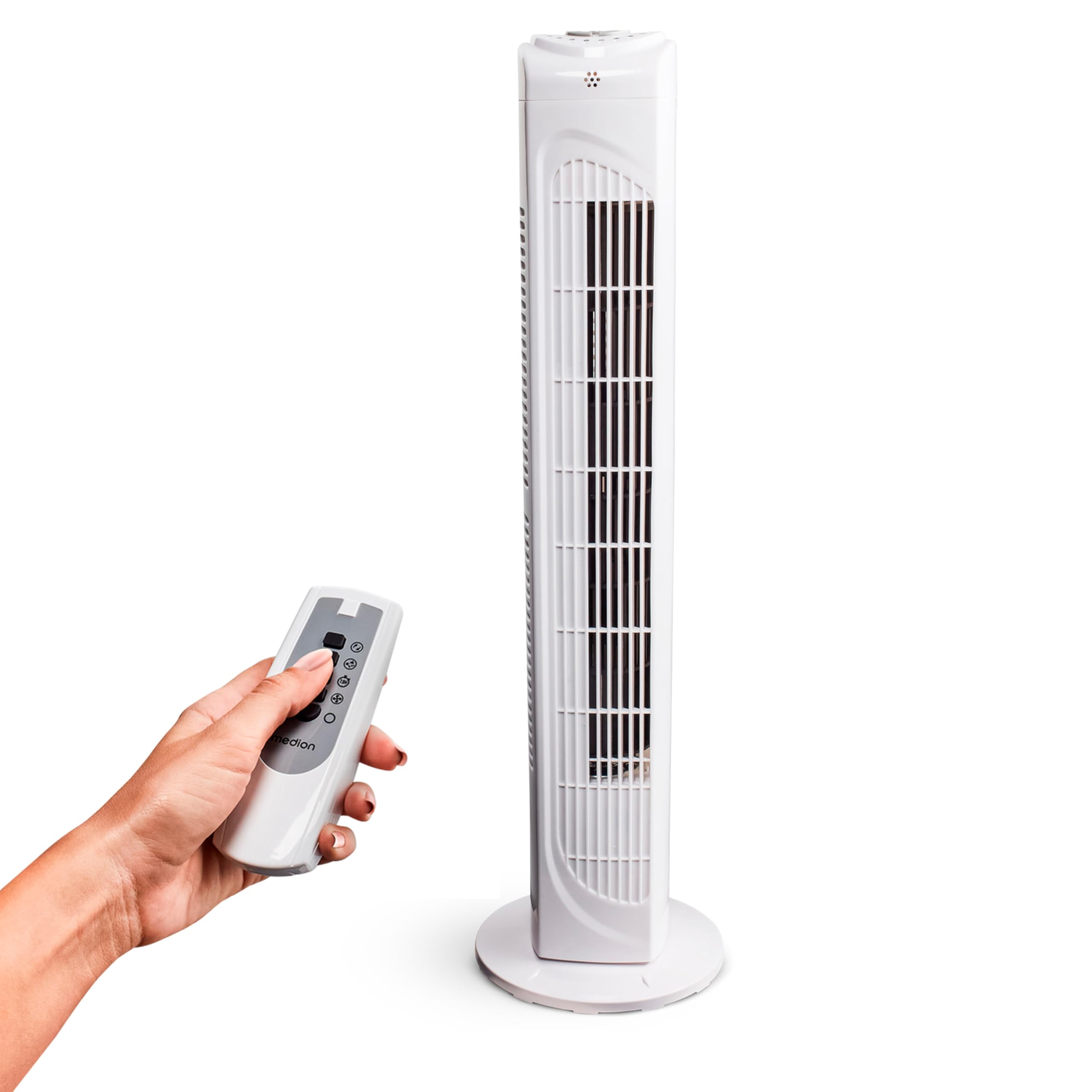
Image: The MEDION MD 10319 Tower Fan, fully assembled with its base, ready for use.

Image: A hand demonstrating the integrated carrying handle on top of the fan for easy portability.
สินค้าเกินview
แผงควบคุม
The control panel is located on the top of the fan unit. It features buttons for power, speed, oscillation, and timer functions.

ภาพ: รายละเอียด view of the fan's top control panel, showing buttons for power, speed settings (3 levels), timer, and oscillation.
รีโมทคอนโทรล
The included remote control allows you to operate all fan functions from a distance.
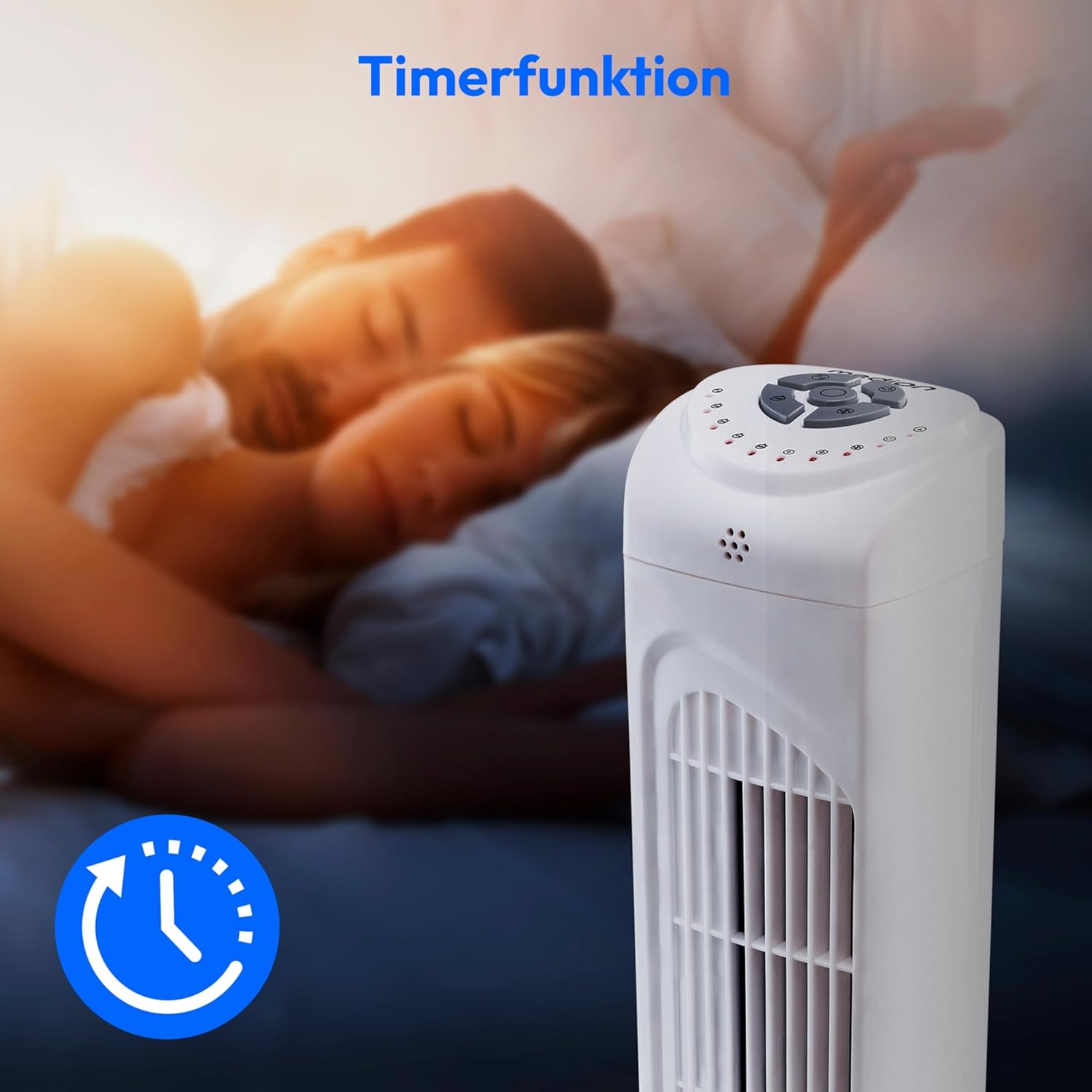
Image: A hand holding the remote control, which features buttons for power, speed, oscillation, and timer, mirroring the main control panel.
คำแนะนำการใช้งาน
เปิด/ปิดเครื่อง
- กดปุ่ม พลัง button on the control panel or remote control to turn the fan ON.
- กดปุ่ม พลัง กดปุ่มอีกครั้งเพื่อปิดพัดลม
การปรับความเร็วพัดลม
พัดลมมีระดับความเร็ว 3 ระดับ: ต่ำ ปานกลาง และสูง
- กดปุ่ม ความเร็ว button repeatedly to cycle through the speed settings.
- The current speed level will be indicated by LED lights on the control panel.
ฟังก์ชันการสั่น
The oscillation function allows the fan to rotate horizontally, distributing air over a wider area.
- กดปุ่ม โอเอสซี button on the control panel or remote control to activate oscillation. The fan will rotate approximately 60 degrees.
- กดปุ่ม โอเอสซี button again to stop oscillation. The fan will stop in its current position.

Image: The tower fan oscillating, indicated by blue arrows showing a 60-degree rotation for wider air distribution.
ฟังก์ชั่นจับเวลา
The timer function allows you to set the fan to automatically turn off after a specified period, up to 7.5 hours.
- กดปุ่ม ตัวจับเวลา button repeatedly to set the desired operating time (e.g., 0.5h, 1h, 2h, 4h, up to 7.5h).
- The selected timer duration will be indicated by LED lights on the control panel.
- To cancel the timer, cycle through the settings until no timer LEDs are illuminated, or turn the fan off.

Image: The fan with a timer icon, illustrating its use for setting automatic shut-off, ideal for use during sleep.
การซ่อมบำรุง
Regular cleaning will help maintain the performance and extend the lifespan of your fan.
- ควรถอดปลั๊กพัดลมออกจากเต้ารับไฟฟ้าทุกครั้งก่อนทำความสะอาด
- ใช้แบบนุ่มๆamp ผ้าเช็ดทำความสะอาดพื้นผิวภายนอกของพัดลม ห้ามใช้น้ำยาทำความสะอาดที่มีฤทธิ์กัดกร่อนหรือตัวทำละลาย
- ใช้เครื่องดูดฝุ่นที่มีหัวแปรงเพื่อดูดฝุ่นออกจากช่องรับและระบายอากาศอย่างเบามือ
- ห้ามปล่อยให้น้ำหยดเข้าไปในภายในพัดลม
- ควรเก็บพัดลมไว้ในที่แห้งและเย็นเมื่อไม่ได้ใช้งานเป็นเวลานาน
การแก้ไขปัญหา
If you encounter any issues with your MEDION MD 10319 Tower Fan, please refer to the following common problems and solutions:
| ปัญหา | สาเหตุที่เป็นไปได้ | สารละลาย |
|---|---|---|
| พัดลมไม่เปิด | ไม่มีแหล่งจ่ายไฟ ไม่ได้กดปุ่มเปิดปิด | ตรวจสอบว่าสายไฟเสียบเข้ากับเต้ารับที่ใช้งานได้แน่นหนาหรือไม่ Press the POWER button on the fan or remote. |
| รีโมทคอนโทรลไม่ทำงาน. | แบตเตอรี่หมดหรือใส่ไม่ถูกต้อง สิ่งกีดขวางระหว่างรีโมทและพัดลม | เปลี่ยนแบตเตอรี่ (2 x AAA) และตรวจสอบขั้วให้ถูกต้อง Remove any objects blocking the signal path. Ensure you are within range. |
| พัดลมส่งเสียงผิดปกติ | พัดลมไม่ได้วางอยู่บนพื้นผิวที่เรียบ Obstruction in the fan grille. | วางพัดลมไว้บนพื้นผิวเรียบและมั่นคง Unplug the fan and carefully check for any foreign objects in the grilles. |
| Oscillation function is not working. | ปุ่มการสั่นไม่ได้ถูกเปิดใช้งาน | Press the OSC button on the control panel or remote control. |
ข้อมูลจำเพาะ
| คุณสมบัติ | รายละเอียด |
|---|---|
| ยี่ห้อ | MEDION |
| ชื่อรุ่น | MD ฮิต |
| พิมพ์ | Tower Fan / Floor Fan |
| สี | สีขาว |
| แหล่งพลังงาน | สายไฟ |
| วัดtage | 45 วัตต์ |
| เล่มที่tage | 220 โวลต์ |
| จำนวนความเร็ว | 3 |
| คุณสมบัติพิเศษ | Oscillating, Timer Function |
| มุมการสั่น | 60° |
| ฟังก์ชั่นจับเวลา | นานถึง 7.5 ชั่วโมง |
| วิธีการควบคุม | รีโมทและปุ่มบนตัวเครื่อง |
| ระดับเสียง | 50 เดซิเบล |
| ขนาดสินค้า (ลึก x กว้าง x สูง) | 28 ซม. x 28 ซม. x 79 ซม. |
| น้ำหนักสินค้า | 2.5 กิโลกรัม |
| วัสดุ | พลาสติก |
| ประเภทขั้วต่อสายไฟหลัก | CEE 7/7 (ชูโค) |

Image: The MEDION MD 10319 Tower Fan with its height (79 cm) and base width (28 cm) clearly indicated.
การรับประกันและการสนับสนุน
Your MEDION MD 10319 Tower Fan comes with a manufacturer's warranty. Please refer to the warranty card included in your package for detailed terms and conditions, including the warranty period and coverage.
For technical support, service, or spare parts, please contact MEDION customer service. Contact information can typically be found on the MEDION official webไซต์หรือในเอกสารการรับประกัน