
การแนะนำ
This manual provides detailed instructions for the HERCHR BAO-JIE BJ-218/BJ-318 USB Programming Cable. This cable is designed to facilitate programming and data transfer between your personal computer and compatible BAO-JIE BJ-218 or BJ-318 mobile two-way radios. Please read this manual thoroughly before use to ensure proper operation and to maximize the cable's performance and longevity.

Image: The HERCHR BAO-JIE USB Programming Cable, showing its USB and RJ45 connectors. This cable is used for programming BJ-218 and BJ-318 mobile radios.
คำแนะนำการตั้งค่า
- ติดตั้งไดรเวอร์: Before connecting the cable, ensure that any necessary USB drivers for the programming cable are installed on your computer. These drivers are typically provided with the programming software or can be downloaded from the manufacturer's webเว็บไซต์.
- เชื่อมต่อกับคอมพิวเตอร์: Insert the USB-A connector of the programming cable into an available USB port on your personal computer.
- เชื่อมต่อกับวิทยุ: Connect the RJ45 8-Pin connector of the programming cable to the corresponding programming port on your BAO-JIE BJ-218 or BJ-318 mobile radio. Ensure a secure connection.
- เปิดตัวซอฟต์แวร์: Open the dedicated programming software for your BAO-JIE radio on your computer.
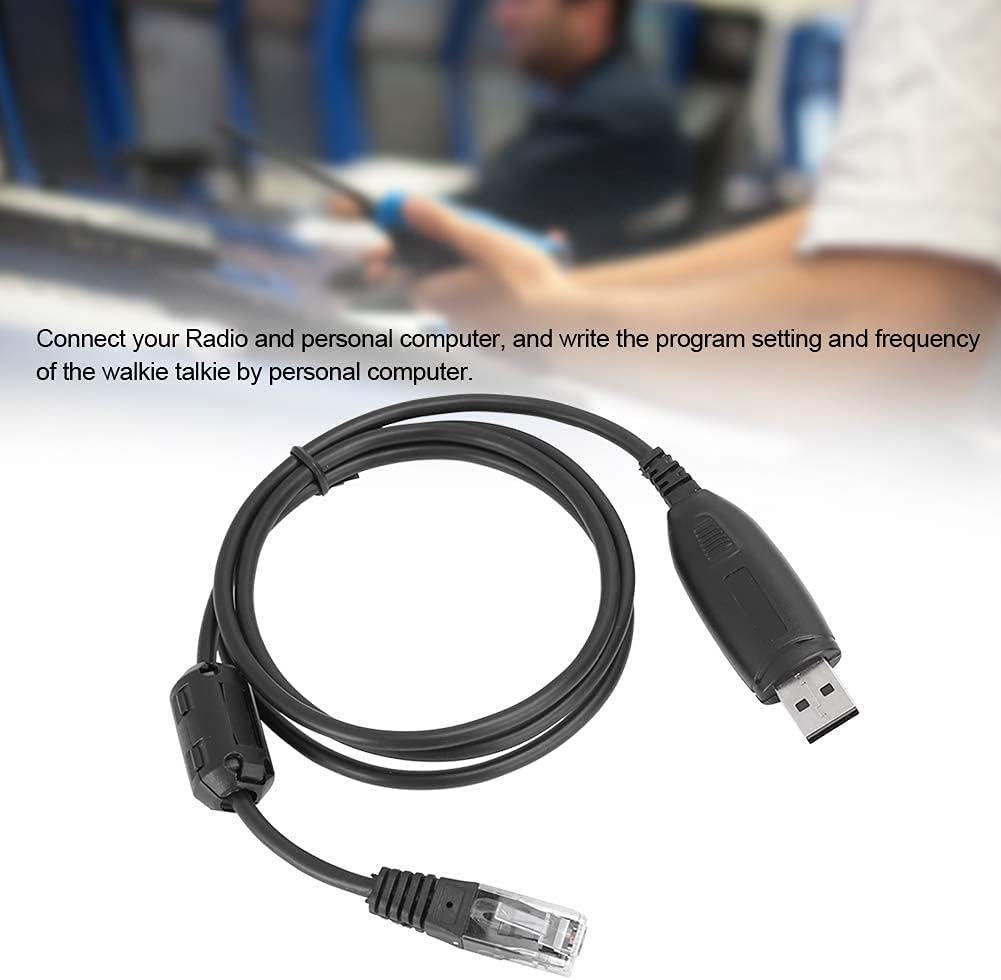
Image: The USB programming cable connected to a computer, illustrating the setup process for programming a mobile radio.
คำแนะนำการใช้งาน
Once the cable is connected and the software is launched, you can proceed with programming your radio:
- การจดจำซอฟต์แวร์: The programming software should detect the connected radio via the USB cable. Confirm that the software recognizes the radio model.
- อ่านข้อมูลวิทยุ: Use the software's function to read the current program settings and frequencies from your radio. This is often a good practice before making any changes.
- ปรับเปลี่ยนการตั้งค่า: Adjust frequencies, channel settings, and other parameters within the programming software interface as needed.
- เขียนถึงวิทยุ: After making desired changes, use the software's "write" or "upload" function to transfer the new settings to your radio. Follow any on-screen prompts.
- ตรวจสอบ: After writing, it is recommended to read the radio data again to verify that the new settings have been successfully applied.
The cable enables stable and efficient programming of your radio by PC and through the microphone's keypad, offering ease of operation.

Image: A person operating a two-way radio, illustrating the context in which the programming cable is used for configuration.
การซ่อมบำรุง
- พื้นที่จัดเก็บ: เก็บสายเคเบิลไว้ในที่แห้งและเย็น หลีกเลี่ยงแสงแดดโดยตรงและอุณหภูมิที่สูงหรือต่ำเกินไป
- การทำความสะอาด: ใช้ผ้าแห้งนุ่มๆ เช็ดทำความสะอาดสายเคเบิลและขั้วต่อ หลีกเลี่ยงการใช้สารเคมีรุนแรงหรือวัสดุที่มีฤทธิ์กัดกร่อน
- การจัดการ: Avoid bending or twisting the cable excessively, especially near the connectors, to prevent internal damage. Always grasp the connector housing when plugging or unplugging, not the cable itself.
- การตรวจสอบ: ตรวจสอบสายเคเบิลเป็นระยะเพื่อดูว่ามีร่องรอยการสึกหรอ รอยฉีกขาด หรือความเสียหายที่ขั้วต่อหรือไม่ หากพบความเสียหายให้หยุดใช้งานทันที

ภาพ: รายละเอียด view of the USB and RJ45 connectors, highlighting the robust construction designed for stable transmission performance and durability.
การแก้ไขปัญหา
- ไม่พบสายเคเบิล:
- Ensure the USB cable is securely plugged into both the computer and the radio.
- ลองใช้พอร์ต USB อื่นบนคอมพิวเตอร์ของคุณ
- Verify that the correct USB drivers are installed. Check your computer's Device Manager for any unknown devices or driver errors.
- Restart your computer and radio.
- Programming Software Issues:
- Confirm that you are using the correct programming software version for your specific radio model (BJ-218 or BJ-318).
- Check the software settings to ensure the correct COM port is selected (if applicable).
- Run the programming software as an administrator (on Windows).
- ข้อผิดพลาดในการถ่ายโอนข้อมูล:
- Ensure the radio is powered on and in programming mode (refer to your radio's manual).
- Avoid disconnecting the cable during data transfer.
- Close other applications that might interfere with USB communication.
ข้อมูลจำเพาะ
| คุณสมบัติ | รายละเอียด |
|---|---|
| ยี่ห้อ | HERCHR |
| ประเภทสินค้า | สายเคเบิลโปรแกรม USB |
| วัสดุ | เอบีเอส |
| สี | สีดำ |
| อินเทอร์เฟซเอาท์พุต | ยูเอสบี |
| อินเตอร์เฟซการป้อนข้อมูล | 8-Pin (RJ45 type) |
| อุณหภูมิในการทำงาน | -20°C ถึง +60°C (-4°F ถึง +140°F) |
| อุปกรณ์ที่รองรับ | BAO-JIE BJ-218, BAO-JIE BJ-318 Mobile Radios |
| ประเภทขั้วต่อ | ยูเอสบี |
| ประเภทสายเคเบิล | ยูเอสบี |
| เพศของตัวเชื่อมต่อ | ชาย-หญิง |
| จำนวนพิน | 8 |
| น้ำหนักสินค้า | 0.04 กิโลกรัม (1.41 ออนซ์) |
| การใช้งานภายใน/ภายนอกอาคาร | ในร่ม, กลางแจ้ง |
ข้อมูลการรับประกัน
Specific warranty details for this product are not provided in this manual. For information regarding warranty coverage, duration, and claims, please refer to the product packaging or contact the seller directly. Keep your proof of purchase for any warranty-related inquiries.
การสนับสนุนลูกค้า
If you encounter any issues or have questions regarding the HERCHR BAO-JIE BJ-218/BJ-318 USB Programming Cable that are not addressed in this manual, please contact the seller or manufacturer for assistance. Provide your product model number (BJ-218 or BJ-318) and a detailed description of your issue when seeking support.