
การแนะนำ
Thank you for choosing Walfront Solar Step Lights. This manual provides essential information for the proper installation, operation, and maintenance of your solar step lights. Please read these instructions carefully before use to ensure optimal performance and longevity of the product. Keep this manual for future reference.
สินค้าเกินview
คุณสมบัติ
- หลายแอปพลิเคชัน: Ideal for illuminating stairs, decks, gardens, or as accent lighting for lawns and walkways.
- ชั่วโมงการทำงานที่ยาวนาน: Energy-saving design with high conversion polysilicon solar panels. Charges in 6-8 hours under direct sunlight and provides 8-10 hours of illumination.
- Intelligent Lighting Control: Automatically charges during the day and illuminates automatically in the dark.
- วัสดุคุณภาพสูง: Constructed from durable stainless steel and ABS materials, ensuring normal operation in rainy conditions without concerns of rust or aging.
- กันน้ำ: มีระดับการป้องกัน IP65 สำหรับการใช้งานกลางแจ้ง
ส่วนประกอบ
แพ็คเกจประกอบด้วยรายการต่อไปนี้:
- 1 x Walfront Solar Step Light
- 1 x Accessory Bag (containing 2 x screws, 2 x expansion screws)
- 1 x AAA NI-MH battery, 600MAH (built-in)
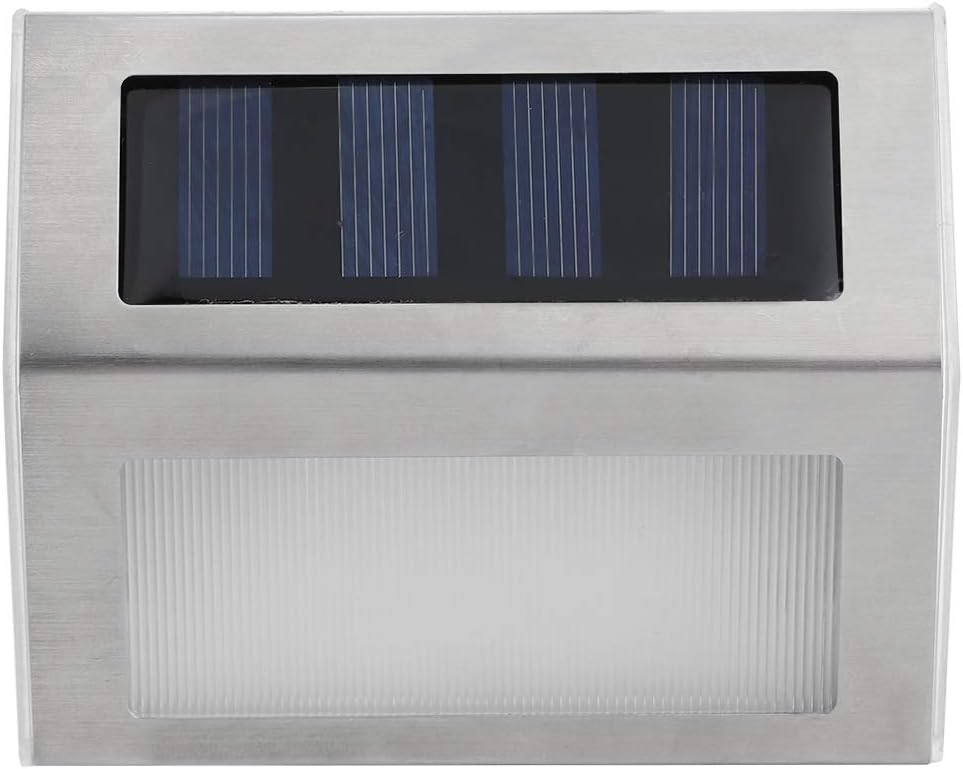
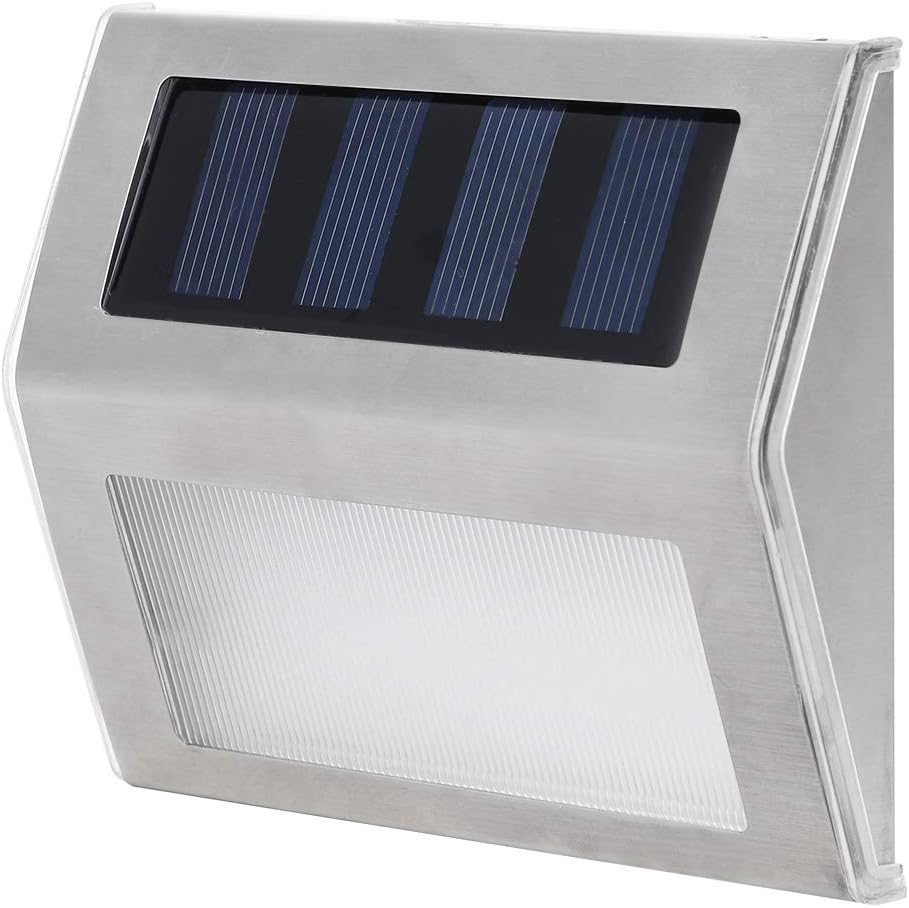
ภาพ: จากบนลงล่าง view of the Walfront Solar Step Light, showing the solar panel and light diffuser.

Image: Included screws and expansion plugs for mounting the solar step light.
ข้อมูลจำเพาะ
| คุณลักษณะ | รายละเอียด |
|---|---|
| ยี่ห้อ | Walfront |
| หมายเลขรุ่น | d5be7ce9-1d0b-45cb-b3da-f4ca5b88dd1a |
| สีอ่อน | สีขาวอุ่น |
| วัสดุ | สแตนเลส, ABS |
| แหล่งพลังงาน | พลังงานแสงอาทิตย์ |
| ประเภทแหล่งกำเนิดแสง | LED (4 LED) |
| ระดับความต้านทานต่อน้ำ | กันน้ำระดับ IP65 |
| แบตเตอรี่ | 1 x AAA NI-MH, 600MAH (built-in) |
| ขนาดสินค้า | ประมาณ 9.8 x 8.3 x 2.3 ซม. (3.9 x 3.3 x 0.9 นิ้ว) |

Image: Diagram showing the dimensions of the solar step light.
การตั้งค่า
การแกะกล่อง
Carefully remove all components from the packaging. Inspect the light and accessories for any damage. If any parts are missing or damaged, please contact customer support.
การติดตั้ง
- เลือกสถานที่: Select a location that receives direct sunlight for at least 6-8 hours daily to ensure the solar panel can fully charge the battery. Avoid shaded areas.
- ทำเครื่องหมายจุดเจาะ: Hold the solar step light in the desired position and mark the drilling points for the screws.
- เจาะรู: Use an appropriate drill bit to drill holes at the marked points. Insert the expansion screws into the drilled holes.
- โคมไฟติดภูเขา: Align the light with the expansion screws and secure it firmly using the provided screws. Ensure the light is stable and securely attached.
ภาพ: อดีตample of the solar step light installed on a wooden fence, providing illumination.
คำแนะนำการใช้งาน
การใช้งานเบื้องต้น
Before first use, ensure the solar step light is placed in direct sunlight for a full day (6-8 hours) to allow the built-in battery to charge completely. Locate the waterproof switch, typically on the underside or side of the unit, and ensure it is in the 'ON' position.
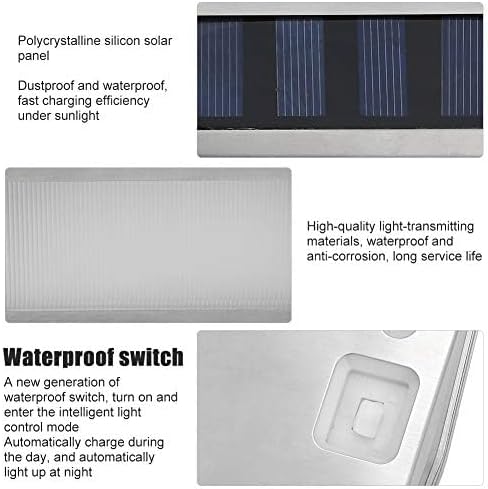
Image: Close-up showing the polysilicon solar panel and the waterproof switch for controlling the light.
Automatic Lighting Control
The Walfront Solar Step Light features intelligent lighting control. Once the switch is in the 'ON' position:
- During the day, the solar panel will automatically detect sunlight and charge the internal battery. The light will remain off.
- As darkness falls, the light sensor will activate the LEDs, causing the light to illuminate automatically.
- The light will turn off automatically at dawn or when the battery is depleted.

Image: The solar step light emitting a warm white glow in a dark environment.
การซ่อมบำรุง
Regular maintenance ensures optimal performance and extends the lifespan of your solar step lights.
- การทำความสะอาด: Periodically wipe the solar panel and light diffuser with a soft, damp ใช้ผ้าเช็ดทำความสะอาดฝุ่นละออง สิ่งสกปรก หรือเศษผงต่างๆ แผงโซลาร์เซลล์ที่สะอาดจะช่วยให้การชาร์จมีประสิทธิภาพยิ่งขึ้น
- การตรวจสอบ: Regularly check the mounting screws to ensure the light remains securely attached.
- ปัจจัยด้านสิ่งแวดล้อม: Ensure no new obstructions (e.g., growing foliage) are shading the solar panel during the day.
การแก้ไขปัญหา
If your solar step light is not functioning as expected, refer to the following common issues and solutions:
| ปัญหา | สาเหตุที่เป็นไปได้ | สารละลาย |
|---|---|---|
| กลางคืนไฟไม่ติด | 1. แสงแดดไม่เพียงพอสำหรับการชาร์จ 2. สวิตช์อยู่ในตำแหน่ง 'ปิด' 3. แผงโซลาร์เซลล์สกปรกหรือมีสิ่งกีดขวาง 4. แบตเตอรี่หมดหรือชำรุด | 1. Relocate the light to an area with 6-8 hours of direct sunlight. 2. Ensure the waterproof switch is in the 'ON' position. 3. Clean the solar panel and remove any obstructions. 4. Allow several days of full charge. If problem persists, contact support. |
| แสงสว่างจะสว่างตลอดวัน | 1. Light sensor is obstructed or covered. 2. Light is installed in a very dark area. | 1. Ensure the light sensor (part of the solar panel) is clear of obstructions. 2. Relocate the light to an area with sufficient ambient light during the day. |
| แสงสลัวหรือกระพริบ | 1. Insufficient battery charge. 2. Battery nearing end of life. | 1. Ensure the light receives full direct sunlight for charging. 2. If the light is old, the battery may need replacement (contact support for guidance). |
การรับประกันและการสนับสนุน
Walfront products are designed for durability and performance. For specific warranty details, please refer to the product packaging or contact Walfront customer support directly. If you encounter any issues not covered in this manual or require further assistance, please reach out to our customer service team through the retailer or the official Walfront webเว็บไซต์.
ข้อมูลติดต่อ: Please refer to your purchase documentation or the Walfront official webเว็บไซต์สำหรับรายละเอียดการติดต่อฝ่ายสนับสนุนลูกค้าล่าสุด