
1. ข้อมูลด้านความปลอดภัยที่สำคัญ
Please read this manual carefully before operating the appliance and keep it for future reference. Failure to follow these instructions may result in electric shock, fire, or injury.
- ตรวจสอบให้แน่ใจว่าแหล่งจ่ายไฟตรงกับปริมาตรtage ระบุไว้บนฉลากการจัดอันดับ
- อย่าใช้งานเครื่องด้วยสายไฟหรือปลั๊กที่ชำรุด
- เก็บเครื่องให้ห่างจากแหล่งความร้อนและแสงแดดโดยตรง
- ห้ามปิดกั้นช่องรับหรือช่องระบายอากาศ
- This appliance contains R290 refrigerant. Handle with care and ensure proper ventilation during installation and maintenance.
- ถอดปลั๊กเครื่องทุกครั้งก่อนทำความสะอาดหรือซ่อมบำรุง
- ห้ามใช้ตัวทำละลายเคมีในการทำความสะอาด
- เครื่องใช้ไฟฟ้าตัวนี้ไม่ได้มีวัตถุประสงค์เพื่อให้บุคคล (รวมทั้งเด็ก) ที่มีความบกพร่องทางร่างกาย ทางประสาทสัมผัส หรือทางจิตใจ หรือขาดประสบการณ์และความรู้ ใช้งาน เว้นแต่จะมีการดูแลหรือคำแนะนำเกี่ยวกับการใช้เครื่องใช้ไฟฟ้าโดยบุคคลที่รับผิดชอบด้านความปลอดภัยของบุคคลดังกล่าว
2. เนื้อหาบรรจุภัณฑ์
ตรวจสอบว่าสินค้าทั้งหมดยังคงอยู่และไม่ได้รับความเสียหายเมื่อแกะกล่อง
- 1 x Klarstein Kraftwerk Smart Portable Air Conditioner
- 1 x รีโมทคอนโทรล
- 1 x Window Sealing Kit (for tilt windows)
- 1 x Exhaust Hose with Connectors
- 1 x Water Drainage Hose
- 1 x คู่มือผู้ใช้ (ภาษาอังกฤษ)

Image: Contents of the delivery, including the air conditioner unit, remote control, window sealing kit, exhaust hose, and drainage hose.
3. การตั้งค่าและการติดตั้ง
3.1 การวางตำแหน่งเครื่อง
Place the air conditioner on a flat, stable surface. Ensure there is at least 30 cm (12 inches) of space around the unit for proper airflow. The integrated castors allow for easy movement between rooms.

Image: The portable air conditioner with integrated wheels for easy transport.
3.2 การติดตั้งท่อไอเสีย
- ต่อท่อระบายอากาศเข้ากับช่องระบายอากาศด้านหลังของเครื่อง
- ยืดสายยางไปที่หน้าต่างหรือช่องเปิดที่ใกล้ที่สุด
- Use the provided window sealing kit to secure the exhaust hose in the window opening, preventing hot air from re-entering the room.

Image: Quick installation with the window kit, showing the exhaust hose and window seal.
3.3 Drainage Hose (Dehumidifier Mode)
For continuous dehumidification, connect the drainage hose to the designated outlet and route it to a suitable drain or container. In cooling mode, water typically evaporates, but manual drainage may be required if the internal tank fills.
4. คู่มือการใช้งาน
4.1 แผงควบคุมและรีโมทคอนโทรล
The unit can be controlled via the touch control panel on top of the unit or the included remote control. The remote control requires 2x AAA batteries (not included).
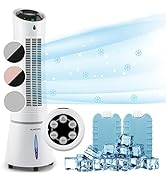
Image: Digital display and remote control for the air conditioner.
4.2 โหมดการทำงาน
- โหมดทำความเย็น: Reduces room temperature. Set desired temperature and fan speed.
- โหมดเครื่องลดความชื้น: กำจัดความชื้นส่วนเกินออกจากอากาศ
- โหมดพัดลม: หมุนเวียนอากาศโดยไม่ทำความเย็น เลือกความเร็วพัดลมตามต้องการ
- โหมดสลีป: Operates quietly with reduced fan speed and gradually increases temperature for comfortable sleep.
4.3 Smart Control (App & Alexa)
The Klarstein Kraftwerk Smart can be controlled via the Klarstein app on your smartphone and is compatible with Amazon Alexa and Google Home. Follow the app's instructions for pairing the device.

Image: Simple and practical use with the Klarstein app, compatible with Amazon Alexa and Google Home.
4.4 ฟังก์ชั่นจับเวลา
Use the timer function to set the unit to turn on or off automatically after a specified period.
5. การบำรุงรักษา
การบำรุงรักษาอย่างสม่ำเสมอจะช่วยให้เครื่องปรับอากาศทำงานได้อย่างมีประสิทธิภาพสูงสุดและยืดอายุการใช้งาน ควรถอดปลั๊กเครื่องก่อนทำการบำรุงรักษาทุกครั้ง
5.1 การทำความสะอาดแผ่นกรองอากาศ
The air filter should be cleaned every two weeks or more frequently depending on usage. A dirty filter reduces efficiency.
- ปิดเครื่องและถอดปลั๊กออก
- ค้นหาและถอดตัวกรองอากาศออกจากด้านหลังหรือด้านข้างของเครื่อง
- Clean the filter with a vacuum cleaner or wash it with warm water and mild detergent.
- ปล่อยให้ตัวกรองแห้งสนิทก่อนใส่กลับเข้าไปใหม่
5.2 การทำความสะอาดภายนอกตัวเครื่อง
เช็ดด้านนอกของตัวเครื่องด้วยผ้านุ่มdamp ใช้ผ้าเช็ดทำความสะอาดเท่านั้น ห้ามใช้สารเคมีรุนแรง สารขัดถู หรือตัวทำละลาย
5.3 การจัดเก็บตามฤดูกาล
หากจัดเก็บเครื่องไว้เป็นเวลานาน:
- ระบายน้ำที่ขังอยู่ภายในเครื่องออกให้หมด
- ทำความสะอาดตัวกรองอากาศ
- ปิดเครื่องเพื่อป้องกันฝุ่นละออง
- เก็บในที่แห้งและเย็น
6 การแก้ไขปัญหา
ก่อนติดต่อฝ่ายสนับสนุนลูกค้า โปรดดูตารางต่อไปนี้เพื่อดูปัญหาทั่วไปและวิธีแก้ไข
| ปัญหา | สาเหตุที่เป็นไปได้ | สารละลาย |
|---|---|---|
| เครื่องไม่เปิด | No power, power cord unplugged, fuse blown. | Check power connection, wall outlet, and circuit breaker. |
| ระบายความร้อนไม่เพียงพอ | Dirty air filter, blocked air intake/outlet, room too large, windows/doors open, exhaust hose not properly installed. | Clean filter, clear obstructions, ensure proper room size for unit capacity, close windows/doors, check exhaust hose installation. |
| หน่วยมีเสียงดัง | เครื่องไม่ได้วางอยู่บนพื้นผิวเรียบ ชิ้นส่วนภายในจึงสั่นสะเทือน | Ensure unit is on a level surface. Some operational noise is normal for portable AC units. |
| น้ำรั่ว. | Drainage plug not properly sealed, drainage hose blocked or improperly connected. | Check drainage plug and hose connections. Clear any blockages in the drainage hose. |
| ปัญหาการเชื่อมต่อ Wi-Fi | Incorrect Wi-Fi settings, 5GHz network used, temporary glitch. | Ensure you are connecting to a 2.4GHz Wi-Fi network. Try unplugging the unit for 10 seconds, then reconnecting. Refer to the app's pairing instructions. |
7. ข้อมูลจำเพาะ
| คุณสมบัติ | รายละเอียด |
|---|---|
| ยี่ห้อ | คลาร์สไตน์ |
| ชื่อรุ่น | Kraftwerk Smart |
| ความสามารถในการทำความเย็น | 10,000 BTU (2.9 กิโลวัตต์) |
| ลดความชื้นความจุ | 23 ลิตร |
| ปริมาณการไหลเวียนของอากาศ | 440 ม³/ชม. |
| ขนาดห้องที่แนะนำ | 29-49 ตรม. |
| ระดับเสียง | 50 dB (Min) / 65 dB (Max) |
| ระดับประสิทธิภาพการใช้พลังงาน | A |
| สารทำความเย็น | อาร์-290 |
| การใช้พลังงาน | 1150 วัตต์ |
| เล่มที่tage | 220 โวลต์ |
| ขนาด (D x W x H) | 38P x 35.5l x 82.2H ซม. |
| น้ำหนัก | 26 กิโลกรัม |
| วิธีการควบคุม | การควบคุมระยะไกล, การควบคุมแอพ |
| ประเภทตัวกรอง | ถ่าน |

Image: Energy efficiency label for the product.
Image: Technical drawing with product dimensions.
8. การรับประกันและการสนับสนุนลูกค้า
8.1 ข้อมูลการรับประกัน
This product comes with a limited warranty. Please refer to the warranty card included in your package or contact customer support for detailed terms and conditions. The warranty covers manufacturing defects under normal use.
8.2 การสนับสนุนลูกค้า
For technical assistance, spare parts, or any questions regarding your Klarstein Kraftwerk Smart air conditioner, please contact Klarstein customer support. Contact details can typically be found on the official Klarstein webไซต์หรือในเอกสารการซื้อของคุณ
Before contacting support, please have your model number (Kraftwerk Smart) and purchase date available.