
PTHTECHUS S23
PTHTECHUS Smart Watch S23 User Manual
รุ่น : S23
การแนะนำ
Thank you for choosing the PTHTECHUS Smart Watch S23. This multi-functional smartwatch is designed for children aged 4-12, offering a blend of entertainment and educational features. It includes 14 games, a music player, HD selfie camera, flashlight, calculator, calendar, alarm, and timer. This manual provides detailed instructions to help you and your child get the most out of this device.
มีอะไรอยู่ในกล่อง
- 1x PTHTECHUS Smart Watch S23
- สายชาร์จ USB 1x
- 1x คู่มือการใช้งาน
- 1x 1GB TF Memory Card
สินค้าเกินview
Familiarize yourself with the components of your PTHTECHUS Smart Watch S23.

รูปที่ 1: ด้านหน้าและด้านข้าง view of the PTHTECHUS Smart Watch S23, highlighting the screen, buttons, and strap design.
ส่วนประกอบหลัก:
- จอแสดงผลแบบสัมผัส: Interactive interface for navigating menus and applications.
- ปุ่มเปิด/ปิด: Located on the side, used to turn the watch on/off and wake/sleep the screen.
- กล้อง: Integrated camera for taking photos and recording videos.
- พอร์ต USB: Located on the side, used for charging and data transfer.
- ลำโพง/ไมโครโฟน: For audio playback and recording functions.
- สายคล้อง: Adjustable strap for comfortable wear.
การตั้งค่า
1. การชาร์จอุปกรณ์:
Before first use, fully charge the smartwatch. Connect the provided USB cable to the watch's USB port and the other end to a compatible USB power adapter (not included) or a computer's USB port. The charging indicator will appear on the screen.
- โดยทั่วไปการชาร์จเต็มจะใช้เวลาประมาณ 2-3 ชั่วโมง
- Ensure the USB port is clean and dry before charging.
2. เปิด/ปิดเครื่อง:
- การเปิดเครื่อง: Press and hold the Power Button on the side of the watch until the screen lights up and the "Hello" message appears.
- วิธีปิดเครื่อง: Press and hold the Power Button until a power-off option appears on the screen. Select "Power Off" to shut down the device.
Video 1: S23 Children's Watch Operation Demonstration Instructions. This video demonstrates the basic operation of the watch, including powering on, navigating the interface, and accessing various functions.
3. Initial Settings (Time, Date, Language):
Upon first power-on or after a reset, you may need to set the time, date, and language. Navigate to the การตั้งค่า menu (often represented by a gear icon) to adjust these options.
- ภาษา: เลือกภาษาที่คุณต้องการจากตัวเลือกที่มี
- เวลาและวันที่: Adjust the current time, date, and time format (12/24 hours).
- ระดับความดังของเสียงเรียกเข้า: Adjust the volume for alerts and notifications.
คำแนะนำการใช้งาน
The PTHTECHUS Smart Watch S23 features a touch screen for easy navigation. Swipe left or right to browse through the different application icons.
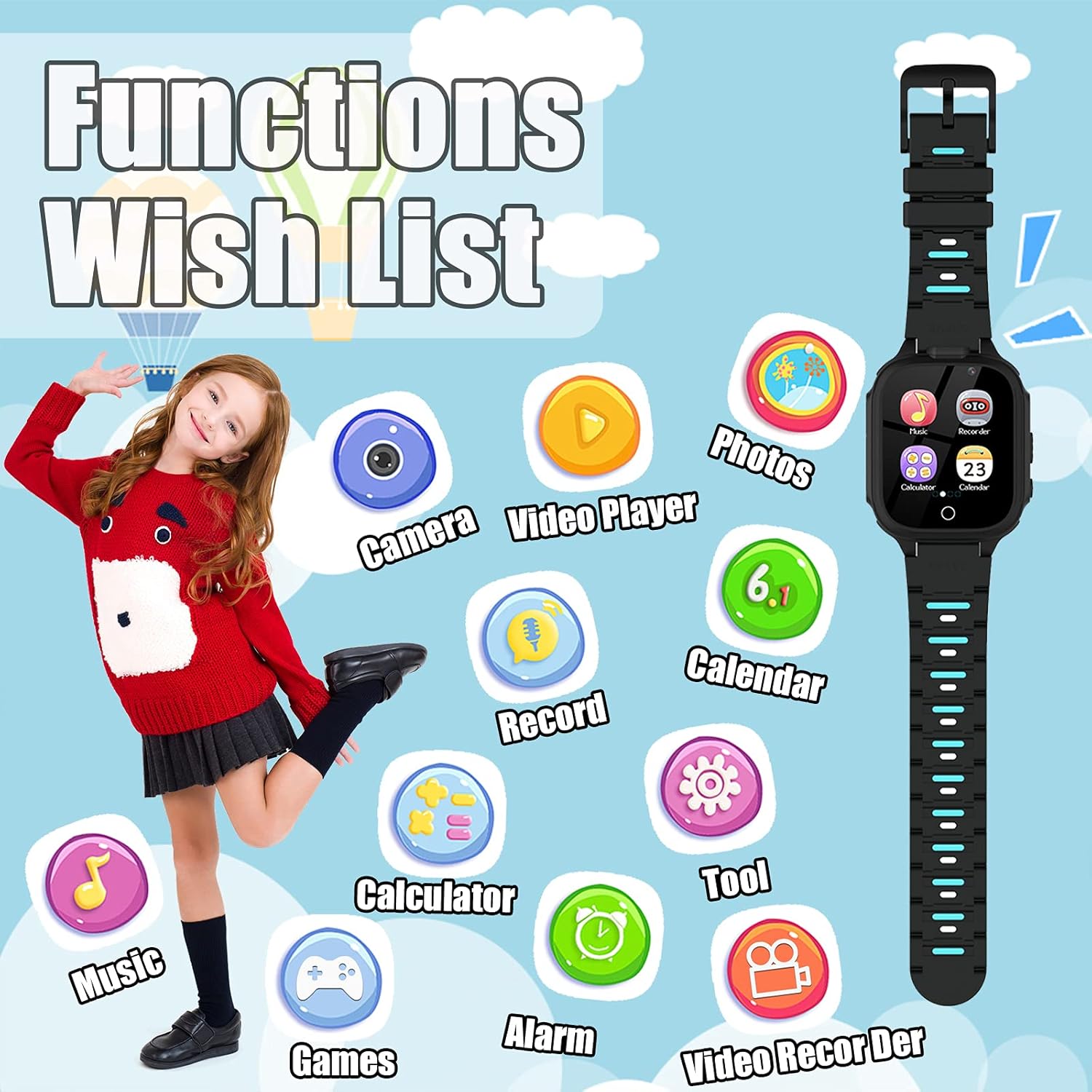
รูปที่ 2: เกินview of the watch's main functions and applications.
1. Games:
The watch comes with 14 built-in puzzle games designed to aid children's brain development, including digital games, life habit games, logical thinking games, and hand-eye coordination games. Tap the "Games" icon to access the game selection menu.
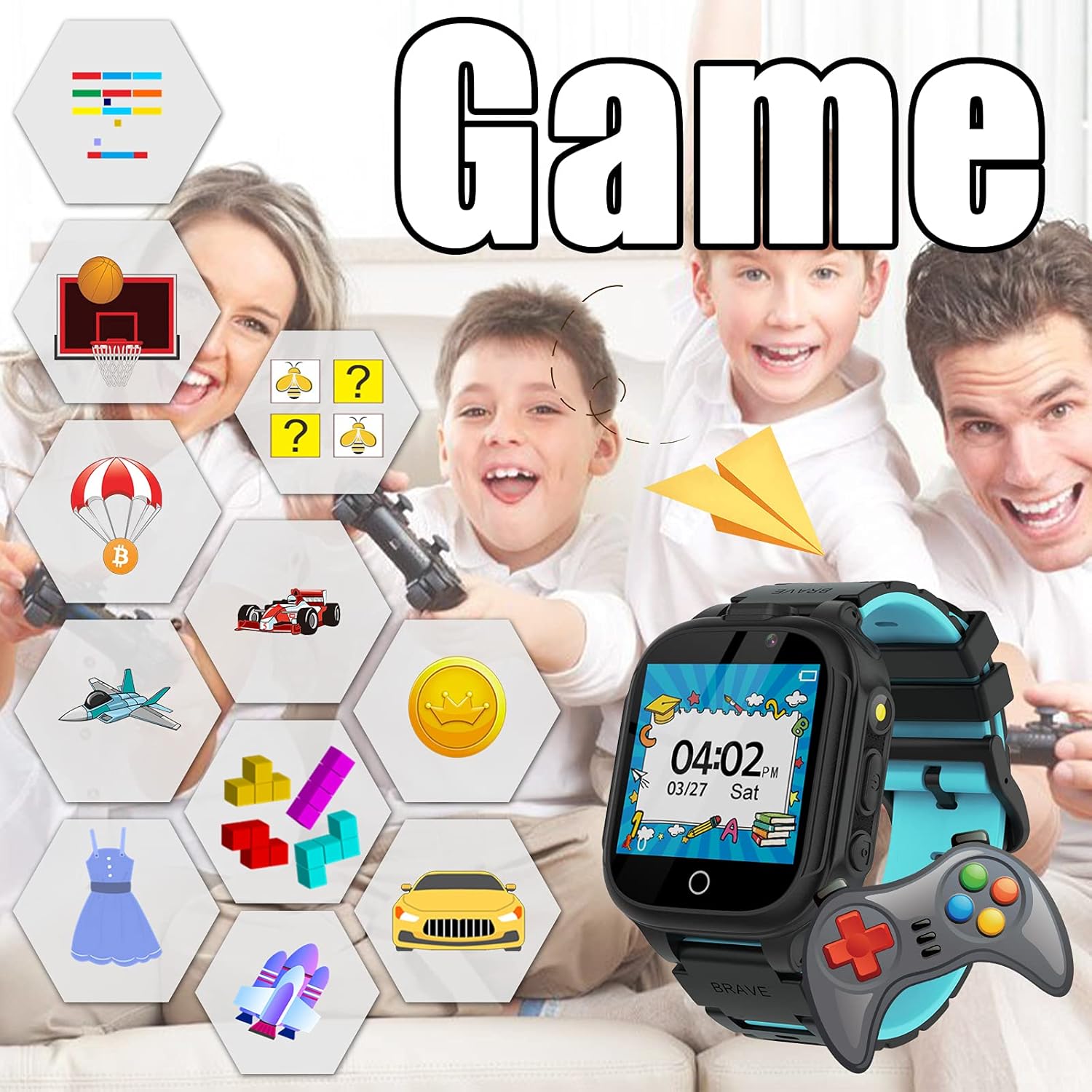
Figure 3: The watch's game interface and examples of available games.
2. Music Player:
Enjoy music directly on your smartwatch. The watch has a built-in memory chip for storing music files. Connect the watch to a PC using the USB cable to transfer MP3 files. Tap the "Music" icon to open the music player.
- ใช้ปุ่มควบคุมบนหน้าจอเพื่อเล่น หยุดชั่วคราว ข้ามเพลง และปรับระดับเสียง
- No SD card is required for music storage.

Figure 4: The music player interface, illustrating music playback capabilities.
3. Camera & Video Recorder:
The watch is equipped with two cameras, allowing children to capture photos and record short videos. Tap the "Camera" or "Video Recorder" icon to activate these functions.
- Switch between front and rear cameras if available.
- Explore fun photo stickers to add creative effects to pictures.
- View captured media in the "Photos" or "Video Player" applications.
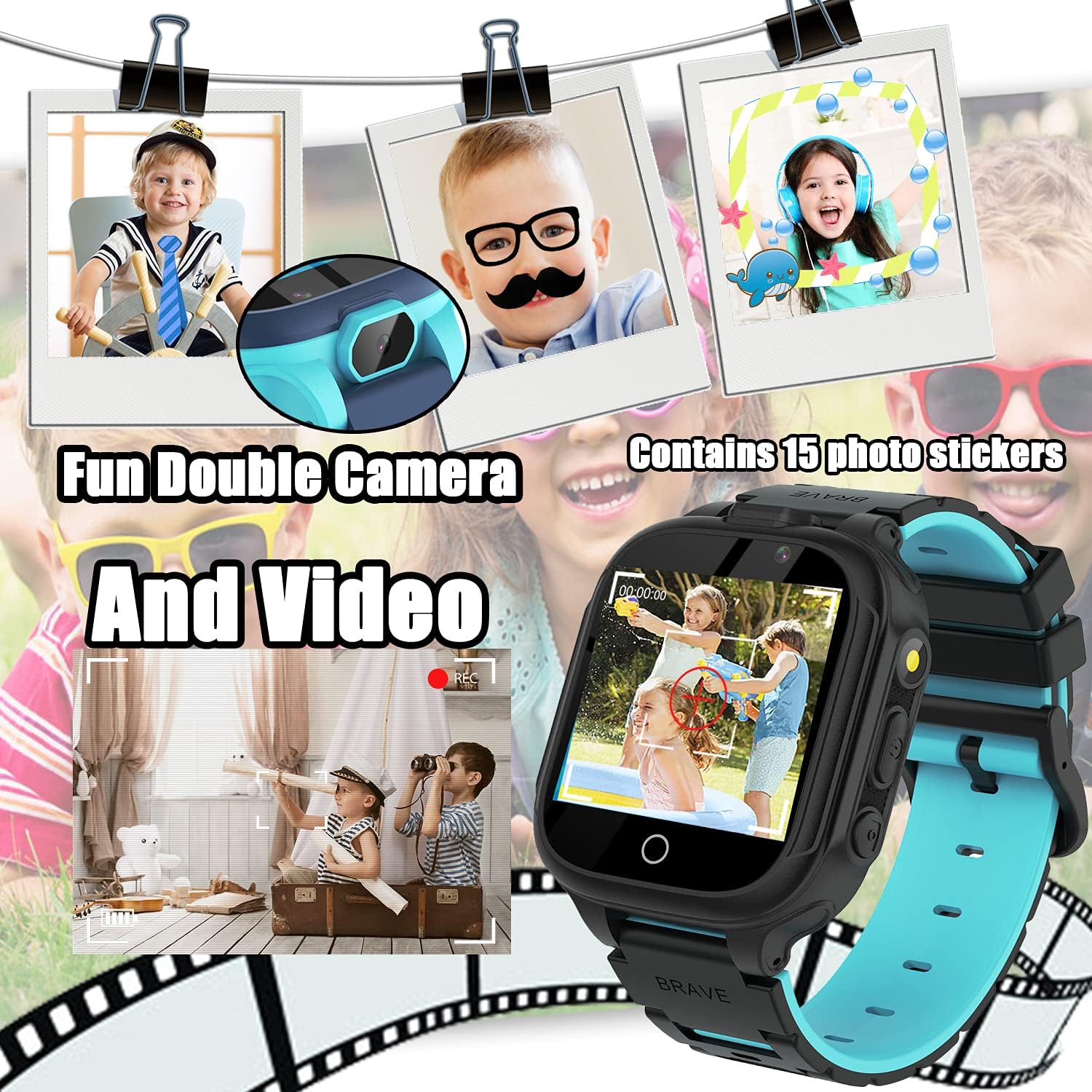
Figure 5: The camera interface, demonstrating photo and video capture with creative stickers.
4. ไฟฉาย:
Activate the built-in flashlight for illumination in dark environments. Tap the "Torch" icon to turn the flashlight on or off.

Figure 6: The flashlight feature in use, providing convenient illumination.
5. Calculator:
Perform basic arithmetic calculations using the integrated calculator. Tap the "Calculator" icon to open the application.
- Supports addition, subtraction, multiplication, and division.
- Clear display with large numbers for easy use.
6. Alarm Clock:
Set up to three alarms to help manage daily routines. Tap the "Alarm" icon to configure alarm times and repeat settings.
- Set specific times for alarms.
- Choose repeat options: Once, Everyday, or Custom days.
7. ปฏิทิน:
View the current date and month. Tap the "Calendar" icon to access the calendar display.
8. เครื่องนับก้าว:
Track daily steps and estimated calories burned. Tap the "Pedometer" icon to view ข้อมูลกิจกรรม
- Start and pause step tracking as needed.
- Provides a basic overview of physical activity.
9. Other Tools:
The "Tools" menu provides additional utilities:
- นาฬิกาจับเวลา สำหรับการจับเวลาในการทำกิจกรรม
- ตัวจับเวลา: Set countdown timers.
- File ผู้จัดการ: เรียกดูและจัดการ files stored on the watch.
- Reset Wallpaper: Revert to the default watch face.

รูปที่ 7: อดีตamples of customizable watch faces available on the device.
การซ่อมบำรุง
- การทำความสะอาด: Use a soft, dry cloth to clean the watch screen and body. Avoid abrasive cleaners or solvents.
- ความต้านทานน้ำ: The watch is not waterproof. Keep it away from water, moisture, and high humidity to prevent damage.
- พื้นที่จัดเก็บ: ควรเก็บนาฬิกาไว้ในที่แห้งและเย็นเมื่อไม่ได้ใช้งาน
- การดูแลแบตเตอรี่ To prolong battery life, avoid extreme temperatures and do not leave the watch fully discharged for extended periods.
การแก้ไขปัญหา
| ปัญหา | วิธีแก้ปัญหาที่เป็นไปได้ |
|---|---|
| นาฬิกาไม่เปิด | Ensure the watch is fully charged. Press and hold the Power Button for at least 5 seconds. |
| หน้าจอไม่ตอบสนอง | Restart the watch by holding the Power Button. If unresponsive, allow the battery to fully drain and then recharge. |
| ไม่สามารถโอนเพลงได้ files. | Ensure the watch is properly connected to the PC via USB. Check if the watch is in data transfer mode (if applicable). Ensure files อยู่ในรูปแบบ MP3 |
| แบตเตอรี่มีอายุสั้น | Reduce screen brightness. Close unused applications. Limit frequent use of power-intensive features like games or video recording. |
ข้อมูลจำเพาะ
- แบบอย่าง: S23
- ขนาดหน้าจอ: 1.54 นิ้ว
- ประเภทจอภาพ: ดิจิตอล
- พื้นที่เก็บข้อมูลหน่วยความจำ: 1 GB (built-in)
- ประเภทแบตเตอรี่: ลิเธียมเมทัล (รวมอยู่ด้วย)
- การเชื่อมต่อ: USB (for charging and data transfer)
- ขนาด : 0.39 x 1.18 x 1.18 นิ้ว
- น้ำหนักสินค้า: 1.59 ออนซ์ (45 กรัม)
- คุณสมบัติ: 14 Games, Music Player, HD Selfie Camera, Flashlight, Calculator, Calendar, Alarm, Timer, Pedometer.
การรับประกันและการสนับสนุน
PTHTECHUS is committed to providing quality products and customer satisfaction. If you encounter any issues or have questions regarding your Smart Watch S23, please refer to the following:
- ข้อมูลการรับประกัน: Please refer to the warranty card included in your product packaging for specific warranty terms and conditions.
- การสนับสนุนลูกค้า: For technical assistance or customer service inquiries, please contact the seller directly through your purchase platform.
- แหล่งข้อมูลออนไลน์: Visit the official PTHTECHUS brand store on Amazon for additional product information and FAQs: PTHTECHUS Amazon Store.