
1. บทนำ
This manual provides essential information for the safe and efficient operation, maintenance, and troubleshooting of your Leitz IQ Autofeed Small Office 50 P4 Shredder. Please read these instructions carefully before using the appliance and retain them for future reference.
The Leitz IQ Autofeed Small Office 50 P4 is designed for shredding confidential documents, sensitive paperwork, old financial records, and other personal or proprietary information in small office environments. It features an automatic feed mechanism for convenience and a P4 security level for cross-cut shredding.
2. คำแนะนำด้านความปลอดภัย
Always follow these safety precautions to prevent injury or damage to the shredder:
- Keep children and pets away from the shredder. The shredder has sharp blades and moving parts that can cause injury.
- Keep loose clothing, jewelry, hair, and ties away from the paper entry slot.
- ห้ามสอดนิ้วหรือส่วนอื่นๆ ของร่างกายเข้าไปในช่องใส่กระดาษ
- ห้ามฉีดพ่นผลิตภัณฑ์ไวไฟหรือสารหล่อลื่นใดๆ เข้าไปในเครื่องทำลายเอกสาร
- Do not shred metal objects, hard plastics (other than credit cards), or adhesive labels, as these can damage the cutting mechanism.
- ควรดึงปลั๊กเครื่องทำลายเอกสารออกทุกครั้งก่อนเคลื่อนย้าย ทำความสะอาด หรือเทถังขยะ
- Do not operate the shredder if the power cord is damaged or if the appliance is malfunctioning. Contact customer support for assistance.
- ตรวจสอบให้แน่ใจว่าวางเครื่องทำลายเอกสารไว้บนพื้นผิวที่มั่นคงและเรียบเสมอกัน
- Do not overload the shredder beyond its specified sheet capacity.
3. การตั้งค่า
- การแกะกล่อง: นำเครื่องทำลายเอกสารออกจากบรรจุภัณฑ์อย่างระมัดระวัง เก็บวัสดุบรรจุภัณฑ์ไว้สำหรับการขนส่งหรือจัดเก็บในอนาคต
- การจัดวาง: วางเครื่องทำลายเอกสารบนพื้นผิวเรียบและมั่นคง ใกล้กับปลั๊กไฟ ตรวจสอบให้แน่ใจว่ามีพื้นที่รอบเครื่องเพียงพอสำหรับการระบายอากาศและการเข้าถึงถังขยะ
- ถังขยะ: ตรวจสอบให้แน่ใจว่าได้ใส่ถังขยะเข้าไปในตัวเครื่องทำลายเอกสารอย่างถูกต้อง เครื่องทำลายเอกสารจะไม่ทำงานหากถังขยะไม่ได้ติดตั้งอย่างถูกต้อง
- การเชื่อมต่อไฟฟ้า: เสียบสายไฟเข้ากับเต้ารับไฟฟ้ามาตรฐาน
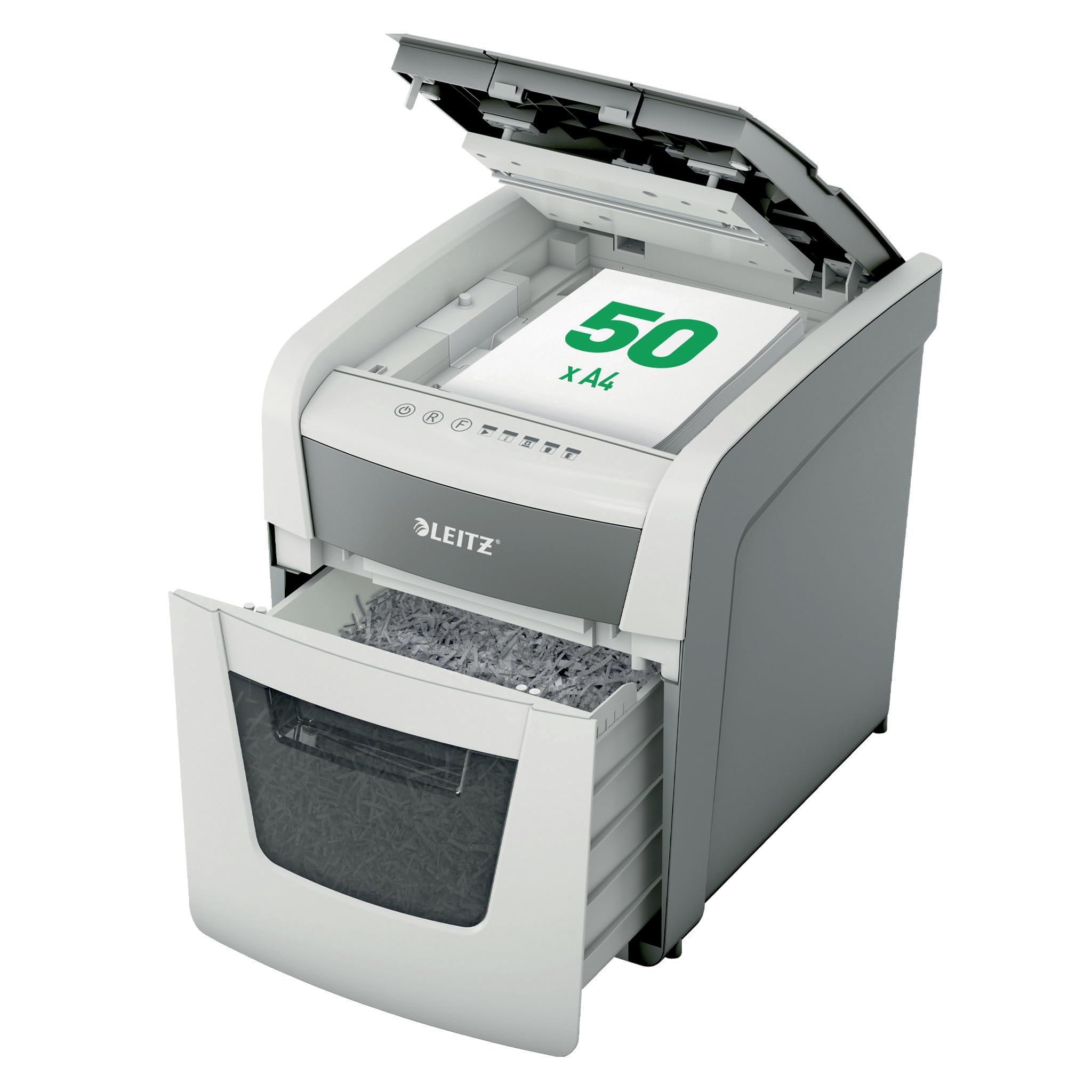
Image 1: Leitz IQ Autofeed Small Office 50 P4 Shredder. This image shows the overall design of the shredder, highlighting its compact size and modern aesthetic suitable for small office environments.
4. คู่มือการใช้งาน
The Leitz IQ Autofeed Small Office 50 P4 shredder offers both automatic and manual shredding modes.
4.1 แผงควบคุมโอเวอร์view
The control panel typically includes buttons for Power On/Off, Reverse, Forward, and indicators for bin full, overheat, or door open.
4.2 Automatic Feed Shredding
- Open the autofeed tray cover.
- Stack up to 50 sheets of A4 paper neatly into the autofeed tray. Ensure there are no staples or paper clips on the documents for optimal performance, although the shredder can handle small staples and paper clips.
- Close the autofeed tray cover. The shredder will automatically detect the paper and begin shredding.
- The shredder will stop automatically once all paper in the tray has been shredded.
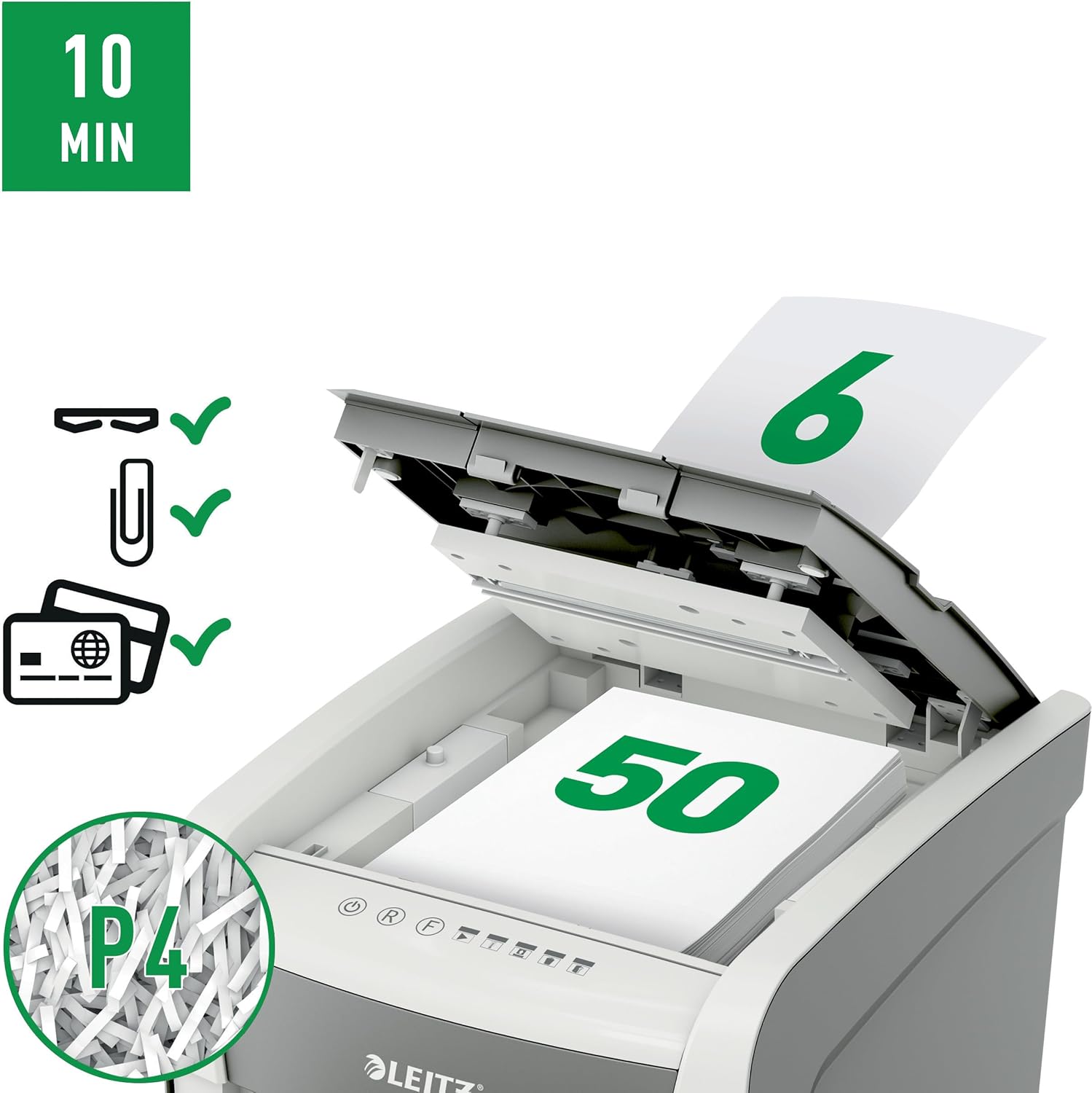
Image 2: Autofeed mechanism and P4 security. This image illustrates the autofeed tray loaded with paper, indicating its capacity and the P4 security level for cross-cut shredding.
4.3 การบดแบบป้อนด้วยมือ
- For a few sheets of paper (typically up to 6-8 sheets, refer to specifications for exact capacity) or credit cards, use the manual feed slot.
- Insert the paper or credit card into the manual feed slot. The shredder will automatically detect the item and begin shredding.
- Remove your hand immediately after the shredder grips the item.
4.4 Continuous Run Time
The shredder is designed for intermittent use. It has a continuous run time of approximately 10 minutes, after which it will enter a cool-down period to prevent overheating. Allow the shredder to cool down before resuming operation.
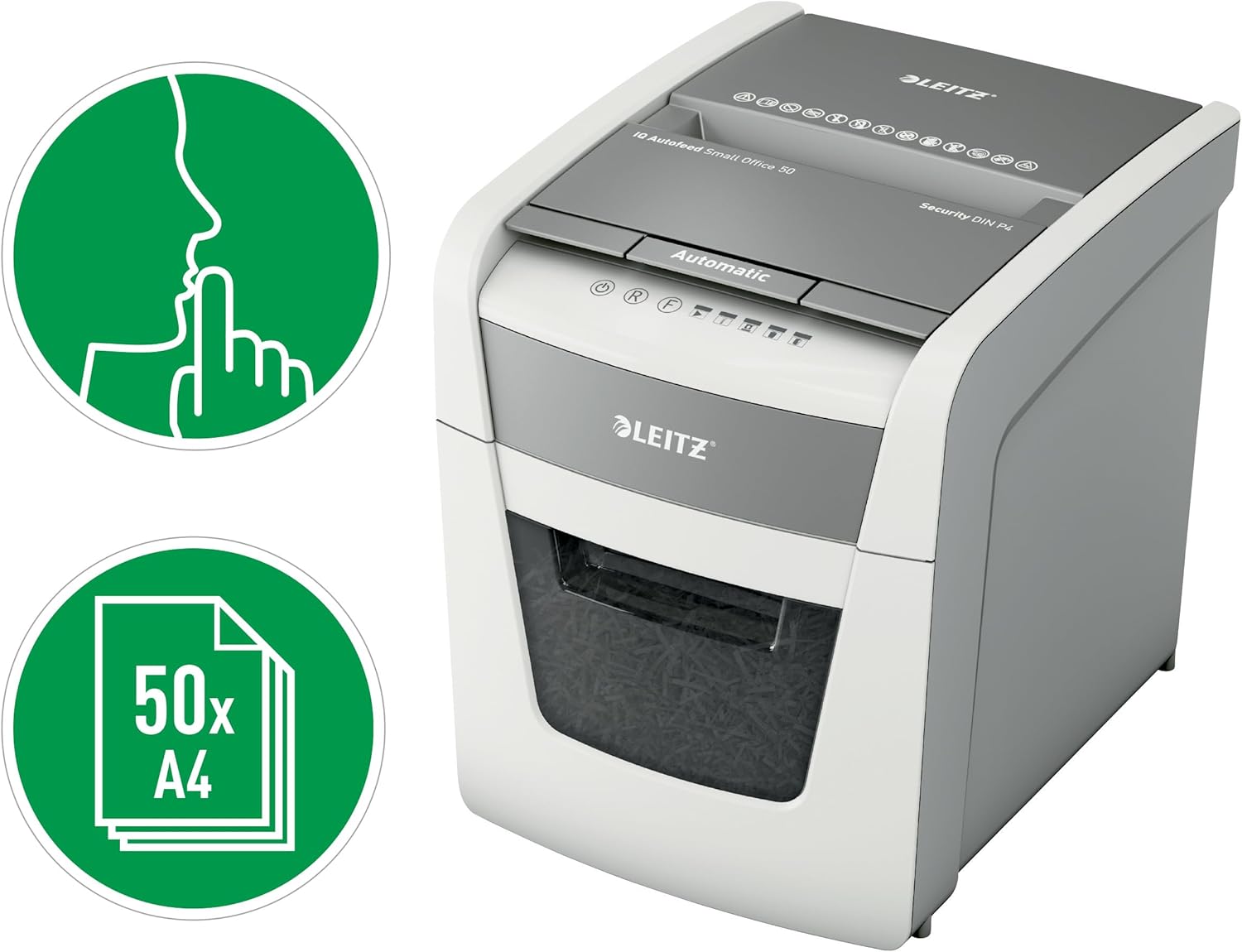
Image 3: Quiet operation and 50-sheet autofeed. This image highlights the shredder's quiet operation (indicated by the finger over lips icon) and its capacity to shred up to 50 A4 sheets automatically.
5. การบำรุงรักษา
การบำรุงรักษาอย่างสม่ำเสมอจะช่วยให้เครื่องทำลายเอกสารทำงานได้อย่างมีประสิทธิภาพสูงสุดและยืดอายุการใช้งาน
5.1 การล้างถังขยะ
- ถอดปลั๊กเครื่องทำลายเอกสารออกจากเต้ารับไฟฟ้า
- ดึงถังขยะออก
- นำกระดาษที่ฉีกเป็นชิ้นเล็กๆ ไปทิ้ง
- Reinsert the waste bin firmly until it clicks into place. The shredder will not operate if the bin is not correctly seated.

Image 4: 20-liter waste bin capacity. This image shows the shredder with its waste bin pulled out, illustrating the 20-liter capacity for shredded material.
5.2 การหยอดน้ำมันหล่อลื่นเครื่องทำลายเอกสาร
To maintain cutting performance and reduce wear, it is recommended to oil the shredder blades regularly, especially after emptying the waste bin 2-3 times or after heavy use. Use shredder oil sheets or liquid shredder oil specifically designed for paper shredders.
- หยอดน้ำมันหล่อลื่นสำหรับเครื่องทำลายเอกสารเป็นเส้นบางๆ บริเวณช่องใส่กระดาษ
- Run the shredder in manual feed mode for a few seconds to distribute the oil.
5.3 การทำความสะอาด
Wipe the exterior of the shredder with a soft, dry cloth. Do not use abrasive cleaners or solvents. Ensure the shredder is unplugged before cleaning.
6 การแก้ไขปัญหา
หากคุณพบปัญหาเกี่ยวกับเครื่องทำลายเอกสาร โปรดดูปัญหาและวิธีแก้ไขที่พบบ่อยต่อไปนี้:
| ปัญหา | สาเหตุที่เป็นไปได้ | สารละลาย |
|---|---|---|
| เครื่องทำลายเอกสารไม่ทำงาน | No power; waste bin not fully inserted; overheat protection activated. | Check power connection; ensure waste bin is correctly seated; allow shredder to cool down. |
| กระดาษติด. | ใส่กระดาษมากเกินไป หรือใส่กระดาษไม่ตรง | Press the reverse button to clear the jam. If unsuccessful, unplug, carefully remove paper, then plug in and try reverse again. |
| เครื่องทำลายเอกสารหยุดทำงานระหว่างการใช้งาน | Waste bin full; overheat protection activated; door open sensor triggered. | Empty waste bin; allow shredder to cool down; ensure waste bin is fully inserted. |
| เครื่องทำลายเอกสารมีเสียงดัง | Blades require oiling. | ทาน้ำมันหล่อลื่นใบมีดเครื่องทำลายเอกสารตามคำแนะนำในการบำรุงรักษา |
If the problem persists after attempting these solutions, please contact Leitz customer support.
7. ข้อมูลจำเพาะ
| คุณสมบัติ | ข้อมูลจำเพาะ |
|---|---|
| หมายเลขรุ่น | 50 พี-4 |
| ประเภทฉีก | ครอสคัท |
| ระดับความปลอดภัย | P4 (DIN 66399) |
| Autofeed Sheet Capacity | Up to 50 sheets (A4, 80gsm) |
| Manual Feed Sheet Capacity | Up to 6-8 sheets (A4, 80gsm) |
| ความจุถังขยะ | 20 ลิตร |
| ระดับเสียง | 35 เดซิเบล |
| เวลาทำงานต่อเนื่อง | 10 นาที |
| คูลดาวน์ไทม์ | Approximately 30-40 minutes (varies with ambient temperature) |
| ขนาด (D x W x H) | 43D x 40.7W x 36.4H เซนติเมตร |
| น้ำหนัก | 9 กก. |
| แหล่งพลังงาน | สายไฟ |
| วัสดุ | Metal and durable plastic |

Image 5: Shredder dimensions. This image provides a visual representation of the shredder's physical dimensions (height, width, depth) in millimeters.
8. การรับประกันและการสนับสนุน
Your Leitz IQ Autofeed Small Office 50 P4 Shredder comes with a manufacturer's warranty. Please refer to the warranty card included with your purchase for specific terms and conditions. For technical support, spare parts, or warranty claims, please contact Leitz customer service through their official webไซต์หรือข้อมูลการติดต่อที่ระบุไว้ในเอกสารการรับประกันของคุณ