
1. บทนำ
This manual provides comprehensive instructions for the setup, operation, maintenance, and troubleshooting of your SINGCALL Remote Emergency Strobe Siren Alarm System, Model J008 APE520C 1-2. This system is designed to provide a loud audible alarm and a visual strobe light in emergency situations, activated by remote call buttons.
2. ข้อมูลด้านความปลอดภัย
- Ensure the siren is installed in a location where its sound and light can be effective without causing undue disturbance.
- Keep the device away from extreme temperatures and direct water exposure, unless specifically designed for outdoor use. The siren is waterproof, but ensure proper installation.
- ห้ามพยายามเปิดหรือซ่อมแซมอุปกรณ์ด้วยตนเอง เนื่องจากอาจทำให้การรับประกันเป็นโมฆะและก่อให้เกิดความเสี่ยงด้านความปลอดภัย
- The siren produces a loud sound (up to 120dB). Avoid prolonged exposure to prevent hearing damage.
3. เนื้อหาบรรจุภัณฑ์
- 1 x SINGCALL J008 Strobe Siren
- 2 x SINGCALL APE520C Call Buttons
- Power Adapter for Siren
- อุปกรณ์สำหรับติดตั้ง (สกรู, แผ่นกาว)
- คู่มือการใช้งาน

4. สินค้าหมดview
4.1. J008 Strobe Siren
- Features a red indicator light that blinks with a loud beep, lasting up to 5 minutes or until canceled.
- Sound output: 120dB.
- Dimensions: 4.4 x 7.9 x 2.8 inches (11.2 x 20.1 x 7 cm).
- Weight: 0.59 lb (270g).
- Equipped with a backup battery and an anti-tampเอ่อสวิตช์
- Waterproof design for outdoor and indoor use.


4.2. APE520C Call Buttons
- Flexible square design with a large 2-inch diameter round call button.
- Sensitive touch reaction for convenient calling.
- 360-degree waterproof handling.
- Simple push-bottom base for easy battery changes (no screws).
- Uses 2 x 12V 23A alkaline batteries.
- Stable signal with long transmitting distance (up to 300ft).

5. การตั้งค่า
5.1. Siren Installation
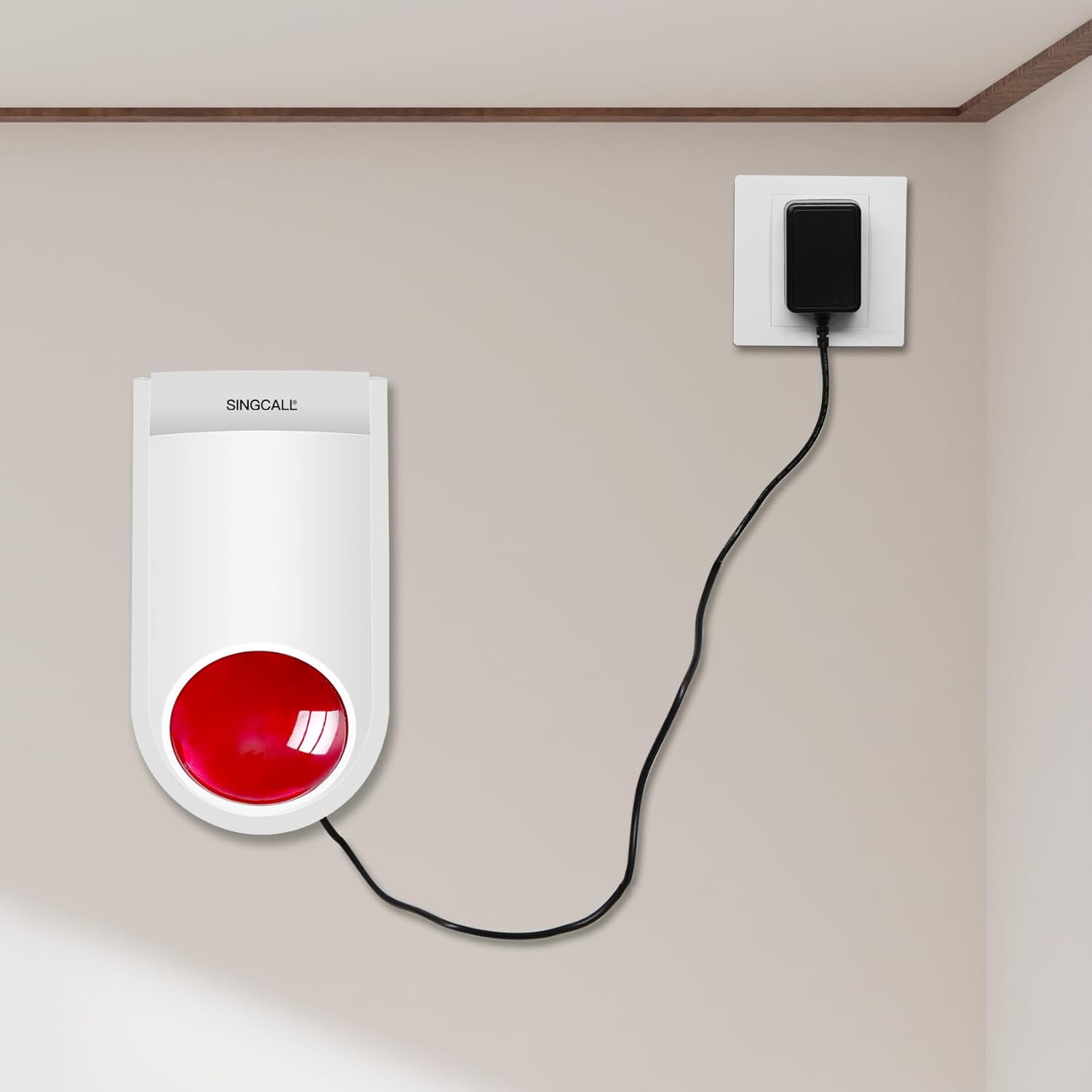
The J008 Strobe Siren can be mounted on a wall using the provided screws or placed on a tabletop. Ensure it is connected to a power source using the included power adapter. The siren also has a backup battery for continued operation during power outagใช่
5.2. Call Button Installation
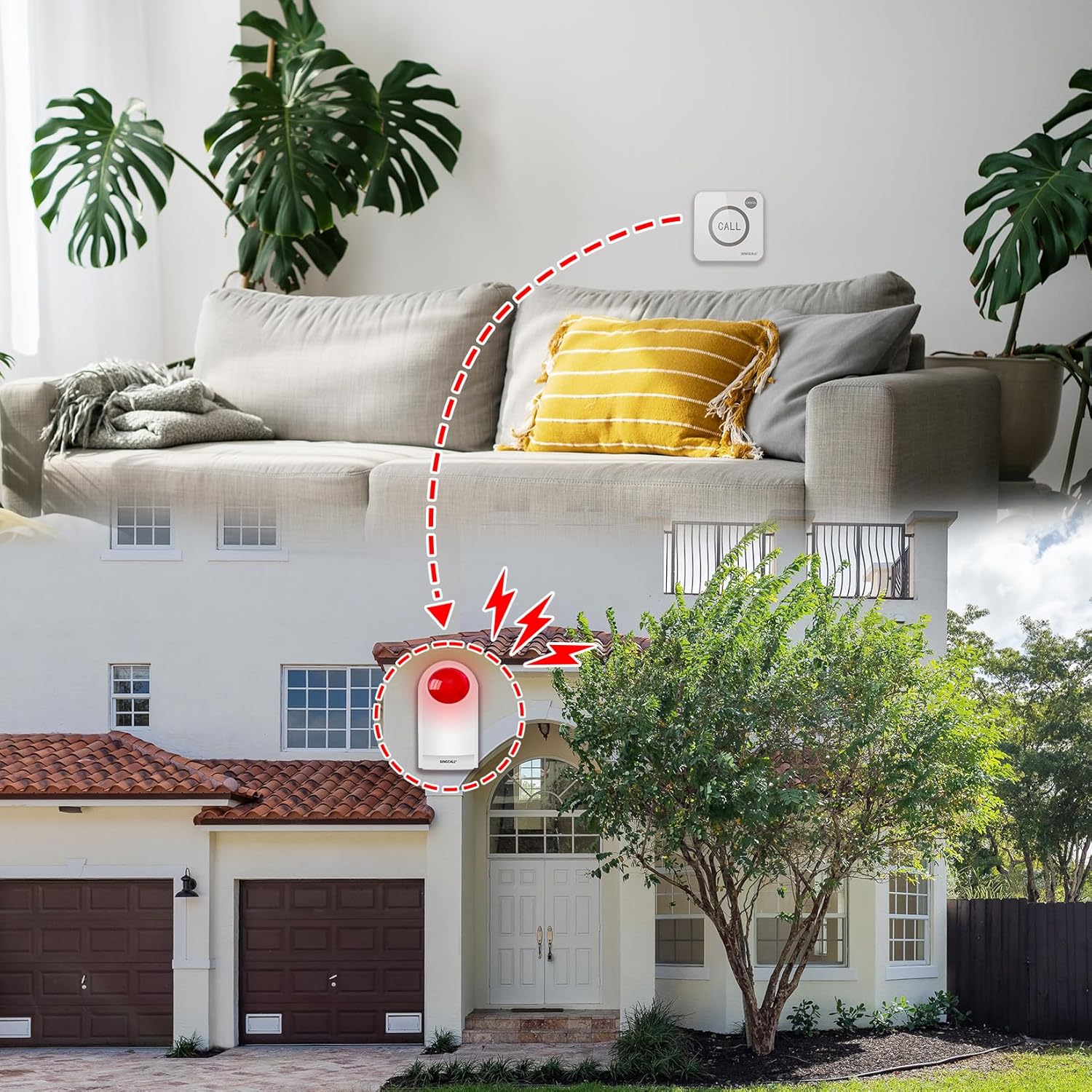
The APE520C Call Buttons can be installed using adhesive pads or screws. The back plate is removable for easy mounting. Place the call buttons in easily accessible locations where assistance might be needed, such as near a bed, in a bathroom, or at a reception desk.

5.3. Pairing Call Buttons with Siren (Registration)
To register a call button with the siren:
- Open the back cover of the siren.
- Connect the power adapter to the siren.
- กดปุ่ม ชุด button on the siren's circuit board. The siren's indicator light will illuminate.
- กดปุ่ม เรียก button on the APE520C Call Button. The siren will beep once, indicating successful pairing.
- ทำซ้ำขั้นตอนนี้สำหรับปุ่มโทรเพิ่มเติมใดๆ
- Close the back cover of the siren.
6. คู่มือการใช้งาน
6.1. การเปิดใช้งานสัญญาณเตือนภัย
To activate the emergency alarm, simply press the large เรียก button on the APE520C Call Button. The siren will emit a loud sound and the red strobe light will flash. The alarm will continue for the set duration (default 5 minutes) or until manually canceled.

6.2. Deactivating the Alarm
To deactivate the alarm, press the small ยกเลิก button located on the APE520C Call Button. The siren will stop sounding and the strobe light will cease flashing.
7. การบำรุงรักษา
7.1. Adjusting Volume and Alarm Duration
The volume and alarm duration settings can be adjusted by accessing the internal circuit board of the siren. Refer to the video below for detailed instructions on how to open the siren and adjust the jumpers for desired settings (120dB, 100dB, 80dB, 0dB for volume; 30s, 1M, 3M, 10M for duration).
7.2. Call Button Battery Replacement
The APE520C Call Buttons are powered by 2 x 12V 23A alkaline batteries. When the indicator light on the call button no longer illuminates or the signal range decreases, it's time to replace the batteries. The design allows for simple battery changes without needing tools to remove screws from the base.
8 การแก้ไขปัญหา
- Siren not sounding/flashing: Check if the siren is properly connected to power. Ensure the backup battery is charged. Verify that the call button is paired correctly (refer to Section 5.3).
- Call button not activating siren: Check the call button batteries and replace if necessary. Ensure the call button is within the effective range (up to 300ft).
- การเปิดใช้งานโดยไม่ได้ตั้งใจ: Ensure call buttons are placed in locations where they are not easily pressed by accident.
- Siren volume too low/high or duration incorrect: Adjust the internal settings as described in Section 7.1.
9. ข้อมูลจำเพาะ
| คุณสมบัติ | ข้อมูลจำเพาะ |
|---|---|
| ยี่ห้อ | ซิงคอล |
| หมายเลขรุ่น | J008 520C 1-2 |
| Siren Dimensions | 6.69 x 5.12 x 3.35 นิ้ว (11.2 x 20.1 x 7 ซม.) |
| Siren Item Weight | 1.47 ปอนด์ (0.67 กิโลกรัม) |
| ระดับเสียง | 120 เดซิเบล |
| แหล่งพลังงาน | Battery Powered (with power adapter for siren) |
| Siren Battery Type | Backup battery (internal) |
| Call Button Battery Type | 2 x 12V 23A Alkaline batteries (required) |
| ระยะสูงสุด | 100 Meters (approximately 300ft) |
| วิธีการควบคุม | Touch (Call Buttons) |
| ประเภทการติดตั้ง | Tabletop Mount / Screw In |
| สี | สีขาว |
| ยูพีซี | 702563609712 |
10. การรับประกันและการสนับสนุน
For warranty information and technical support, please refer to the documentation included in your product packaging or contact SINGCALL customer service directly. Keep your purchase receipt for warranty claims.