
การแนะนำ
The ABBREE AR-780 Remote Shoulder Microphone is designed to enhance communication for two-way radio users. This accessory provides clear audio transmission and reception, featuring a durable design and a convenient 360-degree rotating clip for secure attachment. This manual provides essential information for the proper setup, operation, and maintenance of your AR-780 microphone.
การตั้งค่า
Follow these steps to properly set up your ABBREE AR-780 Remote Shoulder Microphone with your compatible two-way radio.
- เชื่อมต่อไมโครโฟน: Locate the 2-pin K-type connector on your AR-780 microphone cable. Align the pins with the corresponding ports on your two-way radio and firmly insert the connector. Ensure a secure connection for optimal performance.
- ตรวจสอบความเข้ากันได้: The AR-780 is compatible with various two-way radio models, including but not limited to: Baofeng UV-5R, BF-F8HP, GM-15PRO, TP-8Plus, BF-888S, UV-S9Plus, BF-H6, UV-5RE, UV-5X3, UV-5RX3, UV-5R+, UV-82, UV-82HP, BF-F8+, UV-9S UV82HP, GM-15PRO, BF-ile F9 V2+, GT-3TP, TIDRADIO TD-H3, TD-H8, Quansheng UV-K5.
- แนบคลิป: Utilize the 360-degree rotating clip on the back of the microphone to securely attach it to your uniform, vest, or other clothing. Adjust the clip's orientation for comfortable and convenient access.

Image: The ABBREE AR-780 microphone connected to a compatible two-way radio via its 2-pin K-type connector.

Image: A visual representation of the ABBREE AR-780 microphone and its compatibility with various two-way radio models.
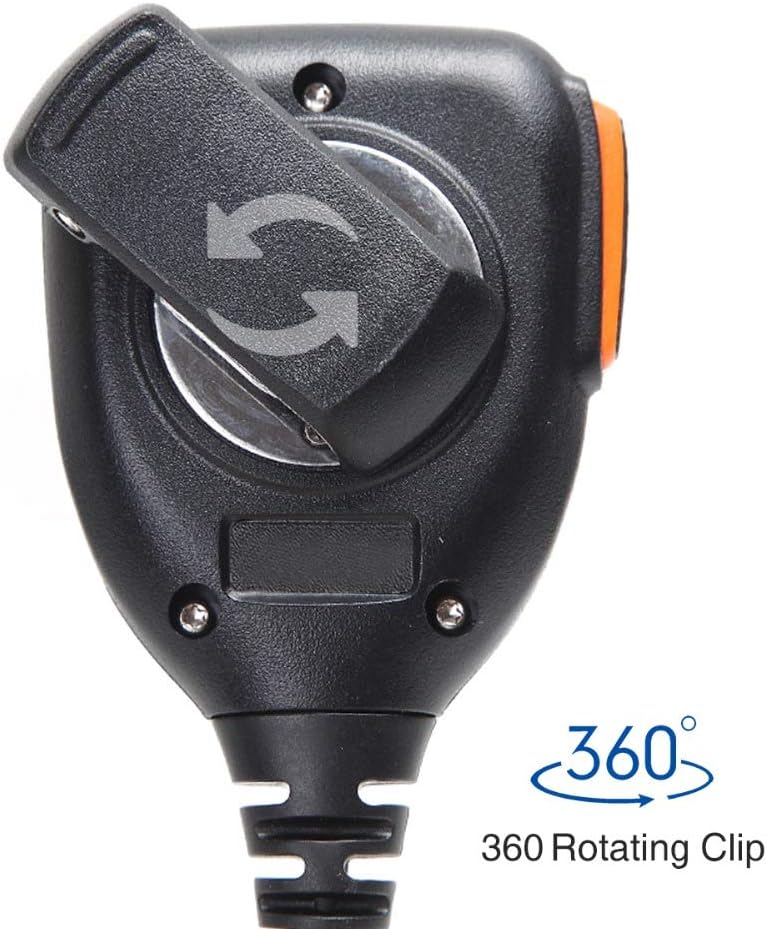
ภาพ: ระยะใกล้ view of the 360-degree rotating clip located on the rear of the microphone, allowing for flexible attachment.
คำแนะนำการใช้งาน
The ABBREE AR-780 is designed for straightforward operation, allowing for efficient communication.
- ปุ่มกดพูด (PTT): To transmit, press and hold the large Push-to-Talk (PTT) button located on the side of the microphone. Speak clearly into the microphone grille. Release the PTT button to stop transmitting and return to receive mode.
- ฟังก์ชั่นลำโพง: Incoming audio from your radio will be routed through the integrated speaker on the front of the microphone. Adjust your radio's volume control to achieve the desired listening level.
- การติดตาม: When the PTT button is not pressed, the microphone acts as a speaker, allowing you to monitor incoming transmissions.

Image: The ABBREE AR-780 microphone, highlighting the speaker grille and the side-mounted Push-to-Talk (PTT) button.
การซ่อมบำรุง
Proper care and maintenance will extend the lifespan and ensure reliable performance of your AR-780 microphone.
- การทำความสะอาด: เช็ดทำความสะอาดภายนอกของไมโครโฟนด้วยผ้าเนื้อนุ่มและแห้งamp cloth. Avoid using harsh chemicals or abrasive cleaners. Ensure the microphone is dry before storage or use.
- การดูแลสายเคเบิล: The coiled cable is made of durable PU material. Avoid excessive stretching or sharp bends to prevent damage. The cable is designed to extend from approximately 23.62 to 82.67 inches.
- ความต้านทานน้ำ: The microphone features a waterproof sealing ring to protect internal components from moisture. While designed for durability in various conditions, avoid submerging the device in water.
- พื้นที่จัดเก็บ: ควรเก็บไมโครโฟนไว้ในที่แห้งและเย็น หลีกเลี่ยงแสงแดดโดยตรงและอุณหภูมิที่สูงหรือต่ำเกินไปเมื่อไม่ได้ใช้งาน

ภาพ: ภายใน view highlighting the waterproof sealing ring, which protects the microphone's components from moisture.
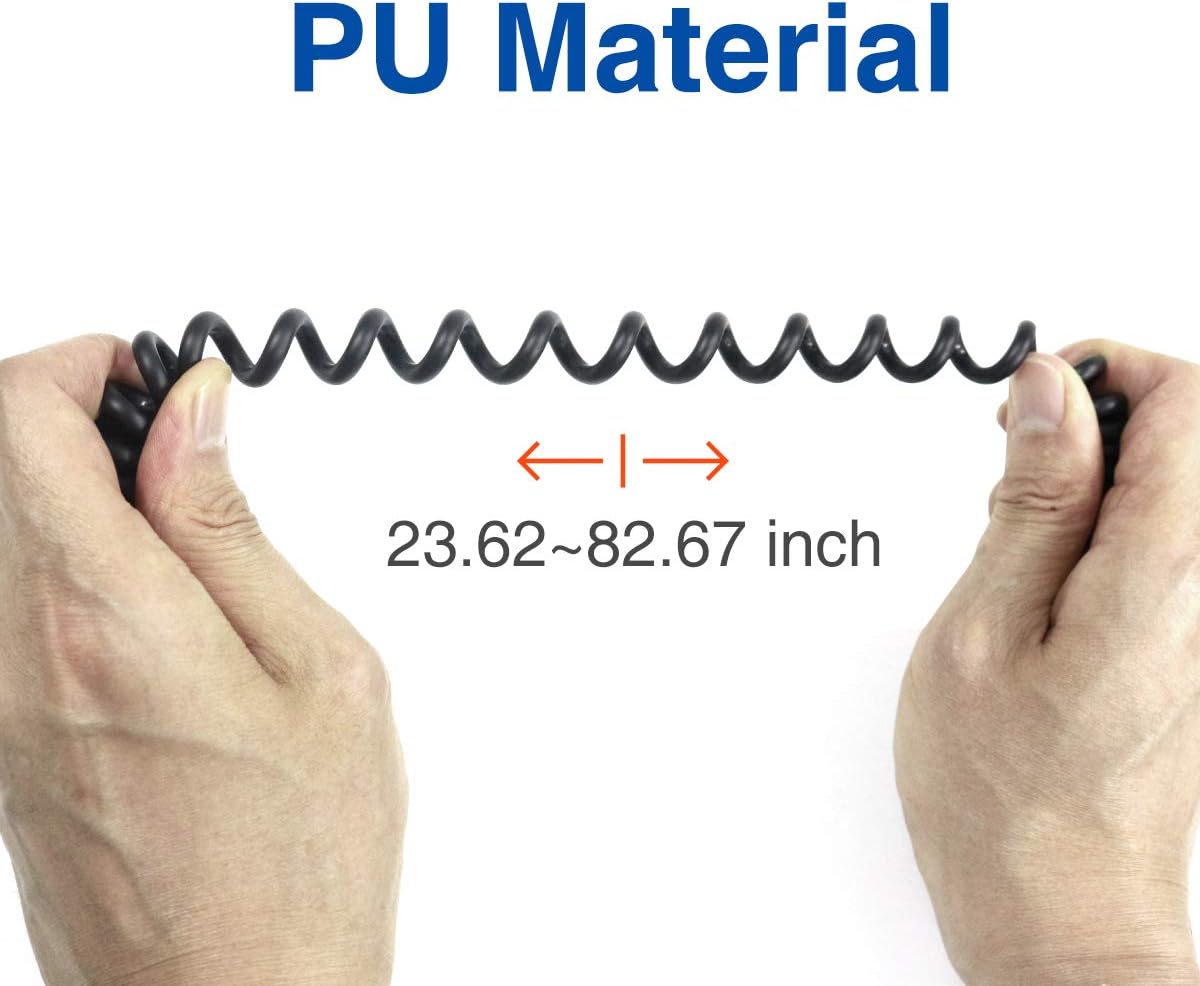
Image: Demonstrates the flexibility and stretch range of the PU material coiled cable, extending from 23.62 to 82.67 inches.
การแก้ไขปัญหา
If you encounter issues with your ABBREE AR-780 microphone, refer to the following common troubleshooting steps:
- ไม่มีเสียงจากลำโพง:
- Ensure the microphone's 2-pin connector is fully inserted into the radio.
- Check the radio's volume level and increase it if necessary.
- Confirm the radio is powered on and functioning correctly.
- Poor Transmission Audio Quality:
- Speak clearly and directly into the microphone grille, maintaining a consistent distance.
- Ensure there are no obstructions covering the microphone grille.
- Verify the radio's settings for microphone gain or sensitivity, if applicable.
- การเชื่อมต่อไม่ต่อเนื่อง:
- Inspect the 2-pin connector and radio ports for any signs of damage or debris.
- Ensure the cable is not excessively strained or kinked.
ข้อมูลจำเพาะ
Key technical specifications for the ABBREE AR-780 Remote Shoulder Microphone:
| คุณสมบัติ | ข้อมูลจำเพาะ |
|---|---|
| หมายเลขรุ่น | เออาร์ 770 |
| แหล่งพลังงาน | สายไฟ |
| วัสดุ | Plastic (PU for cable) |
| อัตราส่วนสัญญาณต่อเสียงรบกวน | 78 เดซิเบล |
| จำนวนช่องสัญญาณ | 2 |
| การตอบสนองความถี่ | 16000 เฮิรตซ์ |
| น้ำหนักสินค้า | 7.8 ออนซ์ |
| ขนาดแพ็คเกจ | 5 x 4.84 x 2.09 นิ้ว |
| เทคโนโลยีการเชื่อมต่อ | มีสาย |
| ประเภทขั้วต่อ | 2-pin K-type (3.5 mm Jack equivalent) |
| คุณสมบัติพิเศษ | 360-degree Rotating Clip |
| อุปกรณ์ที่รองรับ | Two-Way Radios (Baofeng, TIDRADIO, Quansheng, etc.) |
| สี | สีดำ, สีเทา |
| รูปแบบขั้ว | ทิศทางเดียว |
| ปัจจัยรูปแบบไมโครโฟน | Gooseneck (integrated into shoulder mic design) |

ภาพ: ก. view of the internal speaker component, measuring 4.5cm (1.77 inches), designed for clear sound output.
การรับประกันและการสนับสนุน
ABBREE provides the following support for your AR-780 Remote Shoulder Microphone:
- การรับประกัน: This product includes a 3-month warranty from the date of purchase.
- การส่งคืน: A 30-day hassle-free return policy is offered.
- การสนับสนุนลูกค้า: For further assistance, technical support, or warranty claims, please refer to the contact information provided with your purchase or visit the official ABBREE webเว็บไซต์.