
การแนะนำ
Thank you for choosing the Remax PR1 Portable Digital Voice Recorder. This device is designed for high-quality audio recording with 8GB of internal storage, offering up to 120 hours of digital recording time. This manual provides essential information for setting up, operating, maintaining, and troubleshooting your device to ensure optimal performance.
สินค้าเกินview
The Remax PR1 is a compact and lightweight digital voice recorder featuring a built-in stereo microphone and a 2-inch screen for easy navigation. It is equipped with a 3.5mm headphone jack for private listening and a USB interface for connecting to compatible devices like smartphones for data transfer.

This image displays the Remax PR1 Digital Voice Recorder from various angles, including its front, back, and side profiles with detailed dimensions. It highlights the device's compact design and button layout.
การตั้งค่า
1. การชาร์จอุปกรณ์
- Connect the voice recorder to a USB power source (e.g., computer USB port, USB wall adapter) using the provided USB cable.
- The charging indicator will illuminate. Allow sufficient time for a full charge before first use.
2. การเปิด/ปิดเครื่อง
- ในการเปิดเครื่อง ให้กดปุ่มเปิด/ปิดค้างไว้จนกว่าหน้าจอจะสว่างขึ้น
- หากต้องการปิดเครื่อง ให้กดปุ่มเปิด/ปิดค้างไว้จนกว่าหน้าจอจะดับลง
3. การเชื่อมต่อกับคอมพิวเตอร์
- Use the USB cable to connect the recorder to your computer.
- The device will appear as a removable disk, allowing you to transfer recorded files.
คำแนะนำการใช้งาน
1. การบันทึกเสียง
- ตรวจสอบให้แน่ใจว่าอุปกรณ์เปิดอยู่
- กดปุ่ม บันทึก button to start recording. The recording indicator will light up.
- หากต้องการหยุดการบันทึกชั่วคราว ให้กดปุ่ม บันทึก กดปุ่มอีกครั้ง กดอีกครั้งเพื่อดำเนินการต่อ
- เพื่อหยุดการบันทึกและบันทึก file, กดปุ่ม หยุด ปุ่ม.
2. การเล่นไฟล์บันทึกเสียง
- เรียกดูรายการที่บันทึกไว้ของคุณ files using the navigation buttons.
- กดปุ่ม เล่น/หยุดชั่วคราว button to start playback of a selected file.
- ใช้ปุ่มปรับระดับเสียงเพื่อปรับระดับการเล่น
- เชื่อมต่อหูฟังขนาด 3.5 มม. เข้ากับแจ็คหูฟังเพื่อการฟังแบบส่วนตัว
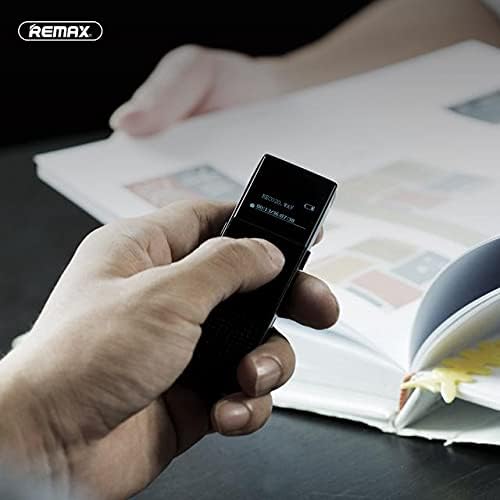
This image shows a hand holding the Remax PR1 Digital Voice Recorder, with the screen displaying recording information. It illustrates the device's portability and ease of use during operation.
3. File การจัดการ
- เข้าถึง file menu to delete, rename, or move recordings. Refer to the on-screen prompts for specific actions.
- Connect to a computer via USB to easily manage files on a larger screen.
การซ่อมบำรุง
- การทำความสะอาด: ใช้ผ้านุ่มและแห้งเช็ดทำความสะอาดอุปกรณ์ หลีกเลี่ยงการใช้น้ำยาทำความสะอาดหรือวัสดุที่มีฤทธิ์กัดกร่อน
- พื้นที่จัดเก็บ: เก็บเครื่องบันทึกไว้ในที่แห้งและเย็น หลีกเลี่ยงแสงแดดโดยตรงและอุณหภูมิที่สูงหรือต่ำเกินไป
- การดูแลแบตเตอรี่ เพื่อยืดอายุการใช้งานแบตเตอรี่ ควรหลีกเลี่ยงการคายประจุแบตเตอรี่จนหมดบ่อยๆ ควรชาร์จอุปกรณ์เป็นประจำ แม้ว่าจะไม่ได้ใช้งานเป็นเวลานานก็ตาม
การแก้ไขปัญหา
อุปกรณ์ไม่เปิด
- Ensure the battery is charged. Connect the device to a power source and allow it to charge for at least 30 minutes.
- Try resetting the device (if a reset button is available, or by holding the power button for an extended period).
ไม่สามารถบันทึกได้
- Check if the device has sufficient storage space. Delete unnecessary fileหากพื้นที่จัดเก็บเต็ม
- ตรวจสอบให้แน่ใจว่าไมโครโฟนไม่ได้ถูกกีดขวาง
คุณภาพเสียงไม่ดี
- Ensure you are recording in a quiet environment.
- Check microphone settings (if adjustable) for sensitivity.
- Keep the device close to the audio source.
Device Not Recognized by Computer
- ลองใช้พอร์ต USB อื่นบนคอมพิวเตอร์ของคุณ
- ใช้สาย USB อื่น
- รีสตาร์ททั้งเครื่องบันทึกและคอมพิวเตอร์
ข้อมูลจำเพาะ
| คุณสมบัติ | รายละเอียด |
|---|---|
| ชื่อยี่ห้อ | รีแม็กซ์ |
| แบบอย่าง | PR1 |
| ความจุของหน่วยความจำ | 8GB |
| เวลาในการบันทึกแบบดิจิตอล | 120 ชั่วโมง |
| ขนาดหน้าจอ | 2 นิ้ว |
| ปัจจัยรูปแบบไมโครโฟน | บิวท์อิน |
| โหมดการทำงานของไมโครโฟน | สเตอริโอ |
| แจ็คหูฟัง | 3.5 มม. |
| ฮาร์ดแวร์อินเตอร์เฟซ | ยูเอสบี |
| อุปกรณ์ที่รองรับ | สมาร์ทโฟน |
| ผู้ผลิต | รีแม็กซ์ |
| ASIN | B0924WP65K |
การรับประกันและการสนับสนุน
For warranty information and technical support, please refer to the documentation included with your purchase or visit the official Remax webไซต์ คุณยังสามารถติดต่อผู้ค้าปลีกของคุณเพื่อขอความช่วยเหลือได้