
การแนะนำ
The FOREO LUNA play plus 2 is a compact facial cleansing brush and massager designed to provide deep yet gentle cleansing for all skin types. Its portable design makes it an ideal travel companion, ensuring a fresh and beautiful complexion wherever you are. This manual provides essential information on setting up, operating, and maintaining your device to ensure optimal performance and longevity.
คุณสมบัติหลัก
- Deep & Gentle Cleanse: Non-abrasive, soft silicone touchpoints combined with 8,000 T-Sonic pulsations per minute effectively remove 99.5% of dirt, oil, sweat, and makeup residue.
- Ultra-Hygienic Soft Silicone: Made from hypoallergenic, BPA-free, and phthalate-free silicone that is quick-drying and non-porous, promoting healthy and super clean skin.
- การดูดซึมผลิตภัณฑ์บำรุงผิวที่เพิ่มขึ้น: Pulsations not only cleanse deeply but also improve the absorption of your favorite skincare products.
- Perfect On-The-Go: Compact and lightweight, offering up to 600 uses per battery, making it an excellent travel accessory with no messy wires or fuss.
- Smart Swedish Design: 100% waterproof with an ergonomically shaped 2-zone brush head that adapts to facial curves, eliminating the need for brush head replacements.
การตั้งค่า
แกะกล่อง
Carefully remove your FOREO LUNA play plus 2 device from its packaging. Inspect the device for any visible damage. The package should include the LUNA play plus 2 device and a quick start guide.

Figure 1: FOREO LUNA play plus 2 device and packaging.
การติดตั้งแบตเตอรี่
The LUNA play plus 2 requires 1 A battery. To install or replace the battery, locate the battery compartment on the back of the device. Use a small screwdriver to open the compartment, insert the battery with the correct polarity, and securely close the compartment. Ensure the compartment is sealed tightly to maintain water resistance.

Figure 2: Quick start guide illustrating initial setup and support information. For detailed instructions, visit foreo.com/support.
การใช้ครั้งแรก
Before first use, ensure the device has a fresh battery installed. It is recommended to clean the device with soap and water before applying it to your face.
คำแนะนำการใช้งาน
ขั้นตอนการทำความสะอาดผิวหน้าประจำวัน
- เตรียมผิวหน้าของคุณให้พร้อม: Dampen your face and apply your favorite cleanser.
- เปิดใช้งานอุปกรณ์: Press the universal power button on the back of the device to turn it on. The device will begin vibrating.
- การล้างพิษ: Gently move the LUNA play plus 2 in circular motions across your face for approximately one minute. The device features different touch-point areas for various facial regions.
- ล้าง: Rinse your face and the device thoroughly with water.
- แพท ดราย: ซับหน้าให้แห้งเบาๆ

Figure 3: Device features including the universal power button and varied silicone touch-points for effective cleansing.
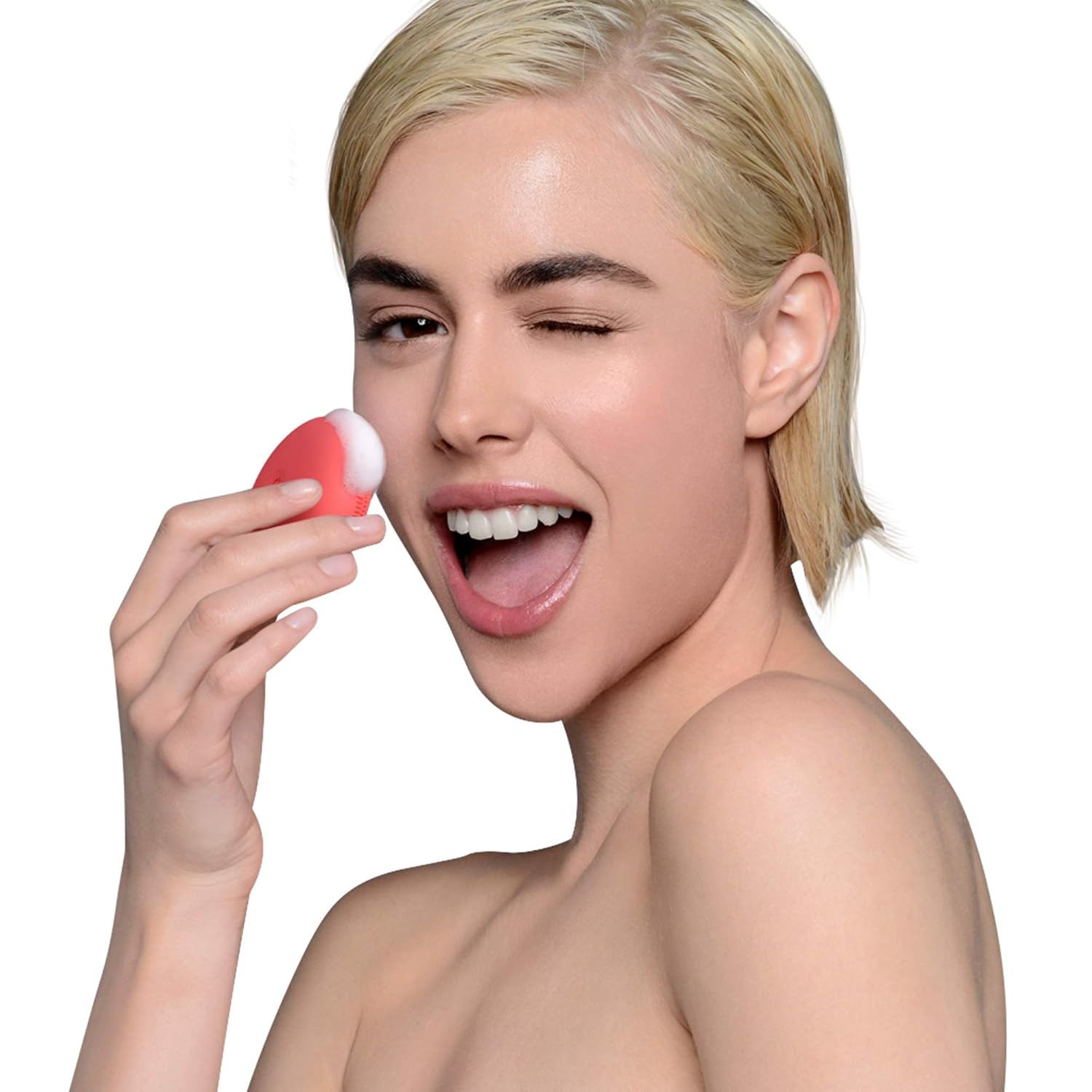
Figure 4: Proper technique for using the LUNA play plus 2 for facial cleansing.
Benefits of T-Sonic Cleansing
The LUNA play plus 2 utilizes T-Sonic pulsations, which are significantly more hygienic and effective than traditional manual cleansing or nylon bristles. This technology ensures a deeper clean, removing impurities and enhancing skin health.

Figure 5: Visual comparison highlighting the superior cleansing efficacy of T-Sonic technology over manual methods.
การซ่อมบำรุง
การทำความสะอาดอุปกรณ์
After each use, rinse the LUNA play plus 2 with warm water and soap. Gently rub the silicone touchpoints to remove any cleanser residue. Pat dry with a lint-free cloth. Avoid using abrasive cleaners or exfoliants, as they may damage the silicone.
พื้นที่จัดเก็บ
Store your LUNA play plus 2 in a clean, dry place. Its compact size makes it ideal for storage in a toiletry bag or on a bathroom shelf. Avoid prolonged exposure to direct sunlight or extreme temperatures.

Figure 6: The compact and travel-friendly design of the LUNA play plus 2.
การแก้ไขปัญหา
If you encounter any issues with your FOREO LUNA play plus 2, please refer to the table below for common problems and their solutions.
| ปัญหา | สาเหตุที่เป็นไปได้ | สารละลาย |
|---|---|---|
| อุปกรณ์ไม่เปิด | แบตเตอรี่เสียหรือติดตั้งไม่ถูกต้อง | Replace the A battery with a new one, ensuring correct polarity. Check that the battery compartment is securely closed. |
| การสั่นสะเทือนอ่อนหรือไม่สม่ำเสมอ | พลังงานแบตเตอรี่ต่ำ | Replace the A battery. |
| Device stops working after a short period. | Water ingress due to improper sealing of battery compartment. | Ensure the battery compartment is always tightly sealed after battery replacement. If water damage is suspected, contact customer support. |
| Battery compartment screws show rust. | การสัมผัสกับความชื้น | Always ensure the device is dry before opening the battery compartment. Store in a dry environment. |
ข้อมูลจำเพาะ
| คุณลักษณะ | ค่า |
|---|---|
| ยี่ห้อ | ฟอเรโอ |
| หมายเลขรุ่น | 2486405 |
| วัสดุ | ซิลิโคน |
| สี | Peach of Cake! |
| แหล่งพลังงาน | Manual (Battery-operated) |
| แบตเตอรี่ที่จำเป็น | 1 แบตเตอรี่ |
| ประเภทผิว | ทั้งหมด |
| ขนาดแพ็คเกจ | 4.21 x 2.99 x 1.61 นิ้ว |
| น้ำหนักสินค้า | 2.89 ออนซ์ |
การรับประกันและการสนับสนุน
For detailed warranty information, product registration, and customer support, please visit the official FOREO support webเว็บไซต์นี้ คุณสามารถค้นหาคำถามที่พบบ่อย (FAQ) คู่มือการแก้ไขปัญหา และช่องทางการติดต่อได้อย่างครบถ้วน
การสนับสนุนอย่างเป็นทางการ Webเว็บไซต์: foreo.com/support