
Cuifati Cuifati5itkbwygfm-03
Cuifati Battery Monitor User Manual
Model: Cuifati5itkbwygfm-03
สินค้าเกินview
The Cuifati Battery Monitor is designed to accurately display the percentage of battery capacity and voltage for various battery types, including lead-acid, lithium, and lithium iron batteries. Its compact and waterproof design makes it suitable for use in vehicles, RVs, and marine applications.

ภาพ: ด้านหน้าและด้านหลัง view of the Cuifati Battery Monitor, showing the display and the 12-84V input label on the back.
เนื้อหาแพ็คเกจ
- 1 x Cuifati Battery Display Unit
- 1 x Connecting Line
ข้อมูลจำเพาะ
| คุณสมบัติ | รายละเอียด |
|---|---|
| ประเภทสินค้า | จอแสดงผลไฟฟ้า |
| วัสดุ | PCB/HTN |
| ช่วงการแสดงผล | 8-100โวลต์ |
| ประเภทแบตเตอรี่ที่เข้ากันได้ | Lead-acid battery, Lithium battery, Lithium iron battery (user configurable) |
| ฉบับที่ใช้บังคับtage | 12-84โวลต์ |
| อุณหภูมิในการทำงาน | -10℃ ถึง 50℃ |
| ขนาด (กว้าง x ยาว x สูง) | Approx. 6.1 x 3.3 x 1.3 cm / 2.4 x 1.3 x 0.5 inch |
| น้ำหนัก | ประมาณ 20กรัม |
| คุณสมบัติกันน้ำ | PVC film surface for waterproof use |

Image: The battery monitor with its dimensions (6.1cm / 2.4inch length, 3.3cm / 1.3inch width, 1.3cm / 0.5inch thickness) clearly labeled.
การตั้งค่า
Setting up the Cuifati Battery Monitor is designed to be simple and efficient, typically taking only a few seconds.
- การเชื่อมต่อสายไฟ: Use the provided connecting line to wire the battery monitor to your battery system. Ensure correct polarity (red wire for positive, black wire for negative) to avoid damage. The monitor is compatible with 12-84V systems.
- การติดตั้ง: Choose a suitable location for mounting the display unit. Its compact size allows for flexible placement in vehicles, RVs, or marine environments.
- เปิดเครื่องครั้งแรก: Once connected, the display will power on and show the current battery capacity percentagอีและเล่มtage.

Image: The battery monitor connected with its red and black wires, illustrating the simple setup process.
คำแนะนำการใช้งาน
The battery monitor provides real-time information about your battery's status.
- แสดงการอ่านข้อมูล: The display accurately shows the battery capacity as a percentage and the current voltage. This allows for an intuitive understanding of your battery's charge status.
- Display On/Off Feature: The unit is equipped with a switch that allows the display to be turned off. When the display is off, no power is consumed by the unit, helping to conserve battery life.
- การกำหนดค่าประเภทแบตเตอรี่: The monitor can be configured by the user to accurately read different battery types, including lead-acid, lithium, and lithium iron batteries. Refer to the device's internal settings or manufacturer's specific instructions for detailed configuration steps if needed.

Image: The battery monitor display showing "Battery capacity / Voltage" and a reading of "49%". This image highlights the display's ability to be turned off to save power.
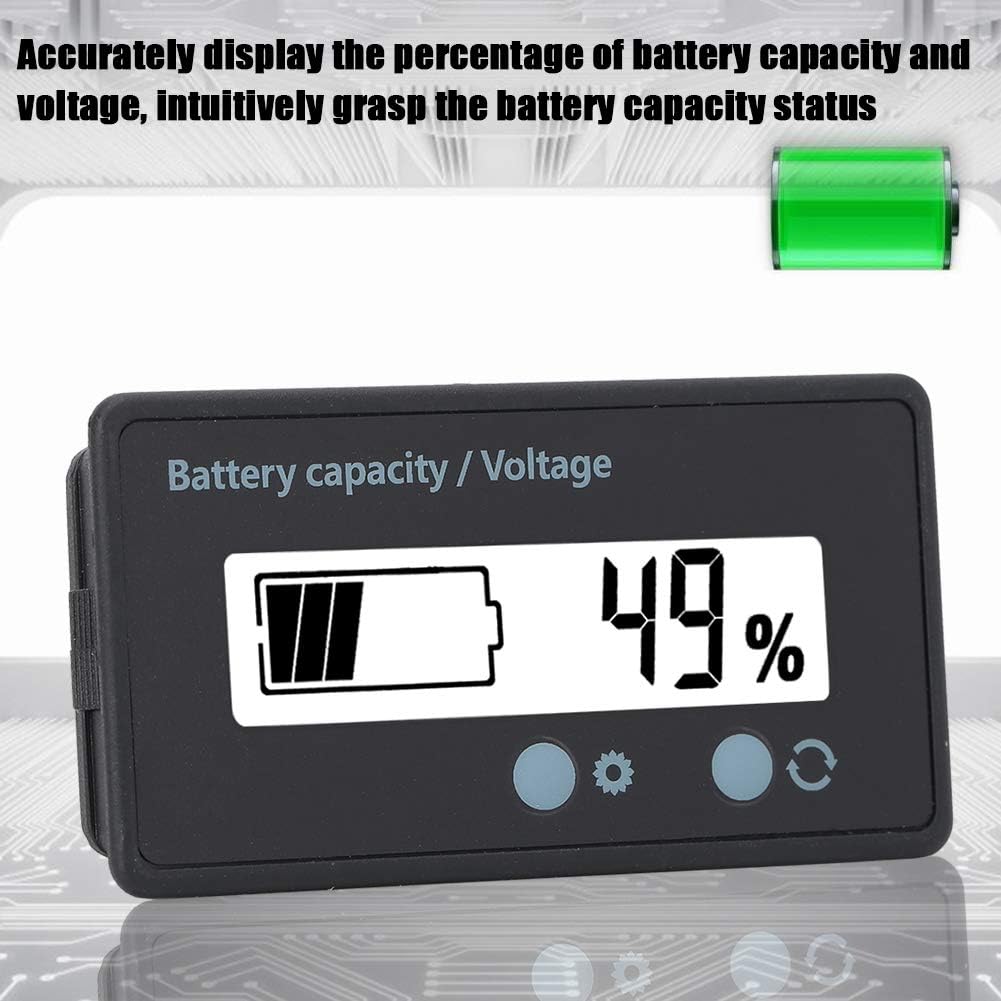
Image: The battery monitor displaying battery capacity and voltage, emphasizing its accuracy in providing real-time battery status.
การซ่อมบำรุง
The Cuifati Battery Monitor is designed for durability and minimal maintenance.
- การทำความสะอาด: เช็ดหน้าจอและคasing กับ d อ่อนamp cloth. Avoid using abrasive cleaners or solvents that could damage the PVC film or casing.
- ความต้านทานน้ำ: The PVC film surface provides waterproof protection. While designed for use in environments where it may encounter moisture, avoid submerging the unit.
- ตรวจสอบการเชื่อมต่อ: Periodically inspect the connecting wires and terminals to ensure they are secure and free from corrosion.

Image: The battery monitor shown in a setting with water droplets, illustrating its waterproof PVC film surface for confident use in various conditions.
การแก้ไขปัญหา
If you encounter issues with your Cuifati Battery Monitor, consider the following common troubleshooting steps:
- ไม่มีจอแสดงผล/พลังงาน:
- Ensure the connecting wires are securely attached to the battery and the monitor.
- ตรวจสอบว่าแบตเตอรี่มีปริมาณtage is within the applicable range (12-84V).
- Check for any blown fuses in the power circuit, if applicable.
- การอ่านค่าที่ไม่ถูกต้อง:
- Confirm that the battery type configuration on the monitor matches your actual battery (lead-acid, lithium, lithium iron).
- Ensure the battery itself is functioning correctly and providing a stable voltage.
- จอแสดงผลกะพริบ:
- ตรวจสอบการเชื่อมต่อที่หลวม
- Ensure the operating temperature is within the specified range (-10℃ to 50℃).
หากปัญหายังคงอยู่หลังจากลองทำตามขั้นตอนเหล่านี้แล้ว โปรดติดต่อฝ่ายบริการลูกค้าเพื่อขอความช่วยเหลือเพิ่มเติม
การรับประกันและการสนับสนุน
For warranty information or technical support regarding your Cuifati Battery Monitor, please refer to the product packaging or contact the manufacturer directly through their official channels. Keep your purchase receipt as proof of purchase for any warranty claims.
คุณสามารถเยี่ยมชม Cuifati Store on Amazon สำหรับข้อมูลเพิ่มเติมและช่องทางการติดต่อ
Ask a question about this manual
Ask about setup, troubleshooting, compatibility, parts, safety, or missing instructions. Manuals+ will review the question and use this page’s manual context to help answer it.