
D-Link E15
D-Link E15 Eagle Pro AI Mesh WiFi 6 Range Extender AX1500 User Manual
Model: E15 | Brand: D-Link
1. บทนำ
The D-Link E15 Eagle Pro AI Mesh WiFi 6 Range Extender AX1500 is designed to expand your existing Wi-Fi network coverage, providing faster, more reliable internet access throughout your home. This device integrates AI capabilities to continuously monitor and optimize your Wi-Fi performance, ensuring a seamless and efficient connection for all your devices. It is ideal for eliminating Wi-Fi dead zones and enhancing network capacity, especially in environments with multiple connected devices.
2. อะไรอยู่ในกล่อง
- 1x D-Link E15 AX1500 Mesh Wi-Fi 6 Range Extender
- 1x คู่มือการติดตั้งด่วน (QIG)
- 1x Quick Installation Card (QIC)
3. การตั้งค่าและการติดตั้ง
Follow these steps to set up your D-Link E15 Range Extender:
- เสียบปลั๊ก: Plug the E15 extender into a wall outlet next to your existing Wi-Fi router. Ensure it is within range of your router's signal.
- ดาวน์โหลดแอป: Download the EAGLE PRO AI App from the App Store or Google Play. This app will guide you through the setup process.
- Follow On-Screen Guide: Open the EAGLE PRO AI App and follow the simple on-screen instructions to connect your extender to your network.
- ตำแหน่งที่เหมาะสมที่สุด: Use the Smart Signal Indicator on the extender to find the ideal spot for placement. The indicator lights will help you determine the best location for optimal Wi-Fi coverage between your router and the desired extended area.

Image: Visual guide for the three main setup steps.
คู่มือวิดีโอการตั้งค่า
Video: An official D-Link video demonstrating the features and setup of the E15 Eagle Pro AI Mesh WiFi 6 Range Extender.
4. คุณสมบัติหลัก
- High Performance Wi-Fi 6: Experience speeds up to 1.5 Gbps and coverage up to 2,600 sq. ft. Wi-Fi 6 technology provides 4x greater device capacity, optimizing performance for multiple connected devices.
- เข้ากันได้สากล: The E15 works seamlessly with any brand of Wi-Fi router or Internet Service Provider Wi-Fi Gateway, ensuring broad compatibility with existing home networks.
- Wi-Fi ดูอัลแบนด์: Utilizes both 2.4 GHz and 5 GHz bands for combined speeds of up to 1500 Mbps (300 Mbps on 2.4 GHz and 1201 Mbps on 5 GHz), strengthening and extending your network's reach.
- ความคุ้มครองที่เพิ่มขึ้น: High-gain internal antennas are designed to eliminate Wi-Fi dead zones and weak signal areas, providing robust coverage in hard-to-reach places.
- Mesh Smart Roaming: Supports the 802.11k/v standard, allowing the creation of a single, whole-home mesh network. Devices automatically connect to the strongest Wi-Fi signal as you move around your home, ensuring uninterrupted connectivity.
- EAGLE PRO AI Technology: When paired with D-Link Eagle PRO AI M15 or R15 router series, the E15 unlocks advanced AI-optimized Wi-Fi performance, including AI Wi-Fi Optimizer, AI Mesh Optimizer, and AI Traffic Optimizer.
- ตัวบ่งชี้สัญญาณอัจฉริยะ: An intuitive LED indicator helps you find the optimal wall plug-in placement for the extender, ensuring the best possible signal strength and coverage.
- พอร์ตกิกะบิตอีเทอร์เน็ต: Features a Gigabit Ethernet port for connecting wired devices such as smart TVs, gaming consoles, or desktop computers, providing a fast and reliable wired connection.

ภาพ: เหนือview of EAGLE PRO AI features when paired with compatible D-Link routers.
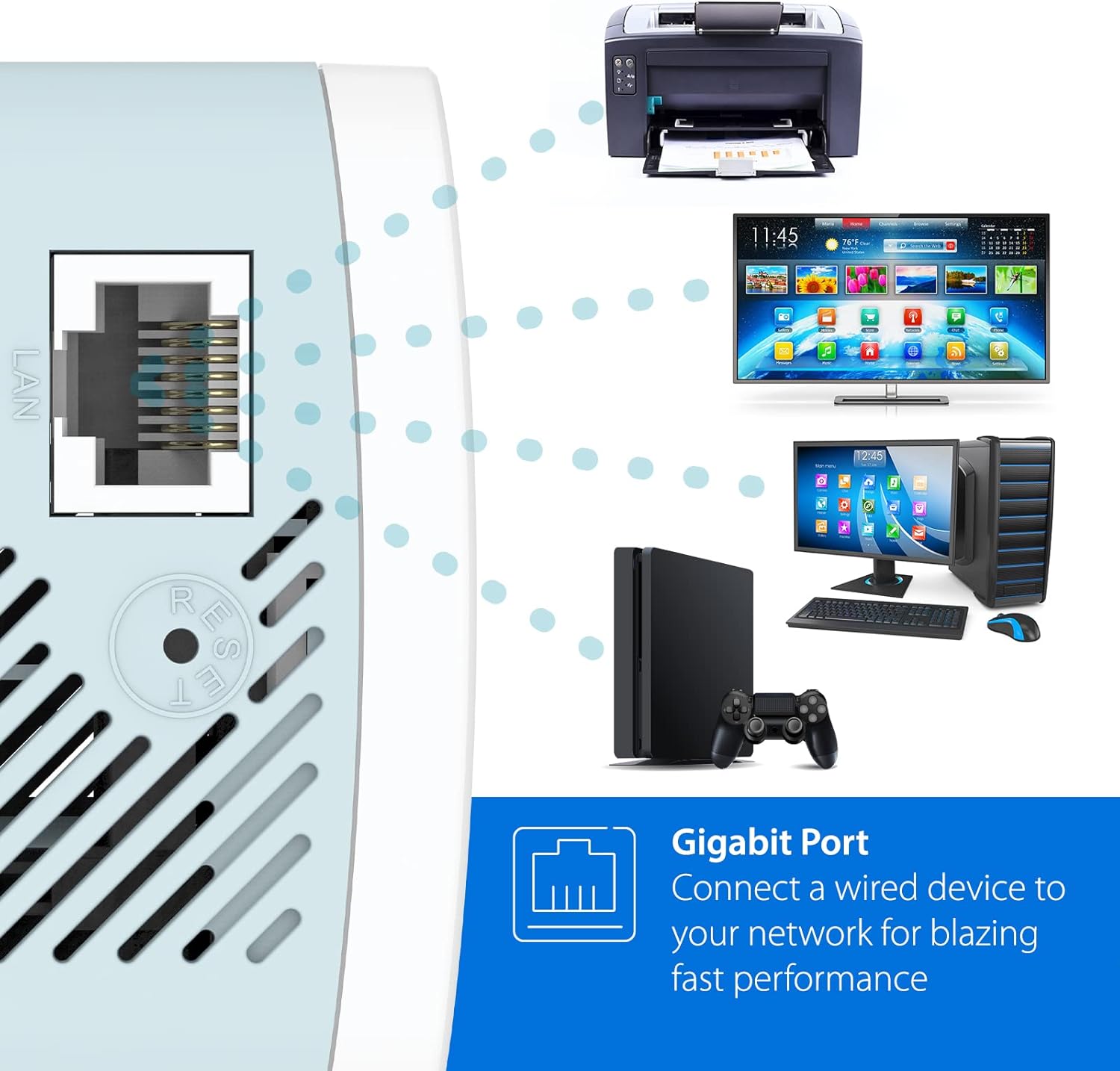
Image: The Gigabit Ethernet port allows for fast wired connections to various devices.
5. Operating Your Extender
Once set up, your D-Link E15 extender will automatically extend your Wi-Fi network. For optimal performance and management, consider the following:
- การจัดการแอพ: Use the EAGLE PRO AI App to monitor your network, manage connected devices, and access advanced settings. The app provides insights into network usage and can offer recommendations for optimization.
- การโรมมิ่งแบบไร้รอยต่อ: With Mesh Smart Roaming enabled, your devices will automatically switch between your router and the extender to maintain the strongest possible signal as you move throughout your home.
- การเชื่อมต่อแบบมีสาย: For devices requiring the most stable and fastest connection, utilize the Gigabit Ethernet port on the extender.
6. การบำรุงรักษา
To ensure the longevity and optimal performance of your D-Link E15 extender:
- อัพเดตเฟิร์มแวร์: Regularly check for and install firmware updates through the EAGLE PRO AI App. Updates often include performance improvements, security enhancements, and new features.
- การทำความสะอาด: รักษาอุปกรณ์ให้สะอาดและปราศจากฝุ่น ใช้ผ้านุ่มและแห้งเช็ดทำความสะอาดภายนอก ห้ามใช้น้ำยาทำความสะอาดหรือสเปรย์
- การระบายอากาศ : Ensure the extender's ventilation slots are not obstructed to prevent overheating.
- การรีเซ็ต: In case of persistent issues, you may perform a factory reset using the reset button (refer to the 'Troubleshooting' section for details).
7 การแก้ไขปัญหา
If you encounter issues with your D-Link E15 extender, try the following solutions:
| ปัญหา | สารละลาย |
|---|---|
| No Power/Indicator Lights Off | ตรวจสอบให้แน่ใจว่าเสียบปลั๊กตัวขยายสัญญาณเข้ากับเต้ารับไฟฟ้าที่ใช้งานได้แน่นดีแล้ว ลองใช้เต้ารับอื่น |
| Poor Signal Strength/Limited Coverage | Relocate the extender using the Smart Signal Indicator to find an optimal spot between your router and the weak signal area. Avoid placing it near large metal objects or appliances that emit radio frequency interference. |
| ไม่สามารถเชื่อมต่อกับ Wi-Fi ของตัวขยายสัญญาณได้ | Verify you are selecting the correct Wi-Fi network name (SSID) for the extender. Ensure you are entering the correct Wi-Fi password. Try restarting both your router and the extender. |
| Setup Fails/Extender Cycles Endlessly | Ensure your router is broadcasting a strong signal. Try performing a factory reset on the extender (press and hold the reset button for 10 seconds with a paperclip). Re-attempt setup using the EAGLE PRO AI App. Ensure the extender is initially placed close to the router during setup. |
| Only 2.4GHz Network Visible (5GHz not showing) | Ensure your router is broadcasting a 5GHz network. Some older devices may only support 2.4GHz. Check the extender's settings via the app to ensure 5GHz is enabled. |
For further assistance, refer to the full User Manual PDF or contact D-Link Support.
8. ข้อมูลจำเพาะ
| คุณสมบัติ | รายละเอียด |
|---|---|
| หมายเลขรุ่น | E15 |
| ประเภทไร้สาย | 802.11ac, 802.11ax (Wi-Fi 6), 802.11g, 802.11n |
| อัตราการถ่ายโอนข้อมูล | สูงสุด 1500 Mbps (AX1500) |
| ระดับย่านความถี่ | สองย่านความถี่ (2.4GHz และ 5GHz) |
| พื้นที่ให้บริการ | พื้นที่สูงสุดถึง 2,600 ตร.ฟุต |
| พอร์ตอีเทอร์เน็ต | 1x พอร์ตกิกะบิตอีเทอร์เน็ต |
| คุณสมบัติพิเศษ | AI Technology, High-Gain Antennas, LED Indicator, MU-MIMO, Mesh Smart Roaming, Wi-Fi Mesh |
| สี | สีขาว |
| น้ำหนักสินค้า | 5.7 ออนซ์ |
| ขนาดสินค้า (กxยxส) | 2 x 2.5 x 4.12 นิ้ว |
| ผู้ผลิต | ดี-ลิงค์ ซิสเต็มส์ อิงค์ |
| วันที่พร้อมใช้งานครั้งแรก | 27 ตุลาคม 2021 |
9. การรับประกันและการสนับสนุน
For warranty information, technical support, and additional resources, please visit the official D-Link support website. You can also refer to the comprehensive User Manual and Installation Manual provided in PDF format for detailed instructions and troubleshooting guides.
Important Resources:
- คู่มือการใช้งาน (PDF)
- คู่มือการติดตั้ง (PDF)
- เยี่ยมชม การสนับสนุน D-Link Webเว็บไซต์ for the latest drivers, firmware, and support articles.
Ask a question about this manual
Ask about setup, troubleshooting, compatibility, parts, safety, or missing instructions. Manuals+ will review the question and use this page’s manual context to help answer it.