
1. บทนำ
This manual provides comprehensive instructions for the D-Link AX1500 Wi-Fi 6 Router, Model R15. This device is designed to deliver smarter, faster, and simpler Wi-Fi performance for your home network. It incorporates advanced AI capabilities to optimize network performance, enhance coverage, and manage connected devices efficiently. Please read this manual thoroughly before operating the device to ensure proper setup and usage.
2. ข้อมูลด้านความปลอดภัย
To prevent damage to the device or injury to yourself or others, observe the following safety precautions:
- ห้ามวางอุปกรณ์ไว้ในที่ที่มีน้ำ ไฟ อุณหภูมิสูง หรือสภาพแวดล้อมที่ชื้น
- ห้ามพยายามถอดประกอบ ซ่อมแซม หรือปรับเปลี่ยนอุปกรณ์
- ใช้เฉพาะอะแดปเตอร์แปลงไฟที่ให้มากับเครื่องเท่านั้น
- ตรวจสอบให้แน่ใจว่ามีการระบายอากาศที่เหมาะสมรอบๆ เราเตอร์เพื่อป้องกันความร้อนสูงเกินไป
- เก็บอุปกรณ์ให้ห่างจากสนามแม่เหล็กไฟฟ้าที่มีความแรง
3. เนื้อหาบรรจุภัณฑ์
ตรวจสอบว่ามีรายการทั้งหมดอยู่ในแพ็คเกจของคุณ:
- D-Link AX1500 Wi-Fi 6 Router (R15)
- อะแดปเตอร์แปลงไฟ
- คู่มือการติดตั้งอย่างรวดเร็ว (QIG)
- Quick Installation Card (QIC)
- สายอีเทอร์เน็ต
4. สินค้าหมดview
ด้านหน้า View

The D-Link AX1500 Wi-Fi 6 Router (R15) features a sleek design with four high-gain external antennas for enhanced signal coverage.
หลัง View (พอร์ตและปุ่ม)

The rear panel of the router includes four high-gain antennas, a WPS button for easy connection, a Reset button, multiple Gigabit Ethernet ports for wired connections, an Internet (WAN) port, and a power connector.
5. การตั้งค่า
Follow these simple steps to set up your D-Link AX1500 Wi-Fi 6 Router:

Visual guide for the quick setup process.
- เชื่อมต่อกับพลังงาน: Plug the provided power adapter into the router's power connector and then into a wall outlet.
- Download EAGLE PRO AI App: Download the D-Link EAGLE PRO AI App from your device's app store (available on Apple App Store and Google Play). Follow the simple on-screen guide within the app to complete the setup process.
- You're Set!: Once the app setup is complete, your router will be configured and ready for use.
6. การใช้งานเราเตอร์
6.1 Wi-Fi 6 Advantage

Benefits of Wi-Fi 6 technology.
The R15 router utilizes next-gen Wi-Fi 6 technology, offering speeds up to 1500 Mbps (300 Mbps on 2.4GHz and 1201 Mbps on 5GHz). This results in smoother streaming, more responsive gaming, and ultra-fast downloads. Wi-Fi 6 provides up to 90% faster speeds, greater efficiency, enhanced stability, and higher capacity compared to previous Wi-Fi generations.
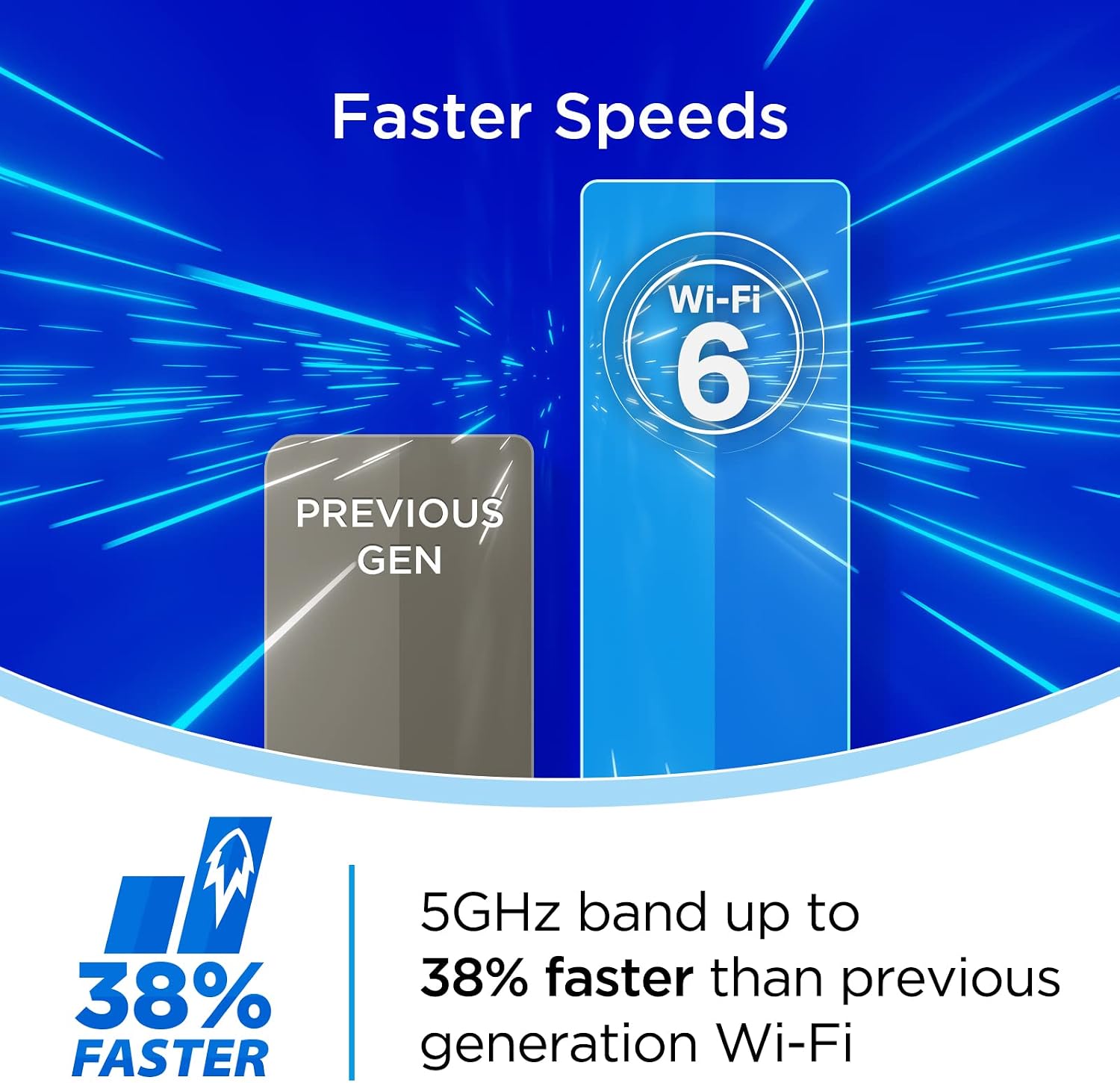
Speed comparison between Wi-Fi 6 and previous generation Wi-Fi.
Specifically, the 5GHz band can be up to 38% faster than previous generation Wi-Fi, ensuring optimal performance for demanding applications.
6.2 AI Optimized Wi-Fi
The EAGLE PRO AI Series R15 router features built-in AI capabilities that continuously monitor and intelligently manage your home Wi-Fi network for optimal performance.

The router is optimized for device-dense smart home environments.
The router performs better in device-dense environments by delivering data to devices with up to 4 simultaneous streams, making it ideal for smart homes.

The AI chipset ensures optimal channel selection.
An exclusive advanced AI chipset continuously scans your environment to keep you on the cleanest channels, minimizing interference and maximizing performance.
AI Wi-Fi Optimizer

The AI Wi-Fi Optimizer helps you connect to the cleanest Wi-Fi channel.
A dedicated antenna continuously scans and connects you to the best Wi-Fi channel, ensuring a stable and strong connection.
AI Traffic Optimizer

AI Traffic Optimizer prioritizes internet traffic for smooth streaming and gaming.
The AI Traffic Optimizer automatically allocates bandwidth to different applications, ensuring activities like gaming, voice calling, video streaming, or downloading files remain uninterrupted.
ผู้ช่วย AI

The AI Assistant provides insights and recommendations for your network.
The AI Assistant collects performance information over time and sends detailed reports, helping you to better manage your network and connected devices.
6.3 Dual Band with SmartConnect

SmartConnect automatically steers devices to the optimal Wi-Fi band.
The R15 router operates on both 2.4GHz and 5GHz frequency bands. With SmartConnect, the router automatically steers your devices to the optimal Wi-Fi band, ensuring the best performance for activities such as web surfing, online gaming, media streaming, and video conferencing.
6.4 การควบคุมด้วยเสียง

The router supports voice control via Amazon Alexa and Google Assistant.
For added convenience, the D-Link R15 router works with Amazon Alexa and Google Assistant, allowing you to control certain functions using voice commands.
6.5 Enhanced Parental Controls

AI Parental Controls offer flexible management of online activity.
The EAGLE PRO AI App provides enhanced parental controls, allowing you to create profiles for children, set schedules, block specific web domains, and pause internet access. This provides customized management options and insights into online activity.
6.6 Connecting More Devices

The router offers exceptional capacity for multiple connected devices.
Designed for better performance in device-dense environments, the R15 router maximizes Wi-Fi performance through OFDMA and MU-MIMO technology. This increases capacity by up to 4 times, enabling simultaneous transmission to more devices without compromising speed or stability.
7. การบำรุงรักษา
To ensure the longevity and optimal performance of your D-Link R15 router, consider the following maintenance tips:
- อัปเดตเฟิร์มแวร์อยู่เสมอ: Enable automatic firmware updates through the EAGLE PRO AI App to ensure your router has the latest security patches and performance improvements.
- ตำแหน่งที่เหมาะสม: วางเราเตอร์ในตำแหน่งศูนย์กลาง ห่างจากสิ่งกีดขวางและอุปกรณ์อิเล็กทรอนิกส์อื่นๆ ที่อาจทำให้เกิดสัญญาณรบกวน
- ทำความสะอาดเป็นประจำ: Gently clean the exterior of the router with a soft, dry cloth. Avoid using liquid cleaners or abrasive materials.
- การระบายอากาศ : ตรวจสอบให้แน่ใจว่ารูระบายอากาศของเราเตอร์ไม่ถูกอุดตันเพื่อป้องกันความร้อนสูงเกินไป
- วงจรไฟฟ้า: Periodically power cycle your router (unplug from power for 10 seconds, then plug back in) to refresh its connection and clear any temporary issues.
8 การแก้ไขปัญหา
This section addresses common issues you might encounter with your D-Link R15 router.
| ปัญหา | วิธีแก้ปัญหาที่เป็นไปได้ |
|---|---|
| ไม่มีการเชื่อมต่ออินเตอร์เน็ต |
|
| ความเร็ว Wi-Fi ช้า |
|
| ไม่สามารถเชื่อมต่อกับเครือข่าย Wi-Fi ได้ |
|
| Parental Controls Not Working |
|
9. ข้อมูลจำเพาะ
Detailed technical specifications for the D-Link AX1500 Wi-Fi 6 Router (R15):
| คุณสมบัติ | คำอธิบาย |
|---|---|
| ชื่อรุ่น | AX1500 AI Optimized WiFi 6 Smart Mesh Router (R15) |
| ขนาดสินค้า | 6.25 x 9.12 x 2.25 นิ้ว |
| น้ำหนักสินค้า | 9.6 ออนซ์ |
| เทคโนโลยีการเชื่อมต่อ | อีเทอร์เน็ต, ไวไฟ |
| มาตรฐานการสื่อสารไร้สาย | 802.11ac, 802.11ax, 802.11g, 802.11n |
| ระดับย่านความถี่ | ดูอัลแบนด์ |
| ความถี่ | 2.4 GHz (and 5 GHz for dual-band) |
| คุณสมบัติพิเศษ | Beamforming, Internet Security, Parental Control, WPA3 Encryption, Wi-Fi Mesh |
| อุปกรณ์ที่รองรับ | เครื่องเล่นเกมคอนโซล, คอมพิวเตอร์ส่วนบุคคล, กล้องวงจรปิด, สมาร์ททีวี, สมาร์ทโฟน, แท็บเล็ต |
| การใช้ที่แนะนำ | ธุรกิจ, เกม, บ้าน |
| ผู้ผลิต | ดี-ลิงค์ ซิสเต็มส์ อิงค์ |
| วันที่พร้อมใช้งานครั้งแรก | วันที่ 10 กันยายน 2021 |
10. การรับประกันและการสนับสนุน
D-Link products are backed by a limited warranty. For specific warranty terms and conditions applicable to your region, please refer to the warranty card included in your product packaging or visit the official D-Link webเว็บไซต์.
For technical support, product registration, and additional resources, please visit the D-Link support portal. You can find FAQs, troubleshooting guides, and contact information for customer service.
การสนับสนุน D-Link Webเว็บไซต์: www.dlink.com/support