
1. บทนำ
Thank you for choosing the BoxWave SlimKeys Bluetooth Keyboard. This portable, backlit keyboard is designed to enhance your typing experience across various devices, including tablets, smartphones, and computers. It connects wirelessly via Bluetooth 3.0, offering a stable and responsive connection. This manual provides essential information on setting up, operating, maintaining, and troubleshooting your keyboard.
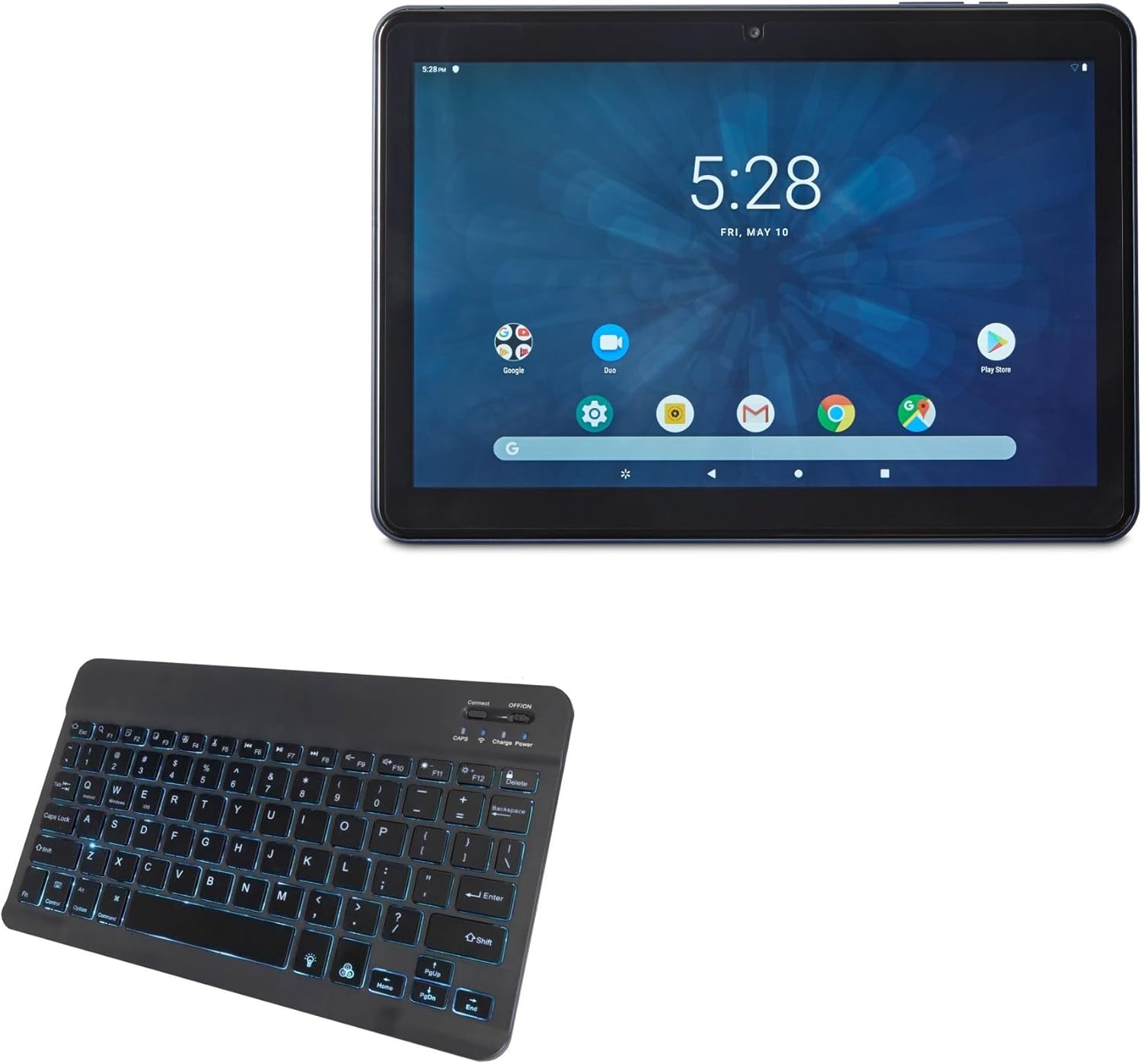
The image shows the BoxWave SlimKeys Bluetooth Keyboard alongside an ONN Tablet, illustrating the product's intended use.
2. ข้อมูลด้านความปลอดภัย
- Keep the keyboard away from water and other liquids to prevent damage.
- อย่าให้แป้นพิมพ์ถูกอุณหภูมิที่สูงหรือโดนแสงแดดโดยตรง
- ควรหลีกเลี่ยงการทำแป้นพิมพ์ตกหรือกระแทกอย่างแรง
- อย่าพยายามถอดประกอบหรือซ่อมแซมแป้นพิมพ์ด้วยตนเอง โปรดติดต่อช่างผู้ชำนาญการ
- Use only the provided charging cable or a compatible charger to prevent battery damage.
3. เนื้อหาบรรจุภัณฑ์
กรุณาตรวจสอบแพ็คเกจสำหรับรายการต่อไปนี้:
- BoxWave SlimKeys Bluetooth Keyboard
- สายชาร์จ USB
- คู่มือการใช้งาน (เอกสารนี้)
4. การตั้งค่า
4.1 การเปิด/ปิดเครื่อง
Locate the dedicated ON/OFF switch on the keyboard. Slide the switch to the 'ON' position to power on the keyboard. Slide it to the 'OFF' position when not in use to conserve battery life.
4.2 การจับคู่บลูทูธ
Follow these steps to pair your BoxWave SlimKeys Bluetooth Keyboard with your device:
- ตรวจสอบให้แน่ใจว่าแป้นพิมพ์เปิดอยู่
- กดปุ่ม 'เชื่อมต่อ' บนแป้นพิมพ์ ไฟแสดงสถานะบลูทูธจะเริ่มกะพริบ แสดงว่าอยู่ในโหมดจับคู่แล้ว
- On your device (tablet, smartphone, or computer), go to the Bluetooth settings.
- เปิดใช้งาน Bluetooth และค้นหาอุปกรณ์ที่มีอยู่
- Select 'BoxWave SlimKeys Keyboard' (or similar name) from the list of found devices.
- If prompted, enter the pairing code displayed on your device's screen using the keyboard, then press Enter.
- Once paired, the Bluetooth indicator light on the keyboard will stop flashing and remain solid or turn off, depending on the model.
The keyboard connects quickly and easily via Bluetooth 3.0 for a stable, responsive typing experience.
5. คู่มือการใช้งาน
5.1 General Typing
The BoxWave SlimKeys Bluetooth Keyboard features a standard QWERTY layout with chiclet-style keys for comfortable and quiet typing. Simply begin typing after successful pairing.
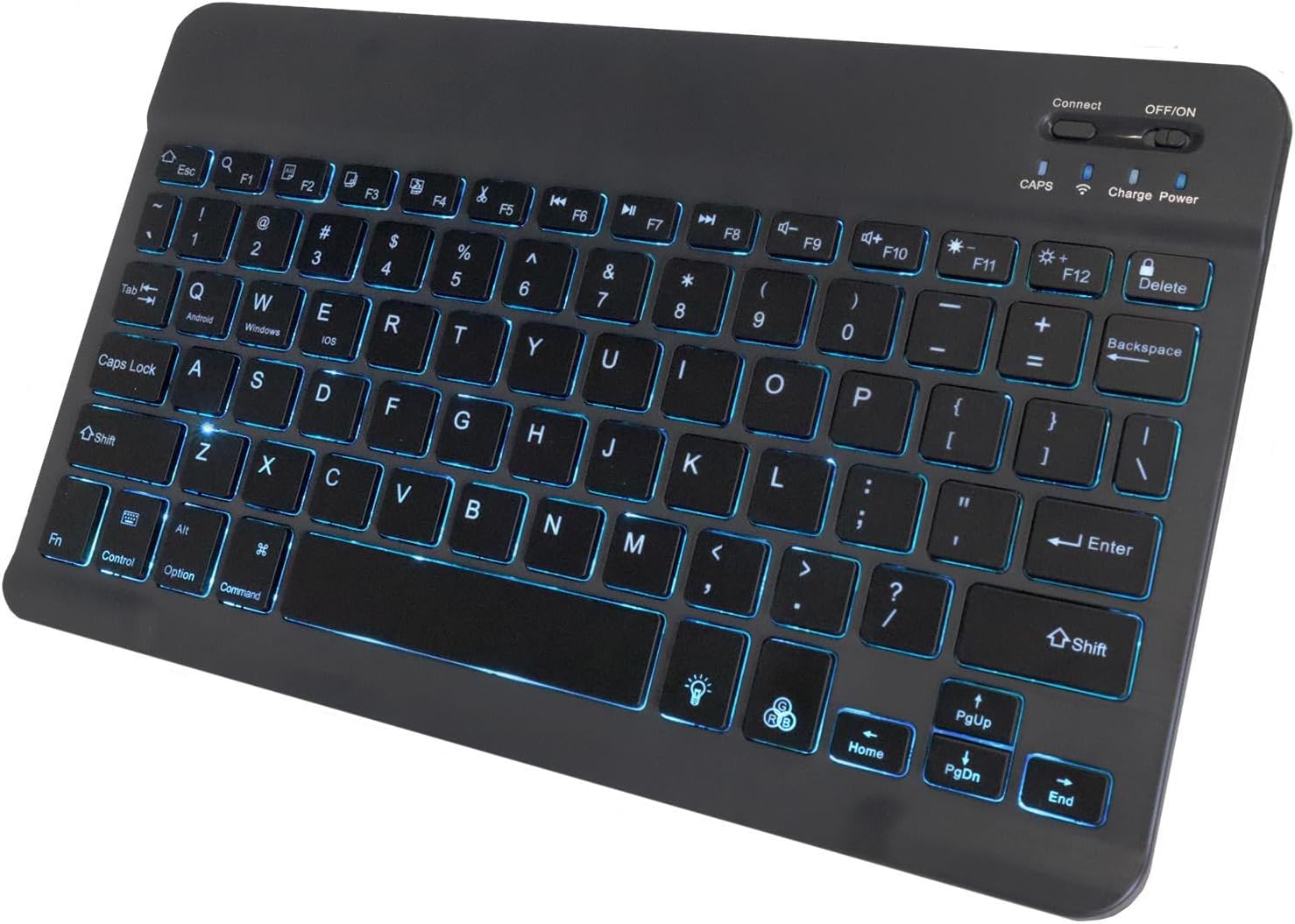
รายละเอียด view of the keyboard highlighting the illuminated keys with a blue backlight, showing the layout and function indicators.
5.2 Specialized Function Keys
The keyboard includes specialized function keys (F1-F12) that provide quick access to various commands. These functions may vary slightly depending on your operating system (Android, Windows, iOS).

This diagram illustrates the various specialized function keys available on the keyboard, including multimedia controls, volume adjustments, and brightness settings.
ฟังก์ชันทั่วไปได้แก่:
- Home (Esc): กลับไปที่หน้าจอหลัก
- Search (F1): Opens search function.
- Select All (F2): Selects all content.
- Copy (F3): คัดลอกเนื้อหาที่เลือกไว้
- Paste (F4): วางเนื้อหาที่คัดลอกมา
- Cut (F5): Cuts selected content.
- Skip Back (F6): ข้ามไปยังแทร็กก่อนหน้า
- Play/Pause (F7): เล่นหรือหยุดสื่อชั่วคราว
- Skip Forward (F8): ข้ามไปยังแทร็กถัดไป
- Volume Down (F9): ลดระดับเสียง
- Volume Up (F10): เพิ่มปริมาณเสียง
- Brightness Down (F11): ลดความสว่างหน้าจอ
- Brightness Up (F12): เพิ่มความสว่างหน้าจอ
- Lock (Delete): ล็อกหน้าจออุปกรณ์
5.3 ความเข้ากันได้หลายแพลตฟอร์ม
The SlimKeys Bluetooth Keyboard is compatible with Android, Windows, and iOS operating systems, allowing seamless switching between devices.
6. Backlight Customization
The keyboard features an integrated LED backlight with seven vibrant colors. You can customize the backlight to match your preference or environment.

ภาพแสดงasing the keyboard's ability to display seven distinct LED backlight colors, demonstrating the customization options.
Refer to the keyboard's function keys for backlight control, typically involving a dedicated backlight key or a combination with the 'Fn' key to cycle through colors and adjust brightness.
7. การชาร์จและแบตเตอรี่
The BoxWave SlimKeys Bluetooth Keyboard is equipped with a long-lasting battery. When fully charged, it can provide up to 30 days of battery life during active use and up to 6 months on standby when powered off.

This image shows the keyboard connected to a charging cable, indicating the charging port location and how to recharge the device.
7.1 การชาร์จคีย์บอร์ด
To charge the keyboard, connect the included USB charging cable to the keyboard's charging port and the other end to a USB power source (e.g., computer USB port, USB wall adapter). The charging indicator light will illuminate during charging and turn off when fully charged.
8. การบำรุงรักษา
8.1 การทำความสะอาด
ในการทำความสะอาดแป้นพิมพ์ ให้เช็ดพื้นผิวเบาๆ ด้วยผ้าเนื้อนุ่มที่ไม่เป็นขุย สำหรับคราบสกปรกที่ติดแน่น ให้เช็ดเบาๆ อีกครั้งampชุบผ้าด้วยน้ำหรือน้ำยาทำความสะอาดอ่อนๆ หลีกเลี่ยงการใช้สารเคมีรุนแรงหรือวัสดุที่มีฤทธิ์กัดกร่อน
8.2 พื้นที่จัดเก็บ
When not in use for extended periods, power off the keyboard and store it in a cool, dry place away from direct sunlight and extreme temperatures. Its slim and portable design makes it easy to store and transport.
9 การแก้ไขปัญหา
| ปัญหา | สาเหตุที่เป็นไปได้ | สารละลาย |
|---|---|---|
| แป้นพิมพ์ไม่เปิดใช้งาน | แบตเตอรี่หมด | ชาร์จคีย์บอร์ดโดยใช้สาย USB ที่ให้มา |
| ไม่สามารถเชื่อมต่อคีย์บอร์ดผ่านบลูทูธได้ | Keyboard not in pairing mode; Bluetooth off on device; device already paired with too many devices. | Ensure keyboard is in pairing mode (flashing indicator). Turn on Bluetooth on your device. Forget previous Bluetooth connections on your device and try again. Restart both devices. |
| คีย์ไม่ตอบสนอง | Keyboard is not connected; low battery. | ตรวจสอบการเชื่อมต่อบลูทูธ ชาร์จแบตเตอรี่คีย์บอร์ด |
| ไฟแบ็คไลท์ไม่ทำงานหรือสว่างน้อยมาก | Backlight is turned off; low battery. | Press the backlight control key to turn it on or adjust brightness. Recharge the keyboard. |
10. ข้อมูลจำเพาะ
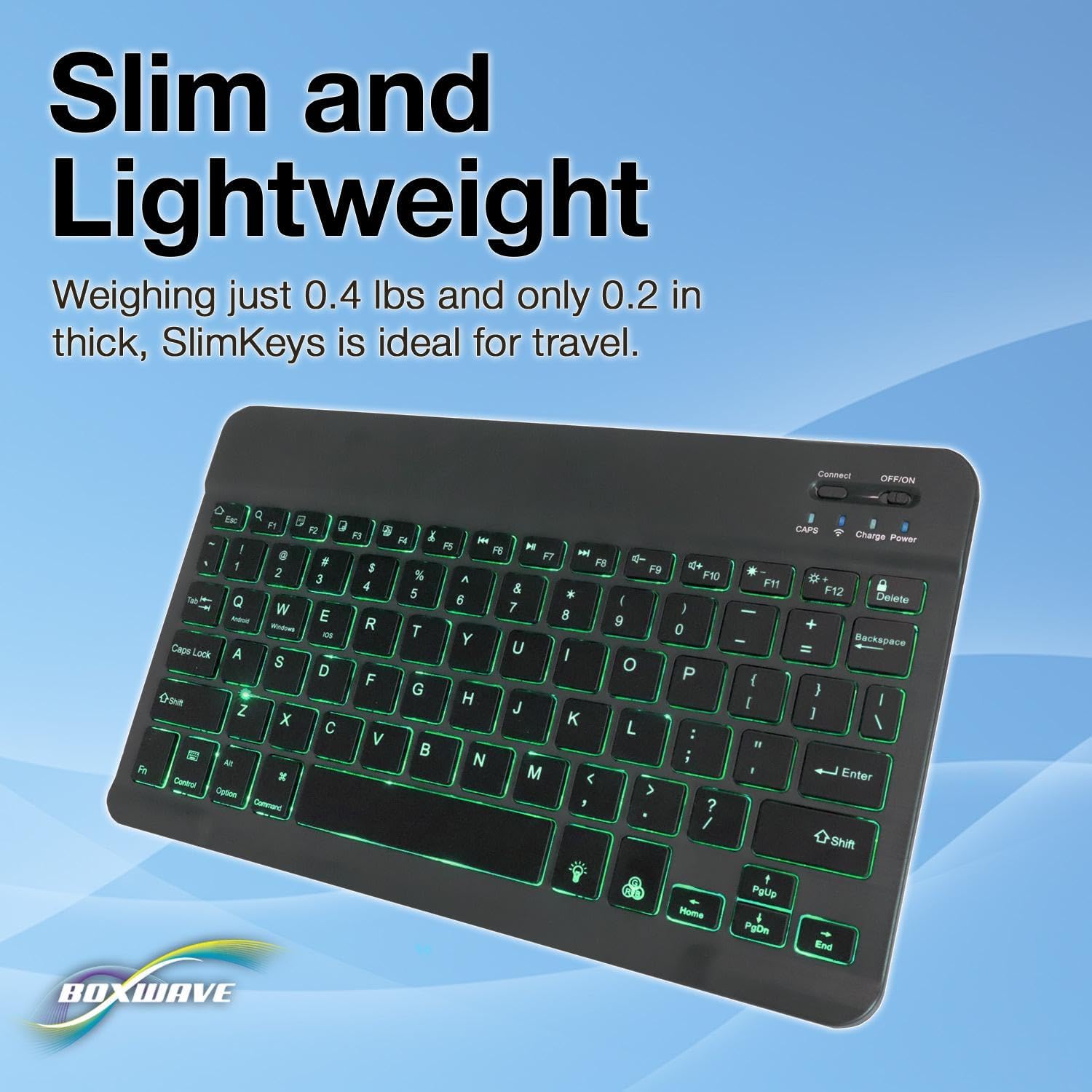
The image provides a visual representation of the keyboard's compact size, with measurements for length, width, and height, emphasizing its slim and portable design.
- ยี่ห้อ: บ็อกซ์เวฟ
- แบบอย่าง: SlimKeys Bluetooth Keyboard
- สี: สีดำเจ็ทแบล็ค
- เทคโนโลยีการเชื่อมต่อ: บลูทูธ 3.0
- อุปกรณ์ที่รองรับ: Tablets, Smartphones, Computers (Android, Windows, iOS)
- คำอธิบายแป้นพิมพ์: ไร้สาย
- คุณสมบัติพิเศษ: Backlit (7 colors), Portable, Slim Design
- จำนวนปุ่ม: 78
- ขนาดสินค้า (กว้าง x ยาว x สูง) : 9.6" x 5.97" x 0.2" (24.4 ซม. x 15.2 ซม. x 0.5 ซม.)
- น้ำหนักสินค้า: 8.6 ออนซ์ (244 กรัม)
- ขนาดแพ็คเกจ: 11.34 x 6.46 x 0.63 นิ้ว (28.8 ซม. x 16.4 ซม. x 1.6 ซม.)
11. การรับประกันและการสนับสนุน
BoxWave Corporation stands by the quality of its products. For any technical assistance or inquiries regarding your BoxWave SlimKeys Bluetooth Keyboard, please contact BoxWave customer support.
Please note that this product includes limited 3rd party tech support for your device (up to 3 inquiries via messaging). This support is provided by BoxWave and is not affiliated with or endorsed by ONN.
For the most up-to-date warranty information and support options, please visit the official BoxWave webไซต์หรือดูเอกสารการซื้อของคุณ