
LIECTROUX C30B
LIECTROUX C30B Hybrid Robot Vacuum and Mop User Manual
รุ่น: C30B
1. บทนำ
Thank you for choosing the LIECTROUX C30B Hybrid Robot Vacuum and Mop. This intelligent cleaning device is designed to simplify your home maintenance with its advanced features, including dynamic navigation, powerful 4KPA suction, and versatile 2-in-1 vacuuming and mopping capabilities. It integrates seamlessly with smart home systems like Amazon Alexa and Google Assistant for convenient control. Please read this manual thoroughly before operating the device to ensure proper use and maintenance.

Figure 1.1: LIECTROUX C30B Robot Vacuum and Mop with its accompanying mobile application interface and the interchangeable dustbin/water tank.
2. คำแนะนำด้านความปลอดภัยที่สำคัญ
To reduce the risk of injury or damage, read these safety instructions carefully and keep them handy for future reference. This appliance is for household use only.
- ห้ามใช้งานหุ่นยนต์ในบริเวณที่มีเปลวไฟหรือวัตถุแตกหักง่าย
- ตรวจสอบให้แน่ใจว่าสายไฟ วัตถุขนาดเล็ก และสิ่งของหลวมๆ ทั้งหมดถูกเคลียร์ออกจากพื้นก่อนใช้งาน เพื่อป้องกันการพันกัน
- Do not allow children or pets to play with the robot. Supervise children when the robot is in use.
- Use only the original charging dock and power adapter provided by the manufacturer.
- ห้ามใช้หุ่นยนต์ดูดฝุ่นเพื่อเก็บเศษวัสดุขนาดใหญ่ ของเหลว หรือวัสดุที่กำลังลุกไหม้/มีควัน
- ทำความสะอาดแปรงและเซ็นเซอร์เป็นประจำเพื่อรักษาประสิทธิภาพให้เหมาะสมที่สุด
- ห้ามจุ่มหุ่นยนต์หรือชิ้นส่วนอิเล็กทรอนิกส์ลงในน้ำ
- If the robot is not used for a long period, fully charge it and store it in a cool, dry place.
3. เนื้อหาบรรจุภัณฑ์
ตรวจสอบว่าส่วนประกอบทั้งหมดอยู่ครบและอยู่ในสภาพดีเมื่อแกะกล่อง
- Robot Host (Main Unit)
- สถานีชาร์จ
- รีโมทคอนโทรล (ไม่รวมแบตเตอรี่)
- อะแดปเตอร์แปลงไฟ
- ถังเก็บน้ำ
- ถังทิ้งขยะ
- เครื่องมือทำความสะอาด
- HEPA Filters (2x)
- แปรงด้านข้าง (4x)
- Mopping Pads (2x)
- คู่มือการใช้งาน
- คู่มือการติดตั้งแอพ
4. สินค้าหมดview
Familiarize yourself with the main components of your LIECTROUX C30B robot vacuum.
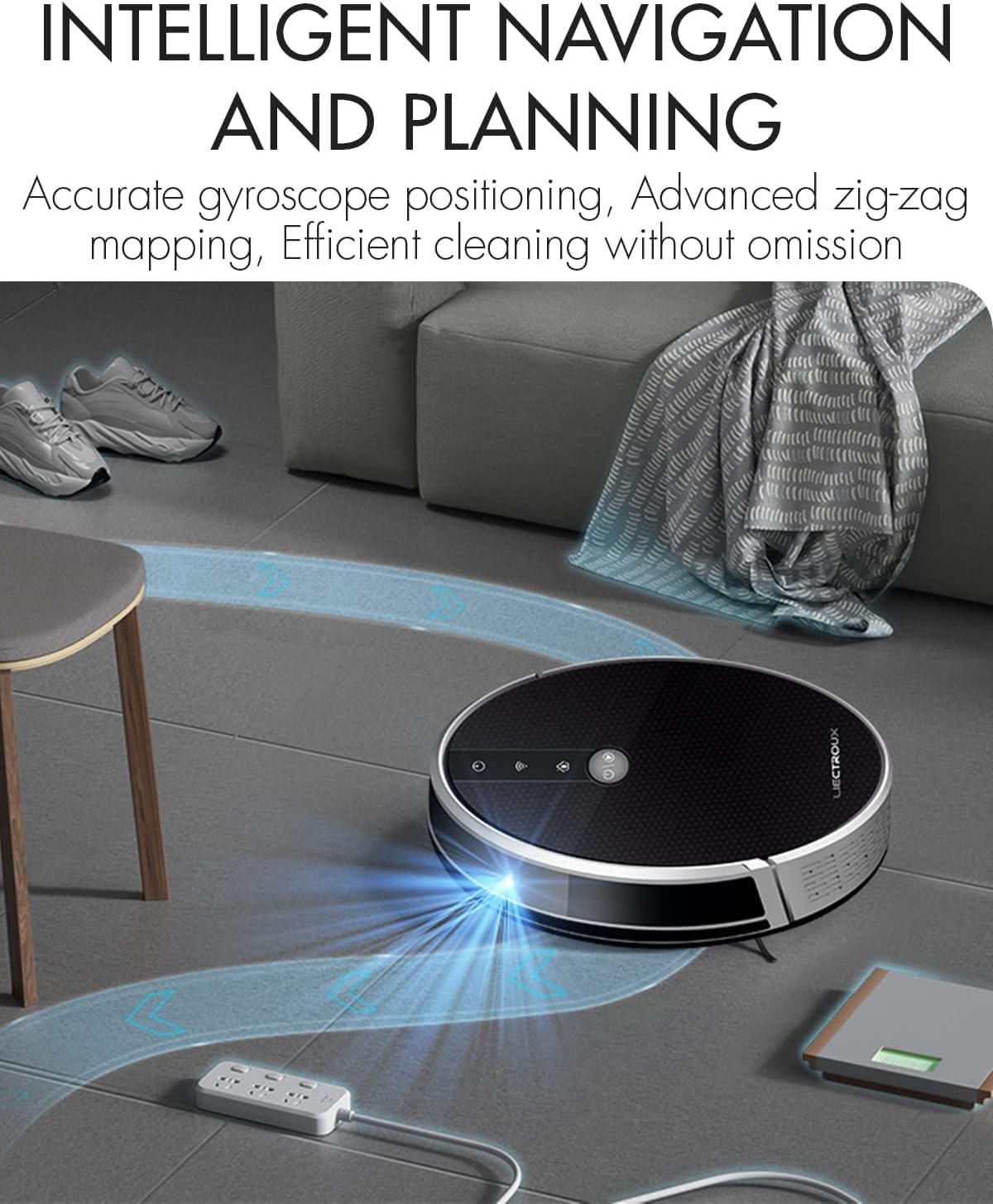
Figure 4.1: The robot vacuum utilizing its intelligent navigation system to plan and execute efficient cleaning paths, ensuring thorough coverage of your home.
4.1. คุณสมบัติหลัก
- Gyroscope Smart Navigation: Detects the entire house and builds a real-time cleaning roadmap for efficient, room-to-room cleaning.
- Super Suction & 2-in-1 Functionality: Equipped with a NIDEC brushless motor and V-shaped floating central brush for deep cleaning. Interchangeable 600ml dustbin and water tank allow for simultaneous vacuuming and mopping.
- ดีไซน์ตัวเครื่องเพรียวบาง: At 7.4 cm (2.9 inches) thin, it can easily clean under furniture and hard-to-reach areas.
- เซ็นเซอร์ป้องกันการตก: Integrated infrared sensors detect obstacles and prevent falls from stairs or ledges.
- การทำงานที่เงียบ: Designed to operate at a low noise level (45 dB), minimizing disturbance.
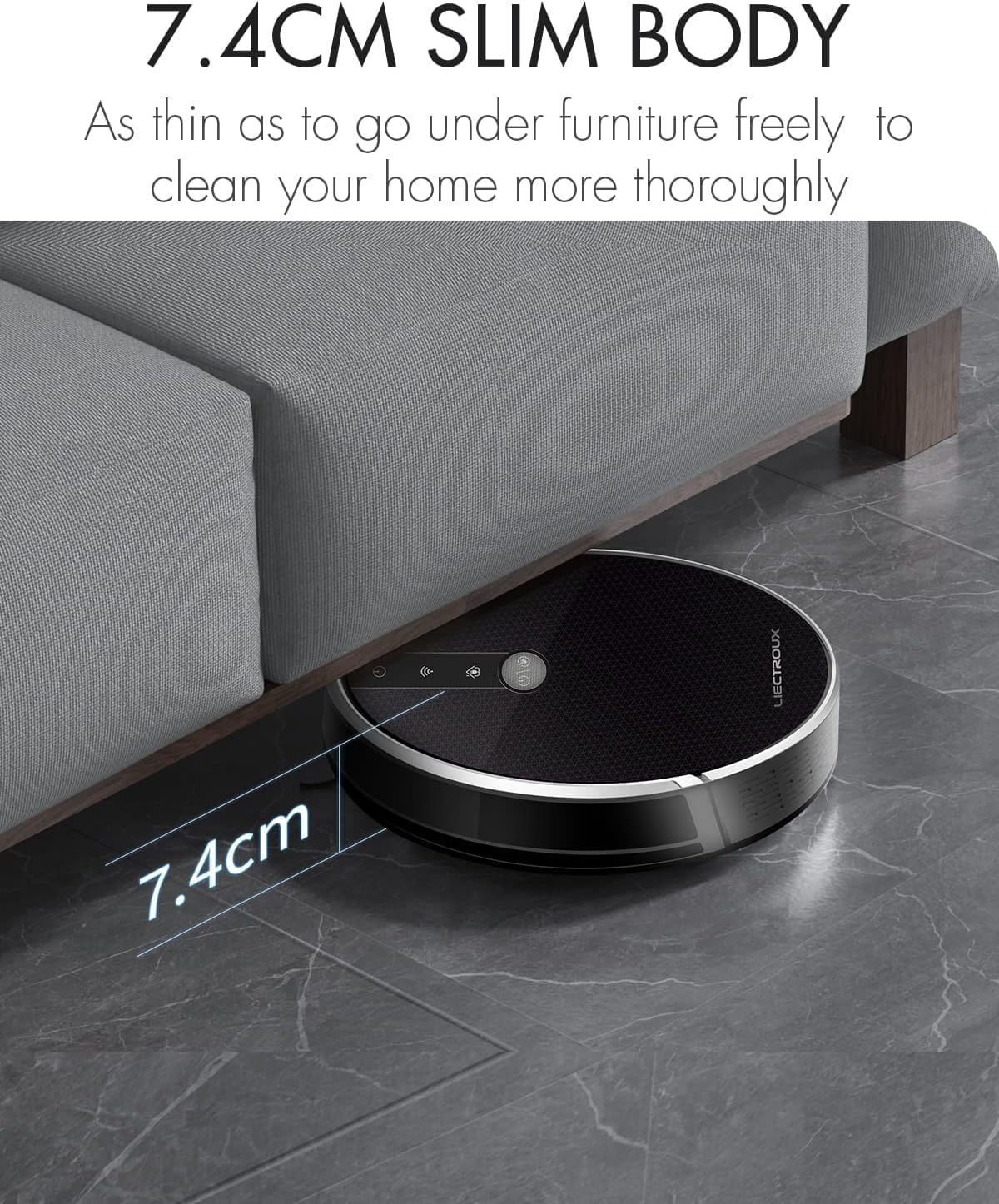
Figure 4.2: The robot's ultra-slim 7.4 cm body allows it to effortlessly clean under low-lying furniture, ensuring no dust or debris is left behind.
5. การตั้งค่า
5.1. การชาร์จหุ่นยนต์
- Place the charging station against a wall in an open, uncluttered area. Ensure there is at least 1 meter (3.3 feet) of clear space on both sides and 2 meters (6.6 feet) in front of the station.
- Connect the power adapter to the charging station and plug the other end into a wall outlet.
- Place the robot onto the charging station, ensuring the charging contacts align. The robot will automatically begin charging. A full charge takes approximately 4-5 hours.
- For initial use, it is recommended to fully charge the robot before its first cleaning cycle.
5.2. การติดตั้งแปรงด้านข้าง
Attach the side brushes by pressing them onto the square posts at the bottom of the robot until they click into place. Ensure the left (L) and right (R) brushes are installed on the correct sides.
5.3. Installing Dustbin or Water Tank
The LIECTROUX C30B comes with an interchangeable dustbin and water tank. Choose the appropriate container for your cleaning needs.
- สำหรับการดูดฝุ่น: Insert the dustbin into the designated slot at the rear of the robot until it locks securely.
- For Mopping: Fill the water tank with clean water (do not use detergents or harsh chemicals). Attach a mopping pad to the bottom of the water tank. Insert the water tank into the designated slot at the rear of the robot until it locks securely.
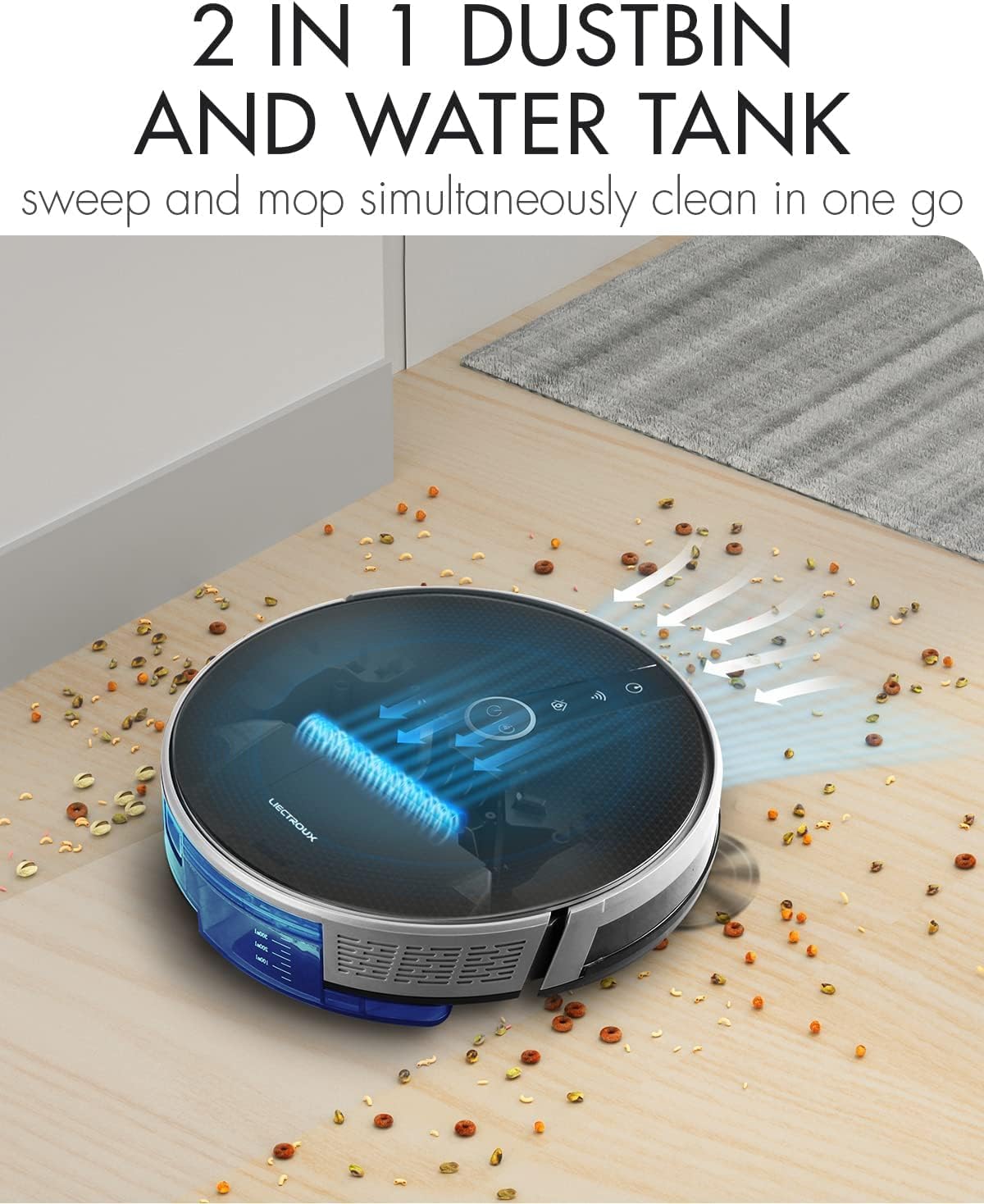
Figure 5.1: The robot's innovative 2-in-1 design allows for easy switching between the dustbin for vacuuming and the water tank for mopping, enabling simultaneous sweep and mop functions.
5.4. การติดตั้งและการเชื่อมต่อแอป
The LIECTROUX C30B can be controlled via the Tuya Smart app. It also supports voice control through Amazon Alexa and Google Assistant.
- Download the "Tuya Smart" app from the App Store (iOS) or Google Play Store (Android).
- ลงทะเบียนบัญชีและเข้าสู่ระบบ
- Ensure your robot is charged and powered on.
- In the app, tap "+" to add a device. Select "Small Home Appliance" > "Robot Vacuum".
- Follow the on-screen instructions to connect the robot to your home Wi-Fi network (2.4GHz only).
- เมื่อเชื่อมต่อแล้ว คุณสามารถควบคุมหุ่นยนต์ ตั้งเวลาทำความสะอาด และตรวจสอบสถานะได้จากสมาร์ทโฟนของคุณ

Figure 5.2: The mobile application provides comprehensive remote control, allowing users to manage cleaning modes, schedules, and monitor the robot's status from anywhere.
6. คู่มือการใช้งาน
6.1. โหมดการทำความสะอาด
The LIECTROUX C30B offers 6 cleaning modes to suit various needs:
- การทำความสะอาดอัตโนมัติ: The robot intelligently plans its route to clean the entire area.
- โหมดถูพื้น: When the water tank is installed, the robot will perform wet mopping.
- ทำความสะอาดห้องเดี่ยว: Cleans a specific room. Close the door to confine the robot to that area.
- การทำความสะอาดขอบ: หุ่นยนต์ทำความสะอาดตามผนังและขอบเฟอร์นิเจอร์
- การทำความสะอาดเฉพาะจุด: Concentrates cleaning on a specific dirty area in a spiral pattern.
- การทำความสะอาดตามกำหนดเวลา: Set specific times for the robot to start cleaning automatically via the app.
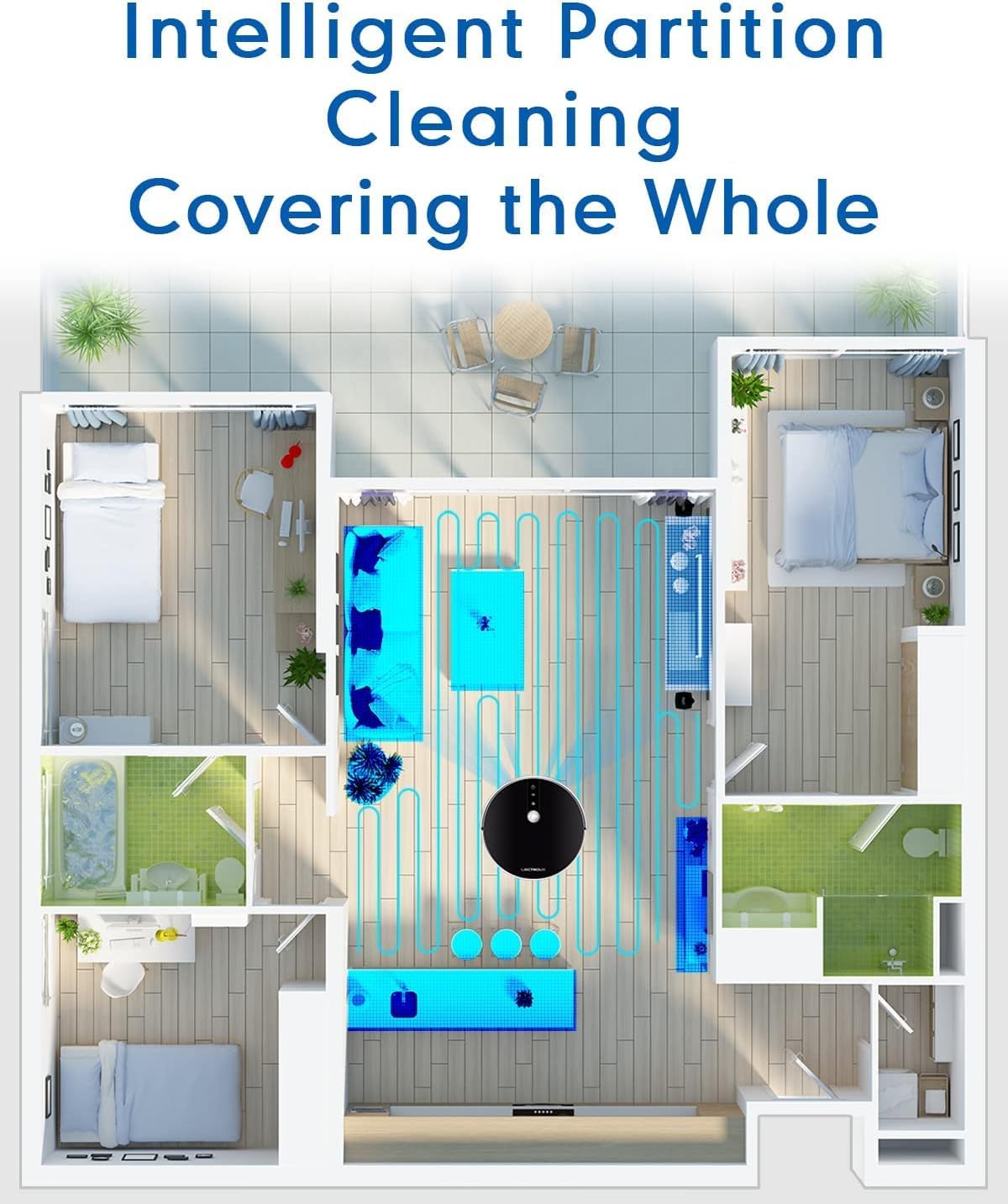
Figure 6.1: The robot's intelligent partition cleaning capability allows it to map and clean different areas of your home systematically, ensuring comprehensive coverage.
6.2. Starting/Pausing Cleaning
- บนหุ่นยนต์: Press the power button on the robot's top panel to start or pause cleaning.
- การใช้รีโมทคอนโทรล: Use the "Auto Clean" button on the remote control.
- ผ่านแอป: Use the "Start" or "Pause" buttons within the Tuya Smart app.
6.3. การควบคุมด้วยเสียง (Alexa/Google Assistant)
Once connected to the Tuya Smart app, you can link your robot to Amazon Alexa or Google Assistant for voice commands.
- Enable the "Tuya Smart" skill in your Alexa or Google Home app.
- Link your Tuya Smart account.
- ค้นพบอุปกรณ์
- You can now use commands such as:
- "Alexa, start cleaning the robot vacuum."
- "Hey Google, tell the robot vacuum to go back to charging."
- "Alexa, stop the robot vacuum."

Figure 6.2: The robot vacuum seamlessly integrates with smart home assistants like Amazon Alexa and Google Assistant, allowing for convenient voice-activated control of cleaning tasks.
7. การบำรุงรักษา
การบำรุงรักษาอย่างสม่ำเสมอเป็นสิ่งสำคัญอย่างยิ่งต่อประสิทธิภาพสูงสุดและอายุการใช้งานที่ยาวนานของหุ่นยนต์ดูดฝุ่นของคุณ
7.1. การล้างถังขยะ
Empty the dustbin after each use or when the "Dustbin Full" indicator appears on the app.
- กดปุ่มปลดล็อกถังขยะและดึงถังขยะออกมา
- เปิดฝาถังขยะและเทสิ่งของภายในลงในถังขยะ
- Clean the dustbin with the provided cleaning tool or a soft cloth. It can also be rinsed with water, but ensure it is completely dry before re-installing.
7.2. การทำความสะอาดตัวกรอง
Clean the HEPA filter and sponge filter weekly. Replace HEPA filters every 3-6 months, depending on usage.
- นำถังขยะออก
- Take out the HEPA filter and sponge filter.
- เคาะแผ่นกรองเบาๆ เพื่อกำจัดฝุ่น ห้ามล้างแผ่นกรอง HEPA ด้วยน้ำ
- Rinse the sponge filter with water if necessary, and ensure it is completely dry before re-installing.
7.3. Cleaning Main Brush and Side Brushes
Clean the main brush and side brushes weekly to remove tangled hair and debris.
- แปรงหลัก: Flip the robot over. Press the release tabs on the brush guard to remove it. Lift out the main brush. Use the cleaning tool to cut and remove any tangled hair. Reinstall the brush and guard.
- แปรงด้านข้าง: Gently pull the side brushes off their posts. Remove any hair or debris. If brushes are worn, replace them.
7.4. Cleaning Water Tank and Mopping Pads
หลังจากถูพื้นเสร็จแต่ละครั้ง:
- เทน้ำที่เหลืออยู่ออกจากถัง
- Remove the mopping pad and rinse it thoroughly with water. Allow it to air dry completely.
- Clean the water tank interior if necessary.
7.5. การทำความสะอาดเซ็นเซอร์และหน้าสัมผัสการชาร์จ
Wipe the sensors and charging contacts regularly with a clean, dry cloth to ensure proper function.
- เซ็นเซอร์ป้องกันการตก: Located on the bottom of the robot.
- เซ็นเซอร์ติดผนัง: Located on the front bumper.
- หน้าสัมผัสการชาร์จ: On the bottom of the robot and on the charging station.

Figure 7.1: The robot is equipped with anti-drop sensors that detect changes in elevation, such as stairs, preventing it from falling and ensuring safe operation.
8 การแก้ไขปัญหา
หากคุณพบปัญหาเกี่ยวกับหุ่นยนต์ดูดฝุ่น โปรดดูตารางด้านล่างเพื่อดูปัญหาทั่วไปและวิธีแก้ไข
| ปัญหา | สาเหตุที่เป็นไปได้ | สารละลาย |
|---|---|---|
| หุ่นยนต์ไม่เปิด | แบตเตอรี่อ่อนหรือไม่ได้ชาร์จ | วางหุ่นยนต์ลงบนแท่นชาร์จและตรวจสอบให้แน่ใจว่าชาร์จเต็มแล้ว |
| หุ่นยนต์ติดขัดบ่อยครั้ง | สิ่งกีดขวาง แปรงพันกัน หรือเซ็นเซอร์สกปรก | Clear obstacles from the cleaning path. Clean main brush, side brushes, and all sensors. |
| ประสิทธิภาพการทำความสะอาดไม่ดี | ถังเก็บฝุ่นเต็ม, ตัวกรองอุดตัน หรือแปรงปัดฝุ่นสึกหรอ | Empty dustbin. Clean/replace filters. Clean/replace brushes. |
| หุ่นยนต์ไม่กลับไปยังแท่นชาร์จ | Charging station obstructed or out of range. Dirty charging contacts. | Ensure charging station is in an open area. Clean charging contacts on both robot and station. |
| ปัญหาการเชื่อมต่อแอป | Incorrect Wi-Fi password, 5GHz network, or robot too far from router. | Ensure you are using a 2.4GHz Wi-Fi network. Re-enter Wi-Fi password. Move robot closer to router. Restart robot and router. |
หากปัญหายังคงมีอยู่หลังจากลองวิธีแก้ไขเหล่านี้แล้ว โปรดติดต่อฝ่ายสนับสนุนลูกค้า
9. ข้อมูลจำเพาะทางเทคนิค
| คุณสมบัติ | ข้อมูลจำเพาะ |
|---|---|
| หมายเลขรุ่น | C30B |
| ยี่ห้อ | ลิเอคทรูซ์ |
| ขนาด (กว้าง x ยาว x สูง) | 33 x 33 x 7.4 ซม. (13 x 13 x 2.9 นิ้ว) |
| น้ำหนัก | 2.7 กก. (5.95 ปอนด์) |
| พลัง | 28 วัตต์ |
| เล่มที่tage | 14.4 โวลต์ |
| ประเภทแบตเตอรี่ | แบตเตอรี่ลิเธียมไอออน (2500 mAh) |
| ระดับเสียง | 45 เดซิเบล |
| ความจุของถังขยะ | 0.6 ลิตร |
| ประเภทตัวกรอง | แผ่นกรอง HEPA |
| คำแนะนำด้านพื้นผิว | Hard Floors, Carpets |
| ประเภทการควบคุม | App Control, Voice Control (Alexa, Google Assistant), Remote Control |
| รันไทม์ | 100-120 minutes (approx. 170-220 sq meters) |
10. การรับประกันและการสนับสนุน
The LIECTROUX C30B Hybrid Robot Vacuum and Mop comes with a 24-month professional warranty นับจากวันที่ซื้อ การรับประกันนี้ครอบคลุมถึงข้อบกพร่องจากการผลิตและการทำงานผิดปกติภายใต้การใช้งานปกติ
10.1. ข้อยกเว้นการรับประกัน
การรับประกันไม่ครอบคลุมถึง:
- ความเสียหายที่เกิดจากการใช้งานที่ไม่เหมาะสม ความประมาท หรืออุบัติเหตุ
- Normal wear and tear of consumable parts (e.g., brushes, filters, mopping pads).
- ความเสียหายที่เกิดจากการซ่อมแซมหรือดัดแปลงโดยไม่ได้รับอนุญาต
- Damage caused by external factors such as power surges or natural disasters.
10.2. การสนับสนุนลูกค้า
For technical assistance, warranty claims, or general inquiries, please contact LIECTROUX customer support through the retailer where you purchased the product or visit the official LIECTROUX webเว็บไซต์สำหรับข้อมูลการติดต่อ
Please have your model number (C30B) and proof of purchase ready when contacting support.
Ask a question about this manual
Ask about setup, troubleshooting, compatibility, parts, safety, or missing instructions. Manuals+ will review the question and use this page’s manual context to help answer it.