
การแนะนำ
ขอบคุณสำหรับการซื้อasing the Cuifati Retro Bluetooth Speaker. This manual provides essential information for the safe and efficient use of your device. Please read it thoroughly before operating the speaker and retain it for future reference.
ข้อมูลด้านความปลอดภัย
- ห้ามให้ลำโพงสัมผัสกับอุณหภูมิที่สูงหรือต่ำเกินไป แสงแดดโดยตรง หรือความชื้นสูง
- หลีกเลี่ยงการทำตกหรือให้ลำโพงได้รับแรงกระแทกรุนแรง
- Do not disassemble, repair, or modify the device yourself. Contact qualified service personnel for any repairs.
- เก็บลำโพงให้ห่างจากน้ำและของเหลวอื่นๆ
- ใช้เฉพาะปริมาณการชาร์จที่ระบุเท่านั้นtage (DC 5V) and cable.
- กำจัดแบตเตอรี่และอุปกรณ์ตามระเบียบข้อบังคับท้องถิ่น
สินค้าเกินview
The Cuifati Retro Bluetooth Speaker is a compact, portable wireless speaker designed for high-fidelity audio playback and hands-free calling. Its retro design complements its modern functionality.
เนื้อหาแพ็คเกจ
- Cuifati Retro Bluetooth Speaker
- สายชาร์จ USB
- คู่มือการใช้งาน (เอกสารนี้)
ส่วนประกอบของลำโพง

รูปที่ 1: ด้านหน้า view of the Cuifati Retro Bluetooth Speaker, showing the speaker grille and the included USB charging cable.

รูปที่ 2: ด้านข้าง view of the speaker, highlighting the control panel with buttons and ports.
The speaker features a main audio driver on the front, enclosed in a wooden-look cabinet. On one side, you will find the control panel.
- ปุ่มเพาเวอร์ (Ⓘ)กดค้างไว้เพื่อเปิด/ปิดเครื่อง
- ปุ่มเพิ่มเสียง / ปุ่มเล่นเพลงถัดไป (+): Short press to increase volume, long press for next track.
- Play / Pause / Call Button (⏸): Short press to play/pause music, press to answer/end calls.
- ปุ่มลดเสียง / ปุ่มเล่นเพลงก่อนหน้า (-): Short press to decrease volume, long press for previous track.
- Micro USB Port (5V IN): สำหรับชาร์จลำโพง
- รูไมโครโฟน: สำหรับการโทรแบบแฮนด์ฟรี
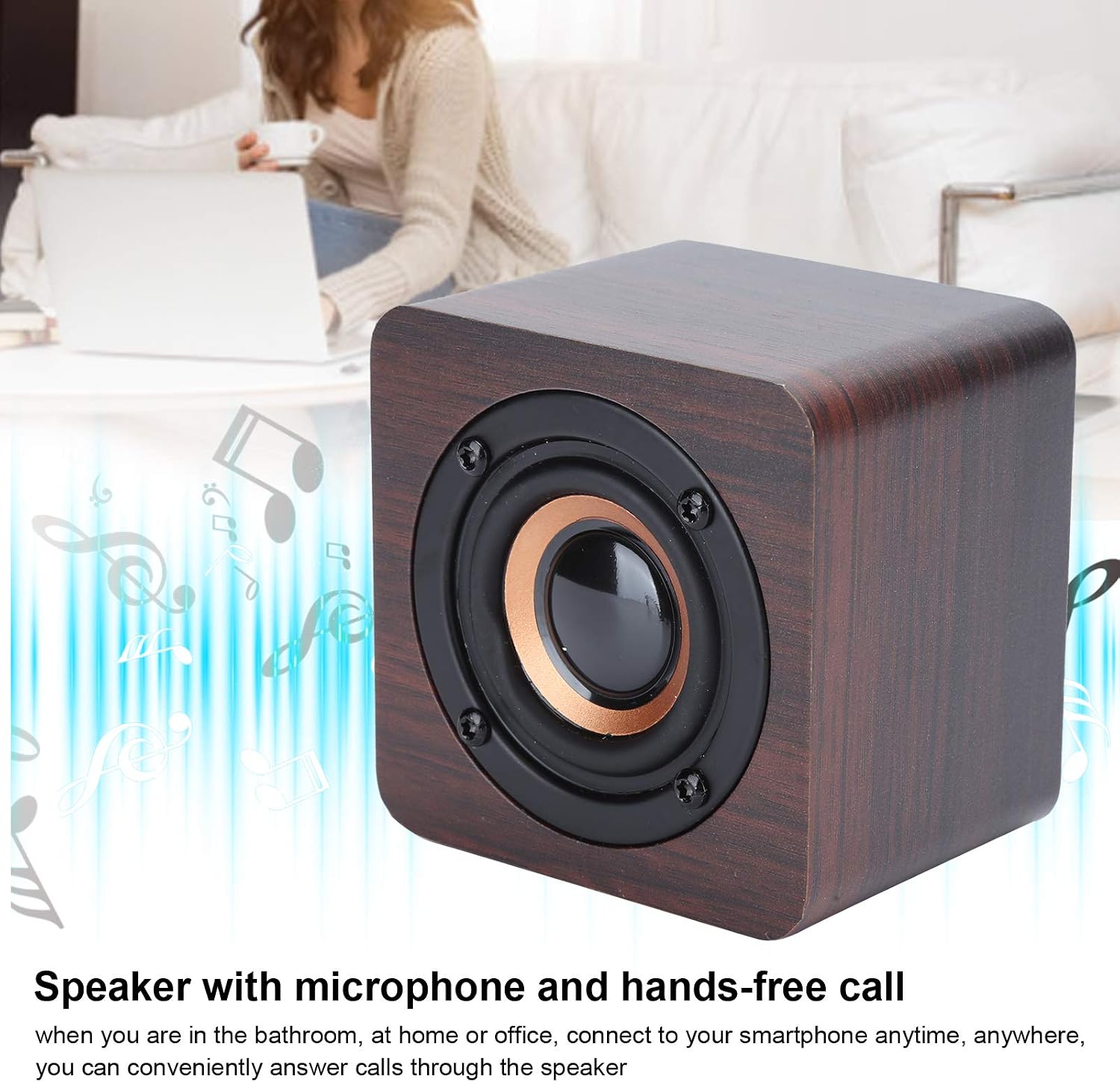
รูปที่ 3: The speaker supports hands-free calling through its integrated microphone.
การตั้งค่า
1. ชาร์จลำโพง
- Connect the small end of the provided USB charging cable to the Micro USB port (5V IN) on the side of the speaker.
- Connect the larger end of the USB cable to a standard USB power adapter (DC 5V, not included) or a computer's USB port.
- The charging indicator light (if present, usually red) will illuminate during charging and turn off or change color when fully charged.
- A full charge takes approximately 2 hours and provides 6-8 hours of operating time.
2. การเปิด/ปิดเครื่อง
- การเปิดเครื่อง: กดปุ่มเปิดปิดค้างไว้ (Ⓘรอสักครู่จนกว่าคุณจะได้ยินเสียงแจ้งเตือนหรือเห็นไฟแสดงสถานะ
- วิธีปิดเครื่อง: กดปุ่มเปิดปิดค้างไว้ (Ⓘ) again for a few seconds until you hear an audible prompt or the indicator light turns off.
3. การจับคู่บลูทู ธ
- Ensure the speaker is powered on and within 10 meters (33 feet) of your Bluetooth-enabled device (e.g., smartphone, tablet).
- The speaker will automatically enter pairing mode when powered on for the first time or if no device is connected. An indicator light (often blue) will flash, and you may hear an audible prompt.
- บนอุปกรณ์บลูทูธของคุณ ให้ไปที่การตั้งค่าบลูทูธและเปิดใช้งานบลูทูธ
- ค้นหา available devices. You should see "Cuifati Speaker" or a similar name appear in the list.
- เลือกลำโพงจากรายการเพื่อเริ่มการจับคู่
- Once successfully paired, you will hear a confirmation sound, and the indicator light will typically stop flashing and remain solid.
- ลำโพงจะพยายามเชื่อมต่อกับอุปกรณ์ที่จับคู่ไว้ครั้งสุดท้ายโดยอัตโนมัติเมื่อเปิดเครื่อง
คำแนะนำการใช้งาน
การเล่นดนตรี
- After successful Bluetooth pairing, open your music player application on your connected device.
- เล่น/หยุดชั่วคราว: กดปุ่มเล่น/หยุดชั่วคราวสั้นๆ (⏸) to play or pause the current track.
- การปรับระดับเสียง:
- Short press the Volume Up button (+) เพื่อเพิ่มปริมาณ
- Short press the Volume Down button (-เพื่อลดปริมาตร
- ติดตามการนำทาง:
- กดปุ่มเพิ่มระดับเสียงค้างไว้ (+) for the next track.
- กดปุ่มลดระดับเสียงค้างไว้ (-) สำหรับเพลงก่อนหน้า
การโทรแบบแฮนด์ฟรี
- When a call comes in, the music will pause, and you will hear a ringtone through the speaker.
- รับสาย: กดปุ่มเล่น/หยุดชั่วคราวสั้นๆ (⏸) เพื่อรับสายเรียกเข้า
- วางสาย: กดปุ่มเล่น/หยุดชั่วคราวสั้นๆ (⏸) again to end the current call.
- ปฏิเสธสาย: กดปุ่มเล่น/หยุดชั่วคราวค้างไว้ (⏸) for a few seconds to reject an incoming call.
- Speak clearly towards the microphone hole on the speaker for optimal call quality.
การซ่อมบำรุง
- การทำความสะอาด: ใช้ผ้านุ่มและแห้งเช็ดพื้นผิวของลำโพง ห้ามใช้น้ำยาทำความสะอาดที่มีฤทธิ์กัดกร่อน แอลกอฮอล์ หรือตัวทำละลายเคมี
- พื้นที่จัดเก็บ: When not in use for extended periods, store the speaker in a cool, dry place, away from direct sunlight and extreme temperatures. It is recommended to charge the speaker at least once every three months to maintain battery health.
- การดูแลแบตเตอรี่ Avoid fully discharging the battery frequently. Charge the speaker when the low battery indicator appears.
การแก้ไขปัญหา
| ปัญหา | สาเหตุที่เป็นไปได้ | สารละลาย |
|---|---|---|
| ลำโพงไม่เปิดเครื่อง | แบตเตอรี่หมด | Charge the speaker using the provided USB cable and a DC 5V power source. |
| ไม่สามารถจับคู่กับอุปกรณ์บลูทูธได้ | Bluetooth is off on your device; speaker is too far; speaker is already paired to another device. |
|
| ไม่มีเสียงหรือเสียงเบา | Volume is too low on speaker or connected device; speaker is not properly connected. |
|
| คุณภาพการโทรไม่ดี | Microphone obstruction; distance from speaker. |
|
ข้อมูลจำเพาะ
| ยี่ห้อ | กุยฟาติ |
| หมายเลขรุ่น | Cuifatiptir80vy9u |
| ASIN | B08XH6CK96 |
| วัสดุ | เอบีเอส |
| สี | Walnut (Default) |
| ประเภทลำโพง | ลำโพงบลูทูธแบบพกพา |
| คุณสมบัติพิเศษ | Portable, Wireless, Hands-free Calling |
| เทคโนโลยีการเชื่อมต่อ | บลูทูธ 4.2 |
| ช่วงสาย | Approx. 10 meters (33 feet) without obstacles |
| กำลังขับ | 3W |
| ปริมาณการชาร์จtage | กระแสตรง 5 โวลต์ |
| ประเภทแบตเตอรี่ | แบตเตอรี่โพลีเมอร์ลิเธียม |
| ความจุของแบตเตอรี่ | 3.7V 1200mAh |
| เวลาดำเนินการ | ประมาณ 6-8 ชั่วโมง |
| เวลาในการชาร์จ | ประมาณ 2 ชั่วโมง |
| น้ำหนัก | ประมาณ 281กรัม |
การรับประกันและการสนับสนุน
For warranty information or technical support, please refer to the documentation provided at the time of purchase or contact your retailer. You may also visit the official Cuifati webเว็บไซต์เพื่อขอความช่วยเหลือเพิ่มเติม