
1. บทนำ
The Lascar EL-WiFi-TPX+ is a high-accuracy wireless temperature data logger designed for remote environmental monitoring. It utilizes an external thermistor probe to measure temperatures within a range of -40°C to +125°C (-40°F to +257°F). Data is uploaded to the EasyLog Cloud via a standard WiFi network, providing accessible monitoring from any internet-enabled device.
คุณสมบัติหลัก
- Measures and records temperature using an external thermistor probe.
- Wide temperature measurement range of -40°C to 125°C with typical ±0.2°C accuracy.
- Equipped with audio (sounder) and visual (blinking LED) alarms for temperature breaches.
- Enables monitoring on any device (including Android and iOS) with a web browser via the EasyLog Cloud.
- Internal data storage ensures no data loss during WiFi disconnections, with automatic upload upon reconnection.
- Remote configuration and alarm alerts via EasyLog Cloud.
2. เนื้อหาบรรจุภัณฑ์
- EL-WiFi-TPX+ Temperature Data Logger
- 3-Meter Thermistor Probe
- แบตเตอรี่ลิเธียมแบบชาร์จได้ (ติดตั้งมาแล้วหรือซื้อแยกต่างหาก)
- สายไมโคร USB
- ตัวยึดติดผนัง
3. คู่มือการติดตั้ง
3.1 การเริ่มต้นใช้งานอุปกรณ์view

ภาพที่ 1: ด้านหน้า view of the EL-WiFi-TPX+ data logger showing the digital display with temperature reading, WiFi signal indicator, alarm light indicator, and battery level. The external thermistor probe is visible on the right side.

ภาพที่ 2: ด้านข้าง view of the EL-WiFi-TPX+ data logger, highlighting its compact design and the connection point for the external thermistor probe.
3.2 การติดตั้งและการชาร์จแบตเตอรี่
The EL-WiFi-TPX+ comes with a rechargeable lithium battery. Ensure the battery is fully charged before initial use. Connect the device to a standard USB power source using the supplied Micro USB cable. The battery indicator on the display will show charging status.
3.3 Connecting the Thermistor Probe
Carefully insert the 3-meter thermistor probe into the designated port on the side of the data logger. Ensure a secure connection for accurate temperature readings.
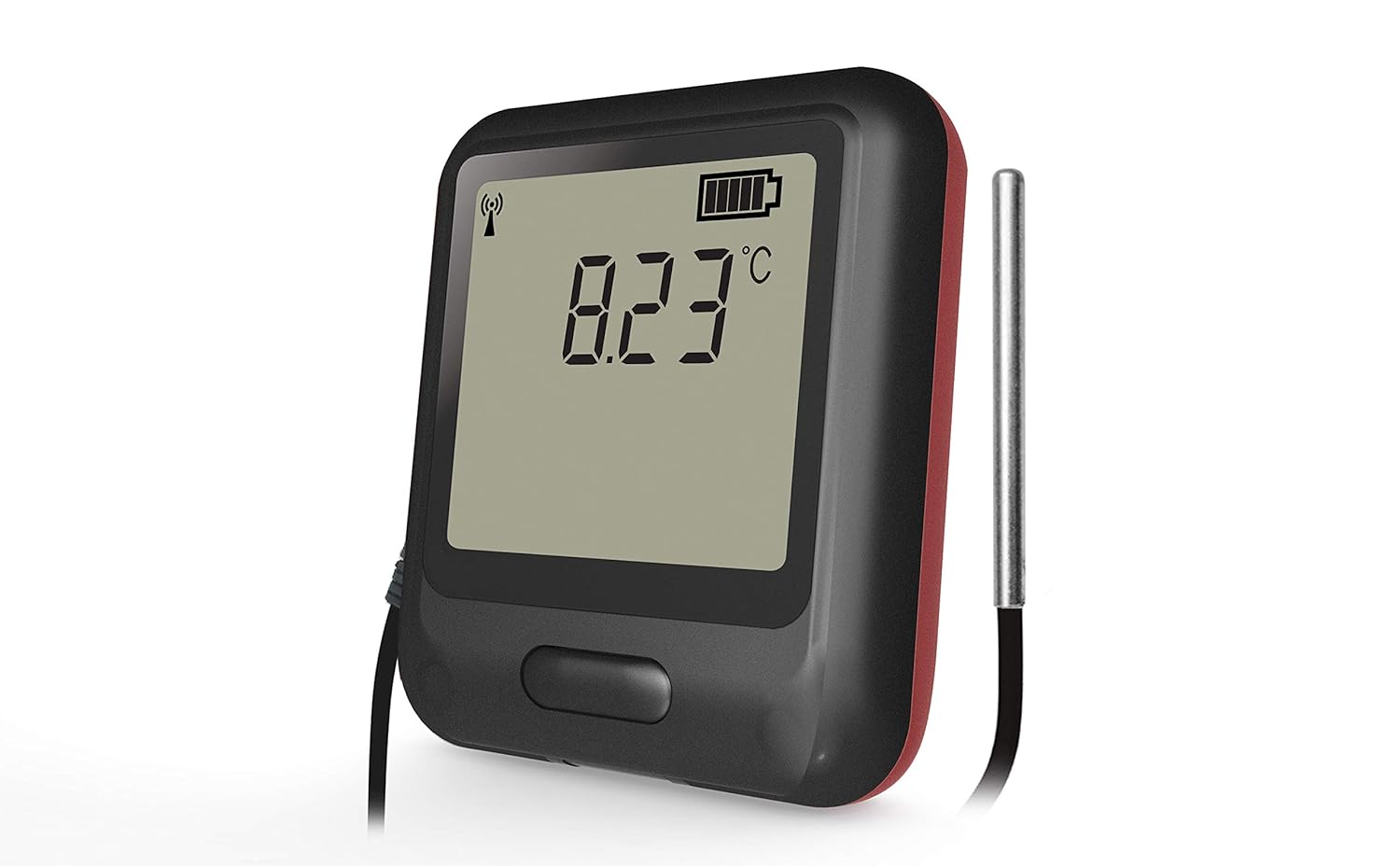
ภาพที่ 3: ภาพระยะใกล้ view of the EL-WiFi-TPX+ data logger showing the external thermistor probe securely connected to the device, ready for temperature measurement.
3.4 WiFi Network Configuration
The EL-WiFi-TPX+ connects to your WiFi network to upload data to the EasyLog Cloud.
- Download the EasyLog Cloud App (available for Android and iOS) or visit the EasyLog Cloud webเว็บไซต์.
- Follow the on-screen instructions to register your device and connect it to your local WiFi network. This typically involves putting the device into setup mode and entering your network credentials.
- Ensure the device is within range of your WiFi router for stable connection.

ภาพที่ 4: Two EL-WiFi-TPX+ data loggers, one showing a temperature reading and the other indicating wireless communication, demonstrating the device's ability to connect and transmit data wirelessly.
4. การดำเนินการ
4.1 Monitoring Temperature Data
Once configured, the device will begin measuring and logging temperature data. The current temperature is displayed on the device's screen.
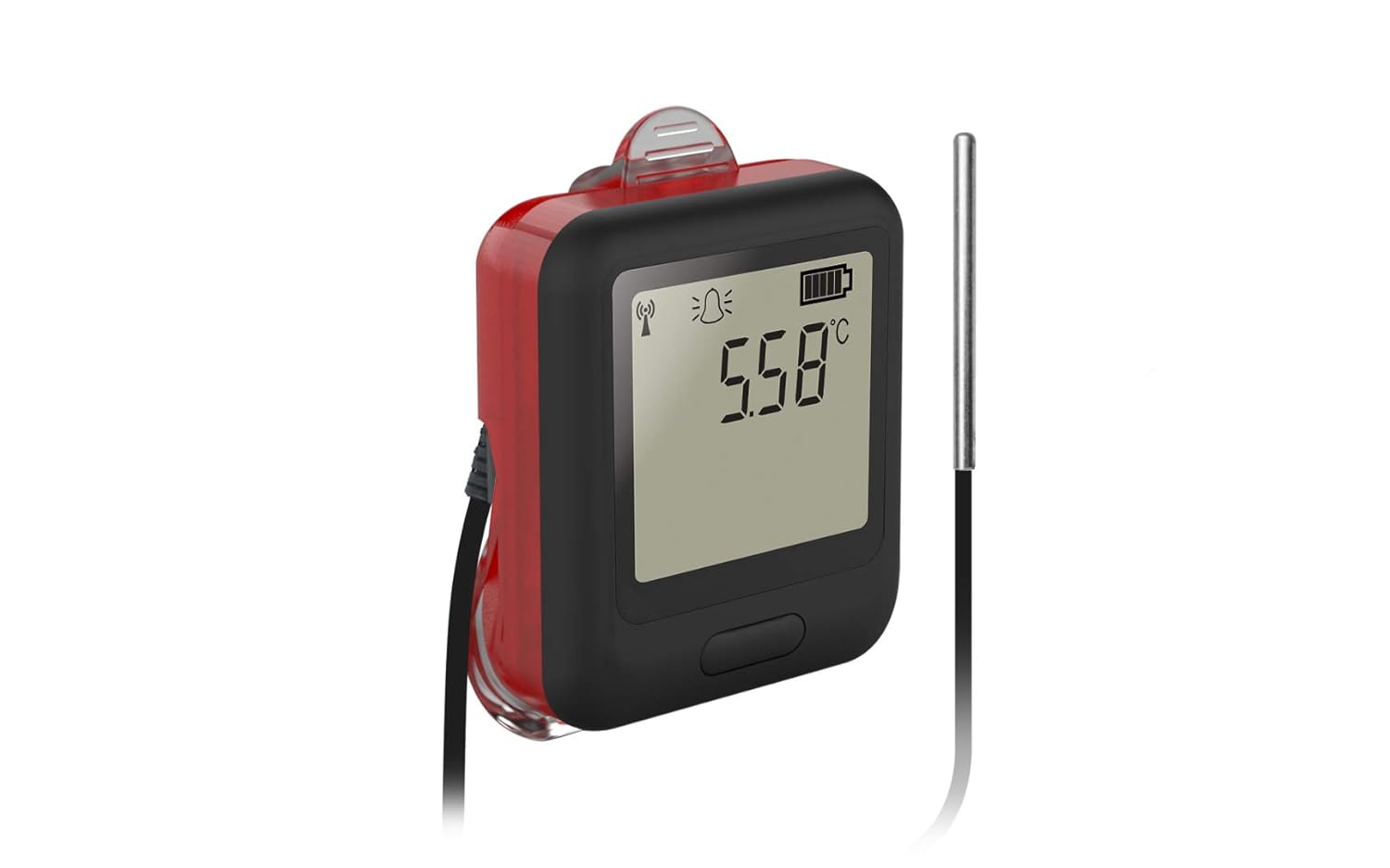
ภาพที่ 5: ด้านหน้า view of the EL-WiFi-TPX+ data logger displaying a temperature reading of 5.58°C on its digital screen, indicating active temperature monitoring.
4.2 Accessing Data via EasyLog Cloud
All logged data is periodically uploaded to the EasyLog Cloud.
- Log in to your EasyLog Cloud account via the app or web เบราว์เซอร์
- View real-time data, historical graphs, and download data logs.
- Configure logging intervals, alarm thresholds, and notification settings remotely.
4.3 ฟังก์ชั่นปลุก
The EL-WiFi-TPX+ features configurable high and low temperature alarms.
If a temperature breach occurs, the device will activate its visual (blinking LED) and audio (sounder) alarms. Email alerts can also be configured through the EasyLog Cloud.

ภาพที่ 6: ด้านหน้า view of the EL-WiFi-TPX+ data logger with a red glow around its edges, indicating an active alarm condition, alongside a temperature reading of 8.23°C.
5. การบำรุงรักษา
5.1 การทำความสะอาด
เช็ดอุปกรณ์ให้สะอาดด้วยผ้าเนื้อนุ่มamp ผ้า. อย่าใช้น้ำยาทำความสะอาดที่มีฤทธิ์กัดกร่อนหรือจุ่มอุปกรณ์ลงในน้ำ
5.2 การดูแลแบตเตอรี่
To prolong battery life, avoid extreme temperatures and fully discharge and recharge the battery periodically if the device is stored for extended periods.
5.3 การดูแลรักษาหัววัด
Handle the thermistor probe carefully. Avoid bending or kinking the cable excessively. Ensure the probe tip is clean for accurate readings.
6 การแก้ไขปัญหา
6.1 อุปกรณ์ไม่เชื่อมต่อกับ Wi-Fi
- ตรวจสอบให้แน่ใจว่าอุปกรณ์อยู่ในระยะสัญญาณของเราเตอร์ WiFi ของคุณ
- Verify WiFi network credentials entered during setup.
- Check if your WiFi network is 2.4GHz (5GHz networks may not be supported).
- Restart the data logger and your WiFi router.
6.2 การอ่านอุณหภูมิที่ไม่แม่นยำ
- Ensure the thermistor probe is securely connected.
- Check if the probe tip is clean and free from obstructions.
- Verify the probe is placed in the environment you wish to monitor, away from direct heat sources or drafts.
- Consider recalibration if persistent inaccuracies are observed.
6.3 Alarms Not Triggering
- Verify alarm thresholds are correctly set in the EasyLog Cloud.
- Check if the device has a stable WiFi connection to receive updated settings.
- Ensure the device's sounder and LED are not physically obstructed.
7. ข้อมูลจำเพาะทางเทคนิค
| คุณสมบัติ | รายละเอียด |
|---|---|
| ช่วงการวัดอุณหภูมิ | -40°C ถึง +125°C (-40°F ถึง +257°F) |
| ความแม่นยำ | Typical ±0.2°C |
| การเชื่อมต่อ | ไวไฟ |
| แหล่งพลังงาน | แบตเตอรี่ลิเธียมโพลิเมอร์แบบชาร์จไฟได้ |
| ส่วนประกอบที่รวมอยู่ | Data Logger, 3-Meter Thermistor Probe, Micro USB Cable, Wall Bracket |
| ประเภทจอภาพ | ดิจิตอล |
| วัสดุภายนอก | โพลีคาร์บอเนต (พีซี) |
| การดูแลผลิตภัณฑ์ | เช็ดทำความสะอาด |
| ผู้ผลิต | ลาสคาร์ อิเล็กทรอนิกส์ |
| ASIN | B08WRK5PN2 |
| มีจำหน่ายครั้งแรก | 10 เมษายน 2020 |
| ความยาวสินค้า | 118.11 นิ้ว |
8. การรับประกันและการสนับสนุน
For warranty information and technical support, please refer to the official Lascar Electronics webดูรายละเอียดเพิ่มเติมได้ที่เว็บไซต์หรือติดต่อฝ่ายบริการลูกค้าโดยตรง เงื่อนไขการรับประกันอาจแตกต่างกันไปตามภูมิภาคและวันที่ซื้อสินค้า