
1. บทนำ
The Looki I3 Cam is an intelligent indoor security camera designed to provide real-time monitoring of your home. It is ideal for keeping an eye on your property when you are away, or for observing pets and children. The camera offers convenient features such as motion detection and two-way audio communication, all controllable via a dedicated mobile application. The package includes a free 32GB microSD card for secure storage of recordings.
2. ข้อมูลด้านความปลอดภัย
- ตรวจสอบให้แน่ใจว่าติดตั้งกล้องในตำแหน่งที่มั่นคงเพื่อป้องกันการตก
- อย่าให้กล้องสัมผัสกับอุณหภูมิที่สูงหรือความชื้นสูง หรือโดนแสงแดดโดยตรง
- ใช้เฉพาะอะแดปเตอร์ไฟและสาย USB ที่ให้มาเท่านั้น
- Keep the camera away from water, despite its stated water resistance, as it is designed for indoor use.
- Do not attempt to disassemble or repair the camera yourself. Contact technical support for assistance.
- เก็บให้พ้นจากมือเด็กและสัตว์เลี้ยง
3. เนื้อหาบรรจุภัณฑ์
ตรวจสอบว่ามีรายการทั้งหมดอยู่ในแพ็คเกจของคุณ:
- Looki I3 Cam Indoor Security Camera
- การ์ด MicroSD ขนาด 32GB (ติดตั้งมาแล้วหรือซื้อแยกต่างหาก)
- อะแดปเตอร์ USB Power
- สาย USB
- Ceiling/Wall Mount Bracket
- สกรูยึด
- คู่มือการใช้งาน (เอกสารนี้)
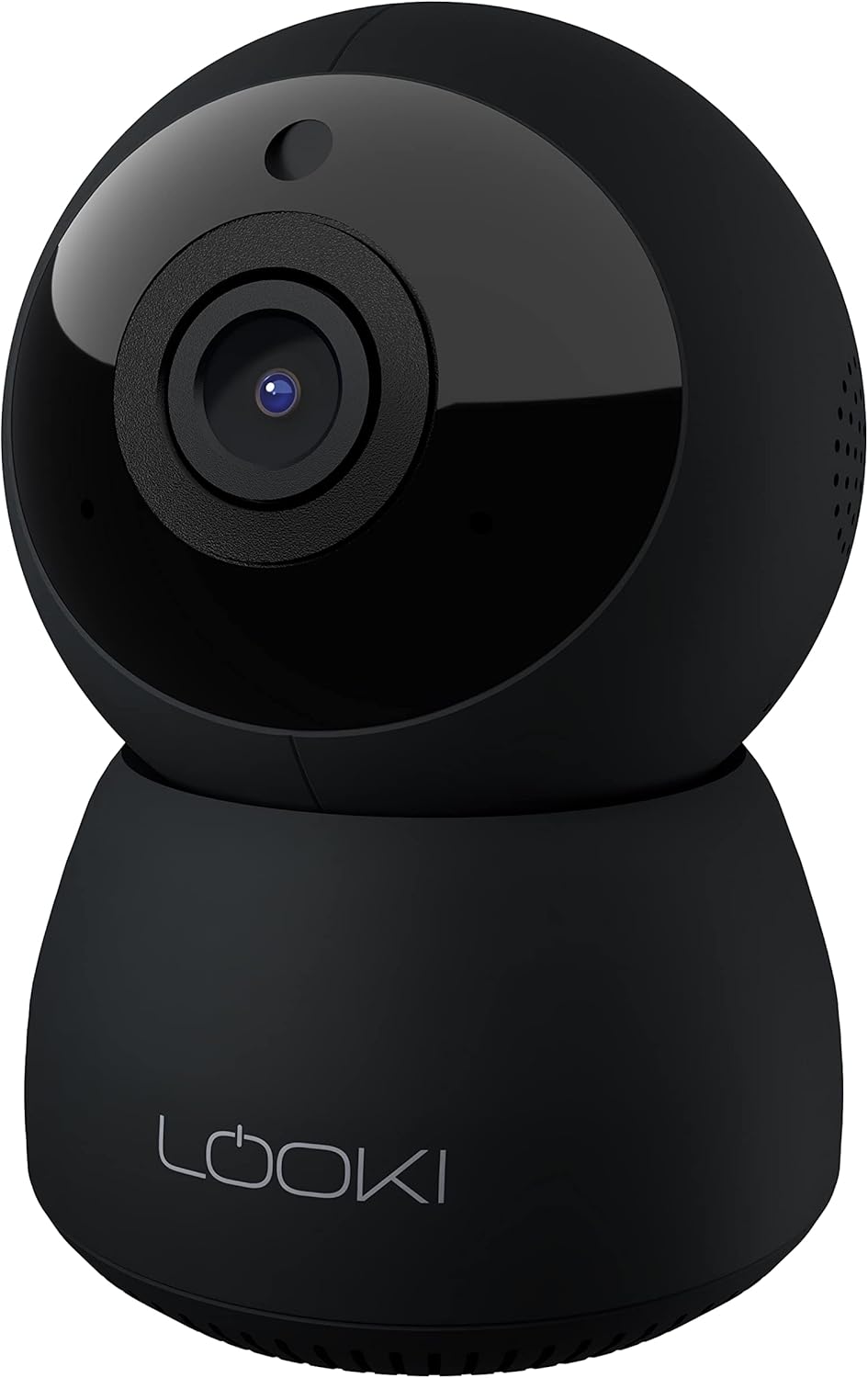
Figure 3.1: The Looki I3 Cam and its included accessories, such as the 32GB SD card, USB adapter, USB cable, and mounting hardware.
4. สินค้าหมดview
Familiarize yourself with the main components of your Looki I3 Cam.
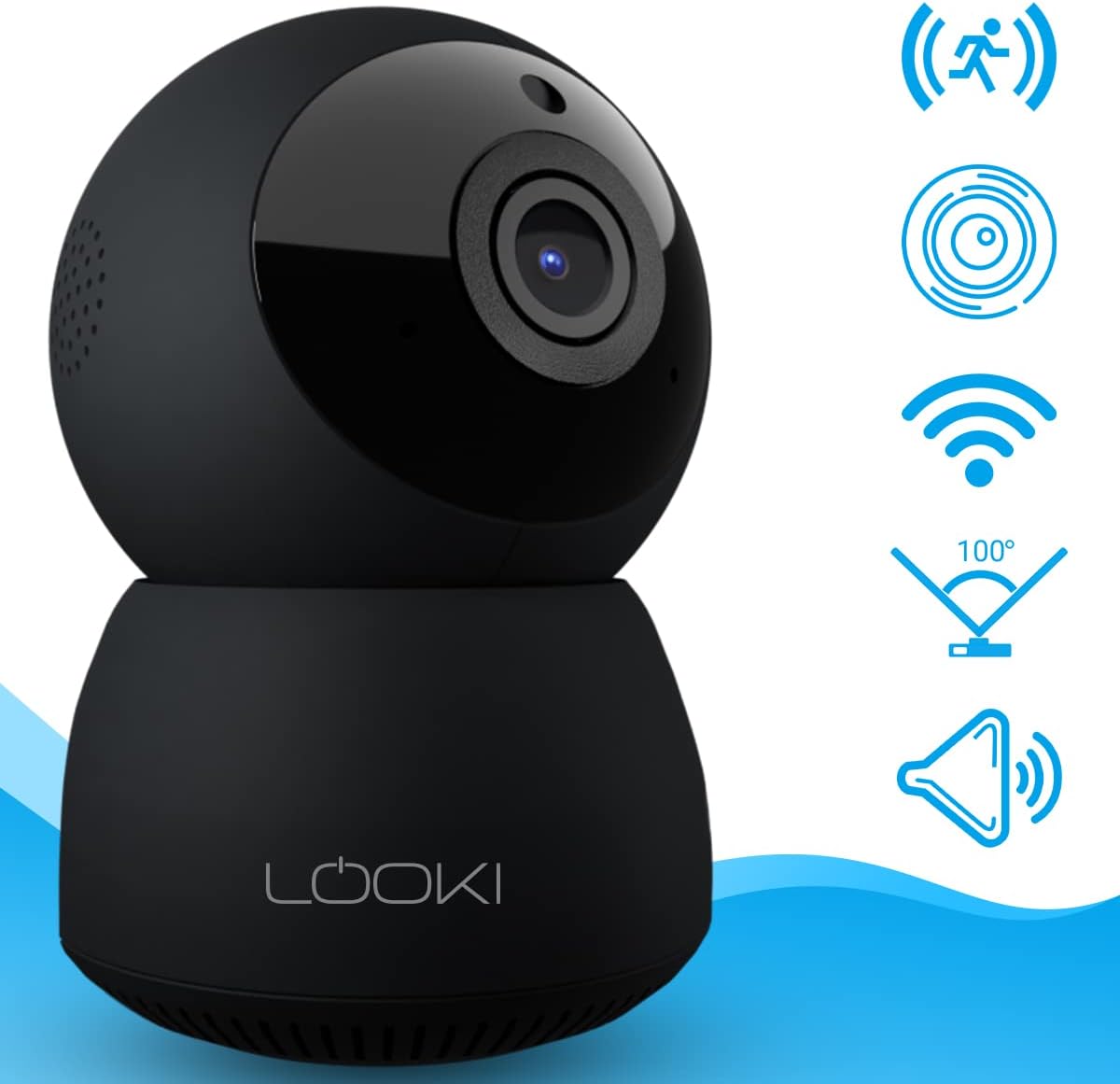
รูปที่ 4.1 : ด้านหน้า view of the Looki I3 Cam, showing the camera lens and indicator light.

รูปที่ 4.2: ด้านข้าง view of the Looki I3 Cam, highlighting the sleek design.

รูปที่ 4.3: ย้อนกลับ view of the Looki I3 Cam, showing the speaker grille and power port.
5. การตั้งค่า
Follow these steps to set up your Looki I3 Cam:
- เปิดเครื่อง: Connect the USB cable to the camera's power port and the USB adapter. Plug the adapter into a power outlet. The camera will power on and an indicator light will illuminate.
- ดาวน์โหลดแอพ: Download the official Looki app from your mobile device's app store (available for iOS).
- สร้างบัญชี: เปิดแอปพลิเคชันและสร้างบัญชีผู้ใช้ใหม่ หรือเข้าสู่ระบบหากคุณมีบัญชีอยู่แล้ว
- เพิ่มอุปกรณ์: Follow the in-app instructions to add your new Looki I3 Cam. This typically involves scanning a QR code on the camera or connecting to its temporary Wi-Fi network.
- เชื่อมต่อกับ Wi-Fi: Select your home Wi-Fi network and enter the password when prompted. Ensure your camera is within range of your Wi-Fi router.
- การติดตั้ง (ทางเลือก): If desired, use the included mount and screws to install the camera on a wall or ceiling. Ensure the mounting surface is sturdy enough to support the camera's weight.

Figure 5.1: The Looki I3 Cam connected to a smartphone, demonstrating live view capabilities and the inclusion of a 32GB SD card for storage.
6. ปฏิบัติการ
Once set up, you can utilize the various features of your Looki I3 Cam through the mobile application.
6.1 สด View
Access the live video feed from your camera anytime, anywhere, directly from the app. The camera provides 1080p Full HD resolution for clear images.

Figure 6.1: A visual comparison demonstrating the superior clarity of 1080p Full HD resolution provided by the Looki I3 Cam compared to 720p.
6.2 เสียงสองทาง
The camera is equipped with a built-in speaker and microphone, allowing for two-way communication. You can speak through the camera and hear audio from its surroundings via the app.
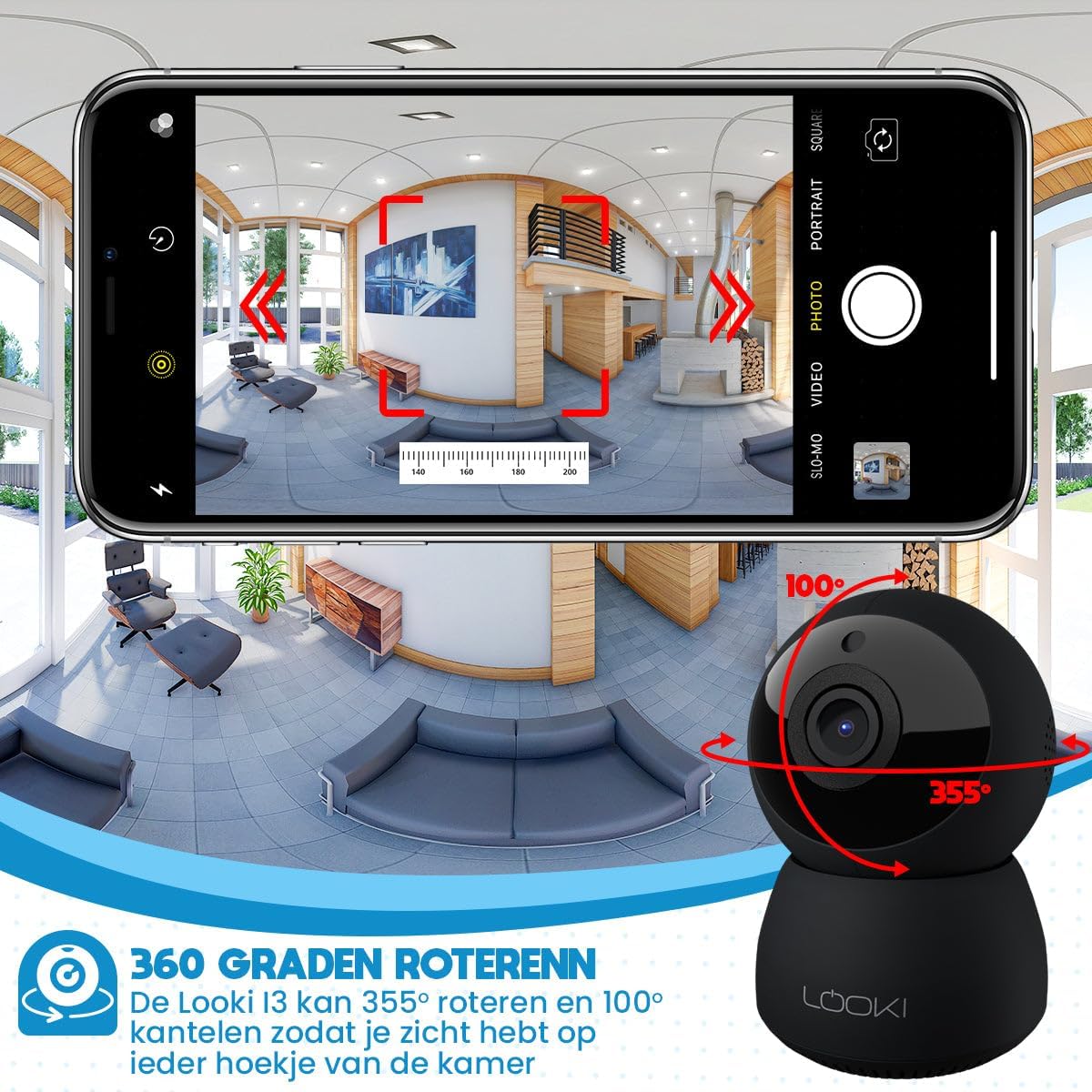
Figure 6.2: Illustration of the two-way audio feature, enabling communication through the camera from your mobile device.
6.3 การตรวจจับการเคลื่อนไหว
The Looki I3 Cam features smart motion detection. When motion is detected, you will receive a push notification on your mobile device, and the camera will begin recording.
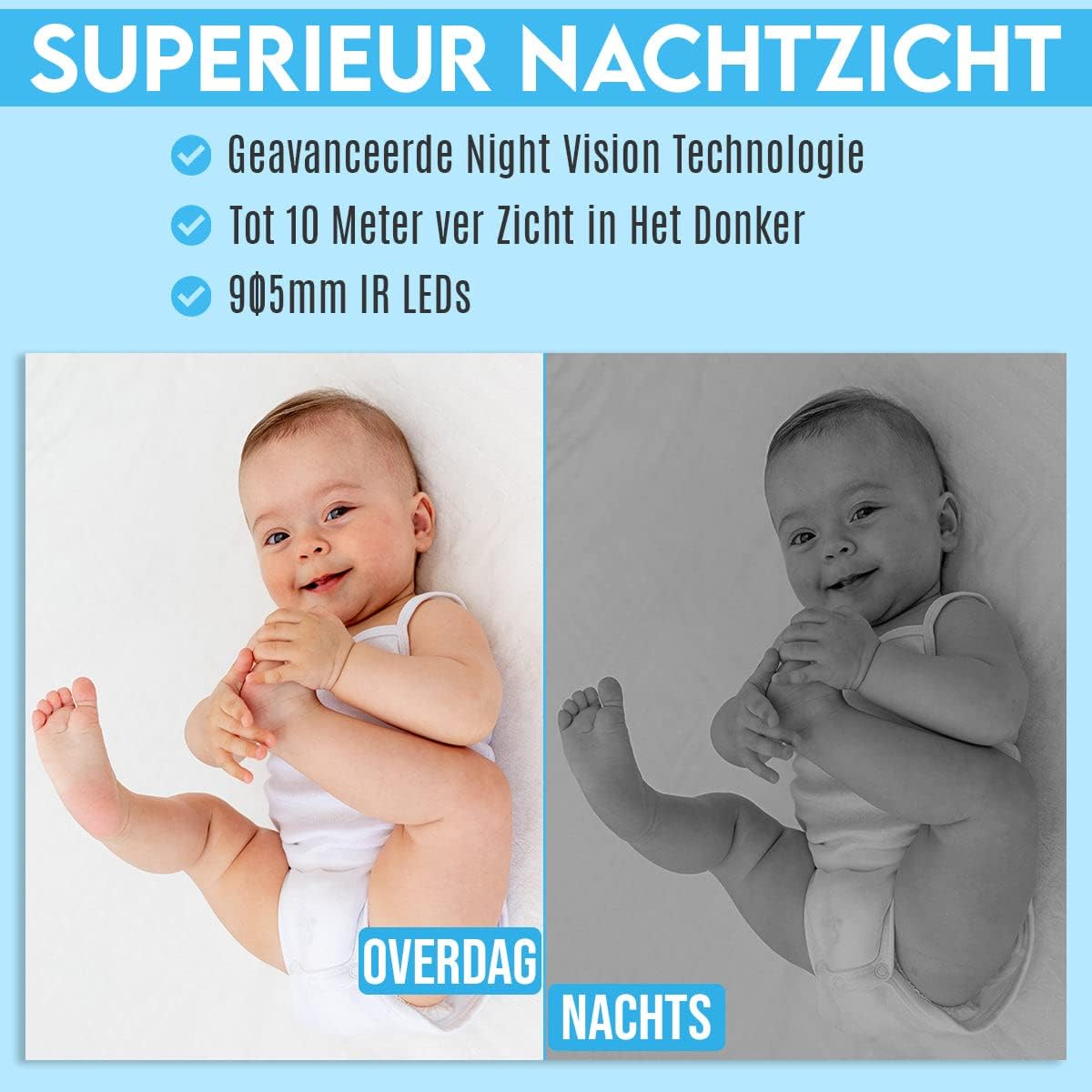
Figure 6.3: Depiction of the smart motion detection system, which alerts you to activity and initiates recording.
6.4 การมองเห็นตอนกลางคืน
The camera is equipped with advanced night vision technology, allowing it to capture clear images in low-light conditions up to 10 meters away using 905mm IR LEDs.

รูปที่ 6.4: ตัวอย่างample illustrating the camera's superior night vision, showing clear images in complete darkness.
6.5 แพนและเอียง
The Looki I3 Cam offers a 355-degree horizontal rotation (pan) and 100-degree vertical tilt, allowing you to remotely adjust the viewing angle to cover a wide area of your room.

Figure 6.5: Diagram showing the camera's 355-degree horizontal rotation and 100-degree vertical tilt capabilities for comprehensive room coverage.
7. การบำรุงรักษา
- การทำความสะอาด: ใช้ผ้าแห้งนุ่มเช็ดทำความสะอาดเลนส์และตัวกล้อง ห้ามใช้น้ำยาทำความสะอาดหรือสเปรย์กระป๋อง
- พื้นที่จัดเก็บ: หากจะเก็บกล้องไว้เป็นเวลานาน ควรตัดการเชื่อมต่อจากแหล่งจ่ายไฟและเก็บไว้ในที่แห้งและเย็น
- อัพเดตเฟิร์มแวร์: Periodically check the app for available firmware updates to ensure optimal performance and security.
8 การแก้ไขปัญหา
If you encounter issues with your Looki I3 Cam, refer to the following common solutions:
- กล้องออฟไลน์: Check your Wi-Fi connection and ensure the camera is powered on. Restart the camera and your router.
- ไม่สามารถเชื่อมต่อกับแอปได้: Ensure you have the latest version of the app. Try resetting the camera (refer to app instructions for reset procedure) and re-adding it.
- คุณภาพวิดีโอไม่ดี: ตรวจสอบความเร็วอินเทอร์เน็ตของคุณ ตรวจสอบให้แน่ใจว่าเลนส์กล้องสะอาดและไม่มีสิ่งกีดขวาง
- การตรวจจับความเคลื่อนไหวไม่ทำงาน: Verify that motion detection is enabled in the app settings. Adjust sensitivity if necessary.
- ไม่มีเสียง: Check the volume settings on your phone and within the app. Ensure the camera's microphone is not obstructed.
For further assistance, please contact Looki technical support.
9. ข้อมูลจำเพาะ
| คุณสมบัติ | ข้อมูลจำเพาะ |
|---|---|
| ชื่อรุ่น | I3 Cam incl. 32GB SD Card (Black) |
| หมายเลขรุ่นสินค้า | i3 |
| สี | สีดำ |
| วัสดุ | พลาสติก |
| น้ำหนัก | 341 กรัม |
| การใช้งานภายใน/ภายนอกอาคาร | ในร่ม |
| ความละเอียดในการบันทึกวิดีโอ | 1080p |
| Viewอิงแองเกิล | 355 องศา (แพน), 100 องศา (เอียง) |
| อัตราเฟรม | 60 เฟรมต่อวินาที |
| เทคโนโลยีการสื่อสารไร้สาย | ไวไฟ |
| เทคโนโลยีการเชื่อมต่อ | มีสาย, ไร้สาย |
| คุณสมบัติพิเศษ | Night Vision, Motion Detector, HD Resolution, Two-Way Audio |
| แหล่งพลังงาน | สายไฟฟ้า |
| ประเภทการติดตั้ง | Standing, Wall Mount, Ceiling Mount |
| ประเภทตัวควบคุม | iOS (via Application) |
| ส่วนประกอบที่รวมอยู่ | Camera, 32GB SD Card, USB Adapter, USB Cable, Mount, Screws |
| การใช้ที่แนะนำ | Pet Monitoring, Indoor Security |
10. การรับประกันและการสนับสนุน
Looki provides lifetime technical support for the I3 Cam. If you have any questions, require assistance with setup, or encounter any issues not covered in this manual, please contact Looki customer service. Refer to the product packaging or the official Looki webเว็บไซต์สำหรับข้อมูลการติดต่อ