
KPREPUBLIC MXRSKEY 60U OTM Black Switch x1
KPREPUBLIC MXRSKEY 60U Mechanical Keyboard User Manual
Model: MXRSKEY 60U OTM Black Switch x1
1. บทนำ
This manual provides comprehensive instructions for the KPREPUBLIC MXRSKEY 60U Mechanical Keyboard. Please read this manual thoroughly before using the product to ensure proper operation and longevity.
The MXRSKEY 60U is a 60% mechanical keyboard featuring Outemu switches and single-color mixed LED backlighting. It supports multimedia combination keys for enhanced functionality. Please note that this keyboard is not hot-swappable and does not feature RGB backlighting; each row has a single, fixed color LED.
2. เนื้อหาบรรจุภัณฑ์
โปรดตรวจสอบว่าสินค้าทั้งหมดมีอยู่ในแพ็คเกจของคุณ:
- KPREPUBLIC MXRSKEY 60U Mechanical Keyboard
- สาย USB-C
- คู่มือการใช้งาน (เอกสารนี้)
3. ข้อมูลจำเพาะ
| คุณสมบัติ | คำอธิบาย |
|---|---|
| เค้าโครงแป้นพิมพ์ | ขนาดกะทัดรัด 60% |
| ประเภทสวิตซ์ | Outemu Mechanical Switches (Black Switch variant) |
| วัสดุปุ่มกด | ABS Doubleshot Keycaps |
| การแบ็คไลท์ | Single Color Mixed LED (Each row with one fixed color) |
| การเชื่อมต่อ | USB-C (Detachable cable) |
| คุณสมบัติพิเศษ | Multimedia Combination Keys, Non-hot-swappable switches |
| ผู้ผลิต | KPREPUBLIC |
| หมายเลขรุ่น | MXRSKEY 60U |
4. คู่มือการติดตั้ง
4.1 การเชื่อมต่อคีย์บอร์ด
- Locate the USB-C port on the back or side of the MXRSKEY 60U keyboard.
- Insert one end of the provided USB-C cable into the keyboard's USB-C port.
- Insert the other end of the USB-A connector into an available USB port on your computer.
- ระบบปฏิบัติการของคุณจะตรวจจับแป้นพิมพ์โดยอัตโนมัติ โดยปกติแล้วไม่จำเป็นต้องติดตั้งไดรเวอร์เพิ่มเติม
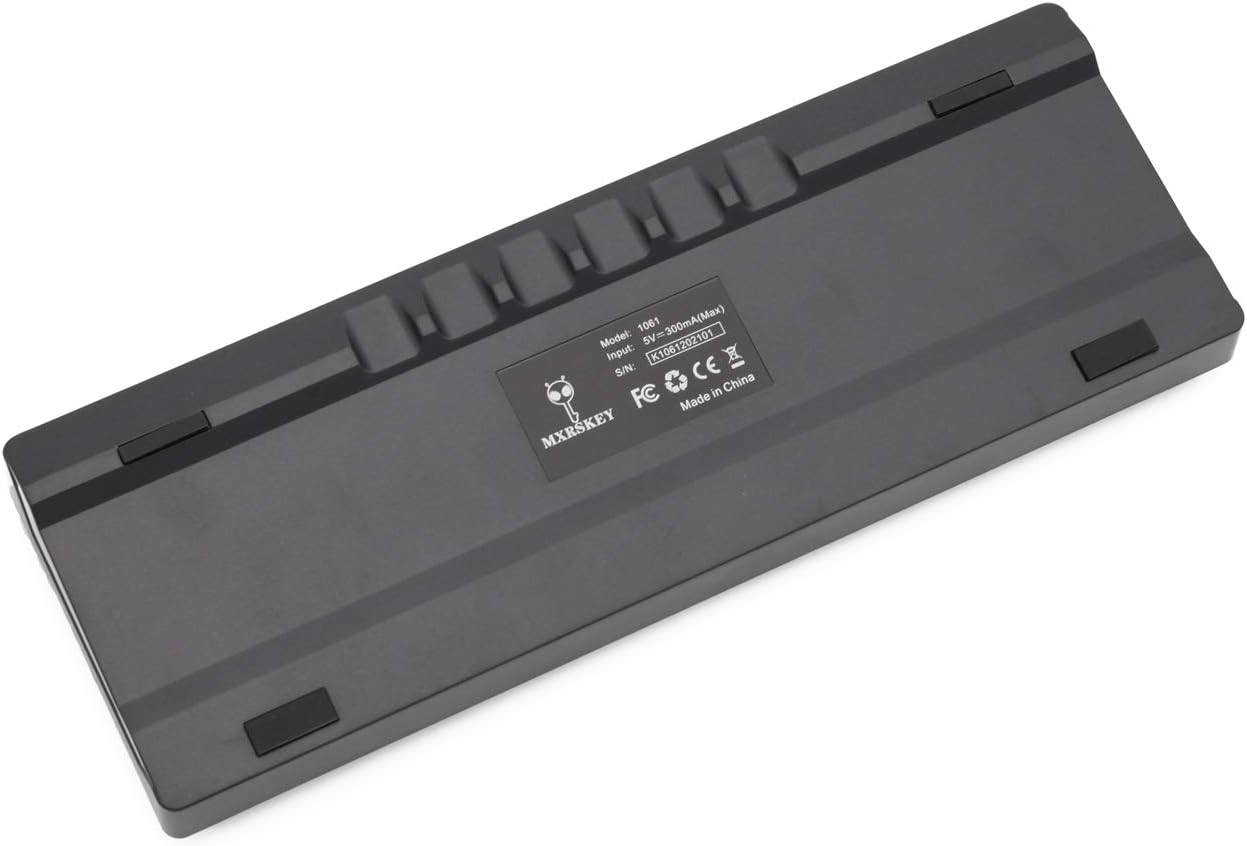
ภาพ: ด้านหลัง view of the MXRSKEY 60U keyboard, highlighting the USB-C port for connection and the stable rubber feet.
5. คู่มือการใช้งาน
5.1 ฟังก์ชันพื้นฐานของแป้นพิมพ์
The MXRSKEY 60U is a standard QWERTY layout 60% keyboard. All standard alphanumeric and symbol keys function as expected.

ภาพ: ด้านบน view of the MXRSKEY 60U keyboard, showcasing its compact 60% layout and the single-color mixed LED backlighting.
5.2 Function (FN) Key Combinations
Due to its compact 60% layout, many functions are accessed via the Function (FN) key in combination with other keys. Refer to the table below for common FN key combinations.
| คีย์ผสม | การทำงาน | บันทึก |
|---|---|---|
| FN+แท็บ | รีเซ็ตคีย์บอร์ด | |
| FN+เอสซี | ~ | |
| เอฟเอ็น+1 | F1 | |
| เอฟเอ็น+2 | F2 | |
| เอฟเอ็น+3 | F3 | |
| เอฟเอ็น+4 | F4 | |
| เอฟเอ็น+5 | F5 | |
| เอฟเอ็น+6 | F6 | |
| เอฟเอ็น+7 | F7 | |
| เอฟเอ็น+8 | F8 | |
| เอฟเอ็น+9 | F9 | |
| เอฟเอ็น+10 | เอฟ10 | |
| เอฟเอ็น+11 | เอฟ11 | |
| เอฟเอ็น+12 | เอฟ12 | |
| เอฟเอ็น+[ | ความสว่าง- | |
| เอฟเอ็น+] | ความสว่าง+ | |
| เอฟเอ็น+; | ความเร็ว- | |
| FN+' | ความเร็ว+ | |
| FN+? | ↑ | |
| FN+อัลเทอร์เนทีฟ | ← | |
| FN+เมนู | ↓ | |
| FN+Ctrl | → | |
| FN+แอล | Back Lit Effect Change | |
| FN + แบ็คสเปซ | Close Back lit | |
| ปุ่มมัลติมีเดีย | ||
| FN+เอ | หยุดชั่วคราว | |
| เอฟเอ็น+เอส | ก่อนหน้า | |
| เอฟเอ็น+ดี | ต่อไป | |
| เอฟเอ็น+เอฟ | ปิดเสียง | |
| เอฟเอ็น+จี | เล่ม+ | |
| FN+เอช | Vol- | |
| เอฟเอ็น+เจ | แทรก | |
| เอฟเอ็น+เค | บ้าน | |
| FN+L Win | ชนะล็อค | |
| FN+แอล | พีจียูพี | |
| เอฟเอ็น+เอ็น | เดล | |
| FN+เอ็ม | จบ | |
| FN+ | พีจีดีเอ็น | |
| เอฟเอ็น+; | พีอาร์ที | |
| FN+โอ | ซีอาร์ | |
| เอฟเอ็น+พี | PS | |
Table: FN key combinations for various functions, including multimedia controls and navigation.

Image: Close-up of the keyboard's keycaps, illustrating the legends for primary and FN-accessed functions.
5.3 การควบคุมแสงไฟด้านหลัง
The MXRSKEY 60U features single-color mixed LED backlighting. You can adjust the brightness and change the lighting effect using FN key combinations.
- เอฟเอ็น + [: ลดความสว่างของแสงไฟด้านหลัง
- เอฟเอ็น + ]: เพิ่มความสว่างของแสงไฟด้านหลัง
- เอฟเอ็น + ;: Decrease backlight speed/effect.
- เอฟเอ็น + ': Increase backlight speed/effect.
- FN + แอล: Change backlight effect.
- FN + แบ็คสเปซ: Turn off backlight.

Image: The keyboard with its single-color mixed LED backlighting active, showing the distinct color zones per row.
6. การบำรุงรักษาและการดูแล
6.1 การทำความสะอาดแป้นพิมพ์
- ถอดแป้นพิมพ์ออกจากคอมพิวเตอร์ของคุณก่อนทำความสะอาด
- ใช้ผ้านุ่มไม่เป็นขุยเช็ดเล็กน้อยampชุบน้ำหรือน้ำยาทำความสะอาดอ่อนๆ เพื่อเช็ดปุ่มและตัวเครื่อง
- สำหรับฝุ่นละอองและเศษต่างๆ ระหว่างคีย์แคป ให้ใช้ลมอัด
- หลีกเลี่ยงการใช้สารเคมีรุนแรง น้ำยาทำความสะอาดที่มีฤทธิ์กัดกร่อน หรือความชื้นมากเกินไป เพราะอาจทำให้แป้นพิมพ์เสียหายได้
6.2 พื้นที่จัดเก็บ
เมื่อไม่ได้ใช้งานเป็นเวลานาน ควรเก็บแป้นพิมพ์ไว้ในที่แห้งและเย็น หลีกเลี่ยงแสงแดดโดยตรงและอุณหภูมิที่สูงหรือต่ำเกินไป
7 การแก้ไขปัญหา
| ปัญหา | สาเหตุที่เป็นไปได้ | สารละลาย |
|---|---|---|
| แป้นพิมพ์ไม่ตอบสนอง | สายเคเบิลเชื่อมต่อหลวม, พอร์ต USB ไม่ถูกต้อง, ปัญหาไดรเวอร์ระบบ | Ensure the USB-C cable is securely connected to both the keyboard and the computer. Try a different USB port. Restart your computer. |
| แสงไฟไม่ทำงาน | ปิดไฟแบ็คไลท์แล้ว และปรับความสว่างไว้ที่ระดับต่ำสุด | Press FN + ] to increase brightness. Press FN + L to cycle through effects. Press FN + Backspace to toggle backlight. |
| ปุ่มบางปุ่มไม่ทำงาน | เศษฝุ่นใต้ปุ่มสวิตช์ทำงานผิดปกติ | Use compressed air to clear debris. As switches are not hot-swappable, contact support if the issue persists. |
| การกดปุ่ม FN ร่วมกันไม่ทำงาน | Incorrect combination, temporary software glitch. | Refer to the "Function (FN) Key Combinations" table. Try resetting the keyboard (FN+TAB). |
8. การรับประกันและการสนับสนุน
For warranty information and technical support, please refer to the official KPREPUBLIC webหรือติดต่อผู้ค้าปลีกของคุณ เก็บใบเสร็จรับเงินไว้เพื่อใช้ในการเคลมประกัน
Manufacturer: KPREPUBLIC
Date First Available: February 9, 2021
หากต้องการความช่วยเหลือเพิ่มเติม โปรดไปที่: KPREPUBLIC Brand Store on Amazon
Ask a question about this manual
Ask about setup, troubleshooting, compatibility, parts, safety, or missing instructions. Manuals+ will review the question and use this page’s manual context to help answer it.