
การแนะนำ
This manual provides detailed instructions for the Califone 3066-USB Deluxe Multimedia Stereo Headset. Designed for clear audio communication and listening, this headset features a USB plug for easy connectivity, an omni-directional microphone, and noise-reducing earcups. Please read this manual thoroughly to ensure proper setup, operation, and maintenance of your device.
เนื้อหาแพ็คเกจ
ตรวจสอบว่ามีรายการทั้งหมดอยู่ในแพ็คเกจของคุณ:
- Califone 3066-USB Deluxe Multimedia Stereo Headset (Pack of 2)
- Integrated USB Cable (7-ft)
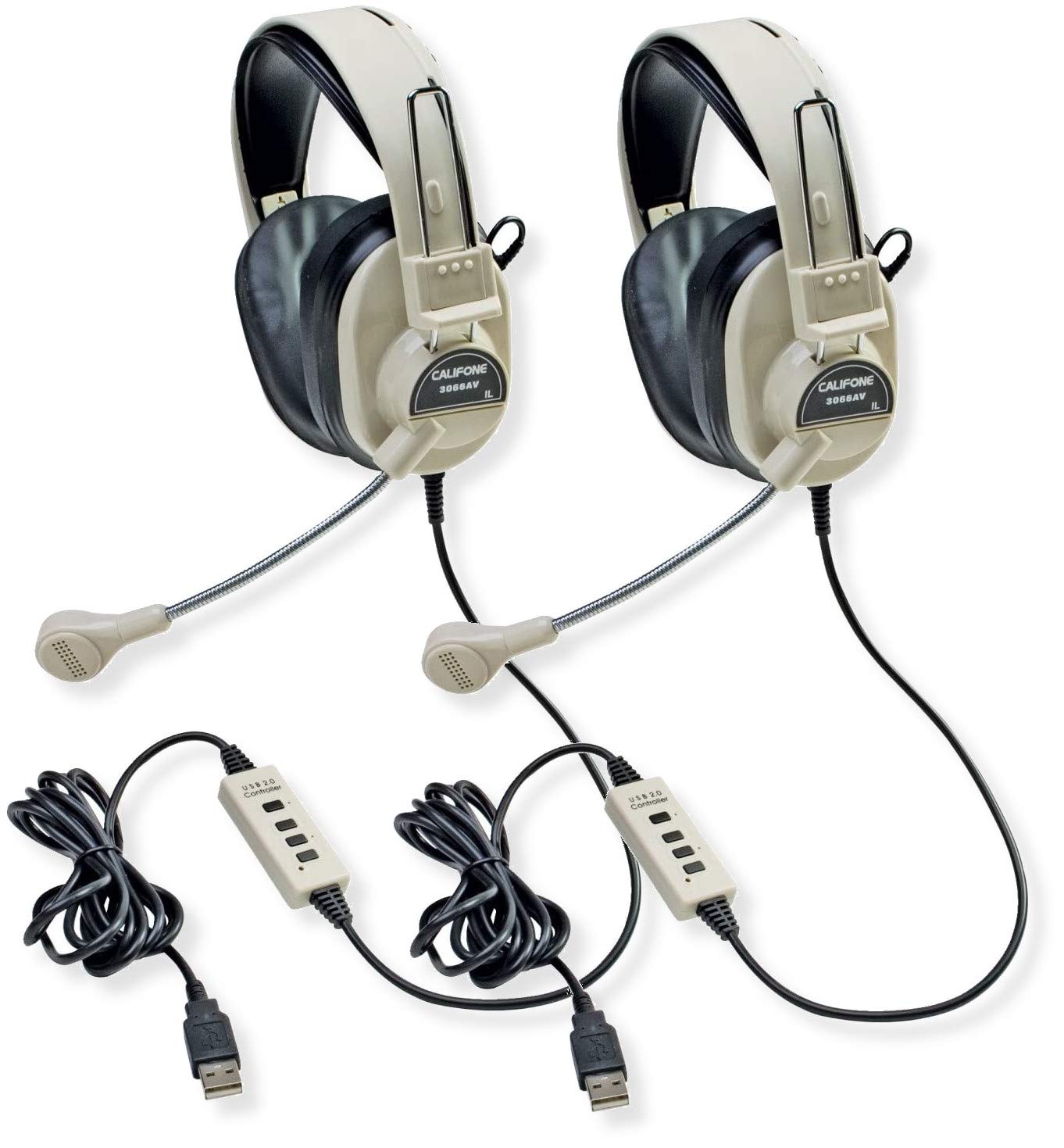
Image: Two Califone 3066-USB Deluxe Multimedia Stereo Headsets. Each headset features large, over-ear earcups, a flexible gooseneck microphone extending from the left earcup, and an integrated USB cable. The headsets are black and appear durable.
การตั้งค่า
- เชื่อมต่อชุดหูฟัง: Locate an available USB port on your computer or laptop. Insert the USB plug of the Califone 3066-USB headset into the USB port. The headset is designed for Plug and Play functionality, meaning your operating system should automatically detect and install the necessary drivers.
- ปรับชุดหูฟัง: The headstrap is fully adjustable to fit various head sizes. Gently extend or retract the headstrap until the earcups sit comfortably over your ears.
- วางตำแหน่งไมโครโฟน: The microphone features a flexible gooseneck design. Position the microphone approximately 1-2 inches from your mouth for optimal voice capture.
- ตรวจสอบการตั้งค่าเสียง: After connecting, check your computer's audio settings to ensure the Califone 3066-USB is selected as the default playback and recording device. This is typically found in your operating system's Sound or Audio settings.
คำแนะนำการใช้งาน
The Califone 3066-USB headset features an in-line control unit on its 7-ft cord for convenient audio management.
- การควบคุมระดับเสียง: Use the in-line volume control wheel to adjust the listening volume of the headphones. Rotate the wheel up to increase volume and down to decrease volume.
- ปิดเสียงไมโครโฟน: The in-line control includes a switch for microphone on/off (mute). Flip the switch to the 'off' position to mute the microphone, preventing your voice from being transmitted. Flip it to the 'on' position to enable the microphone.
- การลดเสียงรบกวน: The earcups are designed to reduce ambient noise, providing a clearer listening experience. The omni-directional microphone includes a built-in windscreen to minimize the recording of unintended background sounds.
การซ่อมบำรุง
การบำรุงรักษาอย่างถูกต้องจะช่วยให้ชุดหูฟังของคุณมีอายุการใช้งานยาวนานและมีประสิทธิภาพเหมาะสมที่สุด
- การทำความสะอาด: Use a soft, dry cloth to wipe down the earcups and headstrap. For stubborn dirt, a slightly damp cloth with mild soap can be used, but ensure no moisture enters the speaker or microphone components.
- ฟองน้ำรองหูฟัง: The leatherette ear cushions are replaceable. If they become worn or damaged, contact Califone support for replacement options.
- การดูแลสายเคเบิล: Avoid sharp bends or excessive pulling on the 7-ft cord. The reinforced connection is designed to resist accidental pull-out, but proper handling will prevent damage.
- พื้นที่จัดเก็บ: ควรเก็บชุดหูฟังไว้ในที่สะอาดและแห้ง หลีกเลี่ยงอุณหภูมิที่สูงหรือต่ำเกินไป และแสงแดดโดยตรงเมื่อไม่ได้ใช้งาน
การแก้ไขปัญหา
If you encounter issues with your Califone 3066-USB headset, refer to the following common solutions:
- ไม่มีเสียง/ไมโครโฟนไม่ทำงาน:
- Ensure the USB plug is fully inserted into a working USB port. Try a different USB port.
- Check the in-line volume control and microphone mute switch. Ensure volume is up and mic is not muted.
- Verify that the Califone 3066-USB is selected as the default audio input and output device in your computer's sound settings.
- รีสตาร์ทเครื่องคอมพิวเตอร์ของคุณ
- คุณภาพเสียงไม่ดี:
- Adjust the volume using the in-line control and your computer's system volume.
- Ensure the microphone is positioned correctly (1-2 inches from mouth) and not obstructed.
- ตรวจสอบการเชื่อมต่อที่หลวม
- คอมพิวเตอร์ไม่รู้จักชุดหูฟัง:
- Try connecting the headset to a different USB port or another computer to rule out a port issue.
- ตรวจสอบใน Device Manager (Windows) หรือ System Information (macOS) ของคอมพิวเตอร์ของคุณเพื่อดูว่าอุปกรณ์นั้นปรากฏอยู่ในรายการหรือไม่
- ตรวจสอบให้แน่ใจว่าระบบปฏิบัติการของคุณเป็นเวอร์ชันล่าสุด
ข้อมูลจำเพาะ
| คุณสมบัติ | รายละเอียด |
|---|---|
| แบบอย่าง | 3066-USB |
| การเชื่อมต่อ | Wired USB (Backwards compatible USB 2.0) |
| Headphone Speaker Size | ไมลาร์ 40 มม |
| การตอบสนองความถี่ของหูฟัง | 20-20000 เฮิรตซ์ |
| ความไวของหูฟัง | 110dB SPL ± 3dB at 1kHz |
| ประเภทไมโครโฟน | อิเล็กเตรตคอนเดนเซอร์ |
| ทิศทางของไมโครโฟน | รอบทิศทาง |
| การตอบสนองความถี่ของไมโครโฟน | 20-16000 เฮิรตซ์ |
| ความไวของไมโครโฟน | -41dB (standard -38dB, max -35dB) |
| ความยาวสายไฟ | 7-ft (2.1 meters) |
| การควบคุม | In-line volume control, mic on/off switch |
| ที่ครอบหู | Noise-reducing ABS plastic with replaceable leatherette cushions |
| น้ำหนัก (ต่อชิ้น) | 0.75 ปอนด์ (12 ออนซ์) |
การรับประกันและการสนับสนุน
For warranty information, technical support, or to inquire about replacement parts (such as ear cushions), please contact Califone customer service directly. Refer to the official Califone webเว็บไซต์สำหรับรายละเอียดการติดต่อและนโยบายการรับประกันล่าสุด
You can visit the Califone store on Amazon for more product information: Califone Store