
การแนะนำ
This manual provides instructions for the Amazon Kindle Paperwhite Case (11th Generation). This protective cover is designed to fit your Kindle Paperwhite or Kindle Paperwhite Signature Edition (11th Generation only) and offers a lightweight, water-safe, and foldable design for enhanced reading experience and device protection.
Setup: Installing Your Kindle Paperwhite
Follow these steps to correctly install your Kindle Paperwhite (11th Generation) into the protective fabric cover:
- Prepare Your Kindle: Ensure your Kindle Paperwhite (11th Generation) is clean and free of debris before installation.
- Align the Device: Hold the case open. Carefully align your Kindle Paperwhite with the rigid back panel of the case. The charging port and buttons on your Kindle should align with the corresponding cutouts in the case.
- Insert the Kindle: Gently press the Kindle into the case, starting with one side, then the other. The Kindle should snap securely into place within the protective housing. Ensure all edges are seated properly.

Image: The Kindle Paperwhite (11th Generation) securely fitted into the black fabric case, displayed open to a book page. This illustrates the device correctly installed and ready for use.

Image: The Kindle Paperwhite (11th Generation) inside the black fabric case, viewed from the back with the cover folded open. The Amazon logo is visible on the interior of the cover, demonstrating the case's design and fit.
Operation: Using Your Protective Cover
The Kindle Paperwhite case is designed for ease of use and enhanced functionality:
- การเปิด/ปิดหน้าจออัตโนมัติ: The cover features a magnetic closure that automatically wakes your Kindle when opened and puts it to sleep when closed. This conserves battery life and allows for quick access to your reading.
- One-Handed Reading: The cover is designed to fold back completely, allowing you to comfortably hold your Kindle with one hand for extended reading sessions.
- Charging with Cover On: You can charge your Kindle Paperwhite without removing it from the case. Ensure the charging cable is properly connected to the device's port through the case cutout.

Image: The black fabric Kindle Paperwhite (11th Generation) case in a closed position, displaying the Kindle logo on the front. This illustrates the compact and protected state of the device when not in use.
การบำรุงรักษาและการดูแล
To ensure the longevity and appearance of your Kindle Paperwhite case, follow these care guidelines:
- การทำความสะอาด: For general cleaning, wipe the fabric surface with a soft, damp ผ้า หลีกเลี่ยงการใช้สารเคมีรุนแรงหรือน้ำยาทำความสะอาดที่มีฤทธิ์กัดกร่อน เพราะอาจทำให้วัสดุเสียหายได้
- Water-Safe Feature: The case is designed to be water-safe, meaning it can withstand splashes and minor exposure to water. However, it is not fully waterproof. Do not submerge the case or expose it to excessive amounts of water. If it gets wet, gently pat it dry with a clean cloth.
- พื้นที่จัดเก็บ: เก็บกล่องไว้ในที่แห้งและเย็น หลีกเลี่ยงแสงแดดโดยตรงและอุณหภูมิที่สูงหรือต่ำเกินไป เพื่อป้องกันการเสื่อมสภาพของวัสดุ
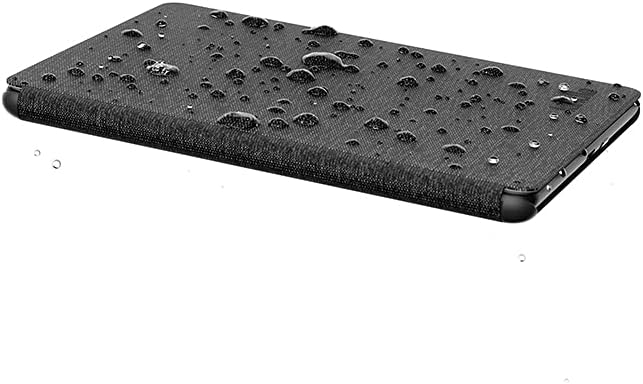
Image: The black fabric Kindle Paperwhite (11th Generation) case with water droplets on its surface, demonstrating its water-safe characteristic. This feature allows for worry-free reading in various environments.
การแก้ไขปัญหา
If you encounter any issues with your Kindle Paperwhite case, refer to the following common solutions:
- Kindle Not Waking/Sleeping Automatically:
- Ensure your Kindle Paperwhite is fully seated within the case.
- Check for any obstructions between the cover and the Kindle screen that might prevent the magnetic sensor from activating.
- Restart your Kindle device.
- Case Feels Loose:
- Verify that your Kindle is an 11th Generation Paperwhite model. This case is specifically designed for that generation and will not fit older models.
- Gently press around the edges of your Kindle within the case to ensure it is fully snapped into place.
- คราบเปื้อนบนผ้า:
- For minor stains, try spot cleaning with a mild soap solution and a soft cloth. Blot gently and allow to air dry. Avoid rubbing vigorously.
- For stubborn stains, professional cleaning may be required, or consider contacting Amazon support for advice.
ข้อมูลจำเพาะ
| หมายเลขรุ่น | 53-026790 |
| ความเข้ากันได้ | Kindle Paperwhite (11th Generation), Kindle Paperwhite Signature Edition (11th Generation) |
| วัสดุ | Fabric (70% post-consumer recycled fabric, 28% post-consumer recycled plastics) |
| สี | สีดำ |
| ขนาด (โดยประมาณ) | 8.11 x 5.16 x 0.67 นิ้ว (20.6 x 13.1 x 1.7 ซม.) |
| น้ำหนัก (โดยประมาณ) | 5.29 ออนซ์ (150 กรัม) |
| คุณสมบัติ | Water-safe, Foldable, Magnetic auto wake/sleep |
การรับประกันและการสนับสนุน
For warranty information and customer support regarding your Amazon Kindle Paperwhite Case, please refer to the official Amazon website or contact Amazon Customer Service directly. Details regarding product warranties and support options are typically provided with your purchase documentation or available online.
การสนับสนุนทางออนไลน์: เยี่ยม การสนับสนุนอุปกรณ์ Amazon