
MOTORHEAD AQ75060G + AQ90168G + AQ90170G
MOTORHEAD 20V ULTRA Cordless Hammer Drill Driver Kit User Manual
Model: AQ75060G + AQ90168G + AQ90170G
1. บทนำ
Thank you for choosing the MOTORHEAD 20V ULTRA Cordless Hammer Drill Driver Kit. This manual provides essential information for the safe operation, maintenance, and troubleshooting of your new tool. Please read this manual thoroughly before first use and keep it for future reference. This kit includes the 20V ULTRA Cordless Hammer Drill Driver, an extra 2Ah Lithium-Ion battery, and a USB Power Source Adapter, offering versatility for various drilling and driving tasks.

Image 1.1: Complete MOTORHEAD 20V ULTRA Cordless Hammer Drill Driver Kit contents.
2. ข้อมูลด้านความปลอดภัย
ปฏิบัติตามข้อควรระวังด้านความปลอดภัยพื้นฐานเสมอเมื่อใช้เครื่องมือไฟฟ้า เพื่อลดความเสี่ยงต่อการเกิดไฟไหม้ ไฟฟ้าช็อต และการบาดเจ็บส่วนบุคคล
คำเตือนด้านความปลอดภัยของเครื่องมือไฟฟ้าทั่วไป
- ความปลอดภัยในพื้นที่ทำงาน: Keep your work area clean and well lit. Do not operate power tools in explosive atmospheres, such as in the presence of flammable liquids, gases, or dust.
- ความปลอดภัยทางไฟฟ้า: หลีกเลี่ยงการสัมผัสร่างกายกับพื้นผิวที่ต่อสายดินหรือกราวด์ อย่าให้เครื่องมือไฟฟ้าโดนฝนหรือเปียกชื้น
- ความปลอดภัยส่วนบุคคล: สวมอุปกรณ์ป้องกันดวงตาทุกครั้ง ใช้อุปกรณ์ป้องกันหูเมื่อต้องทำงานเป็นเวลานาน แต่งกายให้เหมาะสม หลีกเลี่ยงการสวมเสื้อผ้าหลวมๆ หรือเครื่องประดับ
- การใช้และการดูแลเครื่องมือ: อย่าฝืนใช้เครื่องมือไฟฟ้า ใช้เครื่องมือไฟฟ้าที่ถูกต้องตามการใช้งาน ถอดปลั๊กออกจากแหล่งจ่ายไฟและ/หรือถอดชุดแบตเตอรี่ออกก่อนทำการปรับแต่ง เปลี่ยนอุปกรณ์เสริม หรือจัดเก็บเครื่องมือไฟฟ้า
- การใช้และดูแลรักษาเครื่องมือแบตเตอรี่: ชาร์จด้วยเครื่องชาร์จที่ผู้ผลิตกำหนดเท่านั้น ใช้เครื่องมือไฟฟ้าที่มีแบตเตอรี่เฉพาะรุ่นที่กำหนดเท่านั้น
3. เนื้อหาบรรจุภัณฑ์
Verify that all items listed below are included in your package. If any items are missing or damaged, please contact MOTORHEAD customer support.
- MOTORHEAD 20V ULTRA Cordless Hammer Drill Driver
- 20V 2Ah Lithium-Ion Battery (2 included)
- เครื่องชาร์จอย่างรวดเร็ว
- USB Power Source Adapter
- Assorted Drill Bits and Driver Bits
- กระเป๋าใส่ของ
- คู่มือการใช้งาน
4. ส่วนประกอบมากกว่าview
Familiarize yourself with the various parts of your drill driver and accessories.
4.1. Drill Driver Features

Image 4.1: Key features of the drill driver, including the ratcheting all-metal chuck, 16+1 torque settings, and 2-speed transmission.
The drill features a ratcheting all-metal chuck for secure bit retention, a variable speed trigger for precise control, 16+1 torque settings for various applications, and a 2-speed transmission for optimal performance in different materials.

Image 4.2: Additional features like the integrated level and LUMINMAX LED light for improved visibility.
An integrated level assists in accurate drilling, and the LUMINMAX LED light illuminates the work area for better visibility in low-light conditions.
4.2. แบตเตอรี่และอุปกรณ์ชาร์จ
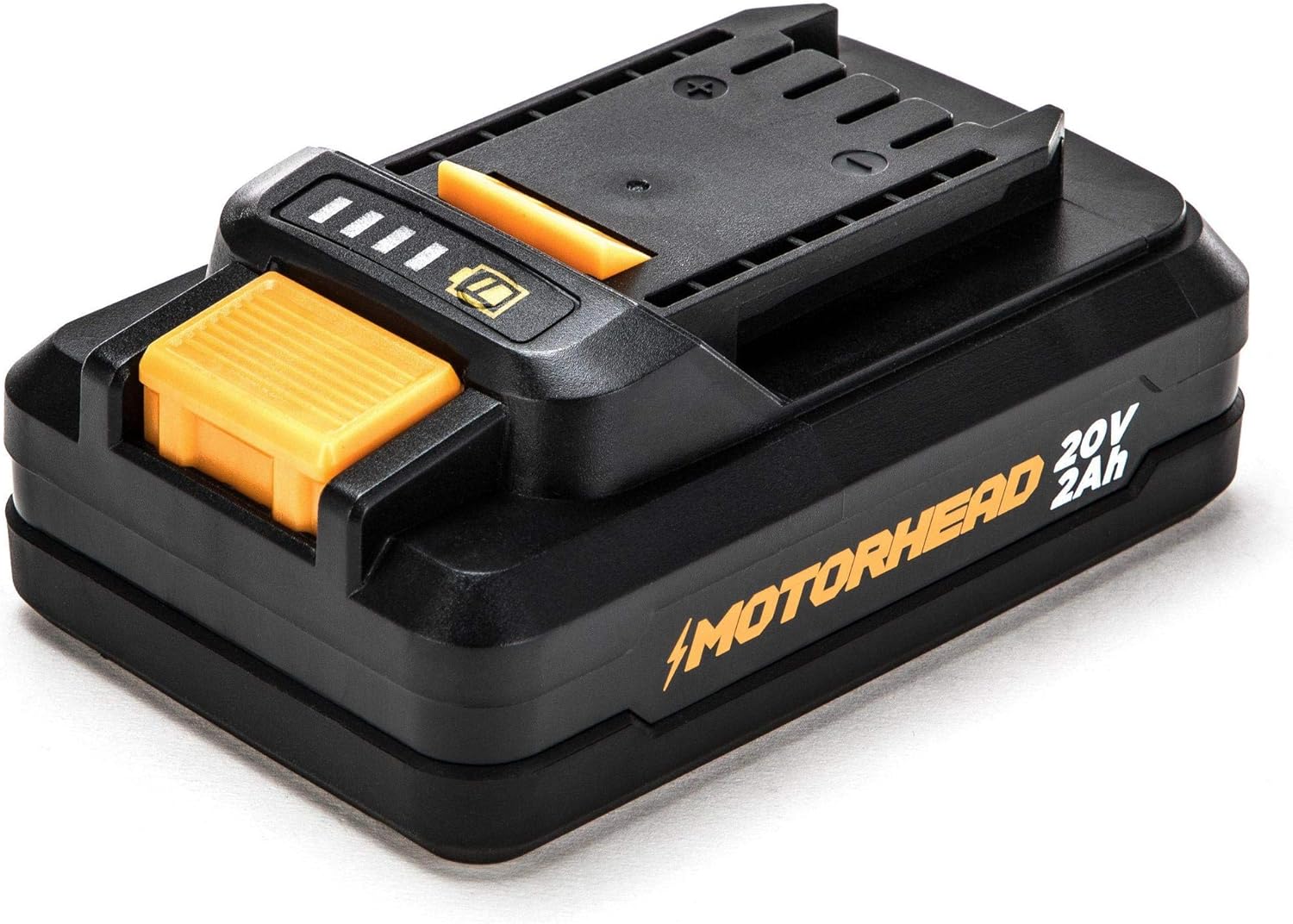
Image 4.3: The 20V 2Ah Lithium-Ion battery with charge indicator.
The kit includes two 20V 2Ah Lithium-Ion batteries, providing ample power and runtime. The battery features an integrated charge indicator to monitor power levels.
4.3. USB Power Source Adapter

Image 4.4: The USB Power Source Adapter, converting the battery into a portable charging station.
The USB Power Source Adapter allows you to use your 20V battery as a portable power bank to charge USB-compatible devices.
5. การตั้งค่า
5.1. การชาร์จแบตเตอรี่
- เชื่อมต่อเครื่องชาร์จเร็วเข้ากับเต้ารับไฟฟ้าทั่วไป
- เลื่อนชุดแบตเตอรี่เข้าไปบนเครื่องชาร์จจนกระทั่งล็อคเข้าที่
- The charger indicator lights will show the charging status. A full charge typically takes approximately 60 minutes for a 2Ah battery.
- เมื่อชาร์จเต็มแล้ว ให้ถอดแบตเตอรี่ออกจากเครื่องชาร์จ

Image 5.1: The rapid charger and battery with its charge indicator lights.
5.2. การติดตั้ง/ถอดแบตเตอรี่
- การติดตั้ง: จัดวางชุดแบตเตอรี่ให้ตรงกับฐานของด้ามจับสว่าน แล้วเลื่อนเข้าไปจนกระทั่งล็อคเข้าที่อย่างแน่นหนา
- การลบออก: Press the battery release button located on the side of the battery pack and slide the battery out of the drill.
5.3. การติดตั้ง/ถอดดอกสว่าน
- เพื่อความปลอดภัย โปรดตรวจสอบให้แน่ใจว่าสว่านปิดอยู่และถอดแบตเตอรี่ออกแล้ว
- หมุนหัวจับทวนเข็มนาฬิกาเพื่อเปิดขากรรไกร
- ใส่ดอกสว่านหรือดอกไขควงที่ต้องการเข้าไปในหัวจับ โดยให้แน่ใจว่าอยู่ตรงกลาง
- Twist the chuck clockwise to tighten the jaws firmly around the bit. For best results, ensure the bit is fully seated and securely gripped.
- To remove, twist the chuck counter-clockwise to loosen and pull the bit out.
6. ปฏิบัติการ
6.1. การเปิด/ปิดเครื่อง และการปรับความเร็ว
The drill is activated by pressing the variable speed trigger. The speed increases as you press the trigger further. Release the trigger to turn the drill off. The integrated LED light will illuminate when the trigger is pressed.
6.2. การปรับตั้งค่าแรงบิด
The torque collar allows you to select from 16 torque settings for driving screws, plus a drill mode and a hammer drill mode. Rotate the collar to align the desired setting with the indicator mark. Lower settings are for smaller screws and softer materials, while higher settings are for larger screws and harder materials. The drill mode (drill icon) is for general drilling, and the hammer drill mode (hammer icon) is for drilling into masonry.
6.3. Changing Speeds (Gear Selector)
The 2-speed gear selector switch is located on top of the drill. Position 1 provides lower speed and higher torque, ideal for driving screws and drilling large holes. Position 2 provides higher speed and lower torque, suitable for drilling small holes and general drilling applications.
6.4. การเจาะและการตอก
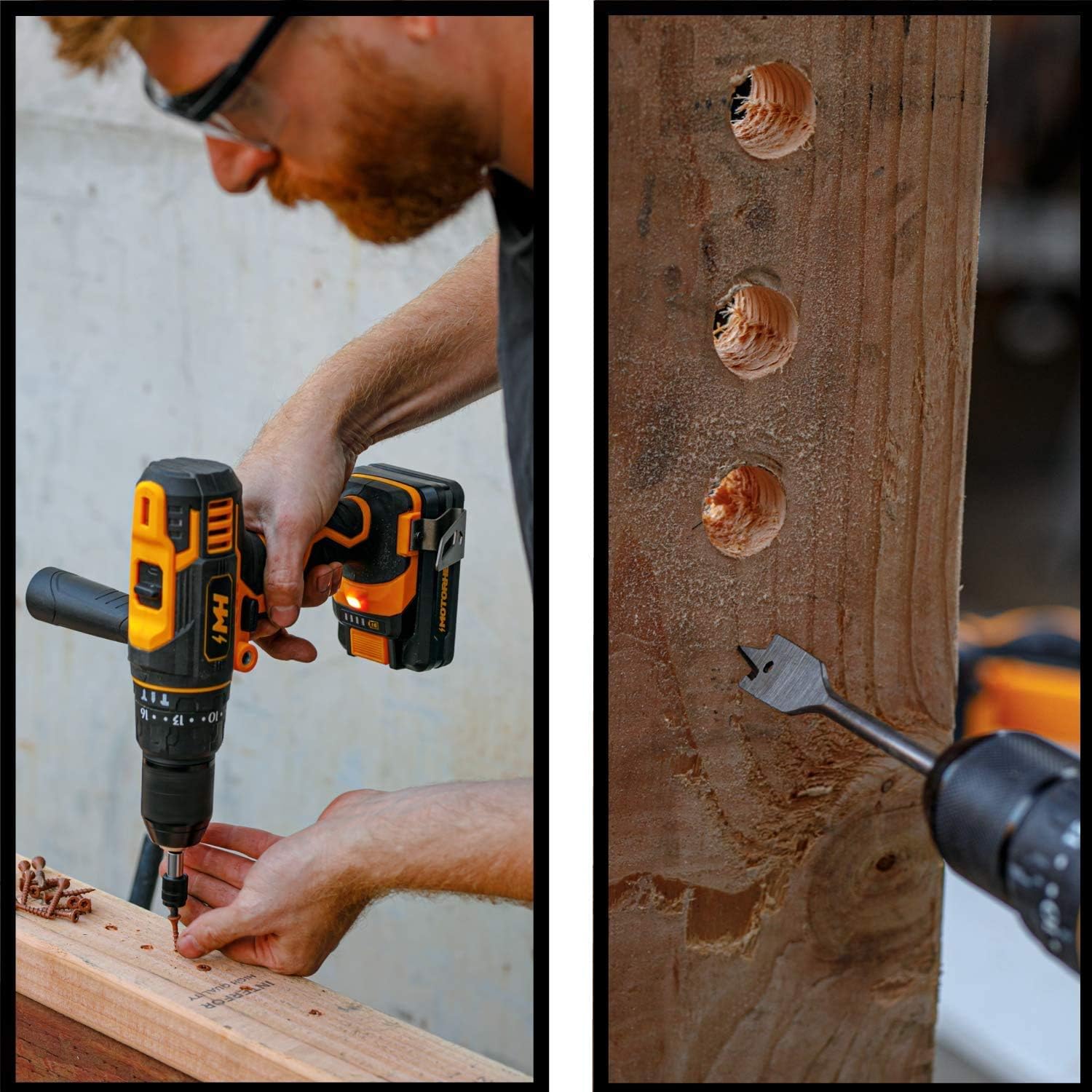
Image 6.1: Driving a screw into a wooden surface with the drill driver.
For driving screws, select an appropriate torque setting and speed. For drilling, select the drill mode and the appropriate speed for the material. Apply steady, even pressure. For drilling into wood, metal, or plastic, use the drill mode.
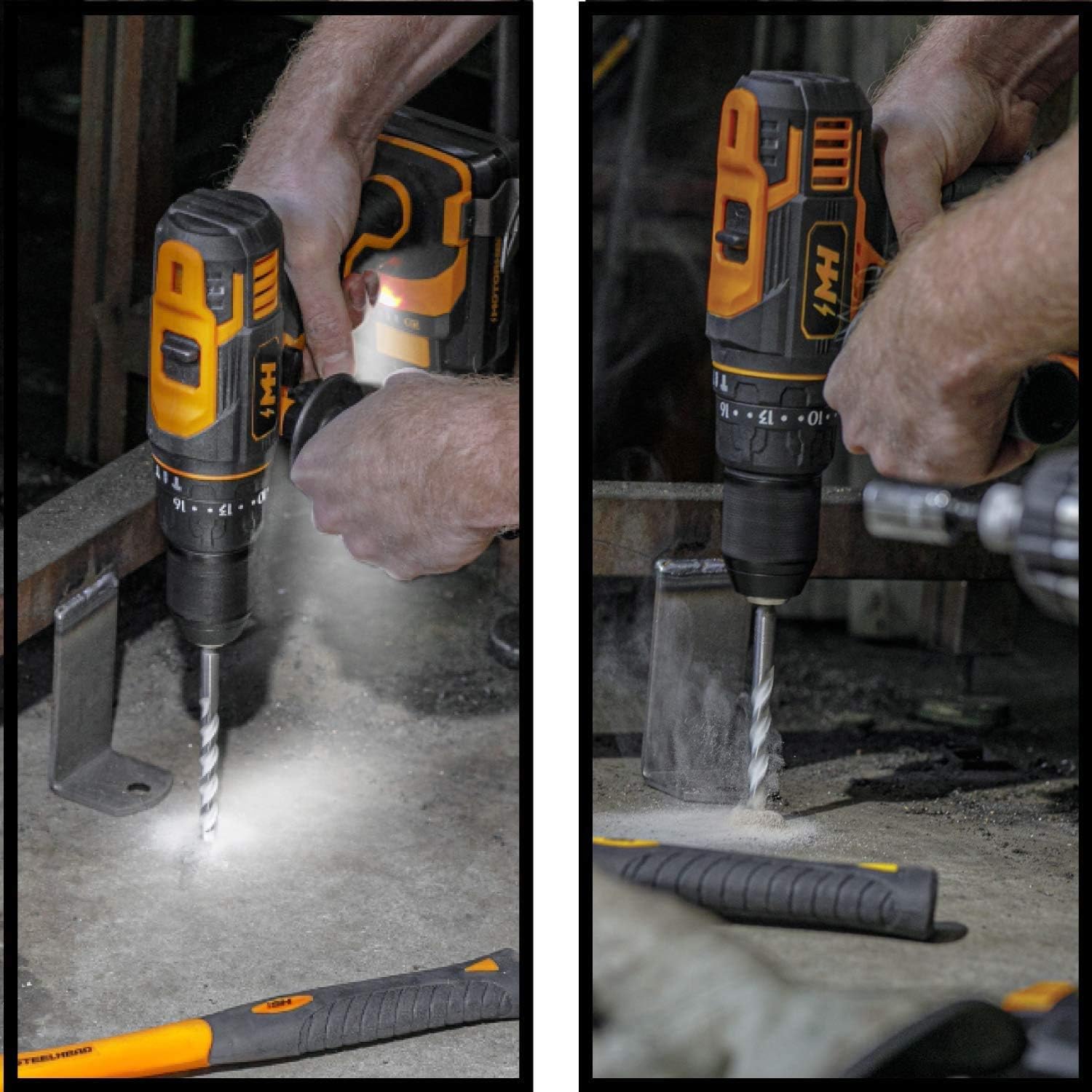
Image 6.2: Using the hammer drill function on concrete and drilling into metal.
For drilling into masonry, concrete, or brick, switch to the hammer drill mode. This mode provides a hammering action in addition to rotation, allowing for more effective penetration into hard materials. Always use appropriate masonry bits for hammer drilling.
6.5. Using the USB Power Source Adapter
- Slide a charged 20V battery onto the USB Power Source Adapter until it clicks into place.
- Connect your USB-compatible device (e.g., smartphone, tablet) to one of the USB output ports on the adapter using your device's charging cable.
- The adapter will begin charging your device.
- To stop charging, disconnect your device or remove the battery from the adapter.
7. การบำรุงรักษา
การบำรุงรักษาตามปกติจะช่วยให้เครื่องมือของคุณมีอายุการใช้งานยาวนานและประสิทธิภาพการทำงานที่เหมาะสมที่สุด
- การทำความสะอาด: รักษาช่องระบายอากาศของเครื่องมือให้สะอาดและปราศจากเศษสิ่งสกปรก ใช้ผ้าหรือวัสดุที่อ่อนนุ่มและแห้งในการทำความสะอาดamp ผ้าสำหรับทำความสะอาดภายนอก ห้ามใช้สารเคมีรุนแรงหรือน้ำยาทำความสะอาดที่มีฤทธิ์กัดกร่อน
- พื้นที่จัดเก็บ: เก็บเครื่องมือ แบตเตอรี่ และเครื่องชาร์จไว้ในที่แห้งและเย็น หลีกเลี่ยงแสงแดดโดยตรงและความชื้น ตรวจสอบให้แน่ใจว่าแบตเตอรี่ได้รับการชาร์จอย่างน้อยบางส่วนก่อนเก็บรักษาในระยะยาว
- การดูแลแบตเตอรี่ อย่าเก็บแบตเตอรี่ในสภาพที่แบตหมด ควรชาร์จแบตเตอรี่เป็นระยะหากไม่ได้ใช้งานเป็นเวลานาน
8 การแก้ไขปัญหา
โปรดดูตารางด้านล่างเพื่อดูปัญหาทั่วไปและวิธีแก้ไข
| ปัญหา | สาเหตุที่เป็นไปได้ | สารละลาย |
|---|---|---|
| สว่านไม่เริ่มทำงาน | แบตเตอรี่ไม่ได้ชาร์จหรือติดตั้งไม่ถูกต้อง | ตรวจสอบให้แน่ใจว่าแบตเตอรี่ชาร์จเต็มและใส่เข้าที่อย่างแน่นหนา |
| การสูญเสียพลังงานระหว่างการทำงาน | แบตเตอรี่เหลือน้อยหรือเครื่องมือมีโหลดเกิน | Recharge battery. Reduce pressure on the tool or use a lower speed/higher torque setting. |
| บิตลื่นในหัวจับ | ไม่ได้ขันหัวจับให้แน่นเพียงพอหรือก้านบิตสกปรก/ชำรุด | ขันหัวจับให้แน่นอีกครั้ง ทำความสะอาดหรือเปลี่ยนดอกสว่าน |
| USB adapter not charging device | Battery is low or device cable is faulty. | Ensure battery is charged. Try a different USB cable or device. |
9. ข้อมูลจำเพาะ
| คุณสมบัติ | ข้อมูลจำเพาะ |
|---|---|
| ยี่ห้อ | มอเตอร์เฮด |
| หมายเลขรุ่น | AQ75060G + AQ90168G + AQ90170G |
| แหล่งพลังงาน | DC |
| เล่มที่tage | 20โวลต์ |
| Ampอีเรจ | 2 Amps |
| ประเภทแบตเตอรี่ | ลิเธียมไอออน |
| น้ำหนักสินค้า | 6.71 ปอนด์ |
| ขนาดสินค้า | 9 x 9.3 x 3 นิ้ว |
| ส่วนประกอบที่รวมอยู่ | Hammer Drill Kit + 2Ah Battery + USB Adapter |
| ยูพีซี | 889526422158 |
10. การรับประกันและการสนับสนุน
MOTORHEAD products are manufactured to high-quality standards. For information regarding warranty coverage, technical support, or replacement parts, please refer to the warranty card included with your product or visit the official MOTORHEAD webไซต์ โปรดเก็บใบเสร็จรับเงินของคุณไว้เป็นหลักฐานการซื้อสำหรับการเรียกร้องการรับประกันใดๆ
For further assistance, you may contact MOTORHEAD customer service through their official channels. Always provide your product model number and purchase date when seeking support.
Ask a question about this manual
Ask about setup, troubleshooting, compatibility, parts, safety, or missing instructions. Manuals+ will review the question and use this page’s manual context to help answer it.