
การแนะนำ
ขอบคุณสำหรับการซื้อasing the Hoco HC4 5.0 Wireless Bluetooth Sport Speaker. This manual provides detailed instructions for the proper setup, operation, and maintenance of your device. Please read this manual thoroughly before use to ensure optimal performance and to prevent damage.
สินค้าเกินview
The Hoco HC4 is a portable wireless speaker designed for outdoor and sport use, featuring Bluetooth 5.0 connectivity, multiple playback options, and a robust design.
เนื้อหาแพ็คเกจ:
- Hoco HC4 Wireless Bluetooth Speaker
- สายชาร์จ USB
- คู่มือการใช้งาน
การควบคุมและพอร์ต:
โปรดทำความคุ้นเคยกับปุ่มต่างๆ และพอร์ตเชื่อมต่อของลำโพง:

ภาพ: Close-up of the Hoco HC4 speaker showing the AUX port, DC-5V charging port, USB port, TF card slot, and control buttons.
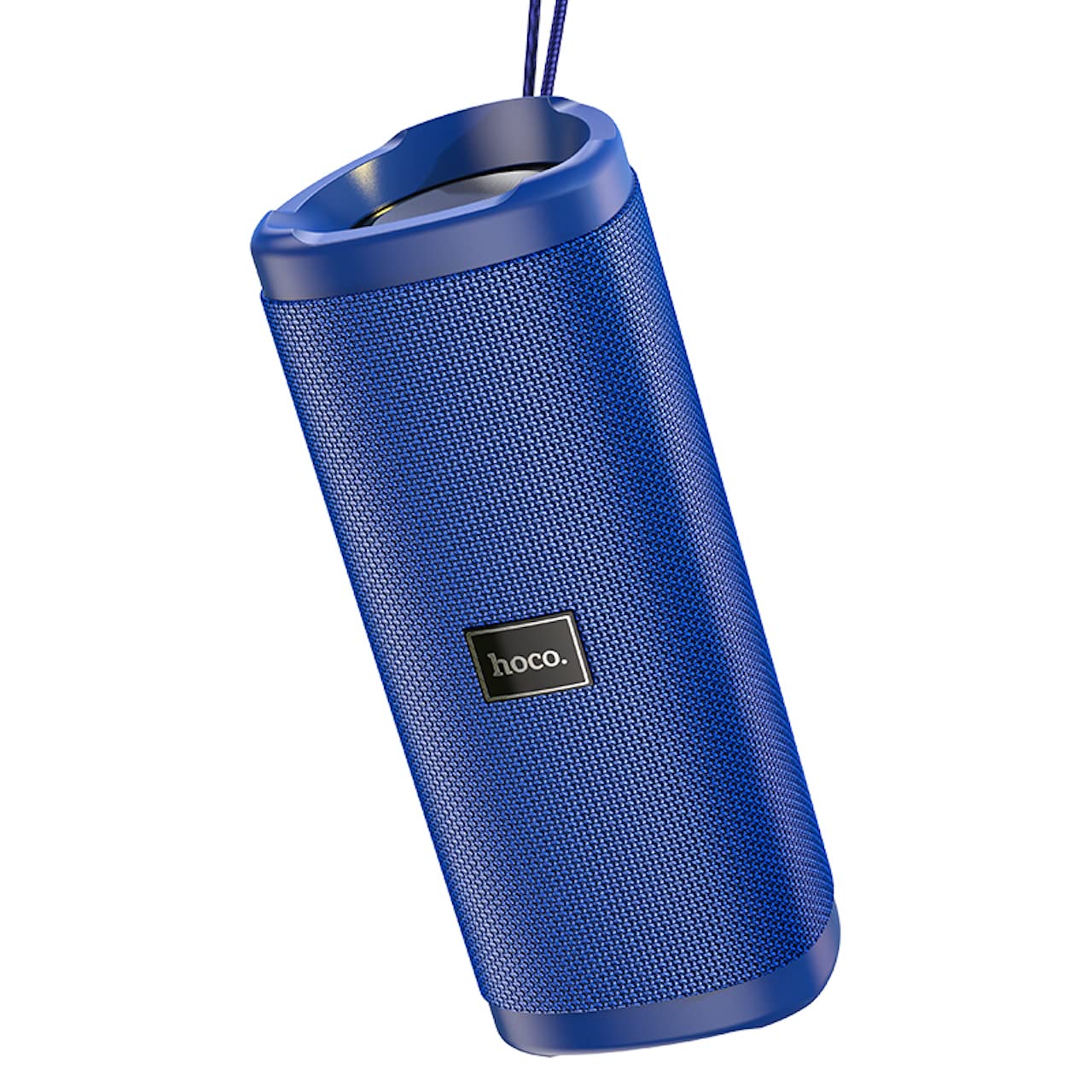
ภาพ: มุมเอียง view of the Hoco HC4 blue wireless speaker, highlighting its cylindrical design and fabric mesh.
- ปุ่มเปิด/ปิด: กดค้างเพื่อเปิด/ปิด กดสั้นๆ เพื่อเล่น/หยุดชั่วคราว
- ปุ่มโหมด (M): Short press to switch between Bluetooth, FM Radio, TF Card, USB, and AUX modes.
- ปุ่มลดเสียง / ปุ่มเล่นเพลงก่อนหน้า (-): กดสั้นๆ เพื่อเล่นเพลงก่อนหน้า กดค้างเพื่อลดระดับเสียง
- ปุ่มเพิ่มเสียง / ปุ่มเล่นเพลงถัดไป (+): กดสั้นๆ เพื่อเล่นเพลงถัดไป กดค้างเพื่อเพิ่มระดับเสียง
- พอร์ต AUX: สำหรับการเชื่อมต่อเสียงแบบใช้สาย โดยใช้สายสัญญาณเสียงขนาด 3.5 มม.
- พอร์ต DC-5V: สำหรับชาร์จลำโพงโดยใช้สาย USB ที่ให้มา
- พอร์ต USB: สำหรับเล่นไฟล์เสียงจากแฟลชไดรฟ์ USB
- ช่องเสียบการ์ด TF: สำหรับเล่นไฟล์เสียงจาก TF (MicroSD) การ์ด
การตั้งค่า
การชาร์จครั้งแรก:
- ก่อนใช้งานครั้งแรก ควรชาร์จลำโพงให้เต็ม
- Connect the small end of the USB charging cable to the DC-5V port on the speaker.
- Connect the larger end of the USB cable to a USB power adapter (5V/1A recommended) or a computer's USB port.
- ไฟแสดงสถานะการชาร์จจะสว่างขึ้นในระหว่างการชาร์จ และดับลงเมื่อชาร์จเต็ม
คำแนะนำการใช้งาน
เปิด/ปิดเครื่อง:
- การเปิดเครื่อง: Press and hold the Power button for approximately 3 seconds. You will hear an audible prompt.
- วิธีปิดเครื่อง: Press and hold the Power button for approximately 3 seconds. You will hear an audible prompt.
การจับคู่บลูทู ธ :
- Ensure the speaker is powered on and in Bluetooth mode (indicated by a flashing blue LED and an audible prompt). If not, short press the 'M' (Mode) button to switch to Bluetooth mode.
- เปิดใช้งานบลูทูธบนอุปกรณ์เคลื่อนที่ของคุณ (สมาร์ทโฟน แท็บเล็ต ฯลฯ)
- ค้นหา available Bluetooth devices. Select "HC4" from the list.
- Once paired, the blue LED will stop flashing and remain solid, and you will hear a confirmation sound.
- ตอนนี้คุณสามารถเล่นเสียงจากอุปกรณ์ของคุณผ่านลำโพงได้
โหมดวิทยุ FM:
- Short press the 'M' (Mode) button until you hear the FM radio prompt.
- To auto-scan and save available stations, short press the Power button. The speaker will scan and store stations automatically.
- Use the '-' and '+' buttons to navigate between saved stations.
TF Card / USB Playback:
- Insert a TF (MicroSD) card or USB flash drive into the respective slot.
- ลำโพงจะสลับไปใช้โหมดการ์ด TF หรือ USB โดยอัตโนมัติและเริ่มเล่นเสียง files. If not, short press the 'M' (Mode) button to select the correct mode.
- Use the Power button to play/pause, and the '-' and '+' buttons for track navigation and volume control.
โหมด AUX:
- เชื่อมต่อปลายด้านหนึ่งของสายสัญญาณเสียงขนาด 3.5 มม. (ไม่ได้รวมอยู่ในชุด) เข้ากับพอร์ต AUX บนลำโพง
- Connect the other end to the audio output of your device (e.g., laptop, MP3 player).
- Short press the 'M' (Mode) button to switch to AUX mode.
- Audio will now play through the speaker. Volume can be controlled via the speaker or your connected device.
ฟังก์ชั่นสเตอริโอไร้สายที่แท้จริง (TWS):
The TWS function allows you to pair two Hoco HC4 speakers together for a stereo sound experience.
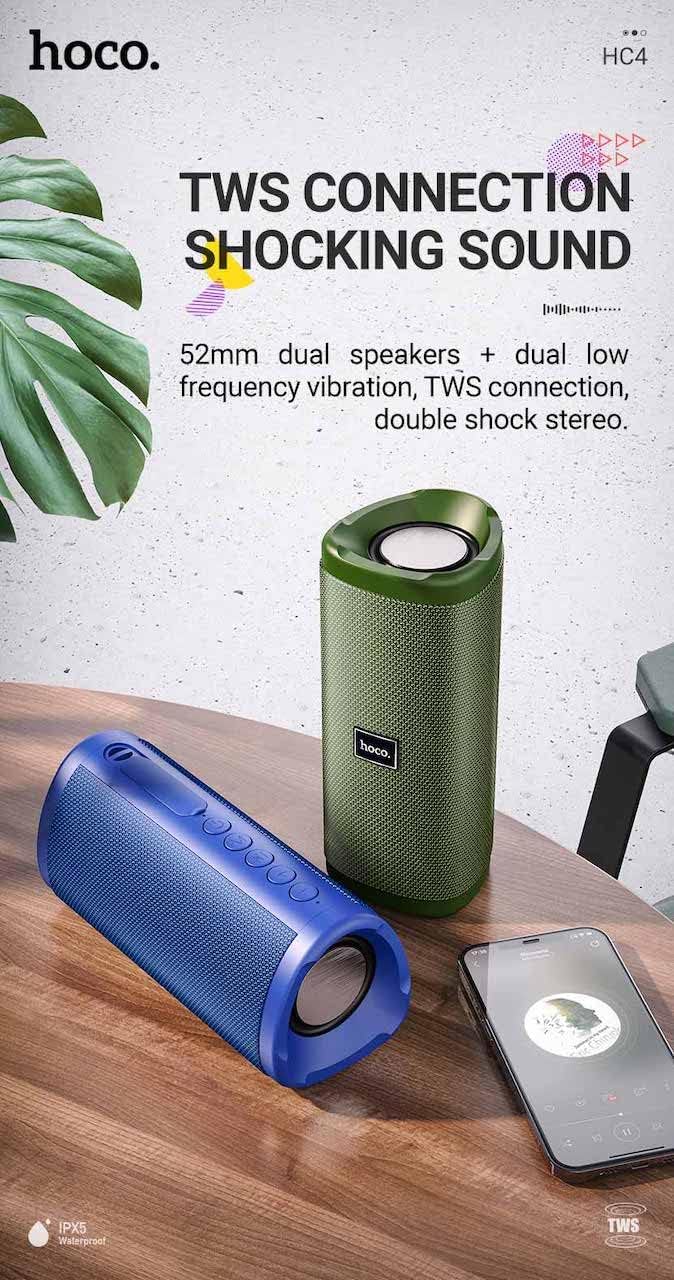
ภาพ: A promotional image showing two Hoco HC4 speakers (blue and green) connected via TWS, with a smartphone playing music. The image also highlights 'IPX5 Waterproof'.
- Ensure both HC4 speakers are powered on and in Bluetooth pairing mode (flashing blue LED).
- On one of the speakers (this will be the primary speaker), double-press the Power button. You will hear a tone indicating it is searching for another speaker.
- The two speakers will automatically connect to each other. Once connected, you will hear a confirmation sound, and the LED on the primary speaker will flash, while the secondary speaker's LED will be solid.
- จากนั้น เชื่อมต่ออุปกรณ์มือถือของคุณกับลำโพงหลักผ่านบลูทูธ ตามที่อธิบายไว้ในหัวข้อ "การจับคู่บลูทูธ"
- ขณะนี้เสียงจะเล่นในระบบสเตอริโอผ่านลำโพงทั้งสองข้าง
การชาร์จไฟ
When the battery is low, the speaker will emit an audible warning. Connect the speaker to a power source using the provided USB cable to recharge. A full charge takes approximately 2-3 hours. The speaker provides up to 3 hours of playtime on a full charge, depending on volume level and usage.
การซ่อมบำรุง
การทำความสะอาด:
เช็ดลำโพงด้วยผ้าแห้งเนื้อนุ่ม ห้ามใช้สารทำความสะอาดที่มีฤทธิ์กัดกร่อน แอลกอฮอล์ หรือสารเคมีอื่นๆ เพราะอาจทำให้พื้นผิวเสียหายได้
พื้นที่จัดเก็บ:
Store the speaker in a cool, dry place away from direct sunlight and extreme temperatures. If storing for an extended period, charge the battery at least once every three months to prolong its lifespan.
การกันน้ำ (IPX5):
The Hoco HC4 speaker features an IPX5 water resistance rating, meaning it is protected against low-pressure water jets from any direction. This makes it suitable for outdoor use and resistant to splashes and light rain. อย่าจุ่มลำโพงลงในน้ำ Ensure the port cover is securely closed to maintain water resistance.
การแก้ไขปัญหา
| ปัญหา | สาเหตุที่เป็นไปได้ | สารละลาย |
|---|---|---|
| ลำโพงไม่เปิด | แบตเตอรี่อ่อน; กดปุ่มเปิด/ปิดเครื่องไม่นานพอ | ชาร์จลำโพง; กดปุ่มเปิด/ปิดค้างไว้ 3 วินาที |
| ไม่มีเสียง | ระดับเสียงต่ำเกินไป; โหมดไม่ถูกต้อง; อุปกรณ์ไม่ได้เชื่อมต่อ | Increase volume; Switch to correct mode (Bluetooth, AUX, etc.); Ensure device is paired/connected |
| การจับคู่บลูทูธล้มเหลว | ลำโพงไม่ได้อยู่ในโหมดจับคู่; บลูทูธของอุปกรณ์ปิดอยู่; อยู่ห่างจากลำโพงมากเกินไป | Ensure speaker is in Bluetooth mode (flashing LED); Turn on device Bluetooth; Move device closer (within 10m) |
| การจับคู่ TWS ล้มเหลว | Speakers not in TWS pairing mode; Too far apart | Ensure both speakers are in Bluetooth mode, then double-press Power button on one; Keep speakers close during TWS pairing |
ข้อมูลจำเพาะ

ภาพ: The Hoco HC4 speaker with its dimensions clearly marked: 20 cm in length, 8.8 cm in height, and 8.1 cm in width.
- ยี่ห้อ: โฮโค
- แบบอย่าง: HC4
- เวอร์ชันบลูทูธ: 5.0
- กำลังขับ: 10วัตต์
- ขนาดลำโพง: 52มม.
- ความจุแบตเตอรี่: 1500mAh
- เวลาเล่น: ประมาณ 3 ชั่วโมง (ที่ระดับเสียง 80%)
- เวลาในการชาร์จ: ประมาณ 2-3 ชั่วโมง
- ขนาด : 200 x 88 x 81 mm (Length x Height x Width)
- น้ำหนัก: 540 กรัม
- ตัวเลือกการเชื่อมต่อ: Bluetooth, FM Radio, TF Card, USB, AUX
- ความต้านทานน้ำ: IPX5 (กันน้ำกระเด็น)
- ประเภทการควบคุม: ปุ่ม
ข้อมูลด้านความปลอดภัย
- ห้ามให้ลำโพงสัมผัสกับอุณหภูมิที่สูงหรือต่ำเกินไปหรือโดนแสงแดดโดยตรงเป็นเวลานาน
- หลีกเลี่ยงการทำตกหรือให้ลำโพงได้รับแรงกระแทกรุนแรง
- Keep the speaker away from water and liquids, especially when ports are open.
- Do not attempt to disassemble, repair, or modify the speaker yourself. This will void the warranty and may cause damage.
- ใช้เฉพาะปริมาณการชาร์จที่ระบุเท่านั้นtage (DC 5V) and the provided charging cable.
- เก็บให้พ้นจากมือเด็ก
การรับประกันและการสนับสนุน
This product is covered by a standard manufacturer's warranty. For specific warranty terms and conditions, please refer to the warranty card included with your purchase or contact your local retailer. For technical support or service inquiries, please contact Hoco customer service or the authorized distributor in your region.