
1. บทนำ
Thank you for choosing the TRUSTECH Evaporative Air Cooler. This device is designed to provide a comfortable environment by combining fanning, cooling, and humidification functions. Its bladeless design ensures safety and ease of cleaning, making it suitable for various indoor settings. Please read this manual thoroughly before operation to ensure proper use and maintenance.

Image 1.1: The TRUSTECH Evaporative Air Cooler highlighting its multi-functional capabilities.
2. คำแนะนำด้านความปลอดภัย
- ตรวจสอบให้แน่ใจเสมอว่าแหล่งจ่ายไฟตรงกับระดับเสียงtagระบุไว้บนฉลากผลิตภัณฑ์
- ห้ามจุ่มตัวเครื่อง สายไฟ หรือปลั๊กลงในน้ำหรือของเหลวอื่นๆ
- Unplug the unit from the power outlet when not in use, before filling or emptying the water tank, and before cleaning.
- Place the unit on a stable, level surface to prevent tipping and water leakage.
- Keep the unit out of reach of children and pets. The bladeless design enhances safety, but supervision is always recommended.
- Do not block air inlets or outlets. Maintain adequate clearance around the unit for optimal performance.
- Do not use the appliance if the power cord or plug is damaged, or if the appliance malfunctions or has been damaged in any manner.
- ใช้เฉพาะอุปกรณ์เสริม/สิ่งที่แนบตามที่ผู้ผลิตกำหนดเท่านั้น

Image 2.1: The bladeless design of the air cooler ensures safety around children and pets.
3. เนื้อหาบรรจุภัณฑ์
กรุณาตรวจสอบแพ็คเกจสำหรับรายการต่อไปนี้:
- TRUSTECH Evaporative Air Cooler Unit
- รีโมทคอนโทรล
- Ice Boxes (for enhanced cooling)
- คู่มือการใช้งาน
4. การตั้งค่า
- การแกะกล่อง: นำเครื่องทำความเย็นและอุปกรณ์เสริมทั้งหมดออกจากบรรจุภัณฑ์อย่างระมัดระวัง เก็บบรรจุภัณฑ์ไว้เพื่อการจัดเก็บหรือขนส่งในอนาคต
- การจัดวาง: Place the unit on a firm, level surface in the desired location. Ensure there is adequate space around the unit for proper airflow.
- การเติมน้ำในถัง: Pull out the water tank from the bottom rear of the unit. Fill the tank with clean water up to the 'MAX' line. For enhanced cooling, place the provided ice boxes (after freezing) or ice cubes into the water tank. Do not overfill.
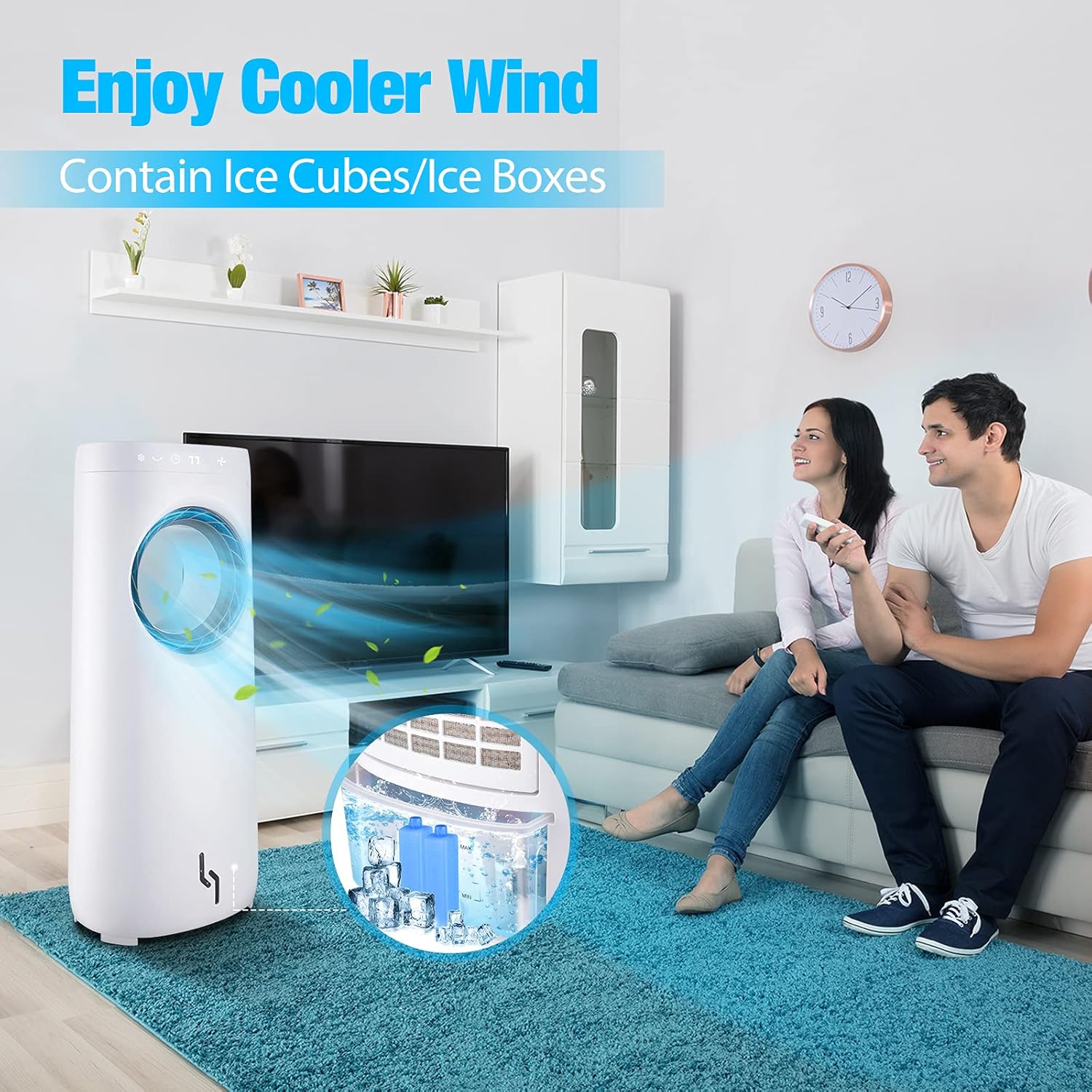
Image 4.1: The water tank with ice cubes and ice boxes for improved cooling performance.
- การเชื่อมต่อไฟฟ้า: เสียบปลั๊กไฟเข้ากับเต้ารับไฟฟ้ามาตรฐาน
5. คู่มือการใช้งาน
สามารถใช้งานเครื่องปรับอากาศได้โดยใช้แผงควบคุมแบบสัมผัสที่ด้านบนของตัวเครื่อง หรือใช้รีโมทคอนโทรลที่ให้มาด้วย
5.1 ฟังก์ชันของแผงควบคุมและรีโมทคอนโทรล
- ปุ่มเปิด/ปิด: กดเพื่อเปิดหรือปิดเครื่อง
- ปุ่มความเร็ว: Press to cycle through 3 wind speeds: Low, Medium, High.

Image 5.1: The air cooler offers three adjustable wind speeds for various comfort levels.
- Cooler/Humidify Button: เปิดใช้งานฟังก์ชันการทำความเย็นแบบระเหยและการเพิ่มความชื้น ตรวจสอบให้แน่ใจว่าถังเก็บน้ำมีน้ำเต็ม
- ปุ่มสวิง: Activates the 360° oscillation feature, distributing air across a wider area.

Image 5.2: The air cooler features 360° rotation and can be controlled via remote from up to 8 meters away.
- ปุ่มตั้งเวลา: Press repeatedly to set the auto-off timer from 1 to 12 hours. The display will show the selected duration.
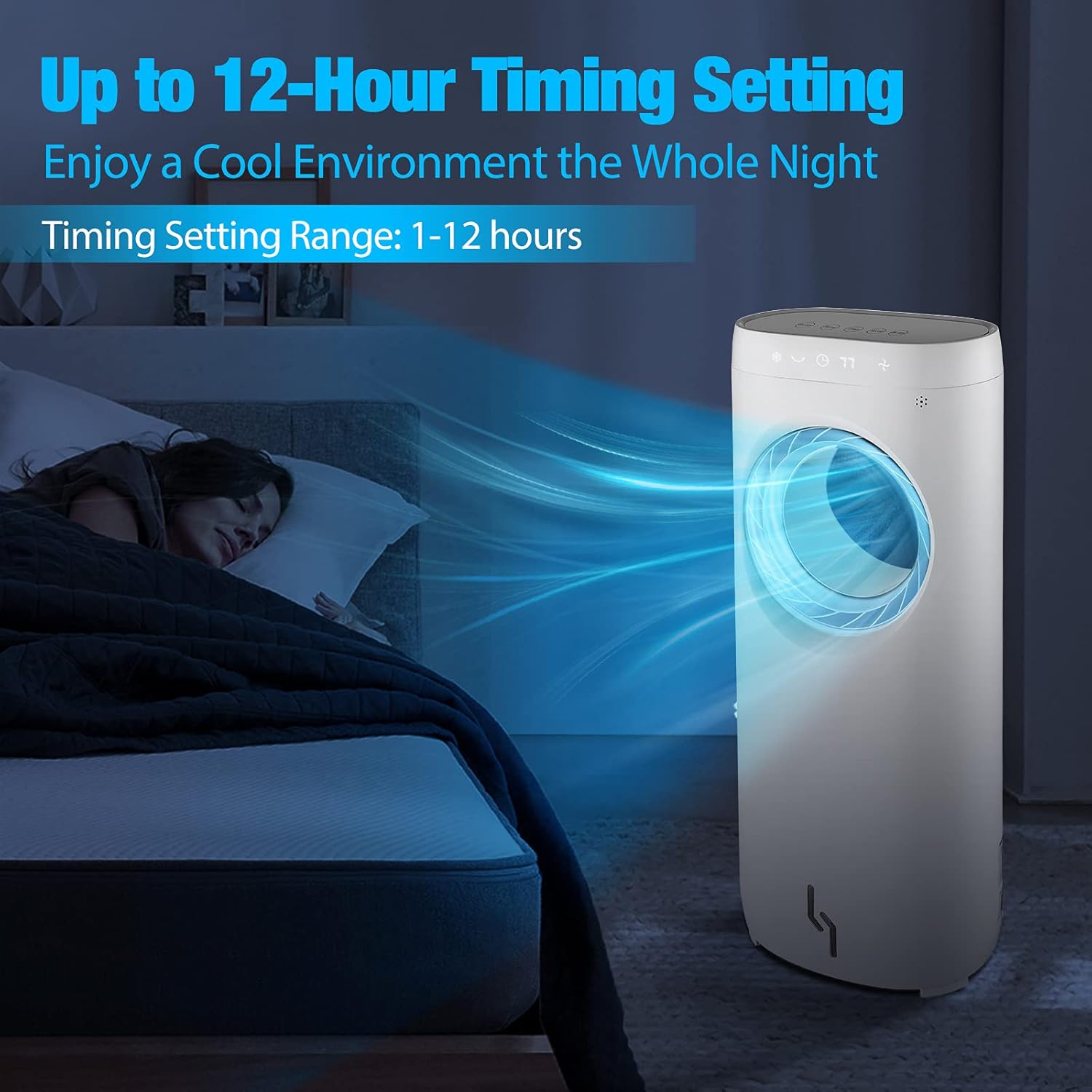
Image 5.3: The 12-hour timer allows for a cool and peaceful night's sleep.
6. การบำรุงรักษา
Regular cleaning and maintenance will ensure the longevity and optimal performance of your air cooler.
6.1 การทำความสะอาดภายนอก
- ควรถอดปลั๊กเครื่องทุกครั้งก่อนทำความสะอาด
- เช็ดพื้นผิวภายนอกด้วยผ้านุ่ม damp ผ้า ห้ามใช้สารทำความสะอาดที่มีฤทธิ์กัดกร่อนหรือตัวทำละลาย
- The bladeless design makes it easy to wipe down the air outlet without disassembly.
6.2 การทำความสะอาดถังเก็บน้ำ
- เทน้ำที่เหลืออยู่ออกจากถัง
- Clean the water tank with a mild detergent and rinse thoroughly with clean water.
- Allow the tank to air dry completely before reinserting it into the unit.
- Clean the water tank regularly (e.g., weekly) to prevent mold and mildew growth.
6.3 พื้นที่จัดเก็บ
- If storing the unit for an extended period, ensure the water tank is empty and dry.
- ทำความสะอาดอุปกรณ์ทั้งหมดตามวิธีที่อธิบายไว้ข้างต้น
- เก็บเครื่องไว้ในที่เย็นและแห้ง โดยควรเก็บไว้ในบรรจุภัณฑ์เดิม
7 การแก้ไขปัญหา
If you encounter any issues with your air cooler, please refer to the following common problems and solutions:
| ปัญหา | สาเหตุที่เป็นไปได้ | สารละลาย |
|---|---|---|
| เครื่องไม่เปิด | ไม่มีแหล่งจ่ายไฟ; ไม่ได้กดปุ่มเปิด/ปิด | Check if the power cord is securely plugged in. Press the ON/OFF button. |
| No cool air/Humidification not working. | Water tank empty; Cooler function not activated. | Fill the water tank. Press the Cooler/Humidify button. Ensure ice boxes are frozen if used. |
| หน่วยมีน้ำรั่ว | Water tank overfilled; Unit not on a level surface; Damaged water tank. | Do not overfill the water tank. Place the unit on a stable, level surface. Inspect the water tank for damage. |
| รีโมทคอนโทรลไม่ทำงาน | แบตเตอรี่หมด มีสิ่งกีดขวางระหว่างรีโมทและตัวเครื่อง | Replace batteries in the remote control. Ensure a clear line of sight to the unit's receiver. |
8. ข้อมูลจำเพาะ
| คุณสมบัติ | ข้อมูลจำเพาะ |
|---|---|
| ยี่ห้อ | ทรัสเทค |
| หมายเลขรุ่น | 6937590200159 |
| เล่มที่tage | 110 โวลต์ (AC) |
| วัดtage | 110 วัตต์ |
| จำนวนความเร็ว | 3 |
| ความจุของอ่างเก็บน้ำ | 4 ลิตร |
| ประเภทการควบคุม | ปุ่ม, รีโมทคอนโทรล |
| ฟอร์มแฟกเตอร์ | หอคอย |
9. การรับประกันและการสนับสนุน
This product comes with a manufacturer's warranty. For detailed warranty information, please refer to the warranty card included in your package or contact TRUSTECH customer support. If you require assistance, have questions, or need to report an issue, please contact our customer service team through the contact information provided on our official webไซต์หรือแพลตฟอร์มการซื้อของคุณ