
การแนะนำ
This manual provides detailed instructions for the safe and efficient operation, maintenance, and troubleshooting of your ALONEFIRE X37 4-Color LED Flashlight. Please read this manual thoroughly before using the product and retain it for future reference.
ข้อมูลด้านความปลอดภัย
- Do not look directly into the LED light when it is on, as this may cause temporary vision impairment or eye damage.
- เก็บไฟฉายให้พ้นมือเด็ก
- ห้ามถอดชิ้นส่วนไฟฉาย เนื่องจากอาจทำให้การรับประกันเป็นโมฆะและก่อให้เกิดความเสียหายได้
- Use only the specified battery type and charging methods. Incorrect use can lead to fire, explosion, or injury.
- หลีกเลี่ยงการวางไฟฉายไว้ในที่ที่มีอุณหภูมิสูงหรือแสงแดดโดยตรงเป็นเวลานาน
- Ensure the USB port cover is securely closed when not charging to maintain water resistance.
เนื้อหาแพ็คเกจ
ตรวจสอบว่ามีรายการทั้งหมดอยู่ในแพ็คเกจของคุณ:
- ALONEFIRE X37 4-Color LED Flashlight
- แบตเตอรี่ลิเธียมไอออนแบบชาร์จได้ (ติดตั้งมาแล้วหรือซื้อแยกต่างหาก)
- สายชาร์จ USB
- สายคล้องคอ
- Battery Sleeve (if applicable)

Figure 1: Package Contents. The image displays the ALONEFIRE X37 flashlight, a USB charging cable, a lanyard, and a white battery sleeve, indicating what is included in the product package.
สินค้าเกินview
The ALONEFIRE X37 is a versatile 4-color LED flashlight featuring White, Blue, Green, and Red light sources. It includes adjustable zoom, USB charging, and a reverse charging function to act as a power bank.

Figure 2: Flashlight Components. This diagram highlights key parts such as the lamp head, Micro USB charging port, USB-A reverse charging port, brass contactor, non-slip handle, power switch/charging indicator, and the RGBW 4-piece individual LED array.
การตั้งค่า
1. การติดตั้งแบตเตอรี่
- คลายเกลียวฝาท้ายของไฟฉาย
- Insert the included Lithium-ion battery with the positive (+) end facing towards the lamp ศีรษะ.
- ขันฝาท้ายกลับเข้าที่อย่างแน่นหนา
2. ค่าธรรมเนียมเริ่มต้น
Before first use, fully charge the flashlight battery. Refer to the "Charging the Flashlight" section for detailed instructions.
คำแนะนำการใช้งาน
เปิด/ปิดเครื่องและการเลือกโหมด
- การเปิด/ปิดเครื่อง: Press the power switch button once to turn the flashlight on or off.
- To Change Colors: When the flashlight is on, press the power switch button repeatedly to cycle through the available colors: White, Blue, Green, Red.
- โหมดแฟลช: From any color mode, double-click the power switch button quickly to activate the strobe function. Double-click again to return to the previous steady light mode.

Figure 3: Multi-Color Output. This image illustrates the flashlight emitting white, blue, green, and red light, showcasing its four distinct color modes.
Adjustable Zoom Function
The flashlight features an adjustable zoom function to change the beam pattern.
- To Zoom In (Focused Beam): ขยาย lamp head forward. This narrows the beam for long-distance illumination.
- To Zoom Out (Flood Beam): ถอน lamp head backward. This widens the beam to illuminate a larger area at closer distances.

Figure 4: Zoom Function. The diagram demonstrates how to adjust the flashlight's beam from a focused spot to a wide flood by sliding the head, along with the corresponding length changes.
การติดตั้งขาตั้งกล้อง
The flashlight is equipped with a 1/4-inch threaded hole at the base, allowing it to be mounted on a standard tripod for stable, hands-free illumination.
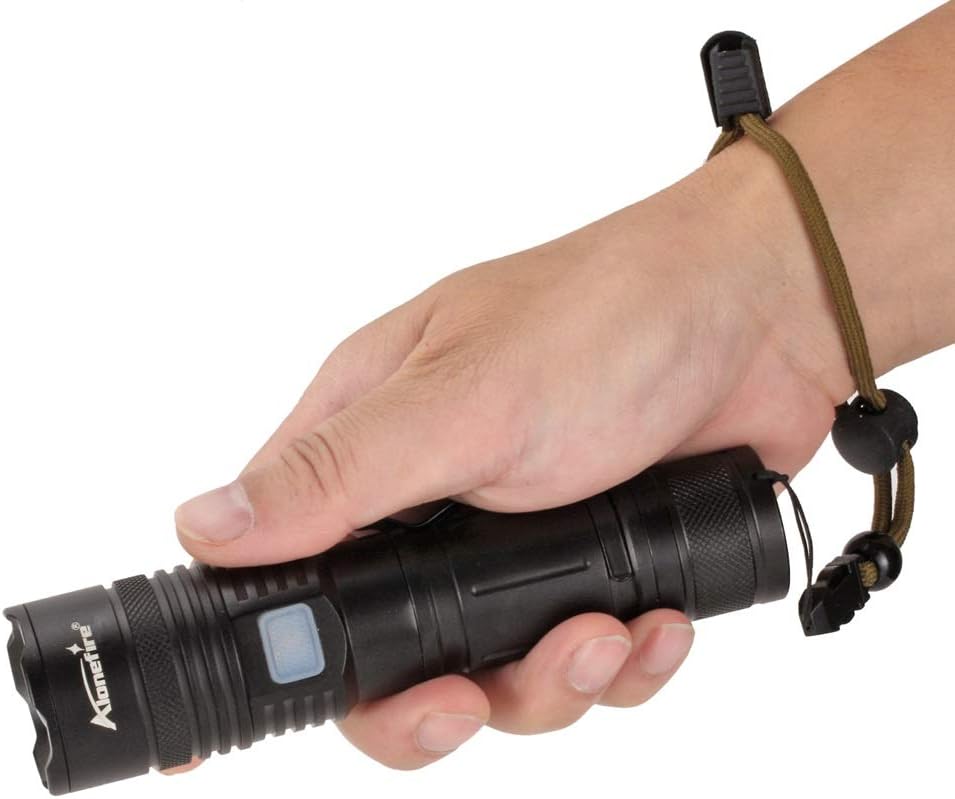
Figure 5: Tripod Mounting. This image illustrates the flashlight attached to a tripod, emphasizing the 1/4-inch threaded hole for stable positioning.
ฟังก์ชั่นการชาร์จและ Power Bank
กำลังชาร์จไฟฉาย
- Locate the Micro USB charging port on the flashlight body.
- Open the protective cover of the Micro USB port.
- Connect the provided USB charging cable to the Micro USB port on the flashlight and to a USB power source (e.g., computer, wall adapter).
- ไฟแสดงสถานะการชาร์จจะสว่างเป็นสีแดงขณะกำลังชาร์จ
- Once fully charged (approximately 6-7 hours), the indicator light will turn green.
- Disconnect the cable and securely close the protective cover to prevent water ingress.

Figure 6: USB Charging. The image shows the flashlight being charged via a laptop's USB port, with visual cues for charging status (red for charging, green for full) and estimated charging/battery life.
Reverse Charging (Power Bank Function)
The ALONEFIRE X37 can also function as a power bank to charge other devices using its internal battery.
- Locate the USB-A reverse charging port on the flashlight body.
- Open the protective cover of the USB-A port.
- Connect your device's charging cable to the USB-A port on the flashlight.
- ไฟฉายจะเริ่มชาร์จอุปกรณ์ของคุณ
- ตรวจสอบสถานะการชาร์จของอุปกรณ์ของคุณ ถอดปลั๊กเมื่อการชาร์จเสร็จสมบูรณ์
- Securely close the protective cover of the USB-A port after use.

Figure 7: Reverse Charging. This image illustrates the flashlight's capability to charge a smartphone using its USB-A output port, acting as a portable power bank.
การซ่อมบำรุง
- การทำความสะอาด: เช็ดตัวไฟฉายด้วยผ้านุ่มๆamp ผ้า ห้ามใช้สารทำความสะอาดที่มีฤทธิ์กัดกร่อนหรือตัวทำละลาย
- การหล่อลื่น: ควรทาจาระบีซิลิโคนที่โอริงและเกลียวเป็นระยะ เพื่อรักษาคุณสมบัติกันน้ำและให้การทำงานราบรื่น
- การดูแลแบตเตอรี่ If storing the flashlight for an extended period, charge the battery to approximately 50% and recharge every 3-6 months to prolong battery life.
- พื้นที่จัดเก็บ: Store the flashlight in a cool, dry place away from direct sunlight and corrosive materials.
การแก้ไขปัญหา
| ปัญหา | สาเหตุที่เป็นไปได้ | สารละลาย |
|---|---|---|
| ไฟฉายไม่ติด | แบตเตอรี่หมดหรือติดตั้งไม่ถูกต้อง | Charge the battery. Ensure the battery is inserted with the correct polarity (+/-). Check if the tail cap is fully tightened. |
| แสงที่ออกมาสลัว | ชาร์จแบตเตอรี่ต่ำ | ชาร์จแบตเตอรี่ |
| ไฟฉายไม่ชาร์จ | USB cable or power source issue; charging port obstruction. | Try a different USB cable or power source. Ensure the charging port is clean and free of debris. |
| การชาร์จไฟย้อนกลับใช้งานไม่ได้ | แบตเตอรี่ไฟฉายเหลือน้อยเกินไป; มีปัญหาที่สายเคเบิลของอุปกรณ์ | Ensure the flashlight has sufficient charge. Try a different charging cable for your device. |
ข้อมูลจำเพาะ
| คุณสมบัติ | รายละเอียด |
|---|---|
| แบบอย่าง | เอ็กซ์37 |
| แหล่งกำเนิดแสง | RGBW 4-in-1 LED (Red, Green, Blue, White) |
| ฟลักซ์ส่องสว่าง (สีขาว) | ถึง 1000 ลูเมนส์ |
| ระยะลำแสง | 100-200 meters (depending on zoom and color) |
| ประเภทแบตเตอรี่ | 1x Lithium-ion (included) |
| พอร์ตชาร์จ | ไมโคร USB |
| Reverse Charging Port | ยูเอสบี-เอ |
| เวลาในการชาร์จ | ประมาณ 6-7 ชั่วโมง |
| อายุการใช้งานแบตเตอรี่ | Approx. 8.5-9 hours (depending on mode) |
| วัสดุ | โลหะผสมอลูมิเนียม |
| ขนาด (โดยประมาณ) | 161mm (Zoom In) - 175mm (Zoom Out) length, 34mm head diameter |
| น้ำหนัก | 380กรัม |
| คุณสมบัติพิเศษ | Zoomable, Reverse Charging, 1/4-inch Threaded Hole |
การรับประกันและการสนับสนุน
ALONEFIRE products are manufactured to high-quality standards. For warranty information or technical support, please refer to the contact details provided with your purchase or visit the official ALONEFIRE webไซต์ โปรดเก็บหลักฐานการซื้อไว้เพื่อใช้ในการเรียกร้องการรับประกัน
ความพร้อมของอะไหล่: 5 ปี