
1. บทนำ
This manual provides detailed instructions for the installation, operation, and maintenance of your VENZ R9045 Wireless Outdoor Security Camera. Please read this manual thoroughly before using the product to ensure proper function and safety.
2. สินค้าหมดview
The VENZ R9045 is a 1080P Full HD wireless outdoor security camera designed for surveillance. It features battery power, Wi-Fi connectivity, night vision, motion detection, and two-way audio communication.

Image: The VENZ R9045 Wireless Outdoor Security Camera, showcasing its compact design and integrated mounting bracket.
2.1 คุณสมบัติหลัก
- 100% Wireless & Rechargeable Battery: Equipped with 2 lithium-ion batteries, providing 3-6 months of operation on a full charge.
- 1080P Full HD & IR Night Vision: Delivers clear video with a 130° wide-angle view and up to 23ft night vision range.
- กันฝนระดับ IP66: Designed to withstand various weather conditions (-20°C to 60°C).
- การตรวจจับการเคลื่อนไหว: Provides real-time notifications upon detecting movement.
- เสียงสองทาง: มีลำโพงและไมโครโฟนในตัวสำหรับใช้ในการสื่อสาร
- ความเข้ากันได้ของผู้ช่วยเสียง: Works with Alexa.
- การแชร์อุปกรณ์: Supports sharing access with up to 8 users.
- ตัวเลือกการจัดเก็บ: Supports Cloud Storage and up to 128GB SD card storage.
2.2 เนื้อหาบรรจุภัณฑ์
- ตัวกล้อง
- Battery Pack (2 Lithium Ion batteries included)
- Magnetic Bracket Screw
- เทปกาวสองหน้า
- คู่มือการใช้งาน
2.3 ส่วนประกอบของกล้อง
The following image illustrates the main components of the VENZ R9045 camera.
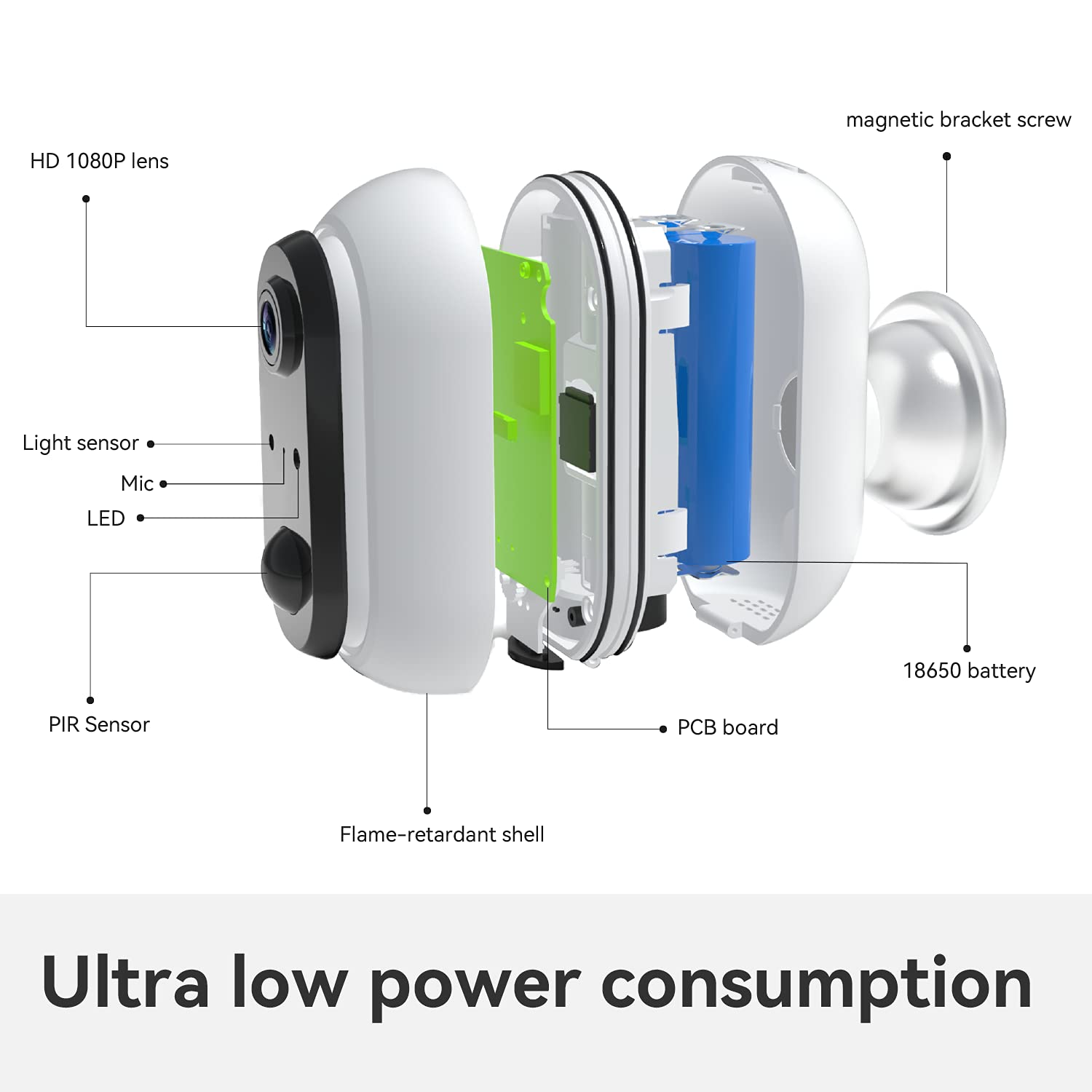
ภาพ: ระเบิด view showing internal components such as the HD 1080P lens, light sensor, microphone, LED indicator, PIR sensor, flame-retardant shell, PCB board, 18650 battery, and magnetic bracket screw.
The camera features an HD 1080P lens, a light sensor, a microphone, an LED indicator, and a PIR (Passive Infrared) sensor for motion detection. Internally, it houses a PCB board and 18650 batteries, all protected by a flame-retardant shell. A magnetic bracket screw is included for mounting.

Image: Icons indicating support for cloud storage and a maximum of 128GB SD card storage.
The camera offers flexible storage solutions, supporting both cloud storage services and local storage via an SD card up to 128GB.
3. คู่มือการติดตั้ง
3.1 การชาร์จแบตเตอรี่เริ่มต้น
Before first use, fully charge the included batteries. This ensures optimal performance and battery life.
3.2 การดาวน์โหลดแอปและการตั้งค่าบัญชี
- Download the Woox Security App from your smartphone's app store (iOS or Android).
- Follow the in-app instructions to create a new account or log in if you already have one.
3.3 การเชื่อมต่อ Wi-Fi
- เปิดกล้อง
- Open the Woox Security App and follow the on-screen prompts to add a new device.
- เลือกเครือข่าย Wi-Fi 2.4GHz ของคุณและป้อนรหัสผ่าน กล้องไม่รองรับ Wi-Fi 5GHz
- Once connected, you can enjoy the live view จากกล้องของคุณ

Image: A visual guide showing three steps: 1) Download Woox security app and connect to Wi-Fi, 2) Align the camera to the bracket, 3) Enjoy live view.
3.4 การติดตั้งกล้อง
The camera is designed for easy, wire-free installation using the included magnetic bracket screw or double-sided adhesive tape. Choose a location that provides the desired viewing angle and strong Wi-Fi signal. After connecting to Wi-Fi, align the camera to its bracket.


รูปภาพ: อดีตamples of the VENZ R9045 camera mounted on an exterior garage wall and near a front door, demonstrating typical installation locations.
4. คู่มือการใช้งาน
4.1 การตรวจจับการเคลื่อนไหว
The camera features a PIR sensor for motion detection. When motion is detected, the camera will record and send real-time notifications to your connected smartphone via the Woox Security App.

Image: A smartphone screen showing a "Motion Tracking Detection" alert from the Woox Security app, indicating an outdoor security camera detection.
You can adjust the sensitivity of motion detection within the app settings to minimize false alerts.
4.2 การมองเห็นตอนกลางคืน
The camera automatically switches to IR night vision mode in low-light conditions. This provides clear black and white video up to 23 feet, ensuring continuous surveillance even in complete darkness.

Image: A VENZ R9045 camera mounted outdoors, with a smartphone displaying its 1080P HD night vision feed of a house at night, emphasizing clear detail.
4.3 เสียงสองทาง
Utilize the built-in noise-cancellation speaker and microphone for two-way communication. This allows you to speak with visitors or deter intruders directly through the camera via the app.
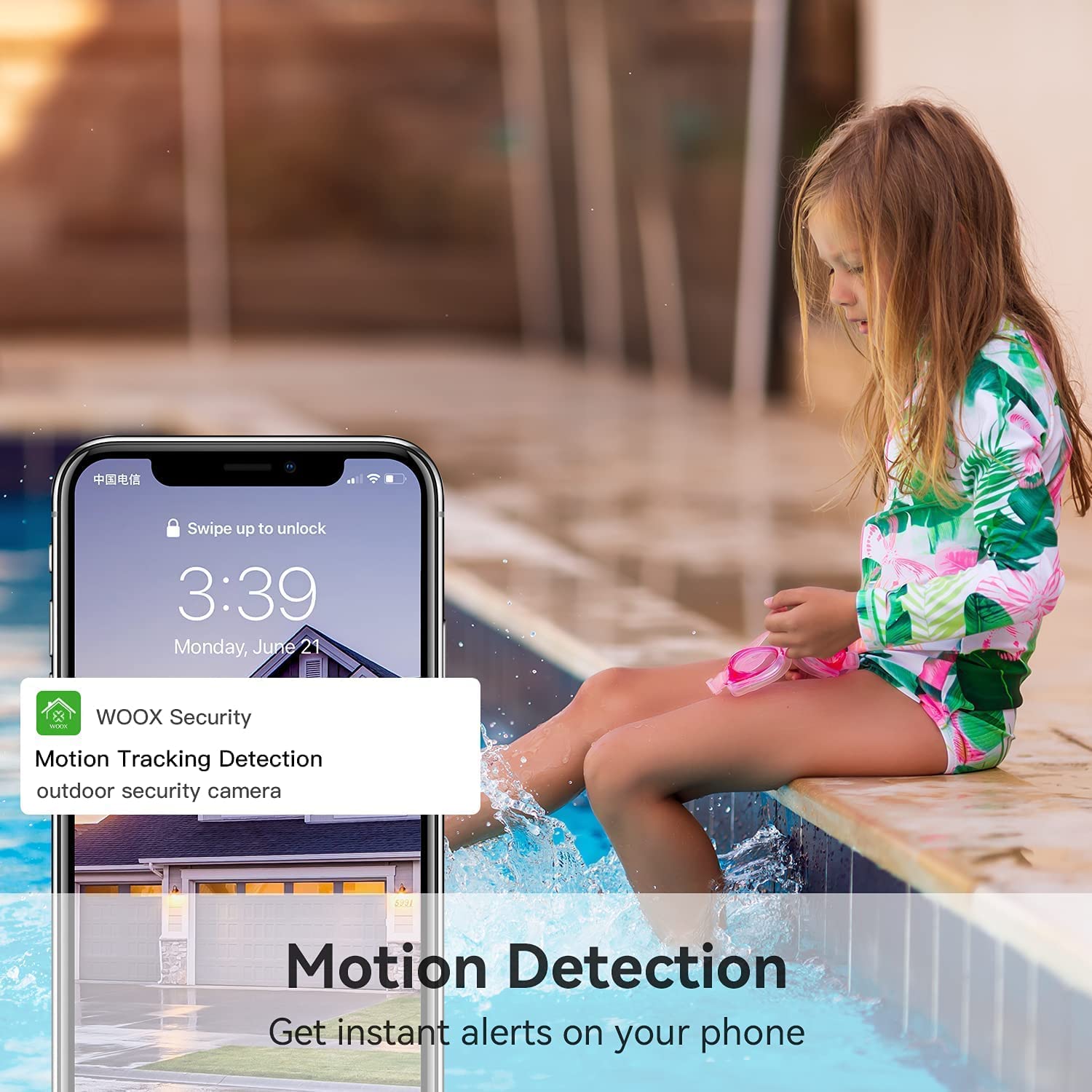
Image: A person using a smartphone to engage in two-way audio communication with a delivery person at their door, demonstrating the real-time response feature.
4.4 การบูรณาการผู้ช่วยเสียง
The VENZ R9045 camera is compatible with Alexa. You can use voice commands to view แสดงภาพจากกล้องบนจอแสดงผลอัจฉริยะที่รองรับ

Image: A woman holding a baby, giving a voice command to an Alexa-enabled smart display, which then shows the camera's live feed of a yard.
4.5 การแชร์อุปกรณ์
The camera supports sharing access with up to 8 users. This allows multiple family members to view the surveillance feed simultaneously from their own devices.

Image: A diagram illustrating "Group Sharing," where a central smartphone displaying a camera feed is connected to multiple other users' smartphones, symbolizing shared access.
5. การจัดการแบตเตอรี่
The VENZ R9045 camera is powered by two rechargeable lithium-ion batteries. A full charge can provide 3 to 6 months of operation, depending on usage frequency and environmental factors. It is recommended to fully charge the batteries before the first use.

Image: A VENZ wireless home security camera highlighting its 5200mAh rechargeable battery and features like IP65 waterproof, 1080P Full HD, motion detection, night vision, and two-way audio.
Monitor the battery level through the Woox Security App and recharge as needed using a standard USB charger (not always included, check package contents).
6. การบำรุงรักษา
The VENZ R9045 camera is designed for outdoor use with an IP66 weatherproof rating, ensuring protection against dust and powerful water jets. It operates effectively in temperatures ranging from -20°C to 60°C.

Image: A VENZ R9045 camera shown outdoors under various weather conditions (rain, snow, sun) with icons and text confirming its IP66 weatherproof rating and temperature range of -20°C to 60°C.
- ควรเช็ดเลนส์กล้องด้วยผ้าแห้งเนื้อนุ่มเป็นประจำ เพื่อให้ได้ภาพที่คมชัด
- Ensure the charging port cover is securely closed when not charging to maintain weather resistance.
- หลีกเลี่ยงการใช้สารเคมีรุนแรงหรือวัสดุขัดถูในการทำความสะอาด
7 การแก้ไขปัญหา
If you encounter issues with your VENZ R9045 camera, refer to the following common troubleshooting steps:
- กล้องไม่ได้เชื่อมต่อกับ Wi-Fi:
- โปรดตรวจสอบให้แน่ใจว่าเครือข่าย Wi-Fi ของคุณเป็น 2.4GHz กล้องไม่รองรับ 5GHz
- ตรวจสอบความแรงของสัญญาณ Wi-Fi ที่ตำแหน่งของกล้อง
- ตรวจสอบว่ารหัสผ่าน Wi-Fi ที่ป้อนในแอปถูกต้อง
- รีสตาร์ทเราเตอร์ Wi-Fi และกล้องของคุณ
- คุณภาพของภาพต่ำ:
- ทำความสะอาดเลนส์กล้อง
- ตรวจสอบให้แน่ใจว่าไม่มีสิ่งกีดขวางด้านหน้าเลนส์
- Check for sufficient lighting during the day.
- Motion Detection Not Working or Too Sensitive:
- Adjust motion detection sensitivity settings in the Woox Security App.
- ตรวจสอบให้แน่ใจว่าขอบเขตการมองเห็นของกล้อง view ครอบคลุมพื้นที่ที่ต้องการ
- Check battery level, as low battery can affect performance.
- แบตเตอรี่หมดเร็ว:
- เหตุการณ์ตรวจจับการเคลื่อนไหวบ่อยครั้งและแบบเรียลไทม์ view streaming consume more power.
- Ensure the camera is installed in an area with moderate activity.
- Check ambient temperature; extreme cold can reduce battery efficiency.
8. ข้อมูลจำเพาะ
| คุณสมบัติ | รายละเอียด |
|---|---|
| หมายเลขรุ่น | R9045 |
| ขนาดสินค้า | 2.91 x 2.91 x 4.21 นิ้ว |
| น้ำหนัก | 12.2 ออนซ์ |
| แบตเตอรี่ | แบตเตอรี่ลิเธียมไอออน 2 ก้อน (รวมอยู่ด้วย) |
| เทคโนโลยีการเชื่อมต่อ | แบบไร้สาย (เฉพาะ Wi-Fi 2.4GHz) |
| ปณิธาน | 1080P Full HD |
| ทุ่งแห่ง View | 130 °มุมกว้าง |
| ช่วงการมองเห็นตอนกลางคืน | สูงถึง 23 ฟุต |
| คะแนนสภาพอากาศ | IP66 |
| อุณหภูมิในการทำงาน | -20°C ถึง 60°C (-4°F ถึง 140°F) |
| การใช้ที่แนะนำ | Home Security, Motion Detection, Night Vision |
9. การรับประกันและการสนับสนุน
The VENZ R9045 Wireless Outdoor Security Camera typically comes with a 3-year warranty. For specific warranty details, claims, or technical support, please refer to the warranty card included with your product or contact VENZ customer service directly through their official website or the Woox Security App.
Manufacturer: VENZ
วันที่เปิดให้ใช้งานครั้งแรก: 5 มกราคม 2021