
1. บทนำ
This manual provides instructions for the Arducam 16MP Autofocus USB Camera, Model B0290. This camera module features a 16-megapixel IMX298 sensor, offering sharp images and accurate color reproduction. It is designed for various applications including home surveillance, 3D printer monitoring, object recognition, and machine vision.

Figure 1: Arducam 16MP Autofocus USB Camera Module (Model B0290).
2. คุณสมบัติหลัก
- ภาพคุณภาพสูง: Adopts a 16MP IMX298 sensor for sharp images and accurate color reproduction. Maximum still picture resolution: 4656 x 3496.
- โฟกัสอัตโนมัติ: Automatically adjusts focus for objects at various distances without manual lens adjustment.
- อัตราเฟรม: Supports MJPG 10fps@4656x3496/4160x3120/3264x2448/2592x1944; 30fps@2320x1744/1080P/720; YUY2 10fps@1024x768/800x600/640x480.
- ปลั๊กแอนด์เพลย์: UVC-compliant, requiring no additional drivers for installation on compatible operating systems.
- การใช้งาน: Suitable for home surveillance, 3D printer monitoring, object recognition, tracking, and other machine vision tasks requiring high resolution.
3. อะไรอยู่ในกล่อง
- สาย USB
4. คำแนะนำในการตั้งค่า
The Arducam 16MP Autofocus USB Camera is UVC-compliant, allowing for plug-and-play functionality on most compatible operating systems without the need for additional driver installations.
4.1 Connecting to a Computer (Windows, Linux, Mac OS)
- ค้นหาพอร์ต USB ที่มีอยู่ในคอมพิวเตอร์ของคุณ
- Connect the provided USB cable to the camera module.
- Plug the other end of the USB cable into your computer's USB port.
- ระบบปฏิบัติการควรตรวจจับและติดตั้งไดรเวอร์ที่จำเป็นโดยอัตโนมัติ
- Open a camera application (e.g., Camera app on Windows, Guvcview on Linux, Photo Booth on Mac) to verify the camera's functionality.

Figure 2: Connecting the camera to a laptop via USB.
4.2 Connecting to a Raspberry Pi
- โปรดตรวจสอบให้แน่ใจว่า Raspberry Pi ของคุณปิดเครื่องอยู่
- Connect the provided USB cable to the camera module.
- เสียบปลายอีกด้านของสาย USB เข้ากับพอร์ต USB ที่ว่างอยู่บน Raspberry Pi ของคุณ
- Power on your Raspberry Pi. The camera should be recognized as a standard UVC device.
- Use appropriate software (e.g., `fswebcam`, `motion`, or custom Python scripts) to access the camera feed.

Figure 3: Connecting the camera to a Raspberry Pi.
4.3 การเชื่อมต่อกับอุปกรณ์ Android
For Android devices, a USB-C to USB-A adapter (not included) may be required if your device uses a USB-C port. Ensure your Android device supports USB OTG (On-The-Go) functionality.
- Connect the provided USB cable to the camera module.
- If necessary, connect the USB-A end of the cable to a USB-C to USB-A adapter.
- Plug the adapter (or USB-A end directly) into your Android device's USB port.
- Install a compatible USB camera application from the Google Play Store (e.g., 'USB Camera' by ShenYao).
- Open the application and select the Arducam camera as the input source.
4.4 ผลิตภัณฑ์เกินview วีดีโอ
วิดีโอ 1: จบแล้วview demonstrating the Arducam 16MP IMX298 Autofocus USB Camera (Model B0290) connected to various devices and showcasing its autofocus capabilities.
5. คู่มือการใช้งาน
Once connected, the Arducam 16MP Autofocus USB Camera operates as a standard webcam or camera module, depending on the host device and software used.
5.1 Autofocus Functionality
The camera features automatic autofocus. Simply point the camera at your desired subject, and the lens will adjust to achieve a clear image. This eliminates the need for manual focus adjustments, making it suitable for dynamic environments or varying object distances.
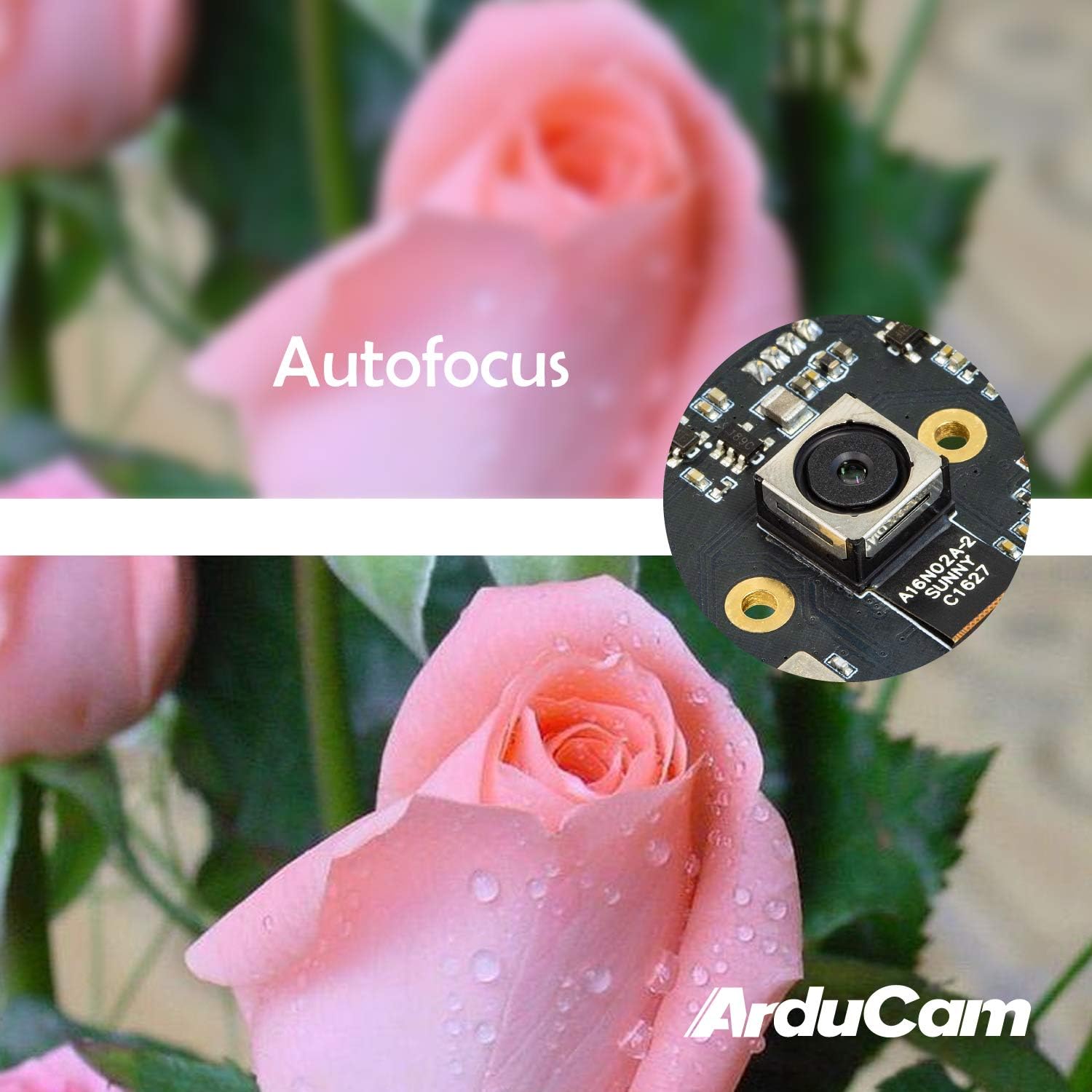
Figure 4: Demonstration of the camera's autofocus capability.
5.2 ความเข้ากันได้ของซอฟต์แวร์
The camera is compatible with standard UVC (USB Video Class) software. On Windows, you can use the built-in Camera app or third-party webcam software. On Linux, applications like Guvcview or Cheese can be used. For Mac OS, Photo Booth or QuickTime Player can access the camera. For advanced applications, programming libraries such as OpenCV can be utilized.
6. ข้อมูลจำเพาะ
| คุณสมบัติ | รายละเอียด |
|---|---|
| ยี่ห้อ | อาร์ดูแคม |
| หมายเลขรุ่น | B0290 |
| เทคโนโลยีโฟโต้เซนเซอร์ | ซีมอส |
| ความละเอียดของภาพนิ่งที่มีประสิทธิภาพ | 16 MP |
| ความละเอียดในการจับภาพวิดีโอ | 1080p |
| ความยาวโฟกัสสูงสุด | 100 มิลลิเมตร |
| ความยาวโฟกัสต่ำสุด | 100 มิลลิเมตร |
| ประเภทโฟกัส | โฟกัสอัตโนมัติ |
| เทคโนโลยีการเชื่อมต่อ | ยูเอสบี |
| ความเข้ากันได้ของระบบปฏิบัติการ | ลินุกซ์, แมค, วินโดวส์ |
| น้ำหนักสินค้า | 0.07 กิโลกรัม |
| ขนาดเซนเซอร์ภาพ | 1/2.8 นิ้ว |
| รูปแบบภาพที่รองรับ | MJPG/YUY2 |
| รูปแบบเสียงที่รองรับ | AAC, MP3, or PCM |
| คุณสมบัติ | แสงน้อย |

รูปที่ 5: ด้านบนและด้านล่าง views of the camera module with dimensions.
7. การบำรุงรักษา
To ensure the longevity and optimal performance of your Arducam 16MP Autofocus USB Camera, follow these maintenance guidelines:
- การทำความสะอาด: Use a soft, dry, lint-free cloth to gently wipe the camera lens and module surface. Avoid using liquid cleaners or abrasive materials, as they can damage the lens or electronic components.
- พื้นที่จัดเก็บ: When not in use, store the camera in a cool, dry place away from direct sunlight, extreme temperatures, and high humidity. Keep it protected from dust and physical impact.
- การจัดการ: Handle the camera module by its edges to avoid touching the lens or sensitive electronic components.
8 การแก้ไขปัญหา
If you encounter issues with your Arducam 16MP Autofocus USB Camera, consider the following troubleshooting steps:
- ไม่พบกล้อง:
- ตรวจสอบให้แน่ใจว่าได้เสียบสาย USB เข้ากับกล้องและอุปกรณ์โฮสต์อย่างแน่นหนาแล้ว
- Try connecting the camera to a different USB port on your device.
- Test the camera on another computer or compatible device to rule out a device-specific issue.
- รีสตาร์ทคอมพิวเตอร์หรืออุปกรณ์โฮสต์ของคุณ
- ไม่มีภาพหรือหน้าจอสีดำ:
- Verify that the correct camera is selected in your camera application settings.
- ปิดและเปิดแอปพลิเคชันกล้องใหม่อีกครั้ง
- Check if any other application is currently using the camera, as some systems only allow one application to access it at a time.
- Poor Image Quality / Focus Issues:
- ตรวจสอบให้แน่ใจว่าเลนส์กล้องสะอาดและปราศจากฝุ่นหรือคราบสกปรก
- Provide adequate lighting for your subject.
- For autofocus, ensure there is sufficient contrast in the scene for the camera to lock focus.
- ปัญหาความเข้ากันได้:
- Confirm that your operating system and software are compatible with UVC devices.
- For Android, ensure USB OTG is supported and enabled.
9. การรับประกันและการสนับสนุน
สำหรับข้อมูลการรับประกันและการสนับสนุนทางเทคนิค โปรดดูที่เว็บไซต์อย่างเป็นทางการของ Arducam webหรือติดต่อผู้ขายโดยตรง เก็บใบเสร็จรับเงินไว้เพื่อใช้ในการเคลมประกัน
คุณสามารถเยี่ยมชม ร้าน Arducam สำหรับข้อมูลผลิตภัณฑ์และทรัพยากรเพิ่มเติม