
1. บทนำ
This manual provides essential information for setting up, operating, and maintaining your copy of Sackboy: A Big Adventure for the PlayStation 5 console. Please read this manual thoroughly before playing the game.
Sackboy: A Big Adventure is a platforming game developed by Sumo Digital and published by Sony Interactive Entertainment. It features Sackboy, the hero from the LittleBigPlanet series, in a new 3D adventure.
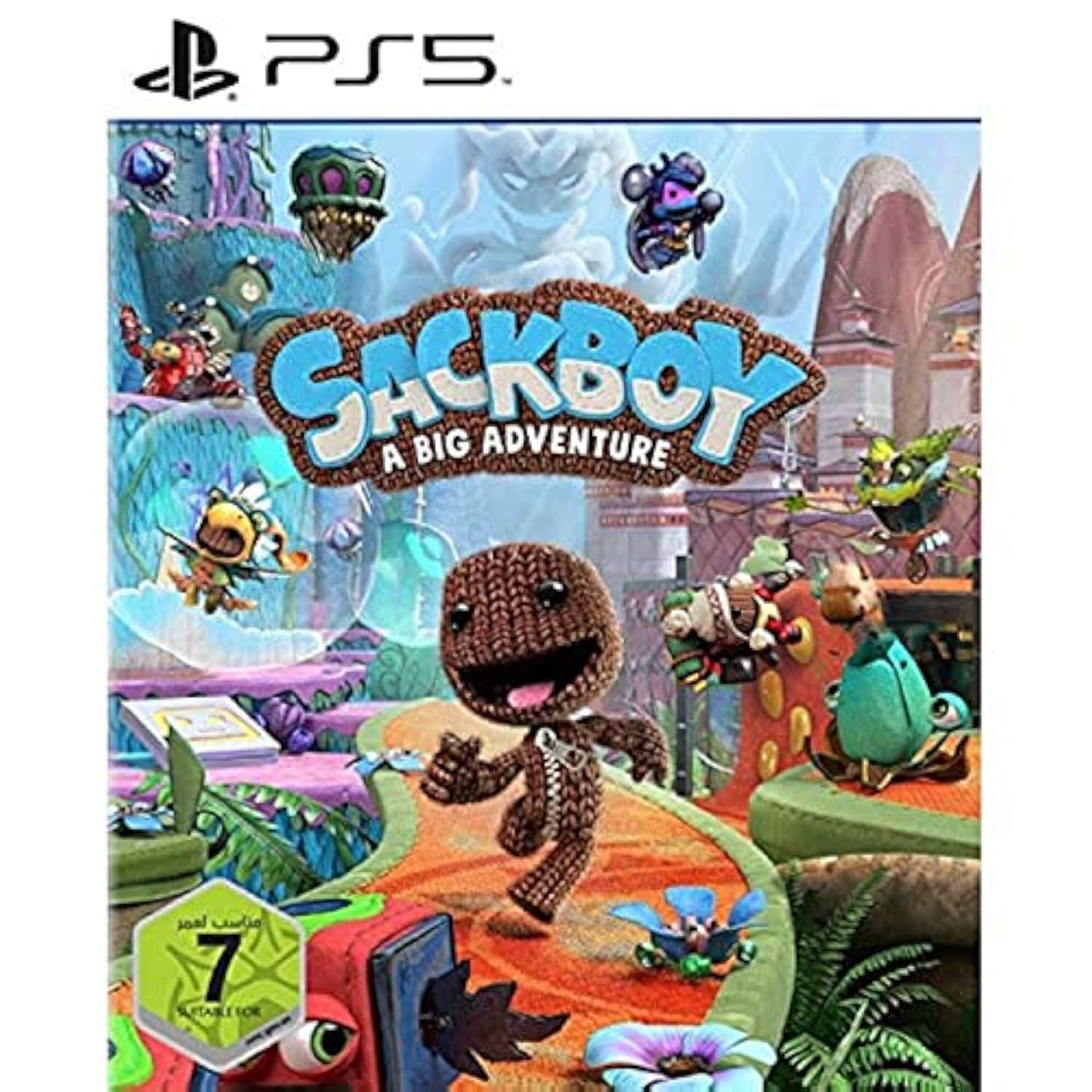
Image 1.1: Front cover of the Sackboy: A Big Adventure game case for PlayStation 5. The image shows Sackboy in a dynamic pose, surrounded by colorful elements from the game world.
2. การตั้งค่า
2.1 ข้อกำหนดของระบบ
- เครื่องเล่นเกม PlayStation 5
- DualSense wireless controller.
- Sufficient storage space on the PS5 console for game installation and updates.
- Internet connection for updates and online multiplayer features (optional).
2.2 Game Installation
- Ensure your PlayStation 5 console is powered on and connected to a display.
- Insert the Sackboy: A Big Adventure game disc into the PS5 console's disc drive. If you have a digital version, download it from the PlayStation Store.
- Follow the on-screen prompts to install the game. This process may take some time depending on the game size and system updates.
- Once installation is complete, the game icon will appear on your PS5 home screen.
2.3 Initial Launch and Language Selection
- Select the game icon from your PS5 home screen to launch Sackboy: A Big Adventure.
- The game supports multiple languages, including English and Arabic. Language selection is typically determined by your PS5 system language settings. You may be prompted to select a language upon first launch or find options within the game's settings menu.
3. การดำเนินงานของเกม
3.1 Basic Controls (DualSense Wireless Controller)
- สติ๊กซ้าย: Move Sackboy.
- แท่งขวา: Control camera.
- ปุ่ม X: กระโดด.
- ปุ่มสี่เหลี่ยม: Attack/Interact.
- ปุ่มวงกลม: Roll/Dodge.
- ปุ่มสามเหลี่ยม: Grab/Use items.
- L1/R1: Special actions (context-sensitive).
- L2/R2: Grab/Hold.
- ปุ่มตัวเลือก: Pause menu/Game options.
- ทัชแพด: Map/Inventory (context-sensitive).
Detailed control schemes can be found within the game's pause menu.
3.2 Gameplay Modes
- โหมดเนื้อเรื่อง: Progress through the main narrative, completing levels and defeating bosses.
- Co-op Multiplayer: Play with up to four players locally or online. This mode allows for collaborative gameplay and unique challenges.
3.3 การบันทึกความคืบหน้า
Sackboy: A Big Adventure features an automatic save system. Your progress is saved at regular intervals, typically after completing levels or reaching checkpoints. Do not turn off your console during a save operation to prevent data corruption.
3.4 Exiting the Game
To exit the game, access the pause menu using the Options button on your controller and select the 'Exit Game' or 'Quit to Main Menu' option. From the main menu, you can return to the PS5 home screen.
4. การบำรุงรักษา
4.1 Game Disc Care (for physical copies)
- Always handle the game disc by its edges.
- เก็บแผ่นดิสก์ไว้ในกล่องเดิมเมื่อไม่ได้ใช้งาน
- Keep the disc clean and free from dust, fingerprints, and scratches. Use a soft, lint-free cloth to gently wipe the disc from the center outwards if cleaning is necessary.
- Avoid exposing the disc to direct sunlight or extreme temperatures.
4.2 การอัปเดตซอฟต์แวร์
Ensure your PlayStation 5 console's system software is up to date. Game updates for Sackboy: A Big Adventure may be released periodically to improve performance, add features, or fix bugs. Your PS5 console will typically prompt you to download and install these updates when connected to the internet.
4.3 การจัดการการจัดเก็บข้อมูล
Periodically check your PS5 console's storage to ensure sufficient space for game installations, updates, and save data. You can manage storage through the PS5 system settings.
5 การแก้ไขปัญหา
- เกมไม่เริ่ม:
- Ensure the game disc is clean and properly inserted (if physical).
- Verify that the game is fully installed.
- รีสตาร์ทเครื่อง PlayStation 5 ของคุณ
- Check for any pending system software or game updates.
- เกมค้างหรือล่ม:
- Close the game application and restart it.
- Ensure your PS5 system software and game are updated to the latest versions.
- Clear the console's cache (refer to PS5 system support for instructions).
- คอนโทรลเลอร์ไม่ตอบสนอง:
- Ensure your DualSense controller is charged and properly paired with the PS5.
- Reset the controller (use a pin to press the small reset button on the back).
- Online Multiplayer Issues:
- ตรวจสอบการเชื่อมต่ออินเตอร์เน็ตของคุณ
- Verify PlayStation Network (PSN) status.
- Ensure all players have the latest game updates.
For persistent issues, consult the official PlayStation Support website or the game publisher's support resources.
6. ข้อมูลจำเพาะ
| คุณสมบัติ | รายละเอียด |
|---|---|
| ยี่ห้อ | เพลย์สเตชั่น |
| หมายเลขรุ่น | PPSA-01288 |
| แพลตฟอร์ม | เพลย์สเตชั่น 5 |
| ประเภท | Adventure, Platformer, Exploration |
| ยูพีซี | 711719825821 |
| ขนาดสินค้า (กล่อง) | ขนาด 10 x 5 x 1.27 ซม. ; 100 กรัม |
| ภาษาที่รองรับ | English, Arabic (and others based on system settings) |
| วันที่วางจำหน่าย | 1 มกราคม 2024 |
| คอนโซลที่เข้ากันได้ | โซนี่ เพลย์สเตชั่น 5 |
7. ข้อมูลการรับประกัน
This product is listed as 'Preowned'. Manufacturer warranties typically apply to new products. For pre-owned items, any warranty or return policy is generally provided by the seller from whom the item was purchased. Please refer to your purchase agreement or contact the seller directly for details regarding any applicable warranty or return policy.
8. การสนับสนุน
For technical assistance related to the PlayStation 5 console or PlayStation Network, please visit the official PlayStation Support webเว็บไซต์:
For game-specific inquiries or issues not covered in this manual, you may also consult the game publisher's support resources, typically found on the official PlayStation website or within the game itself.