
JETBeam MINI ONE SE
JETBEAM MINI ONE SE Keychain Flashlight User Manual
Model: MINI ONE SE
แบรนด์: เจ็ทบีม
การแนะนำ
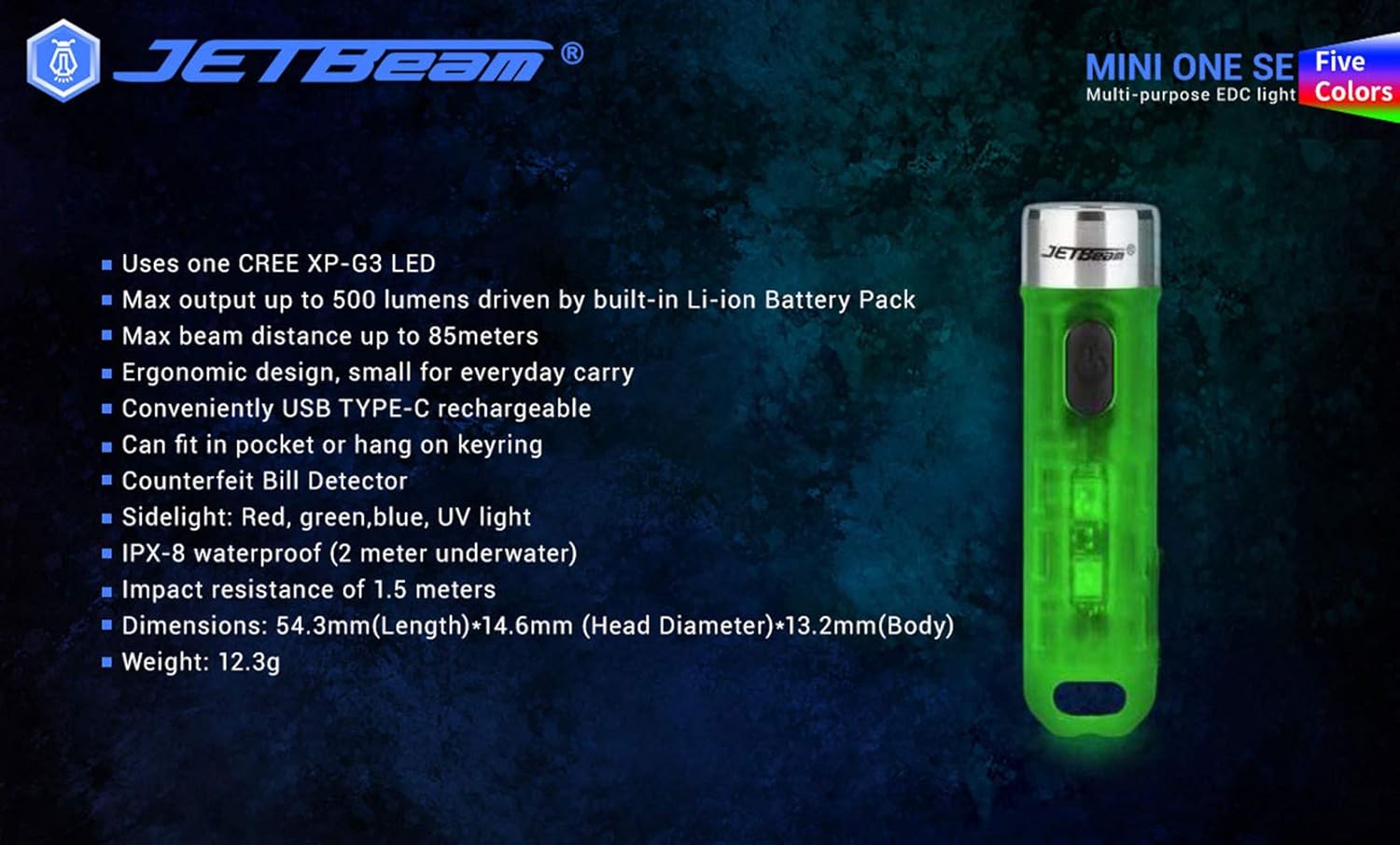
The JETBEAM MINI ONE SE is a compact and versatile keychain flashlight designed for everyday carry. It features a powerful CREE XP-G3 LED for main illumination, along with auxiliary RGB and UV lights for various applications, including fluorescent whitening agent detection. Its durable plastic construction, USB Type-C rechargeable battery, and IPX8 waterproof rating make it a reliable tool for diverse needs.
คุณสมบัติ
- Utilizes one CREE XP-G3 LED for main light.
- Equipped with auxiliary RGB LED and 365nm UV light for fluorescent whitening agent detection.
- Maximum output of 500 Lumens, powered by a built-in Li-ion battery pack.
- Achieves a maximum beam distance of up to 85 meters.
- Ergonomic design for comfortable everyday carry.
- Conveniently rechargeable via USB Type-C.
- Compact size allows it to fit easily in a pocket or attach to a keyring.
- ผลิตจากวัสดุพลาสติกที่ทนทาน
- Sidelight functions include Red, Green, Blue, and UV light.
- IPX8 waterproof rating (submersible up to 2 meters underwater).
- Impact resistance of 1.5 meters.
- Features various light modes for diverse applications, including identifying counterfeits.
- ดีไซน์น้ำหนักเบา น้ำหนักประมาณ 29 กรัม
- All light modes include a memory function.
เนื้อหาแพ็คเกจ
กรุณาตรวจสอบสิ่งของภายในบรรจุภัณฑ์เมื่อแกะกล่องเพื่อให้แน่ใจว่ามีสินค้าครบทั้งหมด:
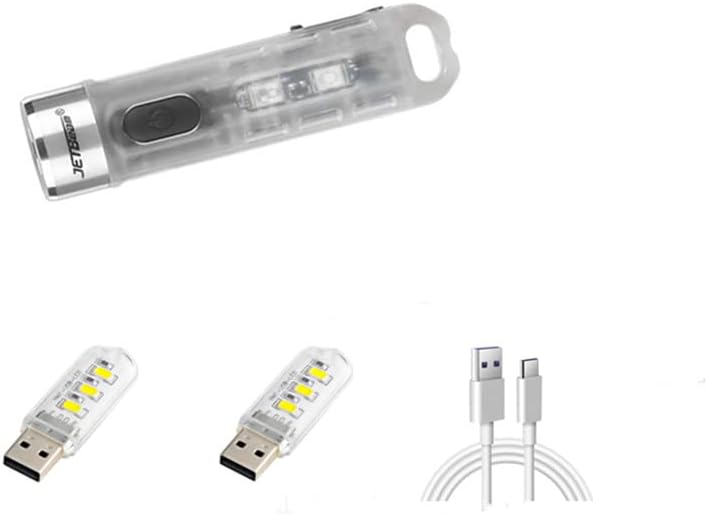
- 1 x JETBEAM MINI ONE SE Flashlight
- สายชาร์จ 1 x USB Type-C
การตั้งค่า
การชาร์จอุปกรณ์
The JETBEAM MINI ONE SE features a built-in Li-ion battery and is conveniently USB Type-C rechargeable. Before first use, it is recommended to fully charge the device.
- หาพอร์ตชาร์จ USB Type-C ที่ด้านข้างของไฟฉาย
- Connect the provided Type-C charging cable to the flashlight's port.
- Plug the other end of the USB Type-C charging cable into a compatible USB power source (e.g., computer USB port, wall adapter, power bank).
- The charging indicator light will illuminate to show the charging status. (Specific indicator behavior, e.g., red for charging, green for full, may vary slightly but generally indicates progress).
- Once fully charged, disconnect the charging cable and ensure the port cover (if any) is securely closed to maintain water resistance.

คำแนะนำการใช้งาน
The JETBEAM MINI ONE SE features a single side switch for all operations. All modes have a memory function, meaning the flashlight will turn on in the last used mode.
Main Light (White Light) Operation
- เปิด/ปิด: กดปุ่มเปิดปิดสั้นๆ
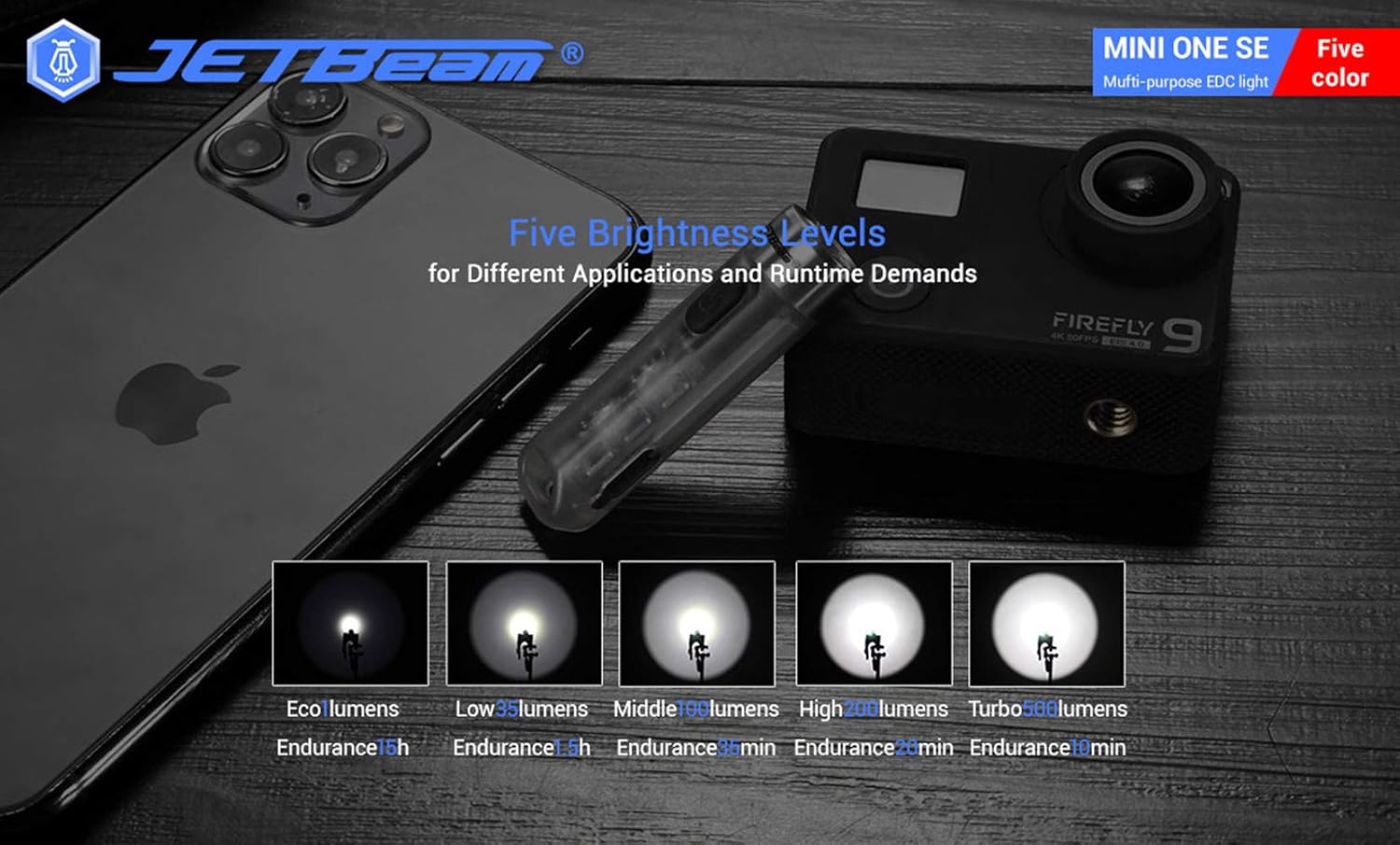
- เปลี่ยนความสว่าง: When the main light is ON, a long press of the power button will cycle through the brightness modes: Eco → Low → Middle → High. Release the button at your desired brightness.
- Access Turbo Mode (from OFF): When the main light is OFF, press and hold the power button to instantly access Turbo mode. Release the button to turn it off. (Note: Turbo mode automatically shuts down after approximately 30 seconds to prevent overheating).

การทำงานของไฟด้านข้าง
- เปิด/ปิด: Double press the power button to turn the side lights ON. Press the power button again to turn them OFF.
- เปลี่ยนสี/โหมด: When the side light is ON, a long press of the power button will cycle through the side light colors and modes: Red → Green → Blue → Red Flash → Flowing Light → Beacon. Release the button at your desired mode.
UV Light Operation
- เปิด/ปิด: Triple press the power button to turn the UV light ON. Press the power button again to turn it OFF.

การซ่อมบำรุง
To ensure optimal performance and longevity of your JETBEAM MINI ONE SE, follow these maintenance guidelines:
- การทำความสะอาด: เช็ดตัวไฟฉายด้วยผ้านุ่มๆamp ผ้า ห้ามใช้น้ำยาทำความสะอาดหรือสารละลายที่มีฤทธิ์กัดกร่อน รักษาเลนส์ให้สะอาดเพื่อให้ได้แสงที่ส่องออกมาได้สูงสุด
- พื้นที่จัดเก็บ: Store the flashlight in a cool, dry place away from direct sunlight and extreme temperatures. If storing for extended periods, ensure the battery is partially charged (around 50%) to preserve battery health.
- การดูแลแบตเตอรี่ The built-in Li-ion battery does not require removal. Recharge the device regularly, especially if it has not been used for a long time, to prevent deep discharge.
- ความต้านทานน้ำ: While the device is IPX8 waterproof, ensure the USB port cover is securely closed before exposing it to water.
การแก้ไขปัญหา
If you encounter issues with your JETBEAM MINI ONE SE, please refer to the following common problems and solutions:
- ไฟฉายไม่ติด:
- Ensure the battery is charged. Connect the flashlight to a USB Type-C charger and check the charging indicator.
- Verify that the power button is being pressed correctly (short press for main light, double press for side lights, triple press for UV light).
- แสงสว่างไม่เพียงพอ:
- แบตเตอรี่อาจจะใกล้หมด ชาร์จไฟฉายใหม่
- The lens might be dirty. Clean the lens gently with a soft cloth.
- Side lights or UV light not working:
- Ensure you are using the correct button press sequence (double press for side lights, triple press for UV light).
- ปัญหาการชาร์จ:
- Check if the USB Type-C cable is properly connected to both the flashlight and the power source.
- ลองใช้พอร์ต USB หรืออะแดปเตอร์จ่ายไฟอื่น
- ตรวจสอบให้แน่ใจว่าช่องเสียบชาร์จไม่มีสิ่งสกปรกอุดตัน
หากปัญหายังคงมีอยู่หลังจากลองขั้นตอนเหล่านี้แล้ว โปรดติดต่อฝ่ายสนับสนุนลูกค้า
ข้อมูลจำเพาะ
| คุณสมบัติ | ข้อมูลจำเพาะ |
|---|---|
| ยี่ห้อ | เจ็ทบีม |
| แบบอย่าง | MINI ONE SE |
| แหล่งกำเนิดแสง | 1*CREE XP-G3 LED (Main), RGB LED, 365nm UV LED (Auxiliary) |
| เอาท์พุตสูงสุด | 500 ลูเมน |
| ระยะลำแสงสูงสุด | 85 เมตร |
| แหล่งพลังงาน | Built-in Li-ion battery pack |
| การชาร์จไฟ | ยูเอสบี ไทป์ ซี |
| วัสดุ | พลาสติก |
| ความต้านทานต่อน้ำ | IPX8 (2 meters underwater) |
| ความต้านทานต่อแรงกระแทก | 1.5 เมตร |
| Dimensions (L x Head D x Body D) | 54.3 มม. x 14.6 มม. x 13.2 มม. (2.14 x 0.57 x 0.52 นิ้ว) |
| น้ำหนัก | 29 กรัม (1.06 ออนซ์) |
| ส่วนประกอบที่รวมอยู่ | สายชาร์จ |
| ยูพีซี | 644925520009 |
| วันที่พร้อมใช้งานครั้งแรก | วันที่ 3 ธันวาคม 2020 |
ข้อมูลการรับประกัน
Warranty information for the JETBEAM MINI ONE SE is not provided in this manual. Please refer to the product packaging or the manufacturer's official webเว็บไซต์สำหรับรายละเอียดเกี่ยวกับการรับประกันและข้อกำหนด
สนับสนุน
For further assistance, technical support, or inquiries regarding your JETBEAM MINI ONE SE, please visit the official JETBeam website or contact their customer service department. Contact details may also be found on the product packaging or purchase receipt.