
สินค้าเกินview
The Fellowes Powershred 12C Cross-Cut Paper Shredder is designed for home and office use, offering secure shredding of confidential documents. It can shred up to 12 sheets of paper per pass into small cross-cut particles, meeting P-4 security standards. Beyond paper, it handles staples, paper clips, credit cards, and unopened junk mail. The shredder features a patented Safety Lock for enhanced user safety and a 5-gallon pull-out waste bin for convenient disposal. It is engineered for continuous operation for up to 20 minutes, making it suitable for various shredding tasks.
คุณสมบัติหลัก:
- ความปลอดภัยสูง: Shreds 12 sheets per pass into 5/32 x 1-9/16 cross-cut particles (Security Level P-4) for enhanced security on highly confidential documents.
- เครื่องทำลายเอกสารอเนกประสงค์: Capable of shredding paper, staples, paper clips, credit cards, and unopened junk mail.
- ล็อคความปลอดภัย: Patented Safety Lock disables shredder for added safety protection when not in use.
- ความจุขนาดใหญ่: Features a 5-gallon pull-out bin to keep shreds contained and workspaces clean.
- การใช้งานต่อเนื่อง: Shreds continuously for up to 20 minutes before a cool down period is needed, ideal for completing small shredding jobs in one sitting.
- การออกแบบที่กะทัดรัด: Dimensions of 19.50" H x 9.69" W x 13.44" D make it suitable for personal deskside use.
การตั้งค่า
เนื้อหาแพ็คเกจ:
- Fellowes Powershred 12C Shredder Unit
การแกะกล่องและการจัดวาง:
- นำเครื่องทำลายเอกสารออกจากบรรจุภัณฑ์อย่างระมัดระวัง
- Place the shredder on a flat, stable surface. Ensure there is adequate space around the unit for ventilation and operation.
- Ensure the waste bin is correctly inserted into the shredder housing. The shredder will not operate if the bin is not properly seated.
- เสียบสายไฟเข้ากับเต้ารับไฟฟ้ามาตรฐาน
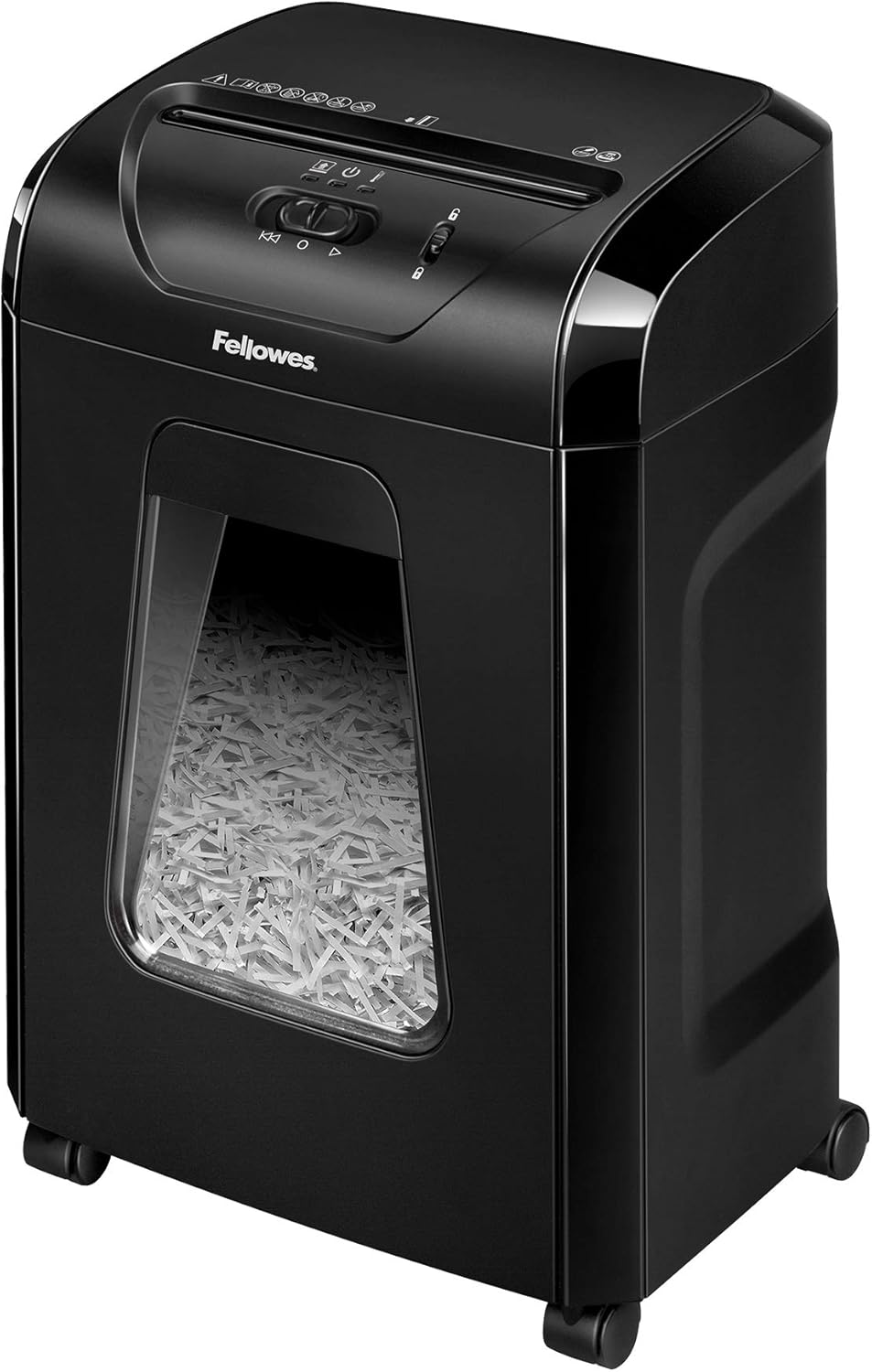
Image: The Fellowes Powershred 12C shredder, a black unit with a clear window showing shredded paper in the bin. The control panel is visible on top.
คำแนะนำการใช้งาน
การเปิด/ปิดเครื่อง:
- หาปุ่มควบคุมที่อยู่ด้านบนของเครื่องทำลายเอกสาร
- Slide the switch to the "On" (I) position to activate the shredder. The power indicator light will illuminate.
- To turn off the shredder, slide the switch to the "Off" (O) position.
การทำลายเอกสารด้วยเครื่องทำลายเอกสาร:
- Ensure the shredder is powered on and the safety lock is disengaged.
- Insert paper into the paper entry slot. The shredder will automatically begin shredding. Do not exceed the maximum capacity of 12 sheets per pass.
- For items like credit cards, staples, paper clips, or unopened junk mail, insert them into the designated entry slot.
- Allow the shredder to complete the shredding process before inserting more items.

Image: The shredder with icons illustrating its ability to shred paper, staples, paper clips, credit cards, and junk mail.
คุณสมบัติล็อคเพื่อความปลอดภัย:
The patented Safety Lock feature allows you to disable the shredder when not in use, preventing accidental operation. To engage the safety lock, slide the lock mechanism to the locked position. To disengage, slide it to the unlocked position.

Image: A hand engaging the patented Safety Lock on the shredder's control panel, showing the lock icon.
การทำงานต่อเนื่อง:
The Powershred 12C is designed for continuous shredding for up to 20 minutes. After this period, a cool-down period may be required to prevent overheating. Refer to the indicator lights for status.

Image: A hand feeding paper into the shredder, indicating continuous shredding capability.
การทำงานที่เงียบ:
This shredder is designed for quiet operation, making it suitable for home and small office environments without causing significant noise disruption.

Image: The shredder placed in a quiet office environment, with a sound wave icon indicating quiet operation.
การซ่อมบำรุง
การล้างถังขยะ:
The shredder features a 5-gallon pull-out waste bin. When the bin is full, the shredder will stop operating. To empty, simply pull out the bin, dispose of the shredded material, and slide the bin back into place until it clicks securely.

Image: A hand pulling out the 5-gallon waste bin from the shredder, showing the contained shredded paper.
การหยอดน้ำมันหล่อลื่นเครื่องทำลายเอกสาร:
Regular oiling of the shredder blades is recommended to maintain optimal performance and extend the life of the unit. Apply shredder oil across the paper entry slot, then run the shredder in reverse for a few seconds. Consult the manufacturer's guidelines for specific oiling frequency, typically after every bin emptying or a certain number of shredding sessions.
การทำความสะอาด:
Periodically wipe the exterior of the shredder with a soft, dry cloth. Do not use abrasive cleaners or solvents. Ensure the shredder is unplugged before cleaning.
การแก้ไขปัญหา
| ปัญหา | สาเหตุที่เป็นไปได้ | สารละลาย |
|---|---|---|
| เครื่องทำลายเอกสารไม่ทำงาน |
|
|
| กระดาษติด. |
|
|
| Reduced shredding performance or increased noise. |
|
|
ข้อมูลจำเพาะ
| คุณสมบัติ | รายละเอียด |
|---|---|
| หมายเลขรุ่น | 4014401 |
| ยี่ห้อ | เฟลโลว์ส |
| ประเภทการตัด | ครอสคัท |
| ความจุของแผ่น | 12 แผ่นต่อรอบ |
| ระดับความปลอดภัย | P-4 (5/32" x 1-9/16" cross-cut particles) |
| ความจุถังขยะ | 5 แกลลอน |
| เวลาทำงานต่อเนื่อง | สูงสุด 20 นาที |
| วัสดุที่บดละเอียด | Paper, Staples, Paper Clips, Credit Cards, Unopened Junk Mail |
| ขนาดสินค้า (สูง x กว้าง x ลึก) | 19.50" x 9.69" x 13.44" (19.69 x 9 x 13.44 นิ้ว) |
| น้ำหนักสินค้า | 17.2 ปอนด์ |
| สี | สีดำ |
| ผู้ผลิต | เฟลโลว์ส |
| วันที่พร้อมใช้งานครั้งแรก | 1 มกราคม 2021 |

Image: A hand holding shredded paper particles, illustrating the secure cross-cut (P-4 security) feature.
การรับประกันและการสนับสนุน
For warranty information, technical support, or service inquiries, please refer to the official Fellowes webหรือติดต่อฝ่ายบริการลูกค้า เก็บใบเสร็จรับเงินไว้เป็นหลักฐานการซื้อสำหรับการเคลมประกัน
Official Fellowes Webเว็บไซต์: www.fellowes.com