
Zeegma Robo Next
ZEEGMA Zonder Robo Next Robot Vacuum Cleaner User Manual
Model: Robo Next | Brand: Zeegma
1. บทนำ
Thank you for choosing the ZEEGMA Zonder Robo Next Robot Vacuum Cleaner. This manual provides essential information for the safe and efficient operation, maintenance, and troubleshooting of your device. Please read this manual thoroughly before using the product and retain it for future reference.
The Zonder Robo Next is an advanced robotic cleaning device designed for various floor types, offering multiple cleaning modes and powerful suction. Its intelligent features ensure thorough cleaning while navigating your home safely.
2. ข้อมูลด้านความปลอดภัย
เพื่อลดความเสี่ยงต่อการบาดเจ็บหรือความเสียหาย โปรดปฏิบัติตามข้อควรระวังด้านความปลอดภัยดังต่อไปนี้:
- ตรวจสอบให้แน่ใจว่าได้ปรับแรงดันไฟฟ้าของอะแดปเตอร์แปลงไฟแล้วtage เข้ากันได้กับแหล่งจ่ายไฟในพื้นที่ของคุณ
- ห้ามใช้งานหุ่นยนต์ในสภาพแวดล้อมที่เปียกชื้นหรือใกล้แหล่งน้ำ
- Keep the robot away from open flames, heat sources, and flammable materials.
- ห้ามให้เด็กหรือสัตว์เลี้ยงเล่นกับหุ่นยนต์
- Before operation, remove loose cables, small objects, and fragile items from the cleaning area.
- ห้ามใช้หุ่นยนต์หยิบเศษขยะขนาดใหญ่ วัตถุมีคม หรือของเหลว
- Only use manufacturer-approved accessories and replacement parts.
- หากหุ่นยนต์เสียหาย อย่าพยายามซ่อมแซมด้วยตนเอง โปรดติดต่อฝ่ายสนับสนุนลูกค้า
3. เนื้อหาบรรจุภัณฑ์
ตรวจสอบว่ามีรายการทั้งหมดอยู่ในแพ็คเกจ:
- หุ่นยนต์ดูดฝุ่น
- Docking Station with Power Supply
- แปรงหลัก
- 4 x แปรงด้านข้าง
- ไม้ถูพื้นไมโครไฟเบอร์
- รีโมทคอนโทรล
- แผ่นกรอง HEPA
- คู่มือการใช้งาน (เอกสารนี้)
4. การตั้งค่า
4.1 การจัดวางสถานีชาร์จ
Place the docking station against a wall in an open area, ensuring there are no obstacles within 1 meter (3 feet) to the sides and 2 meters (6 feet) in front of it. Connect the power supply to the docking station and plug it into a wall outlet. Ensure the station is always powered on.

Image: The robot vacuum automatically returns to its charging station. This image also highlights its smart device capabilities.
4.2 การชาร์จเริ่มต้น
Place the robot vacuum onto the charging station. Ensure the charging contacts on the robot align with those on the station. For first-time use, charge the robot for at least 6 hours to ensure the battery is fully conditioned. The battery indicator light will show charging status.

Image: The robot vacuum on a patterned rug, illustrating its 2600 mAh battery and strong suction power up to 2150 Pa.
4.3 การติดตั้งแปรงด้านข้าง
Turn the robot over. Align the side brushes with the corresponding slots on the bottom of the robot and press them down until they click into place. Ensure they are securely attached.
4.4 Connecting to the Smartphone App
Download the dedicated ZEEGMA app from your smartphone's app store. Follow the in-app instructions to connect your robot vacuum to your home Wi-Fi network. This will enable advanced control, scheduling, and monitoring features.

Image: The robot vacuum operating on a tiled floor, highlighting its low noise mode and dedicated app control.
5. การดำเนินการ
5.1 การเปิด/ปิดเครื่อง
Press and hold the power button on the robot or use the remote control/app to turn the robot on or off.
โหมดทำความสะอาด 5.2 โหมด
The Zonder Robo Next offers 6 distinct operating modes to suit various cleaning needs:
- การทำความสะอาดอัตโนมัติ: หุ่นยนต์นำทางและทำความสะอาดบริเวณที่เข้าถึงทั้งหมดอย่างชาญฉลาด
- การทำความสะอาดเฉพาะจุด: เน้นทำความสะอาดบริเวณที่สกปรกเฉพาะจุดโดยทำความสะอาดแบบเป็นเกลียว
- การทำความสะอาดขอบ: ทำความสะอาดตามผนังและขอบเฟอร์นิเจอร์
- การถูพื้นแบบเปียก: Attaches the microfiber mop for wet cleaning.
- Dry Sweeping: Uses brushes to sweep debris.
- การดูดฝุ่น: Engages the vacuum motor for dust and debris collection.

Image: The robot vacuum on a tiled floor, indicating its mop function capability.
5.3 การปรับกำลังดูด
Choose from 3 suction power levels (1500 Pa, 1800 Pa, 2150 Pa) via the app or remote control to match the cleaning intensity required for different surfaces and dirt levels.
5.4 การจัดตารางงาน
Use the smartphone app to set cleaning schedules for specific times and days. The robot will automatically start cleaning according to your programmed schedule.

Image: The robot vacuum operating near a virtual wall strip, illustrating its scheduling function.
5.5 การรวมระบบบ้านอัจฉริยะ
The Zonder Robo Next is compatible with Amazon Alexa and Google Home. Follow the instructions in the respective smart home apps to connect your robot for voice control.
5.6 การนำทางและการหลีกเลี่ยงอุปสรรค
Equipped with 15 anti-collision sensors, the robot navigates freely and safely, avoiding obstacles and drops. Its low profile (7.6 cm height) allows it to clean under most furniture.

Image: The robot vacuum cleaning under a sofa, demonstrating its compact height of 7.6 cm and its 15 anti-collision sensors.
6. การบำรุงรักษา
การบำรุงรักษาตามปกติจะช่วยให้หุ่นยนต์ดูดฝุ่นของคุณทำงานได้อย่างเหมาะสมที่สุดและยืดอายุการใช้งาน
6.1 การเทฝุ่นออกจากถังเก็บฝุ่น
The robot features an 800 ml dust container. Empty it after each cleaning cycle or when the indicator light signals it is full. Open the top cover, remove the dust container, and dispose of the collected debris.
6.2 การทำความสะอาดตัวกรอง HEPA
The washable HEPA filter captures up to 99.97% of allergens and fine particles. Remove the filter from the dust container and rinse it under running water. Allow it to air dry completely before reinserting. Replace the HEPA filter every 3-6 months, depending on usage.
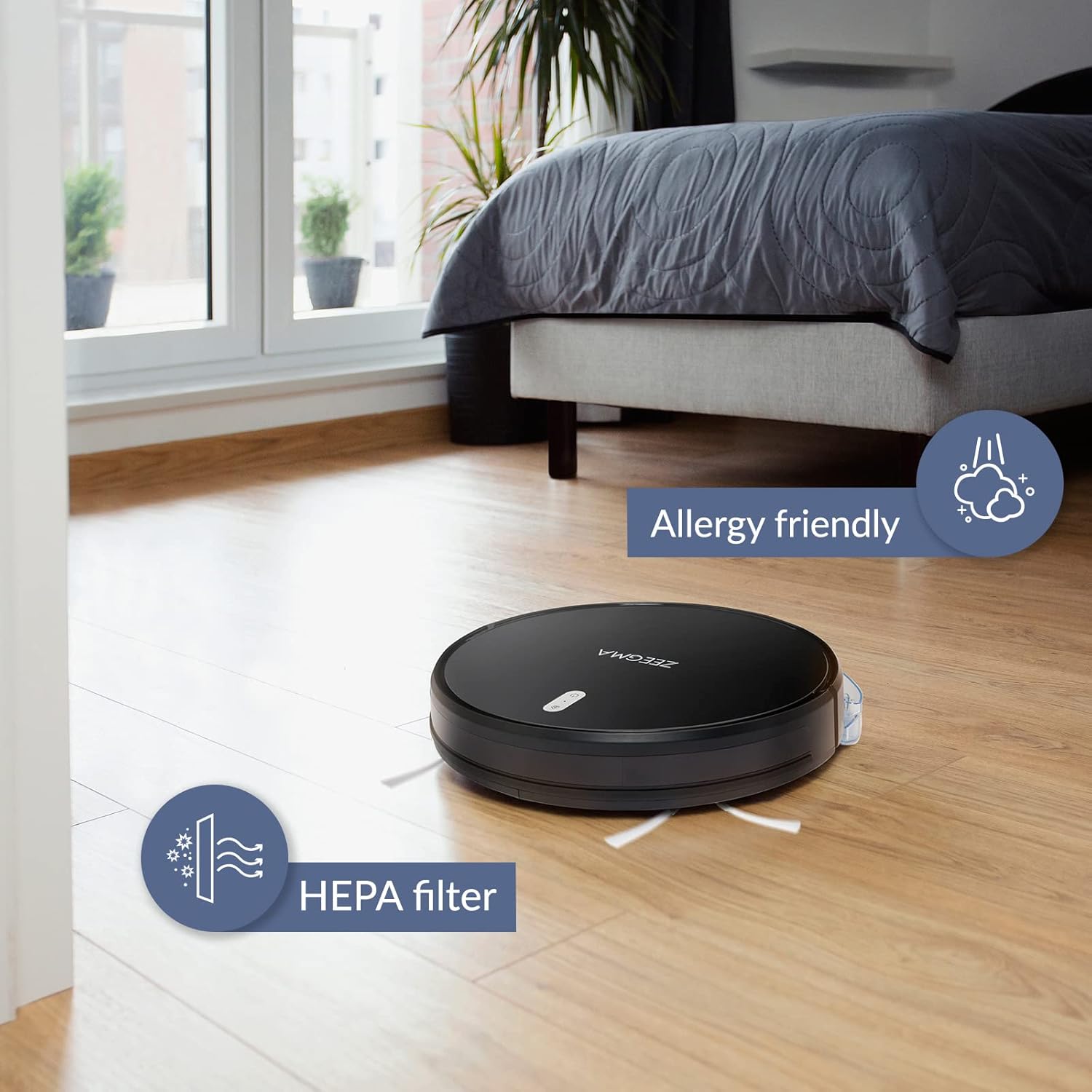
Image: The robot vacuum on a wooden floor, emphasizing its allergy-friendly design and HEPA filter system.
แปรงทำความสะอาด 6.3 อัน
- แปรงด้านข้าง: Regularly check side brushes for tangled hair or debris. Remove and clean them. Replace if worn or damaged.
- แปรงหลัก: ถอดฝาครอบแปรงหลักออก แล้วดึงแปรงออกมา ใช้เครื่องมือทำความสะอาด (ถ้ามีให้) เพื่อกำจัดเส้นผมและเศษขยะ
6.4 การทำความสะอาดเซ็นเซอร์และหน้าสัมผัสการชาร์จ
Wipe the anti-collision sensors and charging contacts on both the robot and the docking station with a dry, soft cloth to ensure proper function.
6.5 การบำรุงรักษาแผ่นม็อป
After wet mopping, remove the microfiber mop pad and wash it. Allow it to air dry completely before storing or reusing.
7 การแก้ไขปัญหา
If you encounter issues with your ZEEGMA Zonder Robo Next, refer to the following common problems and solutions:
| ปัญหา | สาเหตุที่เป็นไปได้ | สารละลาย |
|---|---|---|
| หุ่นยนต์ไม่เปิดเครื่อง | แบตเตอรี่อ่อน กดปุ่มเปิด/ปิดไม่ถูกต้อง | Charge the robot; press and hold the power button. |
| หุ่นยนต์ไม่ชาร์จเงิน | Charging contacts are dirty; docking station not powered. | Clean charging contacts; ensure docking station is plugged in. |
| หุ่นยนต์ติดขัดบ่อยครั้ง | Too many obstacles; sensors are dirty. | Clear the cleaning area; clean the sensors. |
| ประสิทธิภาพการทำความสะอาดไม่ดี | Dust container full; brushes tangled; filter clogged. | Empty dust container; clean brushes; clean/replace filter. |
| ปัญหาการเชื่อมต่อแอป | Incorrect Wi-Fi password; robot out of Wi-Fi range. | Verify Wi-Fi credentials; move robot closer to router; restart robot and router. |
If the problem persists, please contact Zeegma customer support.
8. ข้อมูลจำเพาะ
| คุณสมบัติ | รายละเอียด |
|---|---|
| ยี่ห้อ | ซีกมา |
| ชื่อรุ่น | Robo Next |
| ขนาดสินค้า (กว้าง x ยาว x สูง) | 32L x 32W x 7.6H ซม |
| น้ำหนักสินค้า | 2.5 กก. |
| ความจุของแบตเตอรี่ | 2600 มิลลิแอมป์ |
| อายุการใช้งานแบตเตอรี่ | สูงสุด 120 นาที |
| พื้นที่ทำความสะอาดต่อการชาร์จหนึ่งครั้ง | มากถึง 180 m² |
| พลังดูด | 1500 to 2150 Pa (3 modes) |
| ระดับเสียง | 50 dB (quiet operation) / 55 dB (general) |
| ความจุถังเก็บฝุ่น | 800 มล. |
| ประเภทตัวกรอง | แผ่นกรอง HEPA ที่สามารถซักล้างได้ |
| การนำทาง | 15 anti-collision sensors |
| ประเภทการควบคุม | Wi-Fi, App (iOS), Voice (Amazon Alexa, Google Home), Remote Control |
| คุณสมบัติพิเศษ | 6 operating modes (wet/dry wiping, sweeping, vacuuming), Automatic return to base, Scheduling function, Virtual wall compatibility (implied by image) |
9. การสนับสนุนลูกค้า
For further assistance, technical support, or warranty information, please contact Zeegma customer service through their official webเว็บไซต์หรือข้อมูลติดต่อที่ระบุไว้ในเอกสารการสั่งซื้อของคุณ
เอกสารที่เกี่ยวข้องRobo Next


Ask a question about this manual
Ask about setup, troubleshooting, compatibility, parts, safety, or missing instructions. Manuals+ will review the question and use this page’s manual context to help answer it.