
1. บทนำ
Thank you for choosing the WiZ 6-inch Tunable White LED Recessed Downlight. This smart lighting solution allows you to enjoy personalized illumination, enhancing your home environment with ease. This manual provides essential information for the safe and efficient use of your new downlight, covering installation, operation, maintenance, and troubleshooting.
2. คุณสมบัติของผลิตภัณฑ์
- ระบบควบคุมแสงสว่างอัจฉริยะ: Enjoy intelligent lighting with the WiZ 6-inch (15cm diameter) Tunable White LED Recessed Downlight.
- Tunable White Spectrum: Choose between different shades of warm to cool white light (from 2700K to 6500K) to help you concentrate, relax, energize, or simply illuminate your space clearly.
- Customizable Schedules & Scenes: Set personalized schedules to turn lights on and off according to your daily routines, or select from preset scenes.
- ความเข้ากันได้ของการควบคุมด้วยเสียง: Control your lights using your voice with popular smart assistants like Alexa, Siri, or Google Assistant.
- การเชื่อมต่อ Wi-Fi: WiZ lights connect directly to your existing Wi-Fi network without the need for additional hardware or a hub.
- อายุการใช้งานยาวนานและประสิทธิภาพการใช้พลังงาน: Features a lifespan of 15,000 hours and a luminous flux of 1950 lumens, offering both durability and energy savings.

รูปที่ 2.1: เกินview of WiZ Smart Features
3. เนื้อหาบรรจุภัณฑ์
ตรวจสอบว่ามีส่วนประกอบทั้งหมดอยู่ในแพ็คเกจ:
- 1 x WiZ 6-inch Tunable White LED Recessed Downlight (RD6 17W)
- 1 x คู่มือผู้ใช้ (เอกสารนี้)
4. ข้อมูลด้านความปลอดภัย
โปรดอ่านและทำความเข้าใจคำแนะนำด้านความปลอดภัยทั้งหมดก่อนการติดตั้งและการใช้งาน การไม่ปฏิบัติตามคำแนะนำเหล่านี้อาจส่งผลให้เกิดไฟฟ้าช็อต ไฟไหม้ หรืออันตรายอื่นๆ
- ความปลอดภัยทางไฟฟ้า: Always turn off power at the circuit breaker before installing or servicing the downlight. Ensure proper grounding.
- การติดตั้ง: Install in accordance with national and local electrical codes. If you are unsure about the installation, consult a qualified electrician.
- สภาพแวดล้อมการทำงาน: Do not use in wet locations or where directly exposed to water. Suitable for indoor use only.
- ความเข้ากันได้: Use only with WiZ compatible devices and applications.
- การกำจัด: กำจัดผลิตภัณฑ์และส่วนประกอบต่างๆ อย่างรับผิดชอบตามกฎระเบียบท้องถิ่น
5. คู่มือการติดตั้ง
Follow these steps to install and connect your WiZ Recessed Downlight:
- เตรียมความพร้อมสำหรับการติดตั้ง: Turn off the power to the circuit at the main fuse box or circuit breaker.
- การเปิดวัด: Ensure your ceiling opening is suitable for a 6-inch (15cm) recessed downlight. Refer to the product dimensions.
- การเชื่อมต่อสายไฟ: Connect the downlight's wiring to your household electrical wiring according to the wiring diagram provided with the product (not shown here, typically in a separate installation guide). Ensure all connections are secure.
- ใส่ดาวน์ไลท์: Gently push the downlight into the ceiling opening until the spring clips secure it in place.
- คืนค่าพลัง: เปิดไฟที่เบรกเกอร์อีกครั้ง
- Download WiZ App: Download the WiZ app from your smartphone's app store (available for iOS and Android).
- Pair the Downlight: Open the WiZ app and follow the on-screen instructions to pair your new downlight. The app will guide you through the process of connecting the light to your Wi-Fi network.

รูปที่ 5.1: ขนาดผลิตภัณฑ์

Figure 5.2: WiZ App Pairing Process
6. คู่มือการใช้งาน
Once installed and paired, you can control your WiZ downlight using the WiZ app or voice commands.
6.1. Using the WiZ App
- เปิด/ปิด: Tap the light icon in the app to turn the downlight on or off.
- การปรับความสว่าง: Use the slider in the app to adjust the brightness level.
- อุณหภูมิสี: Select from a range of warm to cool white tones (2700K to 6500K) to suit your mood or activity.
- ฉาก: Choose from a variety of pre-set dynamic light modes or create your own custom scenes for different occasions.
- ตารางเวลา: Set up daily or weekly schedules for your lights to turn on/off or change scenes automatically.
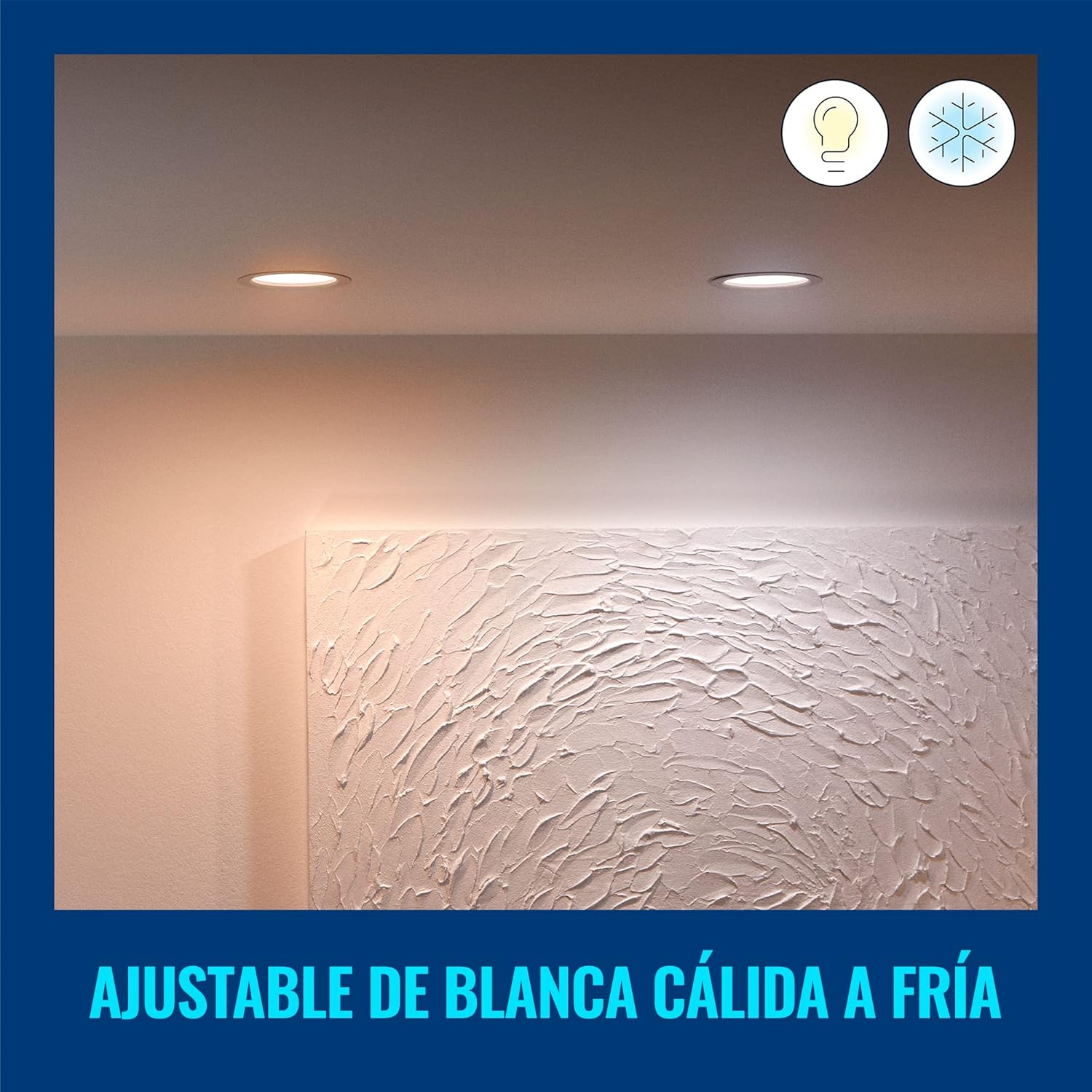
Figure 6.1: Warm White Light Setting
6.2. การควบคุมด้วยเสียง
Integrate your WiZ downlight with smart home assistants for hands-free control:
- ผู้ช่วย Google: Link your WiZ account in the Google Home app. Then use commands like, "Hey Google, turn on the living room light."
- อเมซอนอเล็กซ่า: Enable the WiZ skill in the Alexa app. Use commands such as, "Alexa, set the kitchen light to warm white."
- ทางลัด Siri ของ Apple: Create custom Siri Shortcuts in the WiZ app for quick voice commands.

รูปที่ 6.2: การรวมการควบคุมด้วยเสียง
7. การบำรุงรักษาและการดูแล
To ensure the longevity and optimal performance of your WiZ downlight, follow these simple care instructions:
- การทำความสะอาด: Disconnect power before cleaning. Use a soft, dry cloth to wipe the surface of the downlight. Do not use abrasive cleaners or solvents.
- ไม่มีชิ้นส่วนที่ผู้ใช้สามารถซ่อมบำรุงได้: The LED light source is integrated and not replaceable. Do not attempt to disassemble the downlight.
- สภาพแวดล้อม : Avoid exposing the downlight to extreme temperatures or high humidity, as this may affect its performance and lifespan.
8 การแก้ไขปัญหา
If you encounter issues with your WiZ downlight, refer to the following common problems and solutions:
| ปัญหา | สาเหตุที่เป็นไปได้ | สารละลาย |
|---|---|---|
| Downlight does not turn on. | No power, loose wiring, or faulty unit. | Check circuit breaker. Ensure wiring is secure. If problem persists, contact customer support. |
| ไม่สามารถเชื่อมต่อ Wi-Fi ได้ | รหัสผ่าน Wi-Fi ไม่ถูกต้อง, อยู่นอกระยะสัญญาณ หรือเราเตอร์มีปัญหา | Verify Wi-Fi password. Move downlight closer to router. Restart router. Ensure you are connecting to a 2.4GHz Wi-Fi network. |
| ไฟกระพริบหรือหรี่ลงโดยไม่คาดคิด | Unstable power supply or interference. | Check electrical connections. Ensure no other devices are causing electrical interference. |
| การควบคุมด้วยเสียงไม่ทำงาน | Incorrect setup with smart assistant or internet connectivity issues. | Ensure WiZ account is correctly linked in your smart assistant app. Check internet connection. |
For further assistance, please refer to the customer support section.
9. ข้อมูลจำเพาะ
| คุณลักษณะ | ค่า |
|---|---|
| ยี่ห้อ | วิซ |
| หมายเลขรุ่น | 929002647712 |
| ผู้ผลิต | Signify Mexico |
| สี | สีขาว |
| วัสดุ | พลาสติก |
| รูปร่าง | กลม |
| แหล่งพลังงาน | ไฟฟ้า |
| เล่มที่tage | 120 โวลต์ (AC) |
| วัดtage | 17 วัตต์ |
| ประเภทหลอดไฟ | LED (แบบบูรณาการ) |
| ฟลักซ์ส่องสว่าง | 1950 ลูเมน |
| คุณสมบัติพิเศษ | Dimmable, Low Consumption |
| การใช้งาน | Decoration, General Lighting |
| จำเป็นต้องใช้แบตเตอรี่หรือไม่? | เลขที่ |
| ขนาดสินค้า (กว้าง x ยาว x สูง) | 16.5 x 15 x 4.7 ซม. (6.5 x 5.91 x 1.85 นิ้ว) |
| น้ำหนักผลิตภัณฑ์ | 220 กรัม |
| อายุการใช้งาน | 15,000 ชั่วโมง |
10. ข้อมูลการรับประกัน
WiZ products are designed for reliability and performance. This product comes with a standard manufacturer's warranty against defects in materials and workmanship. Please refer to the official WiZ webดูรายละเอียดเงื่อนไขและข้อกำหนดการรับประกันโดยละเอียดได้จากเว็บไซต์หรือเอกสารการซื้อของคุณ รวมถึงระยะเวลาและรายละเอียดความคุ้มครอง
11. การสนับสนุนลูกค้า
If you have any questions, require technical assistance, or need to report an issue, please contact WiZ customer support through the following channels:
- การสนับสนุนทางออนไลน์: เยี่ยมชมอย่างเป็นทางการ วิซ webเว็บไซต์ for FAQs, troubleshooting guides, and contact forms.
- การสนับสนุนภายในแอป: Access support resources directly within the WiZ mobile application.
- การสนับสนุนผู้ค้าปลีก: For purchase-related inquiries, contact the retailer where you bought the product.