
การแนะนำ
Thank you for choosing the PalliPartners Portable Voice Amplifier T9. This device is designed to amplify your voice clearly and powerfully, making it ideal for teachers, tour guides, coaches, presenters, and anyone needing to project their voice to a large audience. With its compact size, long battery life, and versatile features, the T9 amplifier provides a reliable and convenient solution for various speaking engagements.

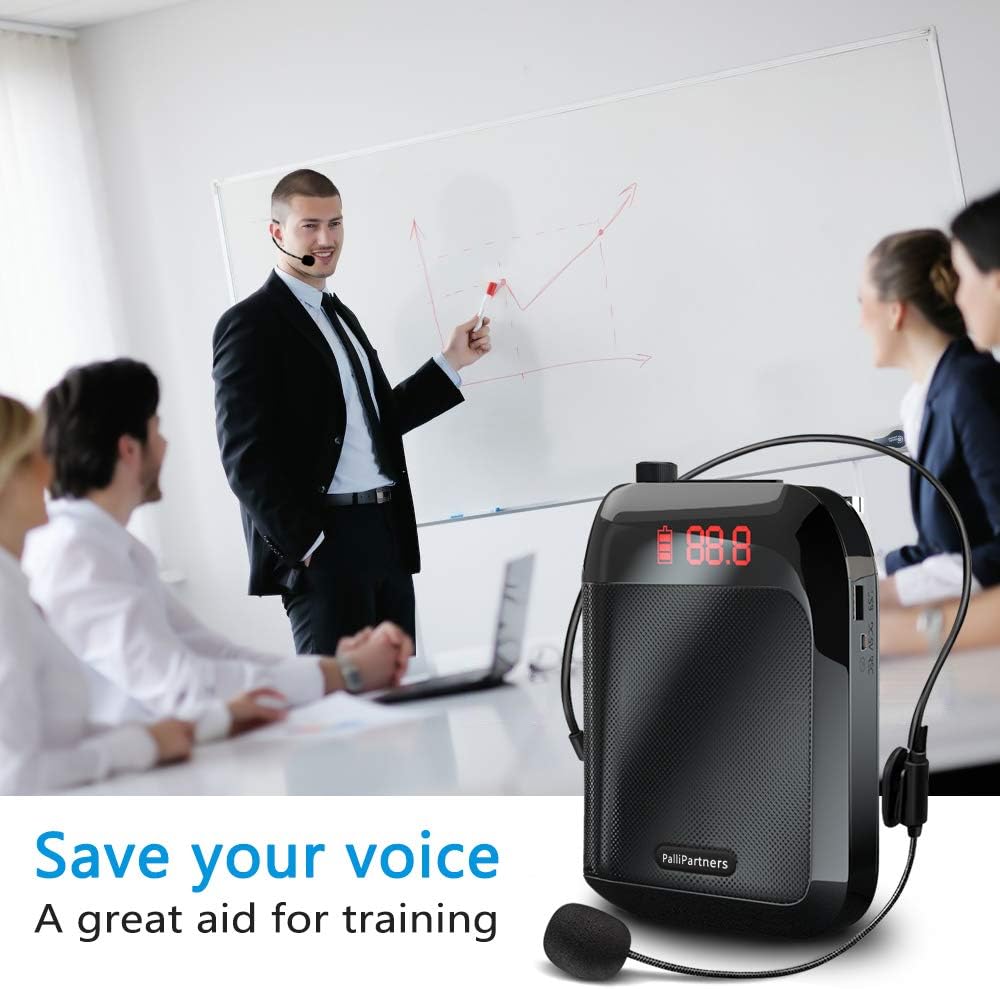
Image: The PalliPartners Portable Voice Amplifier T9, a compact black speaker unit with a wired headset microphone connected. The display shows "88.8" and a battery indicator.
เนื้อหาแพ็คเกจ
โปรดตรวจสอบแพ็คเกจอย่างละเอียดเพื่อให้แน่ใจว่ามีสินค้าทั้งหมดอยู่และอยู่ในสภาพดี:
- PalliPartners Portable Voice Ampหน่วย liifier
- ชุดหูฟังแบบมีสายพร้อมไมโครโฟน
- สายชาร์จ USB
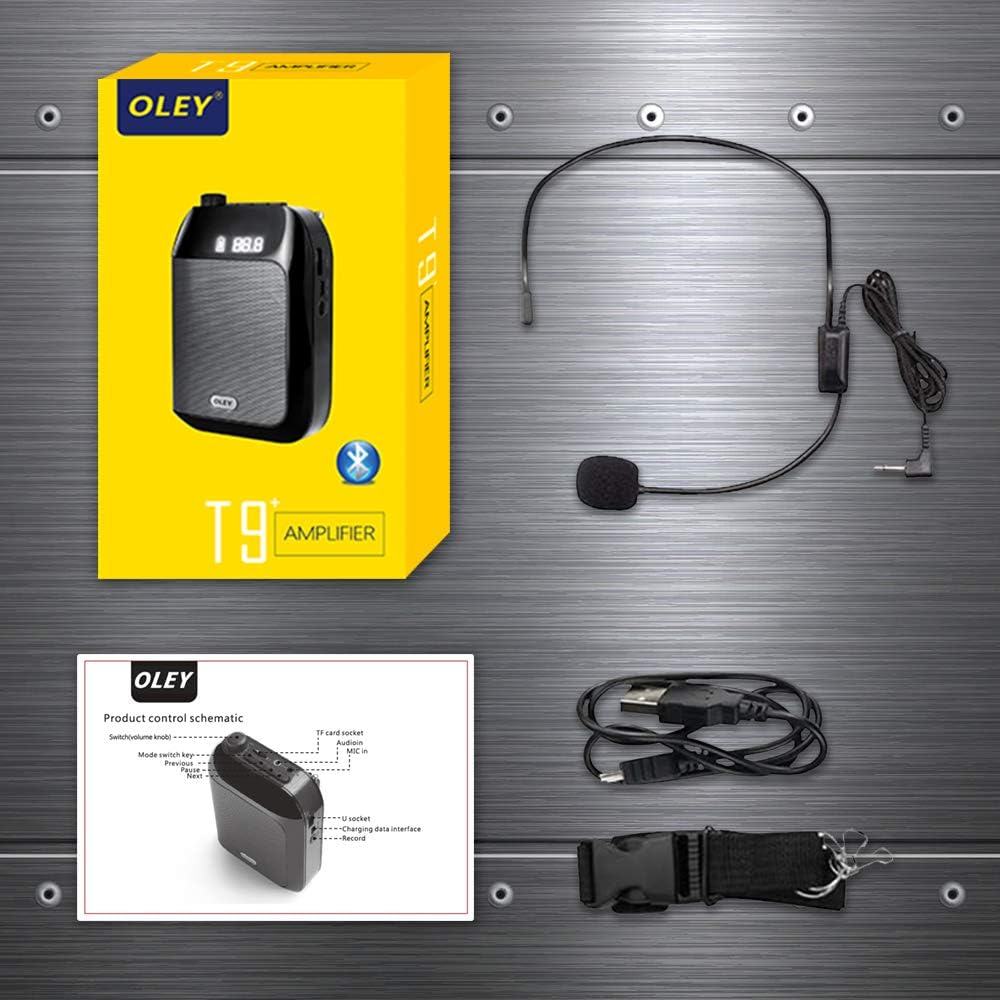
- Waist Strap / Belt Clip
- คู่มือการใช้งาน (เอกสารนี้)

Image: A visual representation of the package contents, including the amplifier unit, headset microphone, USB cable, and waist strap, alongside the product box and a schematic diagram.
สินค้าเกินview
ทำความคุ้นเคยกับส่วนต่างๆ และปุ่มควบคุมของเสียงของคุณ ampเครื่องฟอก:

Image: A detailed diagram labeling the different parts of the amplifier. Key components include the volume knob, microphone input, USB interface, charging interface, and mode switch key.
- ต่อไป: Short press to skip to the next track in music playback.
- หยุดชั่วคราว: กดสั้นๆเพื่อหยุดชั่วคราว/เล่นเพลง
- ก่อนหน้า: Short press to skip to the previous track in music playback.
- ปุ่มสลับโหมด: Short press to cycle through modes (e.g., AUX, TF card, USB, Bluetooth).
- Switch (volume knob): หมุนเพื่อเปิด/ปิดและปรับระดับเสียง
- Audion: Audio output port (e.g., for headphones or external speaker).
- ไมค์ใน: พอร์ตอินพุตไมโครโฟน
- ทางอากาศ: Antenna for radio function (if applicable).
- หัวเข็มขัด: Attachment point for the waist strap or belt clip.
- อินเทอร์เฟซ USB: For USB flash drive playback or connecting to a computer.
- อินเทอร์เฟซการชาร์จ: DC 5V input for charging the device.
- บันทึก: Button for recording function (if applicable).
การตั้งค่า
กำลังชาร์จไฟล์ Ampชีวิต
ก่อนใช้งานครั้งแรกให้ชาร์จจนเต็ม amplifier. Connect the supplied USB charging cable to the "Charging interface" (11) on the amplifier and the other end to a USB power adapter (not included) or a computer's USB port. The battery indicator on the display will show charging status. A full charge takes approximately 4-6 hours and provides up to 20 hours of use.
การเชื่อมต่อไมโครโฟน
Insert the 3.5mm plug of the wired headset microphone into the "Mic in" port (7) on the amplifier. Position the microphone close to your mouth for optimal sound pickup.
การสวมใส่ Ampชีวิต
การ ampสามารถสวมใส่เครื่องขยายเสียงได้หลายวิธี:
- คลิปหนีบเข็มขัด: Use the integrated clip on the back of the unit to attach it to your belt or pocket.
- Waist Strap: Attach the provided waist strap to the "Buckle" (9) points on the amplifier and wear it around your waist or over your shoulder.
ภาพ: ด้านหลังของ amplifier unit demonstrating how to attach the waist strap using the buckle points, and an illustration of the amplifier being worn with the strap.
คำแนะนำการใช้งาน
เปิด / ปิดและควบคุมระดับเสียง
เพื่อเปิดไฟล์ amplifier, rotate the "Switch (volume knob)" (5) clockwise. The display will light up. Continue rotating clockwise to increase the volume. Rotate counter-clockwise to decrease the volume and turn off the device.
เสียง Ampการทำให้บริสุทธิ์
Once powered on and the microphone is connected, speak into the headset microphone. Your voice will be amplified through the speaker. Adjust the volume knob to a comfortable listening level, avoiding feedback (a high-pitched squeal).
การสลับโหมด
Press the "Mode switch key" (4) to cycle through available modes such as Microphone (amplification), TF Card playback, USB flash drive playback, and AUX input. If Bluetooth is supported, it will also be an option.
Music Playback (TF Card / USB / AUX)
Insert a TF (Micro SD) card into the designated slot or a USB flash drive into the "USB interface" (10) with audio files. Press the "Mode switch key" (4) to select the corresponding playback mode. Use the "NEXT" (1) and "Previous" (3) buttons to navigate tracks, and the "Pause" (2) button to play or pause.
For AUX input, connect an external audio source (e.g., smartphone) to the "Mic port" (7) using a 3.5mm audio cable. Switch to AUX mode if necessary.
ภาพ: The amplifier unit placed next to a smartphone, illustrating its high fidelity and low noise Bluetooth 5.2 connectivity for audio playback.
การซ่อมบำรุง
การดูแลแบตเตอรี่
- ควรชาร์จอุปกรณ์เป็นประจำ แม้ว่าจะไม่ได้ใช้งานบ่อย เพื่อรักษาอายุการใช้งานของแบตเตอรี่
- หลีกเลี่ยงการชาร์จแบตเตอรี่จนหมดก่อนชาร์จ
- อย่าวางอุปกรณ์ไว้ในที่ที่มีอุณหภูมิสูงหรือต่ำเกินไป เพราะอาจส่งผลต่ออายุการใช้งานของแบตเตอรี่ได้
การทำความสะอาด
เช็ด amplifier and microphone with a soft, dry cloth. Do not use abrasive cleaners or immerse the device in water.
พื้นที่จัดเก็บ
จัดเก็บ amplifier in a cool, dry place away from direct sunlight and moisture when not in use. Keep it away from strong magnetic fields.
การแก้ไขปัญหา
| ปัญหา | สาเหตุที่เป็นไปได้ | สารละลาย |
|---|---|---|
| ไม่มีเสียงออกจากลำโพง |
|
|
| High-pitched feedback (squealing) |
|
|
| เสียงเพี้ยน |
|
|
| Cannot play music from TF card/USB |
|
|
ข้อมูลจำเพาะ
| คุณสมบัติ | รายละเอียด |
|---|---|
| เอาท์พุต วัดtage | 35 วัตต์ |
| ความจุของแบตเตอรี่ | แบตเตอรี่ลิเธียม 3600mAh |
| เอกราชของแบตเตอรี่ | สูงสุด 20 ชั่วโมง (ขึ้นอยู่กับการใช้งาน) |
| เวลาในการชาร์จ | 4-6 ชั่วโมง |
| พื้นที่ให้บริการ | Approx. 21000 sq. ft (2000 ㎡) |
| ขนาด (กว้าง x ยาว x สูง) | 4.7 x 1.4 x 3.5 inches (Unit) / 8.35 x 5.2 x 2.83 inches (Package) |
| น้ำหนัก | 0.6 lb (Unit) / 1.26 pounds (Item Weight) |
| การเชื่อมต่อ | AUX, USB, TF Card, Bluetooth 5.2 (implied by image) |
| ประเภทไมโครโฟน | ชุดหูฟังแบบมีสายพร้อมไมโครโฟน |
| ประเภทการติดตั้ง | Clip On, Freestanding, Tie (Waist Strap) |
| หมายเลขรุ่น | T9 (APRO) |
| ASIN | B08M97RZGS |
| ยูพีซี | 759068903944 |
การรับประกันและการสนับสนุน
PalliPartners is committed to providing high-quality products. For specific warranty information and customer support, please refer to the warranty card included with your product or contact PalliPartners customer service directly through their official website or the retailer where you purchased the product. Please have your model number (T9) and ASIN (B08M97RZGS) ready when contacting support.
หากต้องการความช่วยเหลือเพิ่มเติม คุณสามารถไปที่ PalliPartners Store on Amazon.