
การแนะนำ
ขอบคุณสำหรับการซื้อasing the Crestlive Products Writing Computer Desk. This manual provides detailed instructions for the assembly, operation, maintenance, and troubleshooting of your new desk. Please read all instructions carefully before assembly and retain this manual for future reference.
ข้อมูลด้านความปลอดภัย
Please observe the following safety precautions during assembly and use:
- เก็บวัสดุบรรจุภัณฑ์ทั้งหมดให้ห่างจากเด็ก
- ตรวจสอบให้แน่ใจว่าชิ้นส่วนทั้งหมดครบถ้วนและไม่เสียหายก่อนเริ่มประกอบ ห้ามใช้งานหากชิ้นส่วนใดขาดหายหรือเสียหาย
- ประกอบโต๊ะบนพื้นผิวที่นุ่มและสะอาดเพื่อป้องกันรอยขีดข่วน
- แนะนำให้ผู้ใหญ่สองคนประกอบผลิตภัณฑ์นี้
- ห้ามขันสกรูแน่นเกินไป เพราะอาจทำให้วัสดุเสียหายได้
- ห้ามยืนหรือนั่งบนโต๊ะทำงาน
- วางโต๊ะบนพื้นผิวเรียบเพื่อป้องกันการล้ม
- Do not exceed the maximum weight recommendation of 100 pounds for the desktop.
รายการชิ้นส่วน
Before assembly, verify that all components listed below are present. All necessary assembly tools are included with the product.

This diagram illustrates the key dimensions of the desk, including its length (47.24 inches), width (20.08 inches), and height (29.92 inches). It also details the dimensions of the keyboard tray, drawer, and shelf compartments.
Refer to the included assembly diagram for a complete list of parts and hardware.
การติดตั้งและการประกอบ
Follow these general steps for assembling your writing computer desk. A detailed step-by-step guide with illustrations is provided in the separate assembly instruction sheet included in the packaging.
- แกะส่วนประกอบ: Carefully remove all parts from the packaging. Lay them out on a clean, soft surface to prevent damage.
- ระบุฮาร์ดแวร์: Separate and identify all screws, dowels, and other hardware components using the provided hardware list.
- ประกอบโครง: Begin by assembling the main frame of the desk according to the instructions, ensuring all connections are secure but not overtightened.
- Install Keyboard Tray and Drawer Slides: Attach the metal slides for the keyboard tray and the main storage drawer as directed. Ensure they are aligned correctly for smooth operation.
- ติดตั้งชั้นวางและแผงกั้น: Secure the internal shelves and back panels.
- Install Drawer and Keyboard Tray: Insert the assembled drawer and keyboard tray into their respective slides. Test for smooth movement.
- การขันขั้นสุดท้าย: Once the desk is fully assembled, gently tighten all screws to ensure stability. Do not overtighten.
- การจัดวาง: Position the desk in your desired location, ensuring it is stable and level.
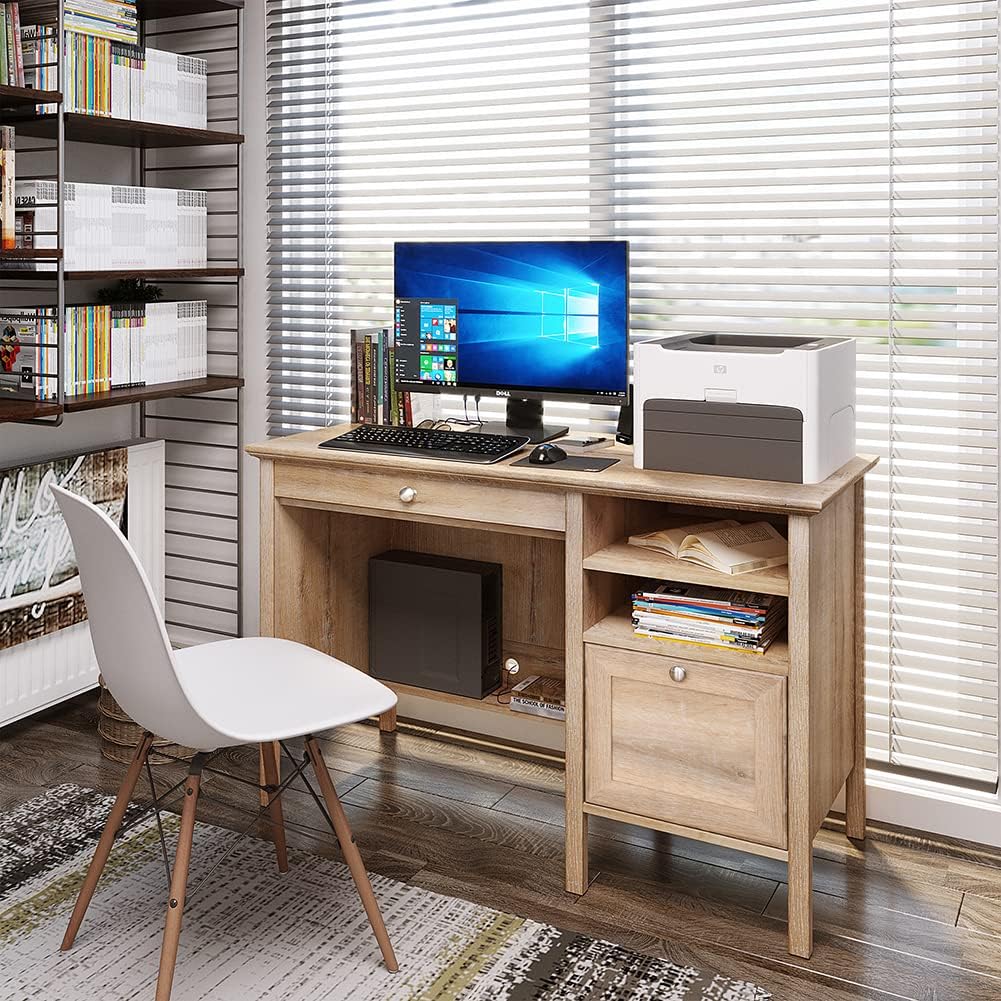
This image shows the fully assembled Crestlive Products Writing Computer Desk in an office environment, featuring a computer monitor, keyboard, and printer. The desk includes a keyboard tray, a drawer, and open shelves.
คำแนะนำการใช้งาน
Your Crestlive Products Writing Computer Desk is designed for versatile use in home office or study environments. Here’s how to utilize its features:
- การใช้งานบนเดสก์ท็อป: เดสก์ท็อปที่กว้างขวางให้ ample surface area for a computer monitor, laptop, printer, and other work essentials. Ensure items are placed evenly to distribute weight.
- ถาดวางคีย์บอร์ด: The pull-out keyboard tray is designed to hold a standard keyboard and mouse, keeping your main desktop clear. Gently pull the tray out for use and push it back in when not needed.

รายละเอียด view of the pull-out keyboard tray, designed to store a keyboard and mouse, demonstrating its smooth sliding mechanism.
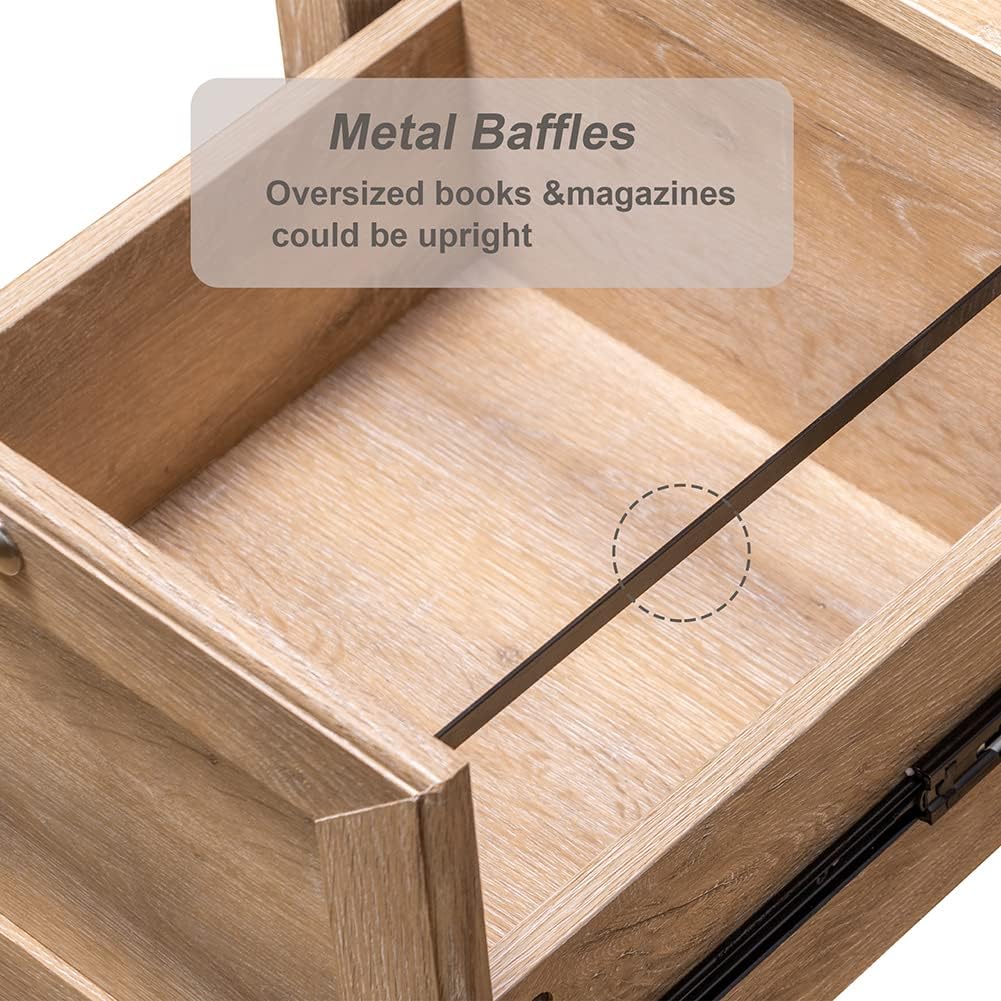
- ลิ้นชักเก็บของ: The large drawer offers concealed storage for documents, office supplies, or personal items. It features metal slides for smooth opening and closing.
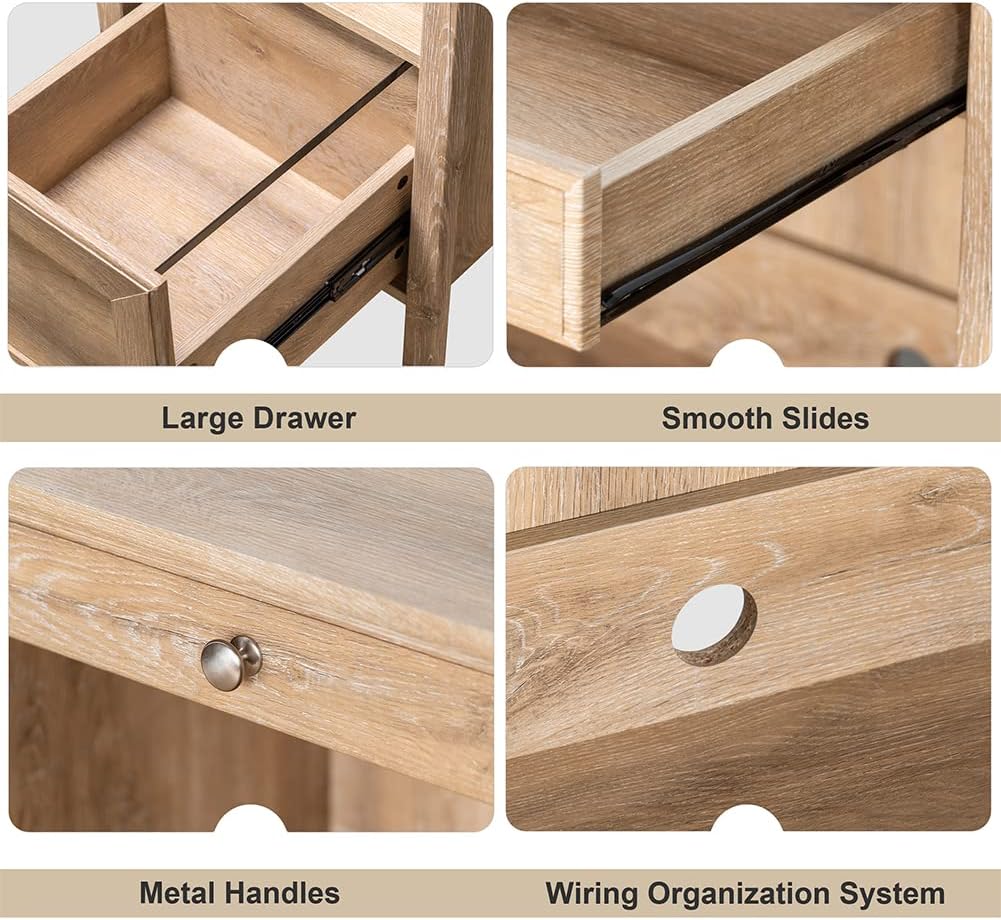
This image highlights the spacious storage drawer, equipped with metal slides for smooth operation, suitable for organizing various items.
- ชั้นวางแบบเปิด: The side shelves provide accessible storage for books, binders, or decorative items.
- การจัดการสายเคเบิล: Utilize the integrated wiring organization system to keep cables tidy and out of sight.
This collage displays various features of the desk: a large storage drawer, smooth-gliding drawer slides, durable metal handles, and a dedicated wiring organization system for cables.
การบำรุงรักษาและการดูแล
To ensure the longevity and appearance of your Crestlive Products Writing Computer Desk, follow these maintenance guidelines:
- การทำความสะอาด: The desk is made of premium MDF wood with a water and oil-proof finish. For general cleaning, wipe the surface with a soft, damp ผ้า หลีกเลี่ยงน้ำยาทำความสะอาดที่มีฤทธิ์กัดกร่อนหรือสารเคมีรุนแรงที่อาจทำลายพื้นผิวได้
- การรั่วไหล: Wipe up spills immediately with a dry cloth to prevent moisture damage.
- ฮาร์ดแวร์: ตรวจสอบสกรูและตัวยึดทั้งหมดเป็นระยะเพื่อให้แน่ใจว่ายังแน่นอยู่ ขันให้แน่นขึ้นหากจำเป็น แต่ห้ามขันแน่นเกินไป
- หลีกเลี่ยงแสงแดดโดยตรง: การสัมผัสกับแสงแดดโดยตรงเป็นเวลานานอาจทำให้สีเคลือบไม้ซีดจางหรือเปลี่ยนสีได้
- การป้องกันความร้อน: ใช้ที่รองแก้วหรือแผ่นรองป้องกันใต้สิ่งของร้อนเพื่อป้องกันรอยจากความร้อน
การแก้ไขปัญหา
หากคุณพบปัญหาใดๆ เกี่ยวกับโต๊ะทำงาน โปรดดูปัญหาและวิธีแก้ไขทั่วไปต่อไปนี้:
| ปัญหา | สาเหตุที่เป็นไปได้ | สารละลาย |
|---|---|---|
| โต๊ะโยกเยกหรือไม่มั่นคง | ตัวล็อคหลวม พื้นไม่เรียบ | Check and tighten all screws. Ensure the desk is on a level surface; use shims if necessary. |
| Drawer or keyboard tray does not slide smoothly. | Misaligned slides; obstruction; damaged slides. | Ensure slides are correctly installed and aligned. Check for any objects blocking the path. If slides are damaged, contact customer support for replacement parts. |
| Parts appear damaged or defective upon arrival. | ความเสียหายระหว่างการขนส่ง; ข้อบกพร่องจากการผลิต | Do not proceed with assembly. Contact Crestlive Products customer support immediately with details and photos of the damaged parts. |
| คู่มือการประกอบมีปัญหา | Unclear steps; missing diagrams. | Review the assembly instruction sheet carefully. If still unclear, contact customer support for assistance. |
ข้อมูลจำเพาะ
| คุณสมบัติ | รายละเอียด |
|---|---|
| ยี่ห้อ | ผลิตภัณฑ์เครสท์ไลฟ์ |
| หมายเลขรุ่น | B08LNTWC9Q |
| ขนาดสินค้า (กว้าง x ยาว x สูง) | 47.24" x 20.08" x 29.92" |
| ขนาดถาดวางคีย์บอร์ด (กว้าง x ลึก x สูง) | 24.41" x 12.80" x 1.77" |
| ขนาดลิ้นชัก (กว้าง x ลึก x สูง) | 18.11" x 12.2" x 10.04" |
| Adjustable Cabinet Shelf Dimensions (W x D x H) | 14.37" x 18.90" x 10.63" |
| น้ำหนักสินค้า | 78.44 ปอนด์ |
| วัสดุ | ไม้แปรรูป (MDF) |
| สี | ต้นโอ๊ค |
| คำแนะนำน้ำหนักสูงสุด | 100 ปอนด์ |
| จำเป็นต้องประกอบ | ใช่ |
| จำนวนคนที่แนะนำให้เข้าร่วมการชุมนุม | 2 |
| ส่วนประกอบที่รวมอยู่ | 1PC Writing Computer Desk |
การรับประกันและการสนับสนุนลูกค้า
For warranty information or to report missing/damaged parts, please contact Crestlive Products customer support. Keep your purchase receipt and model number (B08LNTWC9Q) handy for faster service.
Contact information can typically be found on the packaging or through the retailer where the product was purchased.