
1. บทนำ
Thank you for choosing the Cecotec Ready Warm 2500 Thermal Connected Electric Radiator. This manual provides essential information for the safe and efficient use of your new radiator. Please read it thoroughly before installation and operation, and keep it for future reference.
This electric radiator features 12 heating elements and a powerful 2000 W output, designed to quickly heat rooms up to 25 m². It offers versatile control options including a remote control, an LCD screen, and Wi-Fi connectivity via a smartphone application.

Image 1.1: The Cecotec Ready Warm 2500 Thermal Connected Electric Radiator positioned in a modern living room, showcasing its sleek design and portability with feet.
2. คำแนะนำด้านความปลอดภัยที่สำคัญ
เพื่อลดความเสี่ยงจากการเกิดไฟไหม้ ไฟฟ้าช็อต หรือการบาดเจ็บ ควรปฏิบัติตามข้อควรระวังด้านความปลอดภัยพื้นฐานเหล่านี้เสมอ:
- โปรดอ่านคำแนะนำทั้งหมดก่อนใช้งานหม้อน้ำนี้
- Do not use this radiator in bathrooms, laundry areas, or similar indoor locations where water may be present.
- Do not insert or allow foreign objects to enter any ventilation or exhaust opening as this may cause an electric shock or fire, or damage the radiator.
- เพื่อป้องกันไฟไหม้ที่อาจเกิดขึ้น ห้ามปิดกั้นช่องรับหรือระบายอากาศในลักษณะใดๆ ห้ามใช้บนพื้นผิวที่อ่อนนุ่ม เช่น เตียง เพราะช่องเปิดอาจถูกปิดกั้น
- The radiator is equipped with a safety system against overheating. If the radiator overheats, it will automatically shut off. Unplug the radiator and allow it to cool down before restarting.
- เครื่องใช้ไฟฟ้าตัวนี้ไม่ได้มีวัตถุประสงค์เพื่อให้บุคคล (รวมทั้งเด็ก) ที่มีความบกพร่องทางร่างกาย ทางประสาทสัมผัส หรือทางจิตใจ หรือขาดประสบการณ์และความรู้ ใช้งาน เว้นแต่จะมีการดูแลหรือคำแนะนำเกี่ยวกับการใช้เครื่องใช้ไฟฟ้าโดยบุคคลที่รับผิดชอบด้านความปลอดภัยของบุคคลดังกล่าว
- Keep children under supervision to ensure they do not play with the appliance. The radiator includes a child safety lock to prevent accidental changes to settings.
- ถอดปลั๊กหม้อน้ำทุกครั้งเมื่อไม่ได้ใช้งาน
3. เนื้อหาบรรจุภัณฑ์
กรุณาตรวจสอบเนื้อหาแพ็คเกจเมื่อแกะกล่อง:
- Cecotec Ready Warm 2500 Thermal Connected Electric Radiator
- รีโมทคอนโทรล
- เท้าสำหรับพกพา
- Wall mounting kit (screws and brackets)
- คู่มือการใช้งาน
4. การตั้งค่า
The Cecotec Ready Warm 2500 offers two installation options: portable with feet or fixed wall-mounted.
4.1. Portable Installation
For portable use, attach the provided feet to the base of the radiator. Ensure they are securely fastened before placing the radiator on a flat, stable surface. This allows for easy movement of the radiator around your home.
4.2. การติดตั้งแบบติดผนัง
For fixed installation, use the supplied wall mounting kit. Choose a suitable wall location, ensuring adequate clearance from flammable materials and power outlets. Mark the drilling points for the brackets, drill holes, insert wall plugs, and secure the brackets. Carefully hang the radiator onto the brackets, ensuring it is stable and level.
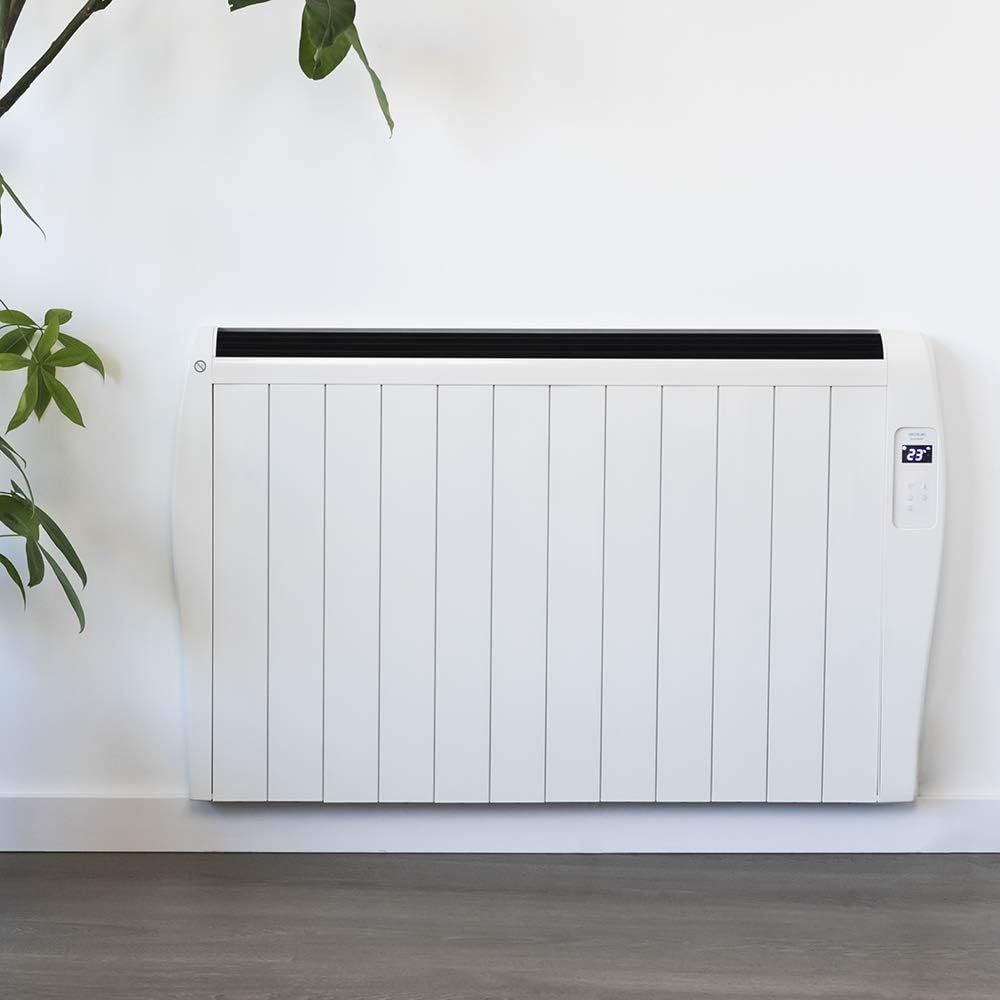
Image 4.1: The Cecotec Ready Warm 2500 Thermal Connected Electric Radiator installed on a wall, demonstrating its fixed placement option.
5. คู่มือการใช้งาน
The radiator can be controlled via its integrated LCD screen, the remote control, or a smartphone application.
5.1. Control Panel (LCD Screen)
The radiator features an intuitive LCD screen and touch controls for direct operation. The screen displays the current temperature and settings. Use the touch buttons to power on/off, adjust temperature, set the timer, and activate Wi-Fi pairing.
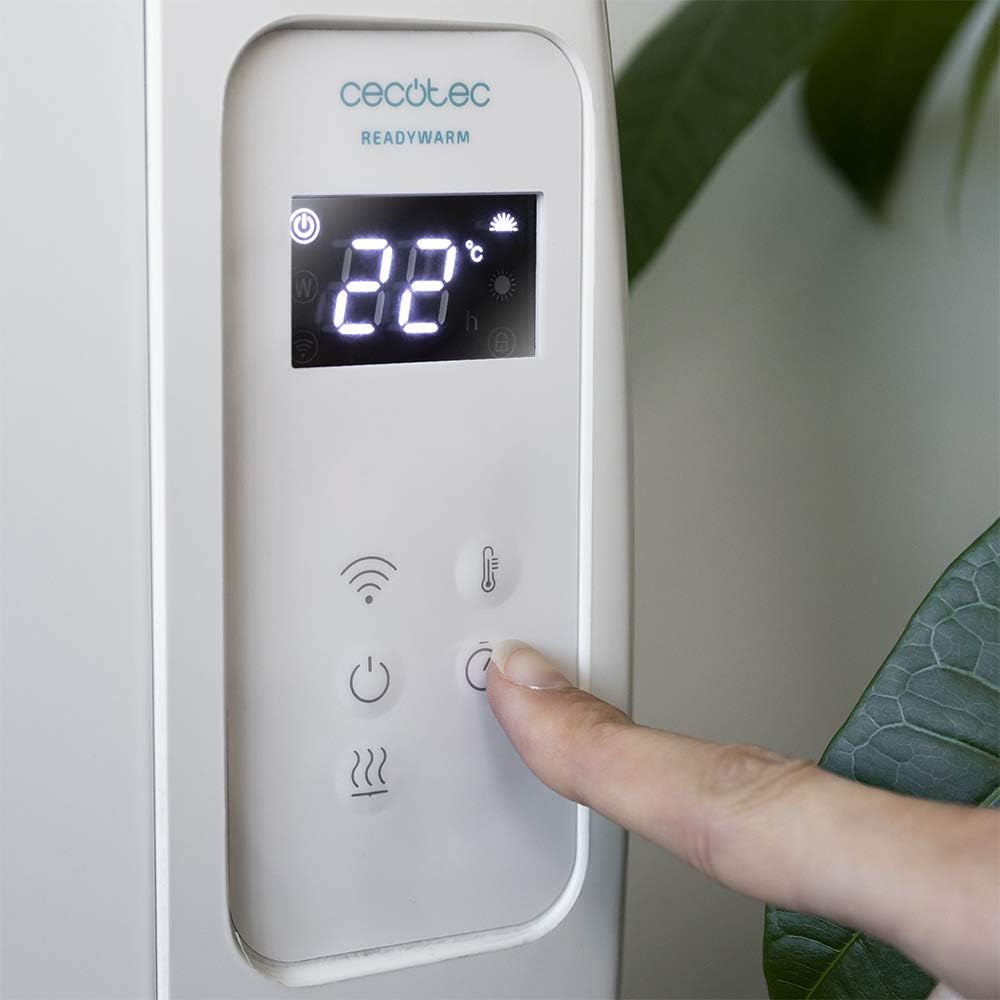
ภาพที่ 5.1: รายละเอียด view of the radiator's control panel, showing the LCD display with temperature and mode indicators, and the touch-sensitive buttons for various functions.
5.2. รีโมทคอนโทรล
The included remote control provides convenient access to all radiator functions from a distance. It allows you to power on/off, adjust the temperature, and manage timer settings without needing to approach the unit.
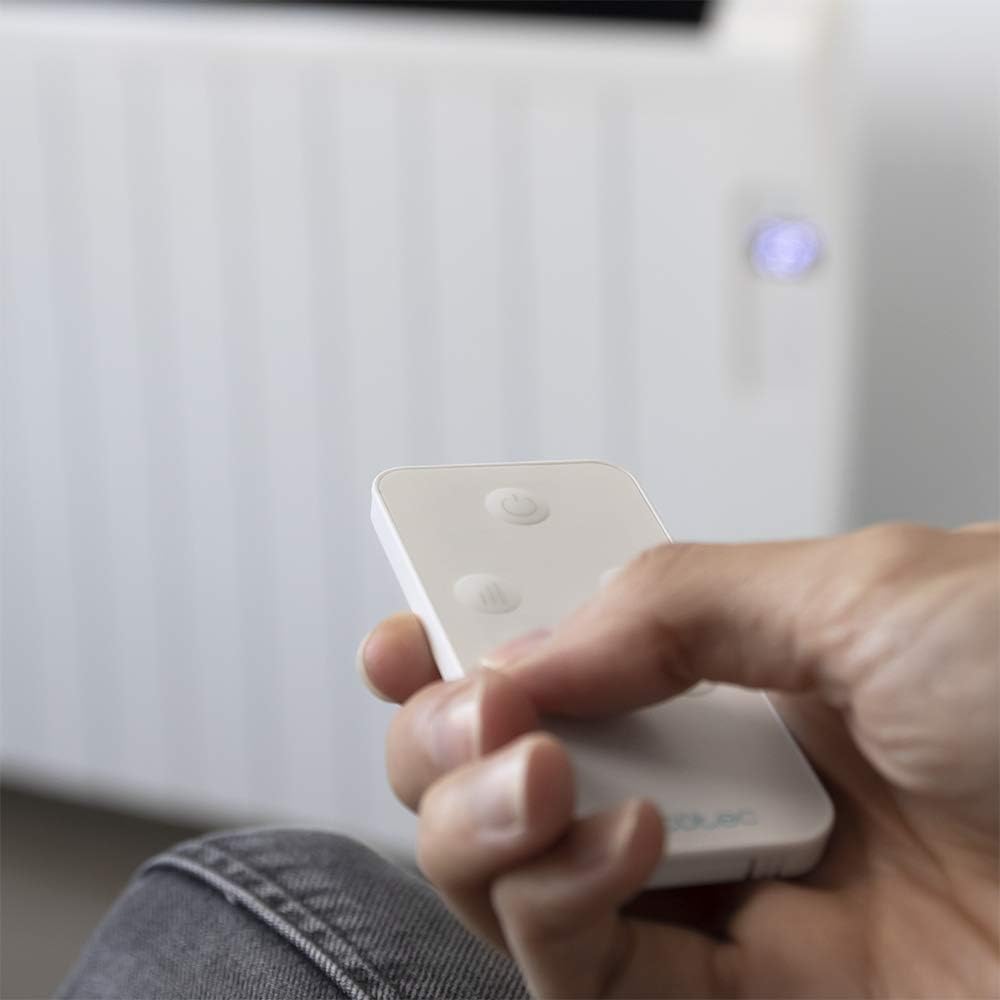
Image 5.2: A hand holding the compact remote control, demonstrating its ease of use for operating the radiator.
5.3. Wi-Fi Control via Smartphone App
For advanced control, download the official Cecotec app to your smartphone. This allows you to select different operating configurations, set schedules, and monitor the radiator remotely. Follow the app's instructions for pairing your device with the radiator.

Image 5.3: A smartphone screen showing the dedicated application for Wi-Fi control of the Cecotec radiator, highlighting smart home integration.
5.4. Temperature and Timer Settings
- เทอร์โม: The integrated thermostat detects the current room temperature. You can set your desired temperature between 5°C and 40°C. The radiator will automatically adjust its operation to maintain the set temperature.
- โปรแกรมจับเวลา: Use the timer function to set specific operating hours and durations. This allows for automated heating according to your schedule, optimizing energy consumption.
6. การบำรุงรักษา
Regular cleaning and maintenance ensure optimal performance and longevity of your radiator.
- ถอดปลั๊กหม้อน้ำและปล่อยให้เย็นสนิทก่อนทำความสะอาดทุกครั้ง
- เช็ดพื้นผิวภายนอกด้วยผ้านุ่ม damp ผ้า ห้ามใช้สารทำความสะอาดที่มีฤทธิ์กัดกร่อนหรือตัวทำละลาย
- Ensure no water enters the internal components of the radiator.
- Clean dust from the air inlets and outlets regularly using a vacuum cleaner or a soft brush to maintain efficient airflow.
- Store the radiator in a cool, dry place if not in use for extended periods.
7 การแก้ไขปัญหา
If you encounter issues with your radiator, refer to the following table for common problems and solutions:
| ปัญหา | สาเหตุที่เป็นไปได้ | สารละลาย |
|---|---|---|
| เครื่องทำความร้อนไม่ทำงาน | Not plugged in; power switch off; circuit breaker tripped; overheating safety activated. | Ensure the power cord is securely plugged into a working outlet. Check the main power switch on the unit. Reset the circuit breaker if necessary. Unplug the unit, let it cool for 30 minutes, then plug it back in. |
| หม้อน้ำทำงานไม่ร้อนอย่างมีประสิทธิภาพ | Temperature setting too low; room size exceeds coverage area; air vents blocked. | Increase the desired temperature setting. Ensure the room size is within the recommended 25 m² coverage. Check and clear any obstructions from the air inlets and outlets. |
| การเชื่อมต่อ Wi-Fi ล้มเหลว | รหัสผ่าน Wi-Fi ไม่ถูกต้อง; เราเตอร์อยู่ไกลเกินไป; แอปไม่ได้อัปเดต | Verify your Wi-Fi password. Move the radiator closer to your Wi-Fi router. Ensure the Cecotec app is updated to the latest version. Follow the app's pairing instructions carefully. |
| เสียงผิดปกติระหว่างการทำงาน | Expansion/contraction of materials; loose components. | Minor clicking or creaking sounds are normal as the metal heats and cools. If noises are loud or persistent, discontinue use and contact customer support. |
8. ข้อมูลจำเพาะ
| คุณสมบัติ | รายละเอียด |
|---|---|
| ยี่ห้อ | เซโคเทค |
| หมายเลขรุ่น | 05376 |
| สี | สีขาว |
| ขนาด (กว้าง x ยาว x สูง) | 63 x 10.5 x 109 ซม. |
| น้ำหนัก | 5 กก. |
| พลัง | 2000 วัตต์ |
| เล่มที่tage | 230 โวลต์ |
| องค์ประกอบความร้อน | 12 |
| พื้นที่ให้บริการ | มากถึง 25 m² |
| ช่วงอุณหภูมิ | 5°C ถึง 40°C |
| วิธีการควบคุม | LCD Screen, Remote Control, Wi-Fi App (Smartphones) |
| คุณสมบัติพิเศษ | Wi-Fi connectivity, Remote control, Digital display, Portable/Wall-mountable, Programmable timer, Overheating protection, Child safety lock. |
| ประสิทธิภาพการใช้พลังงาน | ก ถึง ก |
| แหล่งพลังงาน | สายไฟฟ้า |
| วิธีการให้ความร้อน | เรเดียนท์ |
9. การรับประกันและการสนับสนุน
Cecotec products are manufactured to the highest quality standards. For detailed warranty information, please refer to the warranty card included with your product or visit the official Cecotec webเว็บไซต์.
If you require technical assistance, have questions about your product, or need to report a fault, please contact Cecotec customer support. Contact details can typically be found on the official Cecotec webเว็บไซต์หรือในบรรจุภัณฑ์ของผลิตภัณฑ์
หากต้องการข้อมูลเพิ่มเติม โปรดเยี่ยมชม: www.cecotec.com