
1. บทนำ
Thank you for choosing the maylofi Active Stylus Pen. This manual provides detailed instructions for the proper setup, operation, and maintenance of your stylus. Please read this manual thoroughly before use to ensure optimal performance and longevity of your device.

Image 1.1: maylofi Active Stylus Pen
2. สินค้าหมดview
The maylofi Active Stylus Pen is designed for precise and sensitive interaction with capacitive touch screens. It features a fine tip for detailed work and a simple one-button operation.
2.1 ส่วนประกอบ
- 1.5mm Fine Copper Tip: Provides accurate and sensitive writing/drawing experience.
- On/Off Switch & Status Indicator: For powering the stylus on/off and displaying operational status.
- Built-in Charging Port: พอร์ต Micro USB สำหรับชาร์จแบตเตอรี่ภายใน
- Magnetic Absorption Cap: Protects the charging port and prevents dust ingress.
- ตัวเครื่องเป็นอลูมิเนียมอัลลอยด์: โครงสร้างทนทานและน้ำหนักเบา

Image 2.1: Stylus Pen Components
3. การตั้งค่า
3.1 การชาร์จสไตลัส
- Remove the magnetic absorption cap to expose the charging port.
- Connect the provided Micro USB cable to the stylus charging port and a compatible USB power source (e.g., computer, wall adapter).
- The status indicator light will illuminate during charging.
- A full charge typically takes approximately 60 minutes. The indicator light will change or turn off once fully charged.
- Replace the magnetic cap after charging to protect the port.

Image 3.1: Charging the Stylus
3.2 การเปิด/ปิดเครื่อง
- To power on the stylus, press the power button located on the side of the pen. The status indicator light will turn on.
- To power off the stylus, press the power button again. The status indicator light will turn off.
- The stylus will automatically shut down after 30 minutes of inactivity to conserve battery life.
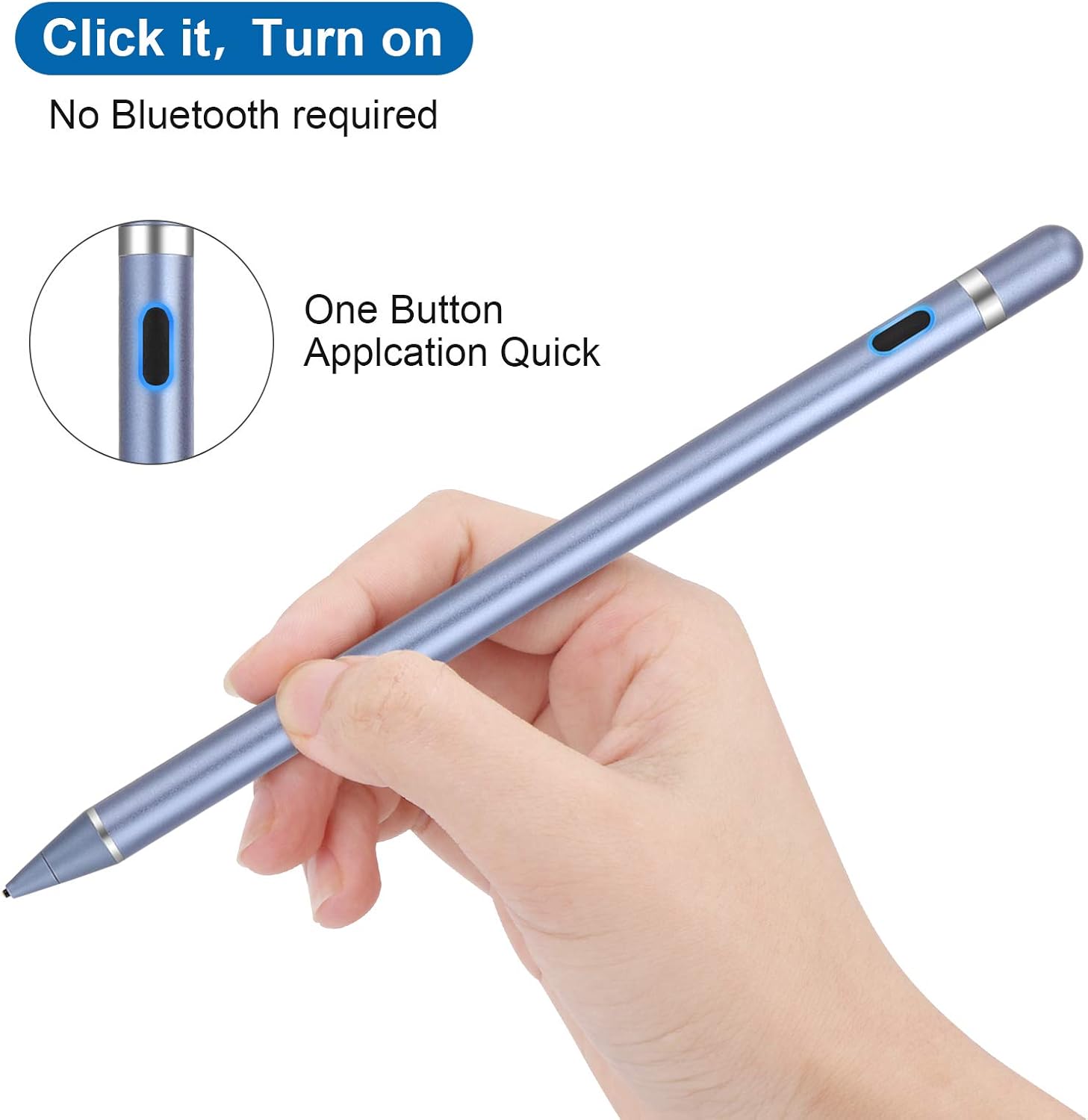
Image 3.2: Power Button Location
4. คู่มือการใช้งาน
The maylofi Active Stylus Pen does not require Bluetooth pairing or any specific application to function. Simply power it on and begin using it on your touch screen device.
4.1 การใช้งานพื้นฐาน
- ตรวจสอบให้แน่ใจว่าปากกา Stylus ชาร์จไฟเต็มและเปิดใช้งานอยู่
- Gently touch the stylus tip to your device's screen to navigate, select, write, or draw.
- The 1.5mm fine tip provides enhanced precision for detailed tasks such as drawing, note-taking, and drafting.

Image 4.1: Precision Tip

Image 4.2: Wide Application Exampเลส
4.2 ความเข้ากันได้สากล
The stylus is compatible with most capacitive touch screen devices, including:
- iPhone models
- iPad models
- Samsung smartphones and tablets
- Other Android smartphones and tablets
บันทึก: This stylus operates in a universal mode and does not support palm rejection or wireless charging functions. It is not compatible with laptops.

Image 4.3: Universal Compatibility
5. การบำรุงรักษา
- การทำความสะอาด: เช็ดตัวปากกาด้วยผ้าแห้งนุ่มๆ ห้ามใช้สารเคมีรุนแรงหรือวัสดุที่มีฤทธิ์กัดกร่อน
- การดูแลเคล็ดลับ: Avoid applying excessive pressure to the tip. Do not attempt to remove or replace the tip as it is not designed to be user-replaceable.
- พื้นที่จัดเก็บ: Store the stylus in a cool, dry place away from direct sunlight and extreme temperatures. Ensure the magnetic cap is in place to protect the charging port.
- แบตเตอรี่: For optimal battery life, avoid fully discharging the stylus frequently. Charge it when the indicator suggests low battery.
6 การแก้ไขปัญหา
- ปากกา Stylus ไม่ตอบสนอง:
- Ensure the stylus is powered on.
- Check if the stylus battery is charged. Recharge if necessary.
- Verify that your device's screen is clean and free of debris.
- Restart your touch screen device.
- Inaccurate or skipping input:
- Ensure the stylus tip is clean.
- Confirm that your device's screen is clean.
- Avoid using the stylus on damaged or heavily scratched screens.
- ปากกา Stylus ชาร์จไฟไม่เข้า:
- Ensure the Micro USB cable is securely connected to both the stylus and the power source.
- ลองใช้สาย Micro USB หรืออะแดปเตอร์แปลงไฟอันอื่นดู
- Check if the charging port on the stylus is free of dust or debris.
7. ข้อมูลจำเพาะ
| คุณสมบัติ | รายละเอียด |
|---|---|
| แบบอย่าง | B08LDT25PK |
| ขนาด | 7 x 0.39 x 0.39 นิ้ว |
| น้ำหนัก | 1.06 ออนซ์ (30 กรัม) |
| ขนาดเคล็ดลับ | 1.5มม. |
| วัสดุ | Copper (tip), Aluminum Alloy (body) |
| ประเภทแบตเตอรี่ | ลิเธียมไอออน 1 อัน (รวมอยู่ด้วย) |
| เวลาในการชาร์จ | ประมาณ 60 นาที |
| เวลาทำงาน | สูงสุด 12 ชั่วโมง (ใช้งานจริง) |
| ปิดเครื่องอัตโนมัติ | ไม่มีการใช้งาน 30 นาที |
| เวลาสแตนด์บาย | สูงสุด 720 ชั่วโมง (30 วัน) |
| ความเข้ากันได้ | Most capacitive touch screen devices (smartphones, tablets) |
8. การรับประกันและการสนับสนุน
For warranty information and details regarding product support, please refer to the documentation included with your purchase or visit the official maylofi website. If you encounter any issues not covered in this manual, please contact maylofi customer service for assistance.