
1. บทนำ
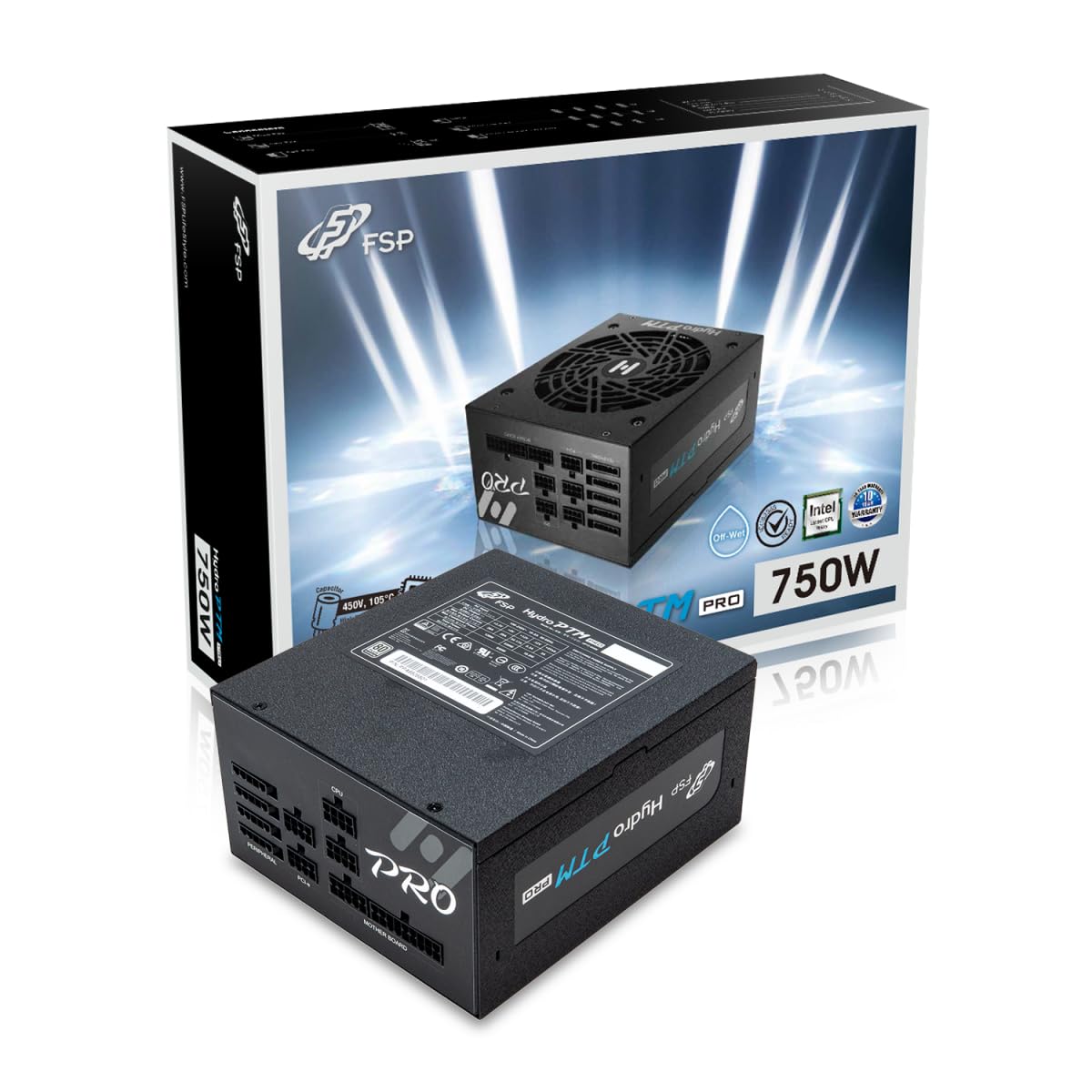
This manual provides detailed instructions for the installation, operation, and maintenance of your FSP Hydro PTM Pro 750W 80 Plus Platinum Full Modular ATX 12V Power Supply (Model: HPT2-750M). Please read this manual thoroughly before using the product to ensure proper function and safety.
The FSP Hydro PTM Pro series is designed for high efficiency and durability, featuring a conformal coating for protection against dust, humidity, and stains. It includes a semi-fanless Eco Mode for quiet operation under low loads and fully modular black ribbon cables for flexible system builds.
2. ข้อมูลด้านความปลอดภัย
คำเตือน: Improper installation or use can result in serious injury or damage to the power supply and other components. Always follow these safety guidelines:
- ห้ามเปิดแหล่งจ่ายไฟ แรงดันไฟฟ้าสูงtagมีชิ้นส่วนเหล่านี้อยู่ภายใน และไม่มีชิ้นส่วนใดที่ผู้ใช้สามารถซ่อมบำรุงเองได้ การเปิดเครื่องจะทำให้การรับประกันเป็นโมฆะ
- ตรวจสอบให้แน่ใจว่าได้ตัดการเชื่อมต่อแหล่งจ่ายไฟจากเต้ารับไฟฟ้า AC ก่อนการติดตั้งหรือการบำรุงรักษา
- ติดตั้งแหล่งจ่ายไฟในบริเวณที่มีอากาศถ่ายเทได้ดี
- Use only the modular cables provided with this power supply. Using incompatible cables may cause damage to the power supply and connected components.
- ผลิตภัณฑ์นี้ออกแบบมาเพื่อใช้กับคอมพิวเตอร์ส่วนบุคคลเท่านั้น ห้ามใช้เพื่อวัตถุประสงค์อื่นใด
- เก็บแหล่งจ่ายไฟให้ห่างจากน้ำ ความชื้น และอุณหภูมิที่สูงหรือต่ำมาก
- ตรวจสอบให้แน่ใจว่าการเชื่อมต่อทั้งหมดปลอดภัยก่อนเปิดระบบ

3. เนื้อหาบรรจุภัณฑ์
ตรวจสอบว่ามีรายการทั้งหมดอยู่ในแพ็คเกจของคุณ:
- FSP Hydro PTM Pro 750W Power Supply Unit (HPT2-750M)
- สายไฟ AC
- Modular Cable Set (refer to the "Cable Length and Connectors" section for details)
- สกรูยึด
- คู่มือการใช้งาน (เอกสารนี้)
4. การตั้งค่าและการติดตั้ง
4.1 การติดตั้งทางกายภาพ
- เตรียมระบบของคุณ: ตรวจสอบให้แน่ใจว่าคอมพิวเตอร์ของคุณปิดเครื่องอย่างสมบูรณ์และถอดปลั๊กออกจากเต้าเสียบที่ผนัง
- ถอดแหล่งจ่ายไฟเก่าออก (ถ้ามี): Disconnect all cables from your old power supply and remove it from the PC case.
- ติดตั้งแหล่งจ่ายไฟ: Insert the FSP Hydro PTM Pro 750W into the power supply bay of your PC case. Secure it with the provided mounting screws.
- เชื่อมต่อสายเคเบิลของเมนบอร์ด:
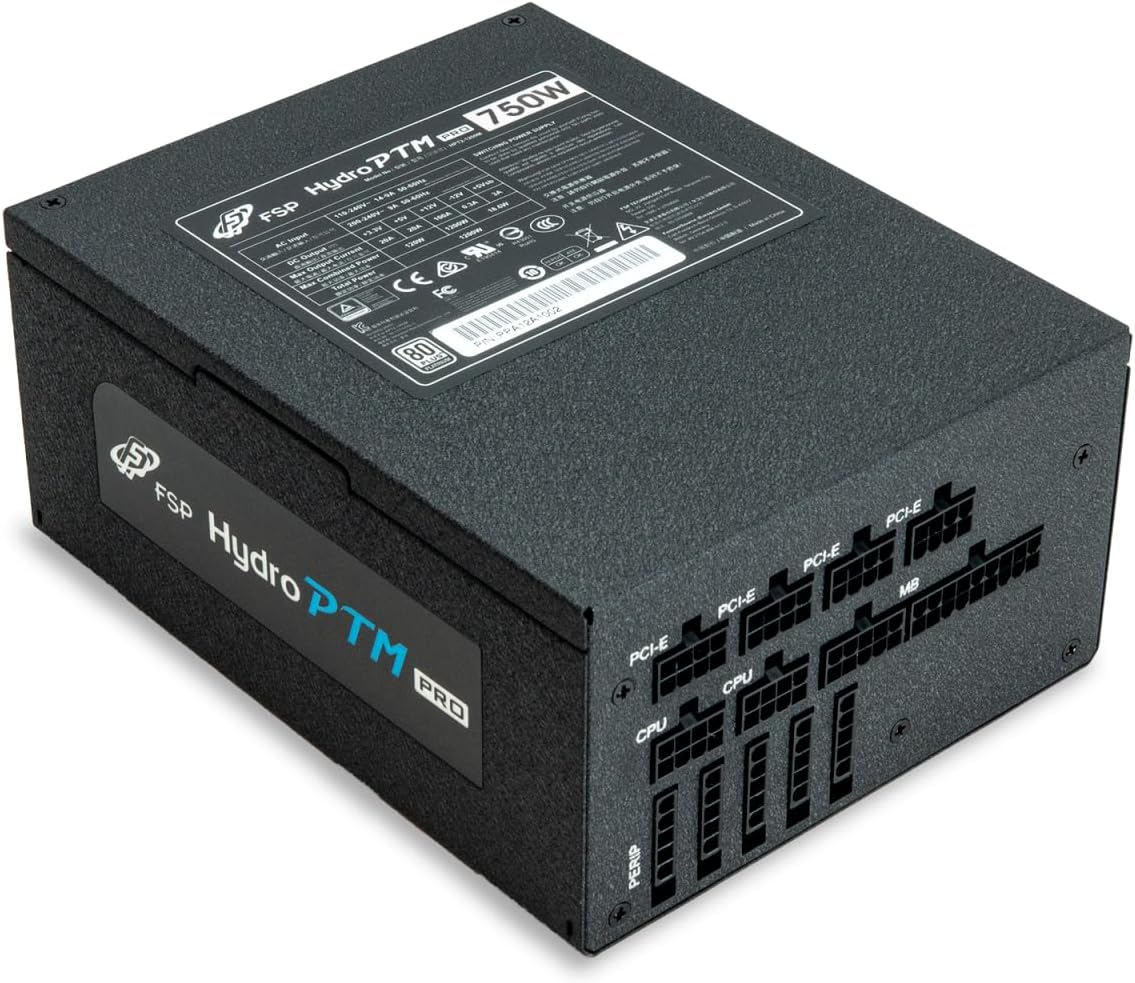
- Connect the 20+4 Pin ATX cable to your motherboard's main power connector.
- Connect the 4+4 Pin CPU (EPS) cable(s) to your motherboard's CPU power connector(s).
- เชื่อมต่อสายเคเบิลต่อพ่วง:
- Connect the 6+2 Pin PCI-E cables to your graphics card(s).
- เชื่อมต่อสายไฟ SATA เข้ากับ SSD, HDD และไดรฟ์ออปติคัลของคุณ
- Connect Molex cables to any other peripherals requiring them.
- การเชื่อมต่อที่ปลอดภัย: Ensure all modular cables are firmly seated into both the power supply and the respective components.
- เชื่อมต่อไฟ AC: Plug the AC power cord into the power supply's AC inlet and then into a wall outlet or surge protector.
4.2 Cable Length and Connectors
The FSP Hydro PTM Pro 750W comes with a set of fully modular black ribbon cables. Refer to the diagram below for connector types and approximate lengths.

5. การดำเนินการ
5.1 การเปิด/ปิดเครื่อง
After completing the installation, ensure the main power switch on the back of the power supply is in the "ON" (I) position. You can then power on your computer using its case power button.
5.2 โหมด Eco
The Hydro PTM Pro features a semi-fanless Eco Mode. When enabled, the power supply fan will remain off until the system load exceeds approximately 30%. This provides silent operation during low-power tasks.
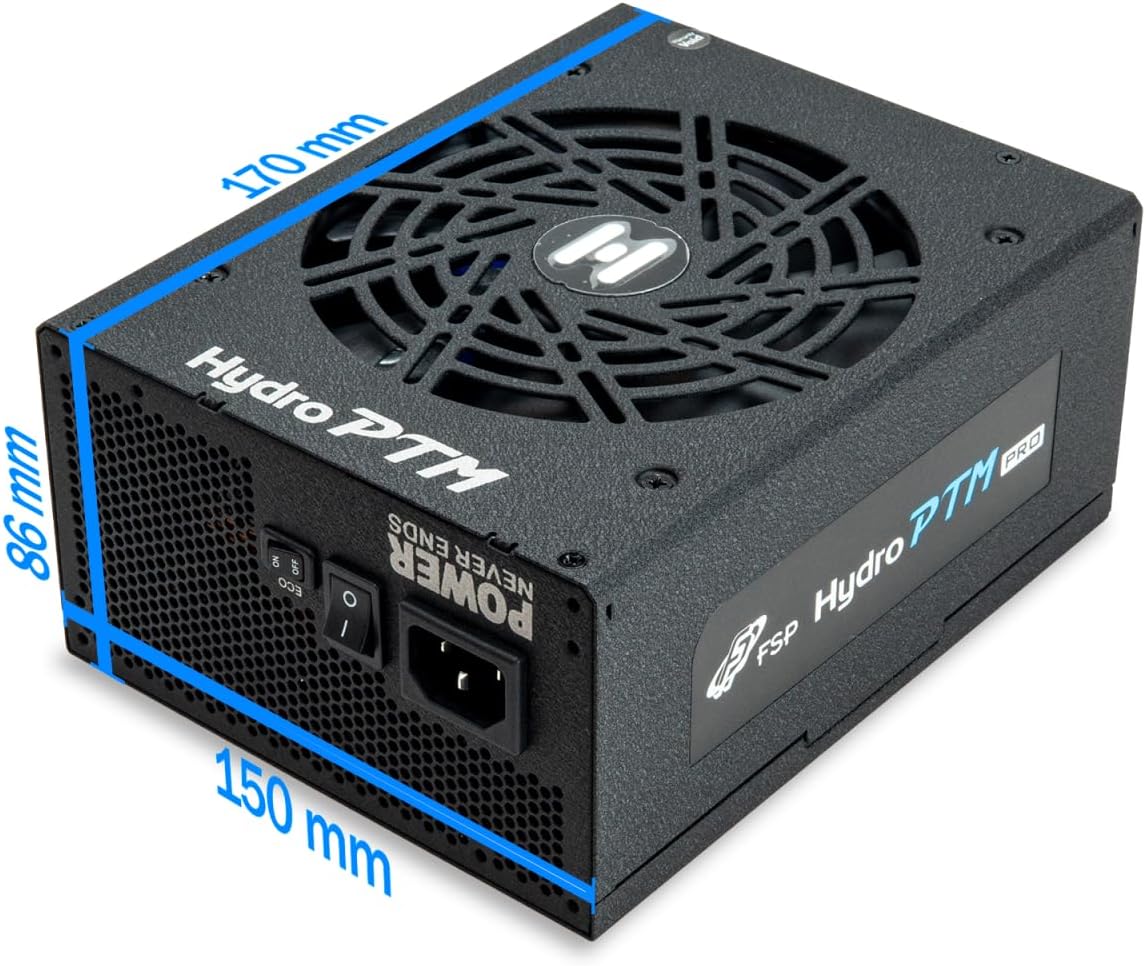
- To activate Eco Mode: Locate the "ECO" switch next to the main power switch on the rear of the power supply and set it to the "ON" position.
- To disable Eco Mode: Set the "ECO" switch to the "OFF" position. The fan will operate continuously based on temperature.
วิดีโอ: จบแล้วview of the FSP Hydro PTM Pro series, highlighting features like conformal coating, Eco Mode, and modular design. This video is provided by FSP GROUP USA.
6. การบำรุงรักษา
6.1 การทำความสะอาด
To maintain optimal performance and longevity, periodically clean your power supply:
- Ensure the power supply is completely powered off and unplugged from the AC outlet before cleaning.
- ใช้ลมอัดเพื่อกำจัดฝุ่นออกจากตะแกรงพัดลมและช่องระบายอากาศอย่างเบามือ
- เช็ดภายนอกด้วยผ้านุ่มและแห้ง ห้ามใช้น้ำยาทำความสะอาดหรือตัวทำละลาย
6.2 การปกป้องสิ่งแวดล้อม
The FSP Hydro PTM Pro features a proprietary conformal coating that protects internal components from dust, humidity, and stains. This allows the power supply to reliably operate in environments with up to 95% relative humidity. While this coating offers enhanced protection, it is still recommended to operate the power supply in a clean, dry environment for best results.
7 การแก้ไขปัญหา
หากคุณพบปัญหาเกี่ยวกับแหล่งจ่ายไฟ โปรดดูปัญหาทั่วไปและวิธีแก้ไขต่อไปนี้:
| ปัญหา | สาเหตุที่เป็นไปได้ | สารละลาย |
|---|---|---|
| ระบบเปิดไม่ติด |
|
|
| ระบบเปิดเครื่องได้แต่ปิดลงทันที |
|
|
| Fan is not spinning (Eco Mode off). |
|
|
If the problem persists after attempting these solutions, please contact FSP customer support.
8. ข้อมูลจำเพาะ
| คุณสมบัติ | รายละเอียด |
|---|---|
| ชื่อรุ่น | Hydro PTM Pro (HPT2-750M) |
| ยี่ห้อ | FSP |
| เอาท์พุต วัดtage | 750วัตต์ |
| ใบรับรอง 80 Plus | แพลตตินัม |
| ฟอร์มแฟกเตอร์ | เอทีเอ็กซ์ |
| การออกแบบแหล่งจ่ายไฟ | โมดูลาร์เต็มรูปแบบ |
| วิธีการทำความเย็น | พัดลม (ขนาด 135 มม.) |
| อินพุต Voltage | 115-240 โวลต์ |
| ขนาด (กว้าง x ยาว x สูง) | 170 x 150 x 86 มม. (6.7 x 5.9 x 3.4 นิ้ว) |
| การคุ้มครอง | OCP, OVP, SCP, OPP, UVP, OTP |
| ตัวเก็บประจุ | Japanese-made Electrolytic Capacitors |
| พีเอฟซี | Active PFC ≥ 99% |
| การเคลือบคอนฟอร์มัล | Yes (Dust, Humidity, Stain protection) |
9. การรับประกันและการสนับสนุน
9.1 ข้อมูลการรับประกัน
The FSP Hydro PTM Pro 750W power supply is covered by a รับประกัน 10 ปี นับจากวันที่ซื้อ การรับประกันนี้ครอบคลุมถึงความบกพร่องของวัสดุและฝีมือการผลิตภายใต้การใช้งานปกติ โปรดเก็บหลักฐานการซื้อไว้เพื่อขอรับสิทธิ์การรับประกัน
การรับประกันไม่ครอบคลุมถึงความเสียหายที่เกิดจาก:
- การติดตั้งหรือการใช้งานที่ไม่เหมาะสม
- Accidental damage, abuse, or misuse.
- การซ่อมแซมหรือดัดแปลงโดยไม่ได้รับอนุญาต
- Natural disasters or external causes.
9.2 การสนับสนุนลูกค้า
For technical assistance, troubleshooting, or warranty inquiries, please contact FSP customer support. Refer to the official FSP webเว็บไซต์สำหรับข้อมูลการติดต่อล่าสุด
FSP GROUP USA
Visit the FSP Store on Amazon