
1. บทนำ
This manual provides detailed instructions for the dretec Digital Kitchen Timer, Model T-565. This device is designed for various timing needs, including cooking, studying, exercise, and general time management. It features a large LCD display, waterproof design, and multiple placement options.
2. ข้อมูลด้านความปลอดภัย
- Do not attempt to disassemble or modify the timer.
- Keep the timer away from extreme temperatures and direct sunlight.
- ตรวจสอบให้แน่ใจว่าช่องใส่แบตเตอรี่ปิดสนิทเพื่อรักษาคุณสมบัติกันน้ำ
- ทิ้งแบตเตอรี่ที่ใช้แล้วตามระเบียบข้อบังคับของท้องถิ่น
3. สินค้าหมดview
The dretec T-565 timer features a clear digital display and intuitive controls for easy operation. It is designed to be compact yet highly readable.
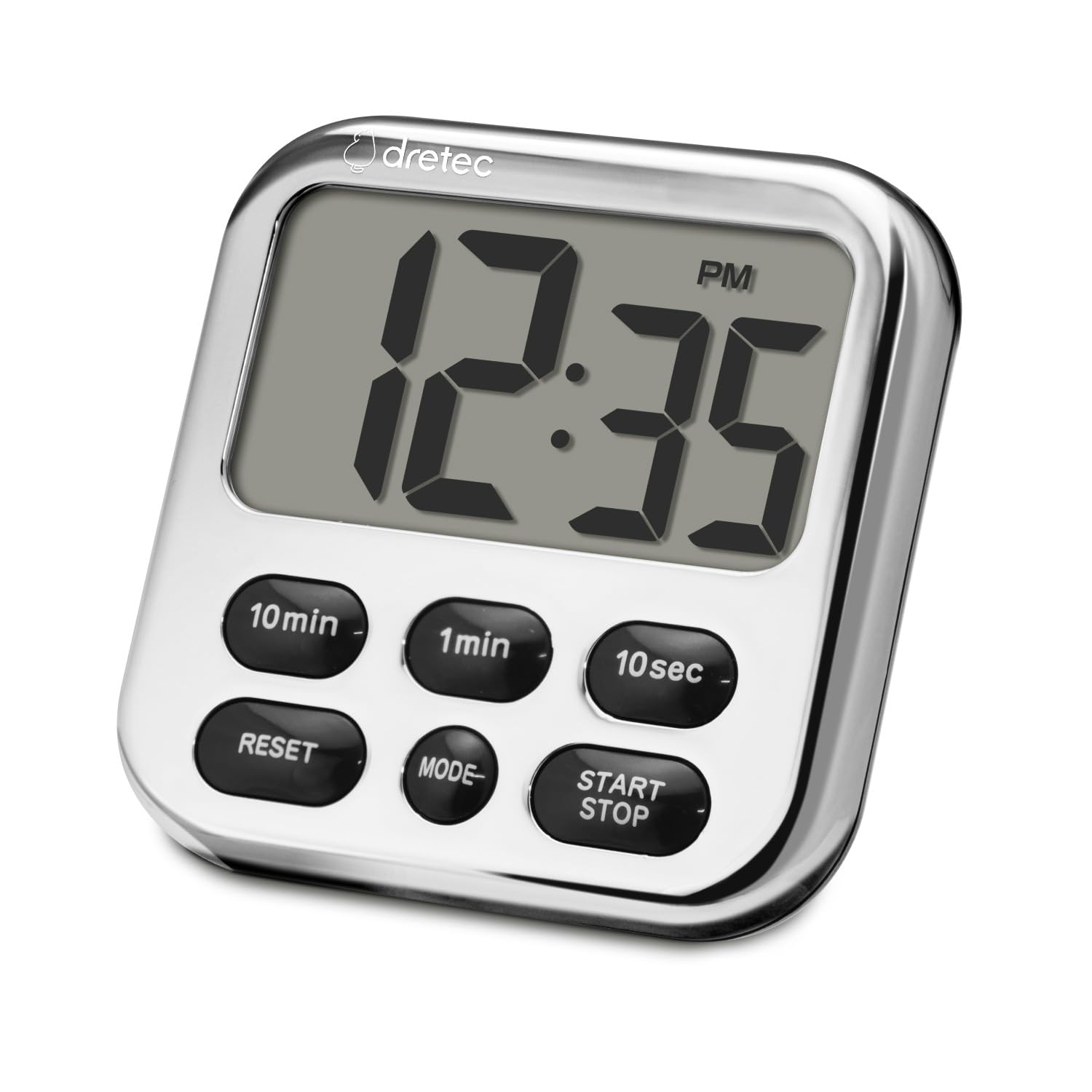
ภาพ: ด้านหน้า view of the dretec Digital Kitchen Timer, highlighting its large display and button layout.
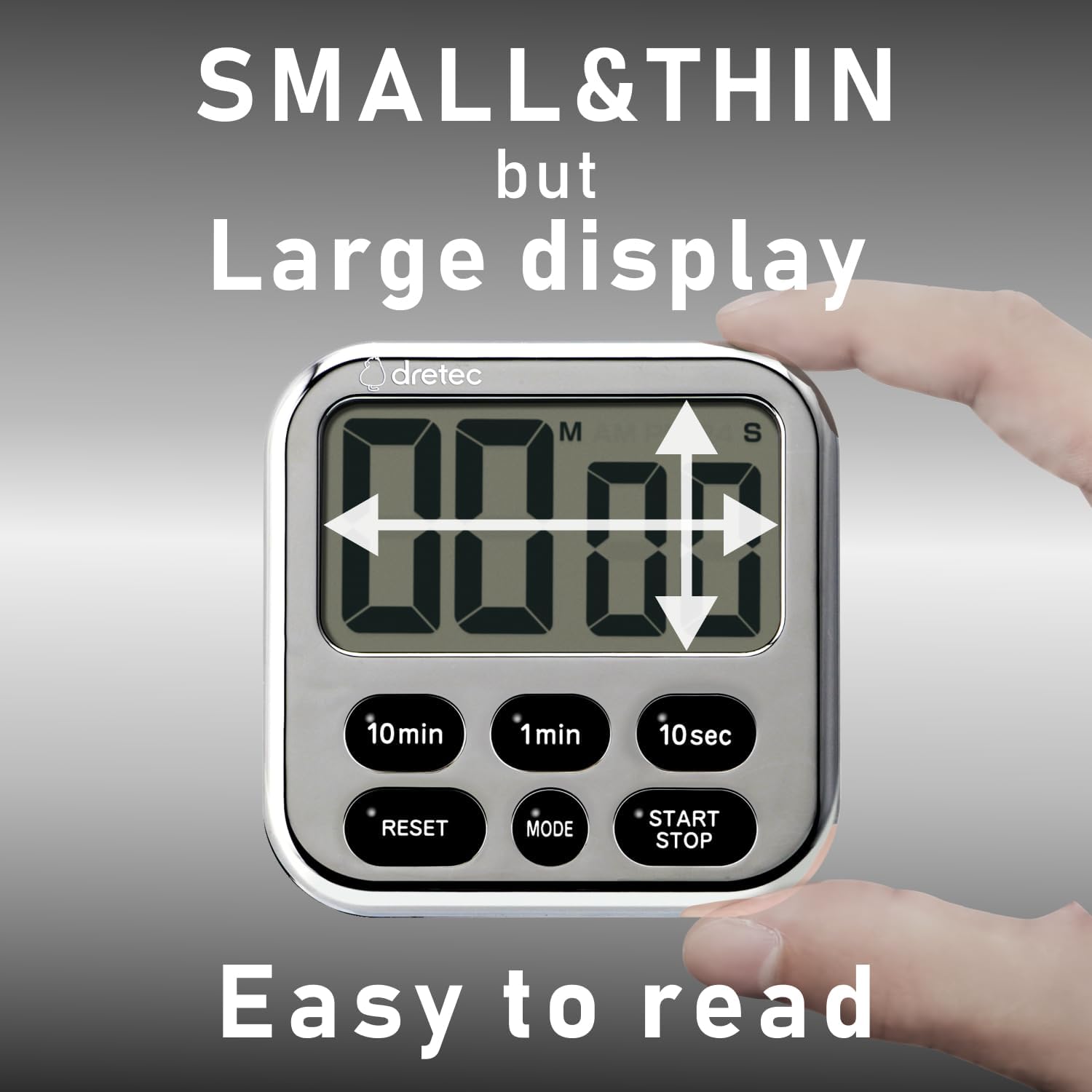
Image: The timer's compact size and large, easy-to-read display.
การควบคุม:
- 10min Button: Adds 10 minutes to the timer.
- 1min Button: Adds 1 minute to the timer.
- 10sec Button: Adds 10 seconds to the timer.
- ปุ่มรีเซ็ต: Clears the current time setting.
- ปุ่มโหมด: Switches between Timer and Clock modes.
- ปุ่ม START/STOP: Starts, pauses, or stops the timer/clock function.
4. การตั้งค่า
การติดตั้งแบตเตอรี่:
- ค้นหาช่องใส่แบตเตอรี่ที่ด้านหลังของตัวจับเวลา
- ใช้ไขควงขนาดเล็กงัดฝาครอบแบตเตอรี่ออก
- Insert one CR2032 lithium battery, ensuring the correct polarity (+/-).
- Securely close the battery cover to maintain water resistance.
5. คู่มือการใช้งาน

Image: Demonstrating the ease of use for count up, count down, and repeat functions.
5.1. Setting the Count-Down Timer:
- Ensure the timer is in timer mode (not clock mode). If in clock mode, press the โหมด ปุ่มเพื่อเปลี่ยน
- กดปุ่ม 10นาที, 1นาที, และ 10วินาที buttons to set the desired time. The maximum measurable time is 99 minutes and 50 seconds.
- กดปุ่ม เริ่ม/หยุด กดปุ่มเพื่อเริ่มนับถอยหลัง
- หากต้องการหยุดชั่วคราว ให้กด เริ่ม/หยุด อีกครั้ง กดอีกครั้งเพื่อดำเนินการต่อ
- When the timer reaches zero, an alarm will sound for 15 seconds and then automatically turn off.
- หากต้องการล้างการตั้งเวลา ให้กดปุ่ม รีเซ็ต ปุ่ม.
5.2. Using the Count-Up Timer:
- Ensure the timer is in timer mode.
- กดปุ่ม รีเซ็ต button to ensure the display shows "00:00".
- กดปุ่ม เริ่ม/หยุด button to begin counting up.
- หากต้องการหยุดชั่วคราว ให้กด เริ่ม/หยุด อีกครั้ง กดอีกครั้งเพื่อดำเนินการต่อ
- To stop and reset, press เริ่ม/หยุด to pause, then press รีเซ็ต.
5.3. ฟังก์ชั่นหน่วยความจำ:
The timer retains the last set countdown time. After the alarm sounds or the timer is reset, the previous countdown setting will be displayed, allowing for quick reuse of frequently used times.
5.4. Switching to Clock Mode:

Image: The timer's ability to switch between timer and clock display modes.
กดปุ่ม โหมด button to switch between Timer mode and Clock mode. In Clock mode, the current time (AM/PM) will be displayed. To set the time in Clock mode, refer to the specific instructions for time adjustment, which typically involves holding the MODE button or a combination of buttons.
6. Features and Placement

Image: Various placement options: magnetic attachment, hanging, and tabletop stand.
- แม่เหล็กที่แข็งแกร่ง: The timer features a strong magnet on its back, allowing it to be securely attached to metallic surfaces like refrigerators or oven doors.
- ขาตั้งแบบพับเก็บได้: A built-in retractable stand allows the timer to be placed upright on a countertop or desk for easy viewการไอเอ็นจี
- ตะขอ: A small hook is integrated into the design, providing an option to hang the timer.

ภาพ: อดีตamples of the timer's versatile applications in daily life.
7. การบำรุงรักษา
การทำความสะอาด:
The dretec T-565 timer has an IPX7 water resistance rating, meaning it can withstand immersion in water up to 1 meter for 30 minutes. This allows for easy cleaning:
- Rinse the timer under running water to remove cooking stains or debris.
- Use a soft cloth to wipe the surface clean.
- ห้ามใช้น้ำยาทำความสะอาดที่มีฤทธิ์กัดกร่อนหรือตัวทำละลาย เนื่องจากอาจทำให้หน้าจอหรือตัวเครื่องเสียหายได้asing.
- Ensure the battery compartment is sealed before rinsing.
8 การแก้ไขปัญหา
| ปัญหา | สาเหตุที่เป็นไปได้ | สารละลาย |
|---|---|---|
| จอแสดงผลว่างเปล่าหรือมืดลง | แบตเตอรี่เหลือน้อยหรือหมด | เปลี่ยนแบตเตอรี่ CR2032 |
| Timer not counting down/up. | Not started or paused. | กดปุ่ม เริ่ม/หยุด ปุ่ม. |
| เสียงสัญญาณเตือนไม่ดัง | Timer not reaching zero. | Ensure a countdown time is set and started. The alarm sounds only when the countdown reaches 00:00. |
| Water ingress after cleaning. | ฝาปิดแบตเตอรี่ไม่ได้ปิดสนิท | Ensure the battery cover is tightly closed before exposing to water. |
9. ข้อมูลจำเพาะ

Image: Physical dimensions and weight of the dretec Digital Kitchen Timer.
- หมายเลขรุ่น: ที-565
- สี: Chrome plating (Silver & Black)
- เวลาสูงสุด: 99 นาที 50 วินาที
- ฟังก์ชั่น: Count Up, Count Down, Repeat, Clock
- ความต้านทานน้ำ: IPX7 (can withstand immersion in 1 meter of water for 30 minutes)
- แบตเตอรี่: 1 x CR2032 (รวมอยู่ด้วย)
- วัสดุ: เอบีเอส
- ขนาดสินค้า : Approximately 82mm (W) x 14mm (D) x 90mm (H) / 3.23" (W) x 0.55" (D) x 3.54" (H)
- น้ำหนักผลิตภัณฑ์: Approximately 45g (excluding battery) / 67g (with battery)
- ขนาดหน้าจอ: 3.2 นิ้ว
10. การรับประกันและการสนับสนุน
For warranty information or technical support, please refer to the contact details provided with your purchase or visit the official dretec webไซต์ โปรดเก็บใบเสร็จรับเงินไว้เป็นหลักฐานการซื้อสำหรับการเรียกร้องการรับประกัน