
1. สินค้าหมดview
The Nitecore Pocket 10000 (NB10000) is an ultra-lightweight and compact power bank designed for portable charging. It features a 10,000mAh capacity, fast charging capabilities, dual USB-C ports, and a built-in Type-C charging cable for convenience. Constructed with lightweight carbon fiber, it is suitable for various uses, including travel and outdoor activities.
คุณสมบัติหลัก:
- ขนาดกะทัดรัดและน้ำหนักเบาเป็นพิเศษ: Weighing approximately 160g (5.64oz) and with a thickness of 12.5mm (0.49"), it is designed for portability.
- ความจุสูง: 10,000mAh 3.85V (38.5Wh) Li-ion battery, capable of charging a modern smartphone multiple times.
- ชาร์จเร็ว: Supports up to 22.5W max output via USB-C port and 20W max output via built-in USB-C cable.
- พอร์ต USB-C คู่: Includes one integrated two-way fast charging USB-C cable and one USB-C port for versatile charging.
- สาย USB-C ในตัว: Eliminates the need to carry an extra charging cable.
- ระดับ IP65: ช่วยป้องกันฝุ่นละอองและละอองน้ำ
- การแสดงระดับพลังงาน: Four blue indicator lights show the charging status and remaining power.
- สายการบินอนุมัติ: Complies with UN38.3 standard for safe air travel.
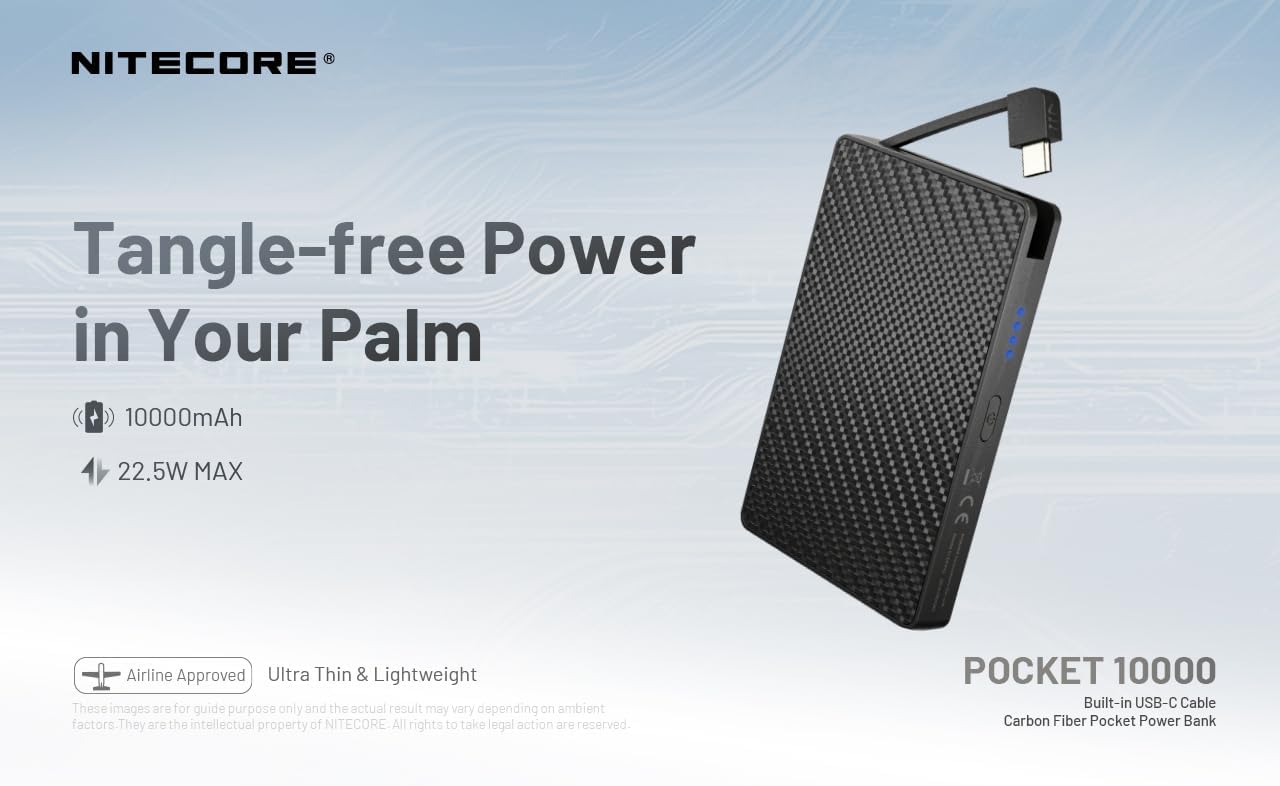
Figure 1: Nitecore Pocket 10000 Power Bank highlighting its compact design and built-in USB-C cable.
2. การตั้งค่าเริ่มต้น
2.1 เนื้อหาบรรจุภัณฑ์
ก่อนใช้งาน โปรดตรวจสอบให้แน่ใจว่ามีอุปกรณ์ครบถ้วนในบรรจุภัณฑ์:
- Nitecore Pocket 10000 Power Bank (NB10000)
- USB-C to USB-A Charging Cable (for recharging the power bank)
- คู่มือการใช้งาน
2.2 การชาร์จ Power Bank ครั้งแรก
It is recommended to fully charge the Nitecore Pocket 10000 before its first use.
- Connect the provided USB-C to USB-A charging cable to the USB-C input/output port on the power bank.
- เชื่อมต่อปลายสายด้าน USB-A เข้ากับอะแดปเตอร์แปลงไฟ USB ที่ใช้งานร่วมกันได้ (ไม่ได้รวมอยู่ในชุด) หรือพอร์ต USB ของคอมพิวเตอร์
- The blue indicator lights on the power bank will illuminate and flash to indicate charging progress. All four lights will be solid when fully charged.
The power bank charges quickly. Ensure adequate ventilation during charging, as it may generate some heat.
3. การดำเนินการ
3.1 การตรวจสอบระดับแบตเตอรี่
Press the power button once to activate the power level display. The four blue indicator lights will show the remaining battery capacity:
- ไฟ 4 ดวง: 75% - 100%
- ไฟ 3 ดวง: 50% - 75%
- ไฟ 2 ดวง: 25% - 50%
- 1 light: 0% - 25% (Recharge recommended)
3.2 การชาร์จอุปกรณ์ภายนอก
The Nitecore Pocket 10000 can charge various electronic devices, including smartphones, smartwatches, and other USB-powered gadgets.
- การใช้สาย USB-C ในตัว: Extend the integrated USB-C cable and plug it directly into your device's USB-C port.
- การใช้พอร์ต USB-C: Connect your device's charging cable (USB-C to USB-C or USB-A to USB-C) to the power bank's USB-C output port.
- The power bank will automatically begin charging your device. The indicator lights will show the power bank's remaining charge.
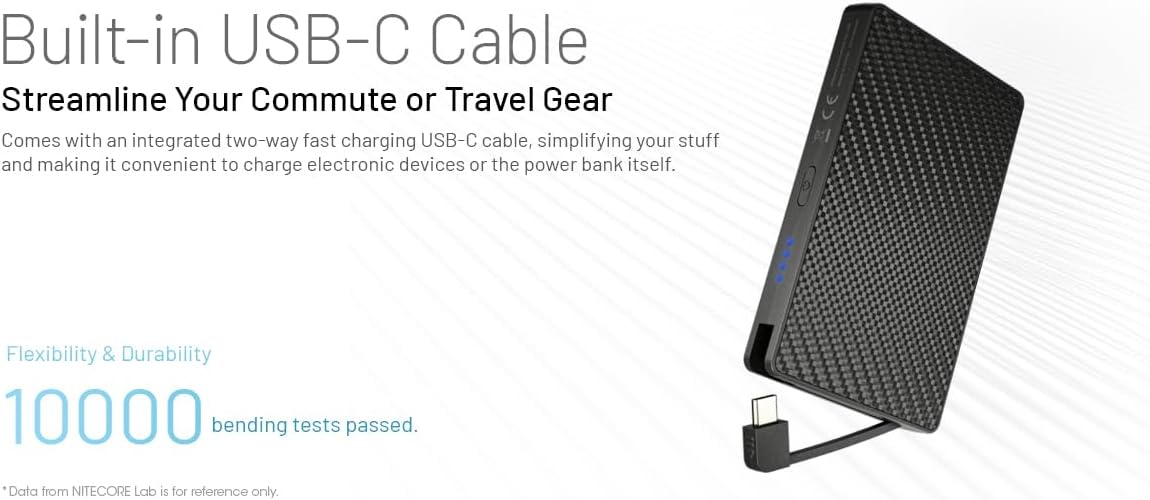
Figure 2: Charging a smartphone using the integrated USB-C cable.

Figure 3: Charging a smartphone using the dedicated USB-C port.
3.3 การชาร์จอุปกรณ์หลายเครื่องพร้อมกัน (การชาร์จแบบส่งผ่าน)
The power bank supports charging itself while simultaneously charging an external device. This is known as pass-through charging.
- Connect the power bank to a power source for recharging (as described in Section 2.2).
- Connect your external device to the power bank using either the built-in USB-C cable or the USB-C port.
- ทั้งพาวเวอร์แบงค์และอุปกรณ์ของคุณจะชาร์จพร้อมกัน
3.4 Automatic Low Current Mode
For charging low-current devices such as wireless earphones or smartwatches, the power bank automatically enters a low current mode to prevent overcharging and ensure optimal battery health for these devices.

Figure 4: The power bank automatically adjusts output for low-current devices like wireless earbuds.
4. การบำรุงรักษา
- การทำความสะอาด: ใช้ผ้านุ่มและแห้งเช็ดทำความสะอาดพื้นผิวของพาวเวอร์แบงค์ หลีกเลี่ยงการใช้สารเคมีรุนแรงหรือวัสดุที่มีฤทธิ์กัดกร่อน
- พื้นที่จัดเก็บ: เก็บพาวเวอร์แบงค์ไว้ในที่แห้งและเย็น หลีกเลี่ยงแสงแดดโดยตรงและอุณหภูมิที่สูงหรือต่ำเกินไป
- แนวทางปฏิบัติในการชาร์จ: To prolong battery life, avoid completely draining the power bank frequently. Recharge it when the battery level is low.
- การจัดการความร้อน: During fast charging or heavy use, the power bank may become warm. This is normal. Ensure it is placed in an open area with good ventilation to dissipate heat.
- ความต้านทานน้ำ: The power bank is IP65 rated, meaning it is protected against dust and low-pressure water jets. Do not submerge it in water or expose it to heavy rain.
5 การแก้ไขปัญหา
| ปัญหา | สาเหตุที่เป็นไปได้ | สารละลาย |
|---|---|---|
| พาวเวอร์แบงค์ชาร์จไม่เข้า | Charging cable not properly connected; faulty cable or adapter; power bank battery fully discharged. | Ensure cable is securely connected. Try a different cable or power adapter. Allow the power bank to charge for an extended period if deeply discharged. |
| อุปกรณ์ไม่ได้ชาร์จจากพาวเวอร์แบงค์ | Device cable not properly connected; power bank battery is empty; device is not compatible; power bank is in low current mode for a high-current device. | Check cable connections. Recharge the power bank. Verify device compatibility. Ensure the power bank is not stuck in low current mode (though it's automatic, a restart might help). |
| Power bank gets hot during charging/discharging | Normal operation during fast charging or high load; poor ventilation. | This is generally normal. Ensure the power bank is in a well-ventilated area. If it becomes excessively hot or emits smoke/odor, discontinue use immediately. |
| ไฟแสดงสถานะไม่ทำงาน | พาวเวอร์แบงค์ปิดอยู่ มีปัญหาภายใน | Press the power button to activate the display. If still unresponsive, contact customer support. |
6. ข้อมูลจำเพาะ
| คุณสมบัติ | รายละเอียด |
|---|---|
| หมายเลขรุ่น | POCKET 10000 (NB10000) |
| ประเภทเซลล์แบตเตอรี่ | Li-ion |
| ความจุ | 10,000mAh 3.85V (38.5Wh) |
| พลังงานที่ได้รับการจัดอันดับ | 6,200mAh 5V (ประเภท 3A) |
| Input (USB-C Cable) | 5V-3A / 9V-2A / 12V-1.5A (สูงสุด 18W) |
| อินพุต (พอร์ต USB-C) | 5V-3A / 9V-2A / 12V-1.5A (สูงสุด 18W) |
| ช่องต่อออก (สาย USB-C ในตัว) | 5V-3A / 9V-2.22A / 12V-1.67A (สูงสุด 20W) |
| เอาต์พุต (พอร์ต USB-C) | 5V-3A / 9V-2.22A / 12V-1.67A / 10V-2.25A (22.5W MAX) |
| ผลผลิตรวม | 5V-3A (สูงสุด) |
| ระดับการป้องกันน้ำและฝุ่น (IP) | IP65 |
| ขนาด (ยาว x กว้าง x หนา) | 105.0 มม. x 70.0 มม. x 12.5 มม. / 4.13" x 2.76" x 0.49" |
| น้ำหนัก | 160g ± 5g / 5.64 oz ± 0.1 oz |
| อุปกรณ์ที่รองรับ | Smartphone, Smartwatch, etc. |
7. การรับประกันและการสนับสนุน
Information regarding the product warranty and customer support details was not available in the provided product data. Please refer to the official Nitecore website or contact your retailer for specific warranty terms and support options.