
1. บทนำ
The LOVENSE Diamo is a Bluetooth-enabled vibrating ring designed for comfortable and extended wear. It features a powerful motor for targeted vibrations and offers versatile control options through the LOVENSE Remote app. This manual provides detailed instructions for setup, operation, maintenance, and troubleshooting to ensure optimal use of your Diamo device.
คุณสมบัติหลัก:
- การเชื่อมต่อบลูทูธ: Seamlessly connect to the LOVENSE Remote app for advanced control.
- การออกแบบที่สะดวกสบาย: Made from pure silicone, designed for comfortable and extended wear.
- Powerful Vibrations: Features a strong motor to provide intense, targeted sensations.
- การควบคุมแอพ: Adjust vibration levels, create custom patterns, and enjoy music sync and sound control features via the LOVENSE Remote app.
- การควบคุมระยะไกล: Share control with a partner through the app, enabling remote interaction.
- กันน้ำ: IPX7 waterproof rating for easy cleaning and versatile use.
- Discreet Packaging: All LOVENSE products are shipped in discreet packaging to ensure privacy.
2. เนื้อหาบรรจุภัณฑ์
Upon unboxing your LOVENSE Diamo, please verify that all items listed below are included:
- LOVENSE Diamo Device x1
- สายชาร์จ USB x1
- คู่มือการใช้งาน x1
- กระเป๋าเก็บของ x1
วีดีโอ: Unboxing the LOVENSE Diamo. This video demonstrates the contents of the LOVENSE Diamo package, including the device, charging cable, user manual, and storage bag.
3. การตั้งค่า
3.1 การชาร์จอุปกรณ์
Before first use, fully charge your Diamo device. The device charges via a magnetic USB cable.
- Connect the magnetic end of the USB charging cable to the charging points on the Diamo device.
- เสียบปลาย USB ของสายเคเบิลเข้ากับอะแดปเตอร์แปลงไฟ USB มาตรฐาน (ไม่ได้รวมอยู่ในชุด) หรือพอร์ต USB ของคอมพิวเตอร์
- The indicator light will illuminate during charging. Once fully charged, the light will turn off. A full charge typically takes approximately 60 minutes.
ภาพ: The LOVENSE Diamo connected to its magnetic USB charging cable, illustrating the charging process.
3.2 Downloading the LOVENSE Remote App
The LOVENSE Diamo is primarily controlled via the LOVENSE Remote app, available for iOS and Android devices.
- Scan the QR code provided in the user manual or search for 'LOVENSE Remote' in your device's app store.
- ดาวน์โหลดและติดตั้งแอปพลิเคชัน

ภาพ: The LOVENSE Remote App interface, demonstrating long-distance control capabilities and providing QR codes for downloading the app from the App Store and Google Play.
3.3 การเชื่อมต่อกับแอป
ตรวจสอบให้แน่ใจว่าอุปกรณ์ของคุณเปิดใช้งานบลูทูธแล้ว
- Turn on the Diamo device by holding the power button for 3 seconds.
- Open the LOVENSE Remote app.
- Tap the '+' icon in the top right corner of the app screen, then select 'Add Toy'.
- The Diamo should appear under 'Available Toys'. Tap on it to connect.
- Once connected, you can control the Diamo through the app.
วีดีโอ: Demonstrating how to turn on the LOVENSE Diamo and connect it to the LOVENSE Remote app. The video shows the app interface and the connection process.
4. Operating the LOVENSE Diamo
4.1 Basic Controls (Device)
- เปิด/ปิดเครื่อง: กดปุ่มเปิดปิดค้างไว้ 3 วินาที
- Cycle Vibrations: One tap on the power button to cycle through built-in vibration patterns.
4.2 App Controls
The LOVENSE Remote app offers extensive control over your Diamo device:
- รีโมทคอนโทรล: Adjust vibration intensity and patterns with a finger swipe.
- แพทเทิร์นของฉัน: Create, save, and play up to 10 customized vibration patterns.
- การซิงค์เพลง: ซิงโครไนซ์การสั่นสะเทือนกับเพลงโปรดของคุณ
- การควบคุมเสียง: Control vibrations based on ambient sounds.
- การควบคุมระยะไกล: Invite a partner to control your device remotely.
- คุณสมบัติการแจ้งเตือน: Utilize the alarm function for scheduled vibrations.

ภาพ: The LOVENSE Diamo device alongside a smartphone displaying the app interface, highlighting the availability of over 10,000 app-controlled patterns and 7 built-in button-controlled patterns.

ภาพ: A man enjoying music while the LOVENSE Diamo is in use, with the app displaying the music synchronization feature, allowing vibrations to match audio.
4.3 Usage Positions
The Diamo is designed for versatile use. It can be positioned to provide stimulation to the perineum and other areas. Experiment with different orientations to find what is most comfortable and effective for you.

ภาพ: Illustrations demonstrating various ways to wear the LOVENSE Diamo, highlighting different positions for optimal stimulation.
4.4 สถานการณ์การใช้งาน
- การเล่นเดี่ยว: Enjoy personalized sensations with app control.
- การเล้าโลม: Enhance intimacy with a partner.
- Couple's Sex: Both partners can feel the residual vibrations.
- Discreet Public Play: The quiet operation and wearable design allow for discreet use.
- การเล่นระยะไกล: เชื่อมต่อกับคู่ของคุณได้ทุกที่ทั่วโลกผ่านแอปพลิเคชัน

ภาพ: A man using the LOVENSE Diamo for solo play, controlled via the app on his smartphone.

ภาพ: A couple engaging in foreplay, with the LOVENSE Diamo enhancing their experience.

ภาพ: A man discreetly using the LOVENSE Diamo in a public setting, demonstrating its quiet operation and wearable design.
5. การบำรุงรักษา
5.1 การทำความสะอาด
The LOVENSE Diamo is IPX7 waterproof, making it easy to clean.
- After each use, wash the device with warm water and a mild, toy-safe soap.
- ล้างให้สะอาดเพื่อขจัดคราบสบู่ที่เหลือออกให้หมด
- ซับให้แห้งด้วยผ้าที่ไม่เป็นขุย หรือปล่อยให้แห้งสนิทก่อนจัดเก็บ

ภาพ: A hand washing the LOVENSE Diamo under running water, illustrating its waterproof design and ease of cleaning.
5.2 พื้นที่จัดเก็บ
Store the Diamo in its provided storage bag in a cool, dry place, away from direct sunlight and extreme temperatures. Keep it separate from other toys made of different materials to prevent material degradation.
6 การแก้ไขปัญหา
- อุปกรณ์ไม่เปิด: ตรวจสอบให้แน่ใจว่าอุปกรณ์ชาร์จเต็มแล้ว หากปัญหายังคงอยู่ โปรดติดต่อฝ่ายสนับสนุนลูกค้า
- ปัญหาการเชื่อมต่อแอป: Make sure Bluetooth is enabled on your smartphone and the Diamo is turned on. Try restarting both the device and the app. For Windows PC, a LOVENSE USB Bluetooth Adapter is required for connection.
- การสั่นสะเทือนอ่อน: Fully charge the device. If vibrations remain weak, contact customer support.
7. ข้อมูลจำเพาะ
| หมายเลขรุ่น | Diamo |
| ยี่ห้อ | โลเวนเซ่ |
| วัสดุ | ซิลิโคน |
| สี | สีดำ |
| ขนาดสินค้า | 5.24 x 2.56 x 1.3 นิ้ว |
| น้ำหนัก | 6.35 ออนซ์ |
| แบตเตอรี่ | แบตเตอรี่ลิเธียมไอออน 1 ก้อน (รวมอยู่ด้วย) |
| ระดับการกันน้ำ | IPX7 |
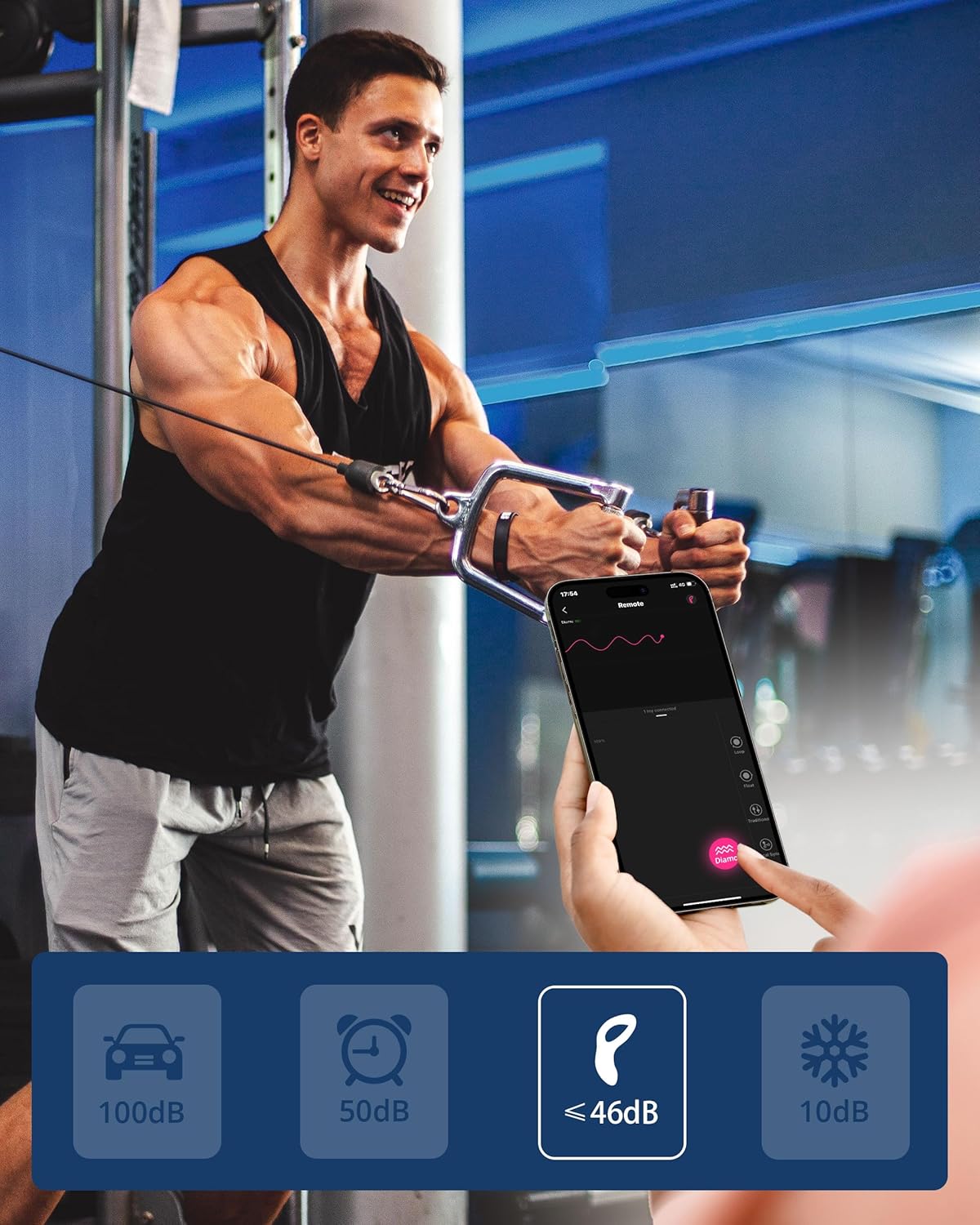
| ระดับเสียง | ต่ำกว่า 50dB |

ภาพ: A visual representation of the LOVENSE Diamo's dimensions and the contents of its retail package.
8. การรับประกันและการสนับสนุน
The LOVENSE Diamo comes with a 1-year warranty. For any questions, concerns, or support needs regarding your product, please contact the LOVENSE Official Store customer support. Providing the 10-digit serial number (starts with '1') found on the product packaging can expedite your service request.

ภาพ: A visual representation of the discreet packaging process for LOVENSE products, from boxing to delivery.