
การแนะนำ
This manual provides detailed instructions for the Amkette Evo Fox Elite Pro Wireless Gamepad. This device is designed for use with PC (X Input), PS3, and Android TV, offering a high-performance wireless gaming experience with dual vibration and extended battery life.


คำแนะนำการตั้งค่า
Follow these steps to set up your Amkette Evo Fox Elite Pro Wireless Gamepad for various platforms.
เนื้อหาแพ็คเกจ:
- Amkette Evo Fox Elite Pro Wireless Gamepad
- High Performance USB Receiver
- Charging Cable (Charger included)
Charging the Gamepad:
Before initial use, ensure the gamepad is fully charged. Connect the charging cable to the gamepad and a power source. A full charge typically takes approximately 2 hours. The gamepad contains 2 Lithium Ion batteries.
การเชื่อมต่อกับอุปกรณ์:
The gamepad utilizes a 2.4 GHz wireless USB receiver for connectivity.
- เสียบตัวรับสัญญาณ USB: Plug the high-performance USB receiver into an available USB port on your PC, PS3 console, or Android TV.
- Power On the Gamepad: Press the central 'Evo Fox' button to power on the gamepad. The gamepad will automatically attempt to connect to the receiver.
- การตรวจจับอัตโนมัติ: The gamepad features auto-detect functionality for PC, PS3, and Android TV. Once connected, the device should recognize the gamepad. For PC, it supports X Input.


คำแนะนำการใช้งาน
Understand the features and functions of your gamepad for optimal gaming performance.
การควบคุมพื้นฐาน:
- แท่งอนาล็อก: Two high-precision analog sticks for movement and camera control.
- ดี-แพด: ปุ่มควบคุมทิศทางสำหรับการป้อนทิศทางที่แม่นยำ
- ปุ่มการทำงาน: Standard A, B, X, Y buttons (or corresponding PlayStation symbols) for in-game actions.
- ปุ่มไหล่/ไกปืน: L1/R1 (bumpers) and L2/R2 (triggers) for additional controls.
- ปุ่มเริ่ม/เลือก/หน้าแรก: สำหรับการนำทางเมนูและฟังก์ชั่นระบบ
การตอบรับการสั่นสะเทือนแบบคู่:
The gamepad is equipped with dual vibration motors that provide immersive haptic feedback during gameplay, enhancing realism for impacts, explosions, and other in-game events.

อายุการใช้งานแบตเตอรี่:
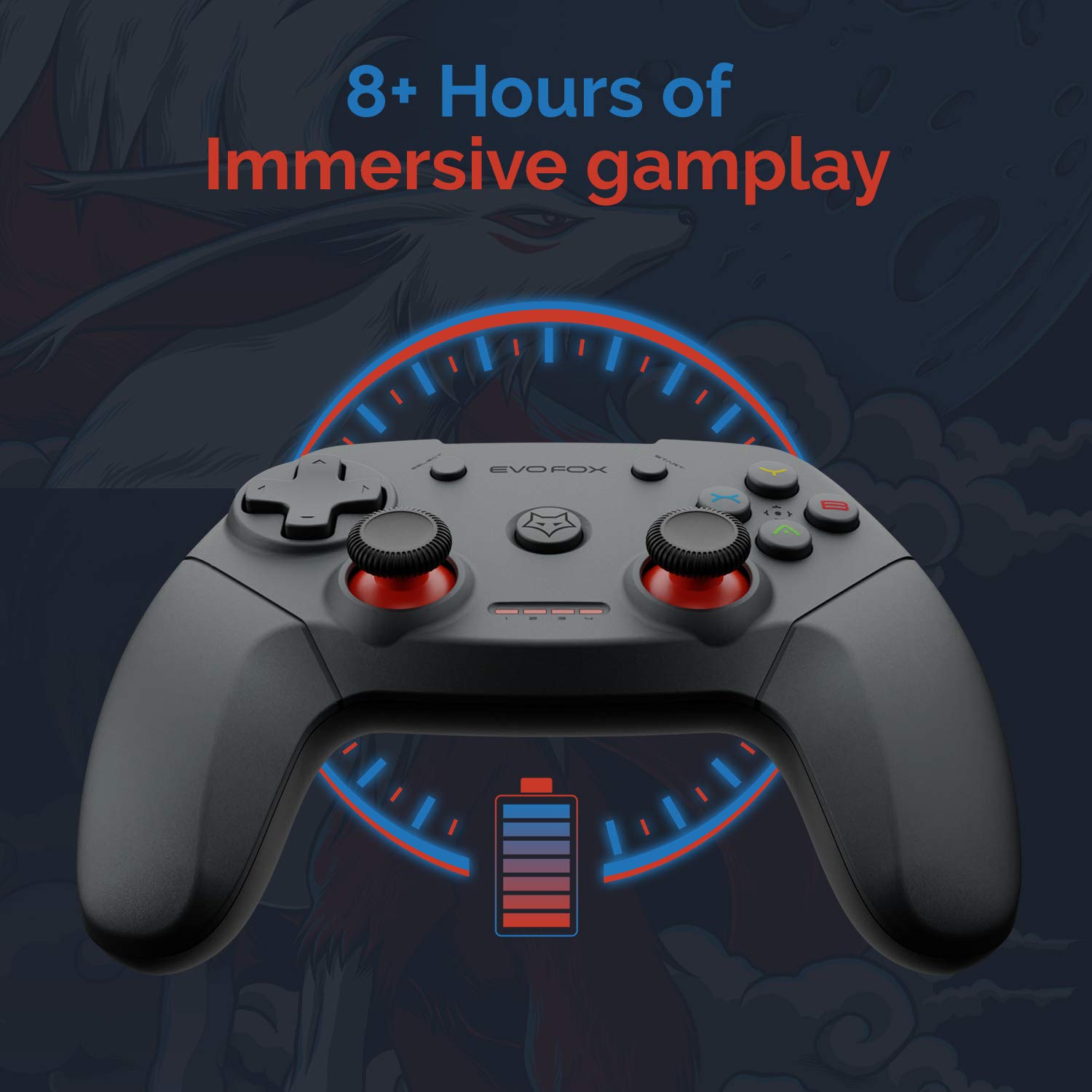
The gamepad offers an average battery life of 8+ hours on a single charge, allowing for extended gaming sessions. The battery indicator lights on the gamepad will provide an indication of the remaining charge.
การจัดการพลังงาน:
The gamepad does not feature a dedicated 'off' button. To conserve battery life, it is recommended to remove the USB dongle from the connected device when the gamepad is not in use. Leaving the dongle connected may cause the gamepad to remain active and drain its battery, especially with wall-mounted TVs where the dongle might be less accessible.
การซ่อมบำรุง
Proper care and maintenance will extend the life of your Amkette Evo Fox Elite Pro Wireless Gamepad.
- การทำความสะอาด: ใช้ผ้าแห้งนุ่มๆ เช็ดทำความสะอาดพื้นผิวของจอยเกม หลีกเลี่ยงการใช้สารเคมีรุนแรงหรือวัสดุที่มีฤทธิ์กัดกร่อน
- พื้นที่จัดเก็บ: เก็บเกมแพดไว้ในที่แห้งและเย็น หลีกเลี่ยงแสงแดดโดยตรงและอุณหภูมิที่สูงหรือต่ำเกินไป
- การดูแลแบตเตอรี่ Recharge the gamepad when the battery indicator is low. Avoid completely draining the battery frequently to prolong its overall lifespan.
- ตัวรับสัญญาณ USB: Keep the USB receiver protected from dust and physical damage.
การแก้ไขปัญหา
หากคุณพบปัญหาเกี่ยวกับจอยเกม โปรดดูปัญหาและวิธีแก้ไขที่พบบ่อยต่อไปนี้
ปัญหาการเชื่อมต่อ:
- Gamepad Disconnects Frequently:
- Ensure the USB receiver is not in a hidden spot or obstructed, which can cause range issues. Consider using a USB extension cable if the receiver is far from the gamepad or in an obstructed location.
- Some users have reported conflicts with USB 3.0 ports or other USB devices (like a mouse) when connected to the same USB controller. Try connecting the gamepad's USB receiver to a USB 2.0 port, preferably on the back panel of a PC, and ensure other peripherals are on different USB controllers if possible.
- ตรวจสอบให้แน่ใจว่าเกมแพดมีประจุเพียงพอ
- แป้นเกมไม่เชื่อมต่อ:
- ตรวจสอบให้แน่ใจว่าตัวรับสัญญาณ USB เสียบเข้ากับอุปกรณ์อย่างแน่นหนาแล้ว
- Press the central 'Evo Fox' button on the gamepad to ensure it is powered on.
- ลองเสียบตัวรับสัญญาณ USB เข้ากับพอร์ต USB อื่น
- Resetting the Gamepad: If the gamepad is unresponsive, a hard reset may be required. Locate a small pinhole on the gamepad (often on the back or bottom). Use a thin object like a paperclip to press and hold the reset button inside for a few seconds.
ปัญหาแบตเตอรี่:
- Gamepad Not Charging:
- ตรวจสอบสายชาร์จและแหล่งจ่ายไฟเพื่อให้เชื่อมต่อได้อย่างถูกต้อง
- ลองใช้สายชาร์จหรือพอร์ต USB อื่น
- อายุการใช้งานแบตเตอรี่สั้น:
- Ensure the gamepad is fully charged before use (approx. 2 hours).
- Remember to remove the USB dongle when not in use to prevent passive battery drain.
ปุ่ม/จอยสติ๊กไม่ตอบสนอง:
- Perform a gamepad reset as described above.
- Ensure the gamepad is properly connected and recognized by your device.
- Test the gamepad with another game or application to rule out software-specific issues.
ข้อมูลจำเพาะ
| คุณสมบัติ | รายละเอียด |
|---|---|
| ยี่ห้อ | แอมเก็ต |
| หมายเลขรุ่น | 827 |
| สี | สีดำ |
| เทคโนโลยีการเชื่อมต่อ | 2.4 GHz Wireless (via USB Receiver) |
| อุปกรณ์ที่รองรับ | PC (X Input), PS3, Android TV |
| ประเภทตัวควบคุม | แป้นเกม |
| แพลตฟอร์มฮาร์ดแวร์ | เดสก์ท็อป |
| ระบบปฏิบัติการ | แอนดรอยด์ |
| ขนาดสินค้า | 18 x 12 x 12 ซม. |
| น้ำหนักสินค้า | 210 กรัม |
| แบตเตอรี่ | แบตเตอรี่ลิเธียมไอออน 2 ก้อน (รวมอยู่ด้วย) |
| เวลาในการชาร์จแบตเตอรี่ | 2 ชั่วโมง |
| อายุการใช้งานแบตเตอรี่โดยเฉลี่ย | 8 ชั่วโมง |
| ปริมาณพลังงานแบตเตอรี่ลิเธียม | 8 วัตต์ชั่วโมง |
| ส่วนประกอบที่รวมอยู่ | Gamepad, USB Receiver, Charger |
| วันที่พร้อมใช้งานครั้งแรก | 1 กันยายน 2020 |
การรับประกันและการสนับสนุน
Amkette provides comprehensive support for its products.
ข้อมูลการรับประกัน:
The Amkette Evo Fox Elite Pro Wireless Gamepad comes with a 1-Year Manufacturing Warrantyการรับประกันนี้ครอบคลุมถึงข้อบกพร่องในวัสดุและฝีมือการผลิตภายใต้การใช้งานปกติ
การสนับสนุนลูกค้า:
For any technical assistance, warranty claims, or product-related inquiries, please contact Amkette customer support:
- โทรศัพท์/WhatsApp: +919312691448
- อีเมล: techsupport@amkette.in
โปรดเตรียมหมายเลขรุ่นผลิตภัณฑ์ (827) และรายละเอียดการซื้อให้พร้อมเมื่อติดต่อฝ่ายสนับสนุน